
Stan York
VP of Development
Chose Google Meet
We haven't actually selected Google Meet as a replacement for the others - rather each has its own niche.

| Product | Rating | Most Used By | Product Summary | Starting Price |
|---|---|---|---|---|
 Google Meet | N/A | Google Meet, formerly Hangouts Meet, replaces the former Google Hangouts as the company's G Suite integrated web conferencing tool, allowing users to join meetings directly from a Calendar event or email invite from a computer, phone, or conference room. G Suite's Enterprise edition also creates a dial-in phone number for each meeting, as an additional convenience. | $6 per month | |
 GoTo Meeting | N/A | From GoTo (formerly LogMeIn), GoToMeeting is an online meeting, desktop sharing, and video conferencing software that enables users to connect via the internet. It hosts a suite of online meeting tools, including real-time screen sharing and integrated audio. | $12 per month |
| Google Meet | GoTo Meeting | |||||||||||||||
|---|---|---|---|---|---|---|---|---|---|---|---|---|---|---|---|---|
| Editions & Modules |
|
| ||||||||||||||
| Offerings |
| |||||||||||||||
| Entry-level Setup Fee | No setup fee | No setup fee | ||||||||||||||
| Additional Details | — | Pricing available by monthly or annual subscription, with discounts for annual commitments. | ||||||||||||||
| More Pricing Information | ||||||||||||||||
| Google Meet | GoTo Meeting | |
|---|---|---|
| Considered Both Products | Google Meet Stan York VP of Development Chose Google Meet We haven't actually selected Google Meet as a replacement for the others - rather each has its own niche.  Sergey Gorbanenko QA Engineer Chose Google Meet To maintain in-depth and frequent communication, we use Google Hangouts Meet because the conversation is stable and flexible. We can achieve our goals through effective communication; communication with suppliers and purchasers is significant.  Achyut Kulkarni Graduate Research Assistant Chose Google Meet Zoom has an advantage over Google, as it has better audio and video quality. The host has more authority over attendees. Zoom also has an advantage that it can used in any web browser while Google Meet can only be used in Chrome browsers. When it comes to the free version, … |  GoTo Meeting  Andy Gagliardi Accounting Systems Manager Chose GoTo Meeting I think the audio and video conections seems to be more stable with larger meetings in GoTo Meeting over Microsoft Teams and Google Meet. Navigation and controlls seem to be a great deal easier to use for most of our attendies over the other 2 platforms. But I think GoTo …  Azhar Chaudri Cyber Security Training Specialist Chose GoTo Meeting GoTo Meeting stacks up well against Teams, Slack, and Google Meet in terms of functionality, features, performance, and productivity. The only major downside as aforementioned, is the Cost, which is considerably more than the other 3 and Zoom. GoTo Meeting is very much our …  Muhammad Imtiaz IT Business analyst Chose GoTo Meeting GoTo Meeting is good for small organizations. For my personal use I prefer Google Meet but for professional use I like to use GoTo Meeting. It gives a good quality video and audio which is something that make you compare the product with other similar products. The free …  Meagan Peters, CHDM Senior Account Manager Chose GoTo Meeting We find that Google Meet doesn't integrate well externally and you can't managed attendee lists, keep them private, manage follow ups with a record on Google Meet. It's a great service to use for meeting locally with internal collogues but just doesn't meet our needs as our …  Asif Ali Khan Software company Chose GoTo Meeting We like goto meeting due to it's features and specifications. It has best calling quality and clear screen sharing feature. We also used some others products but they have high prices and less features as compare to goto meeting. We spent most of amount on other products but …  Daniel J. Canto Bonilla Senior Network Manager Chose GoTo Meeting Overall, we selected GoTo Meeting for its reliability, security, ease of use, and seamless integration with our existing tools. It offers a balanced combination of features that suit our business needs while remaining cost-effective. The platform has proven to be a dependable …  Ch Shahryar Fazal Business Development Chose GoTo Meeting Skype doesn't allow as many integration as in GoTo Meeting e.g Calendar Integration with emails Auto email to participants  Laura Samoisette, LEED AP, WELL AP High Performance Division Project Manager Chose GoTo Meeting We also frequently use Zoom, Google Meet, and Dialpad Meetings. Personally, I like Google Meet best as it integrates perfectly with our Google Calendar. GoTo Meeting outshines Zoom, it is easier to use and less costly. Dialpad Meetings is great for internal use collaborating …  Jennifer Aiksnoras Owner Chose GoTo Meeting Zoom is my preferred meeting product. It is easy to use, integrates with my systems, and allows me to easily connect with even the most non-techy of my clients.  Kimberly Hammond Desktop I Technician Chose GoTo Meeting Greater audience. No lag. It doesn't shutdown sound when the resources are lost. Easy to learn for the professionals. Very good product to use. Sound quality is good. You can effectively present as if you were in a conference room. Setup is easy and the functions are great.It …  Faheem Yaseen Senior Full Desk Recuitment Chose GoTo Meeting As I have used same multiple platforms, to my expeience and understanding it's much more reliable. It works on low bandwidth. It's quality of audio and video confercing is highly remarkable which allows us to build a strong relationship with the client. Also it beacuse of this …  Naga Bhushanam Nedunuri Student Chose GoTo Meeting Goto meeting has strong privacy policy in terms of users data than other competitive platforms and maintains data centres in all regions in the world. Goto is widely used by people in every organisation.  Shubham Jurail IT Consultant Chose GoTo Meeting it is easy to use in comparison to teams and need lo bandwidth to use. |
| Google Meet | GoTo Meeting | ||||||||||||||||||
|---|---|---|---|---|---|---|---|---|---|---|---|---|---|---|---|---|---|---|---|
| Performance & Compatibility of Online Events Software |
| ||||||||||||||||||
| Screen Sharing |
| ||||||||||||||||||
| Online Meetings / Events |
| ||||||||||||||||||
| Online Events Collaboration |
| ||||||||||||||||||
| Online Events Security |
|
| Google Meet | GoTo Meeting | |
|---|---|---|
| Small Businesses |  ClickMeeting Score 9.5 out of 10 | ClickMeeting Score 9.5 out of 10 |
| Medium-sized Companies |  JioMeet Score 9.8 out of 10 | JioMeet Score 9.8 out of 10 |
| Enterprises |  Webex Meetings Score 8.7 out of 10 | Webex Meetings Score 8.7 out of 10 |
| All Alternatives | View all alternatives | View all alternatives |
| Google Meet | GoTo Meeting | |
|---|---|---|
| Likelihood to Recommend | 9.2 (65 ratings) | 8.2 (441 ratings) |
| Likelihood to Renew | 7.0 (6 ratings) | 7.5 (51 ratings) |
| Usability | 9.0 (24 ratings) | 5.0 (35 ratings) |
| Availability | - (0 ratings) | 9.1 (2 ratings) |
| Performance | - (0 ratings) | 9.1 (2 ratings) |
| Support Rating | 9.8 (18 ratings) | 7.6 (52 ratings) |
| Online Training | - (0 ratings) | 7.3 (3 ratings) |
| Implementation Rating | - (0 ratings) | 8.9 (8 ratings) |
| Configurability | - (0 ratings) | 4.5 (2 ratings) |
| Contract Terms and Pricing Model | 8.6 (2 ratings) | - (0 ratings) |
| Ease of integration | - (0 ratings) | 3.0 (1 ratings) |
| Product Scalability | - (0 ratings) | 9.0 (1 ratings) |
| Professional Services | 9.0 (1 ratings) | - (0 ratings) |
| Vendor post-sale | - (0 ratings) | 4.0 (1 ratings) |
| Vendor pre-sale | - (0 ratings) | 10.0 (1 ratings) |
| Google Meet | GoTo Meeting | |
|---|---|---|
| Likelihood to Recommend | Google
 Jacintha Chanda Examinantions Manager | GoTo (formerly LogMeIn)
 Ashley Love System Administrator |
| Pros | Google
| GoTo (formerly LogMeIn)
|
| Cons | Google
| GoTo (formerly LogMeIn)
|
| Likelihood to Renew | Google
 Souvik Giri Graduate Engineer Trainee | GoTo (formerly LogMeIn)
Asif Ali Khan Software company |
| Usability | Google
| GoTo (formerly LogMeIn)
 Rusty Angell Field Correspondent |
| Reliability and Availability | Google No answers on this topic | GoTo (formerly LogMeIn)
 Erin Easterberg Director of Billing & accounts receivable |
| Performance | Google No answers on this topic | GoTo (formerly LogMeIn)
Erin Easterberg Director of Billing & accounts receivable |
| Support Rating | Google
| GoTo (formerly LogMeIn)
 Parker O'Very Marketing Operations |
| Implementation Rating | Google No answers on this topic | GoTo (formerly LogMeIn)
 James Roy Office Manager |
| Alternatives Considered | Google
| GoTo (formerly LogMeIn)
|
| Contract Terms and Pricing Model | Google
 Gokul Krishnan Software engineer 2 | GoTo (formerly LogMeIn) No answers on this topic |
| Professional Services | Google
Gokul Krishnan Software engineer 2 | GoTo (formerly LogMeIn) No answers on this topic |
| Return on Investment | Google
| GoTo (formerly LogMeIn)
 Mahedi Hassan Network Engineer |
| ScreenShots | GoTo Meeting Screenshots 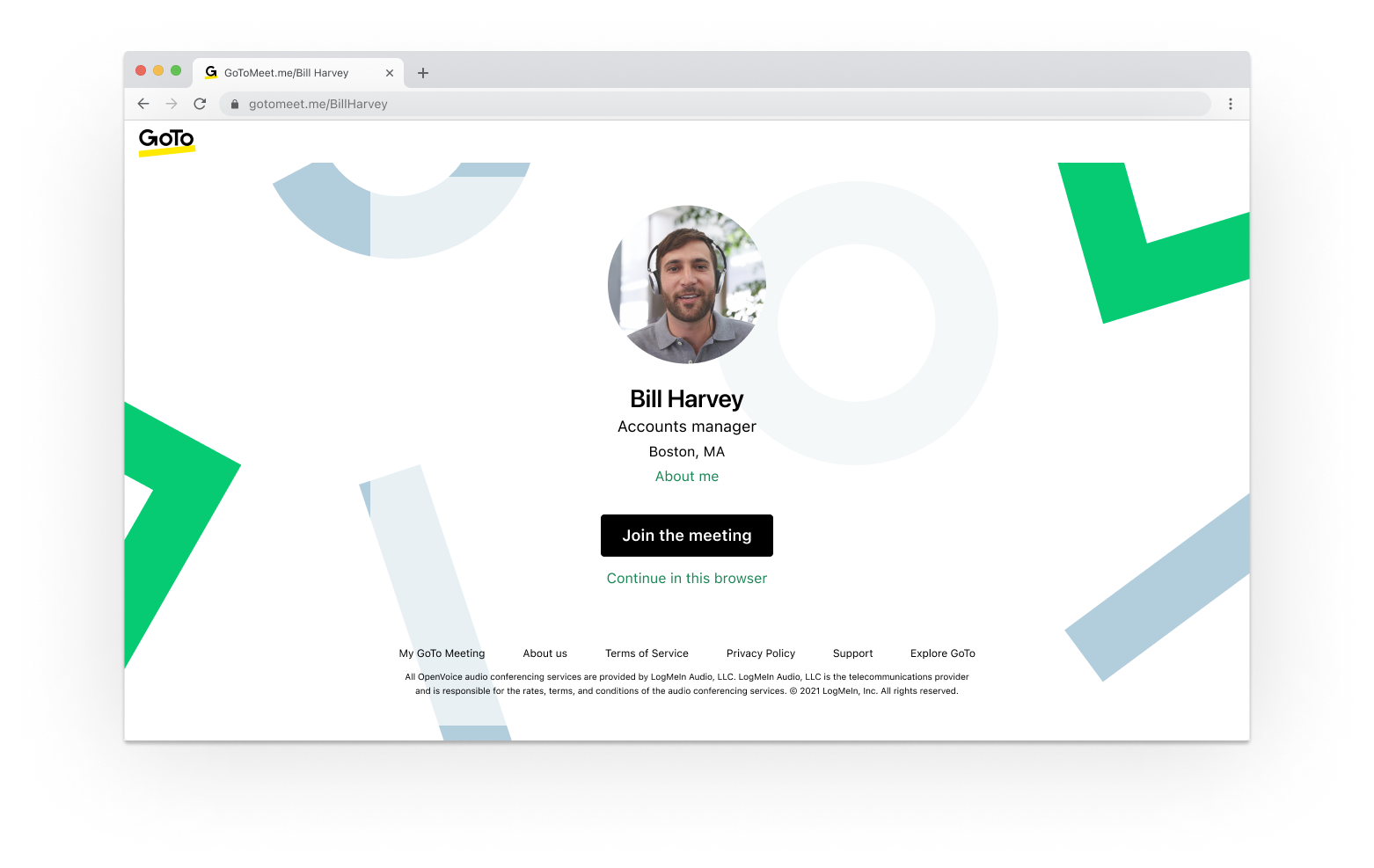   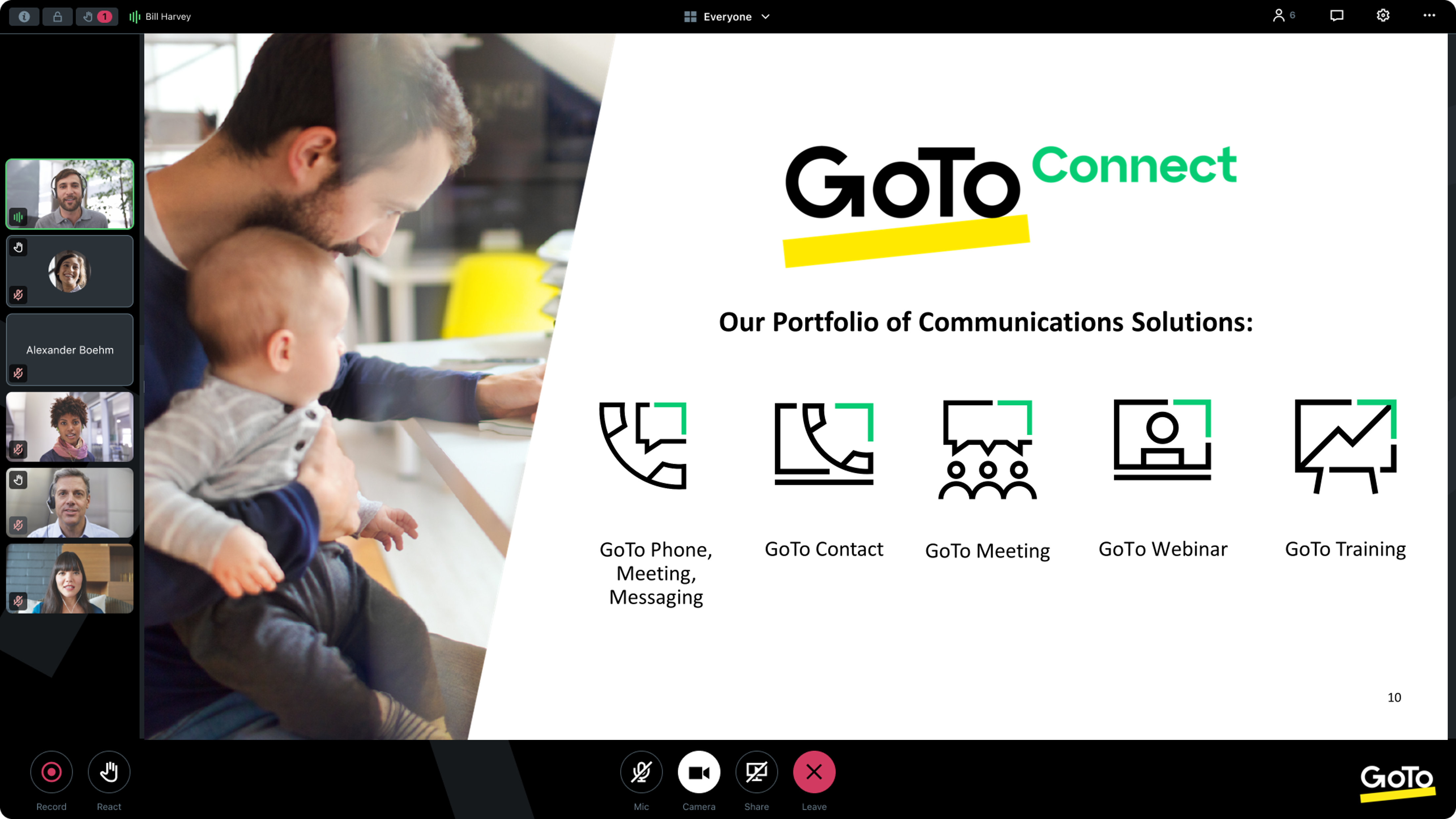 |