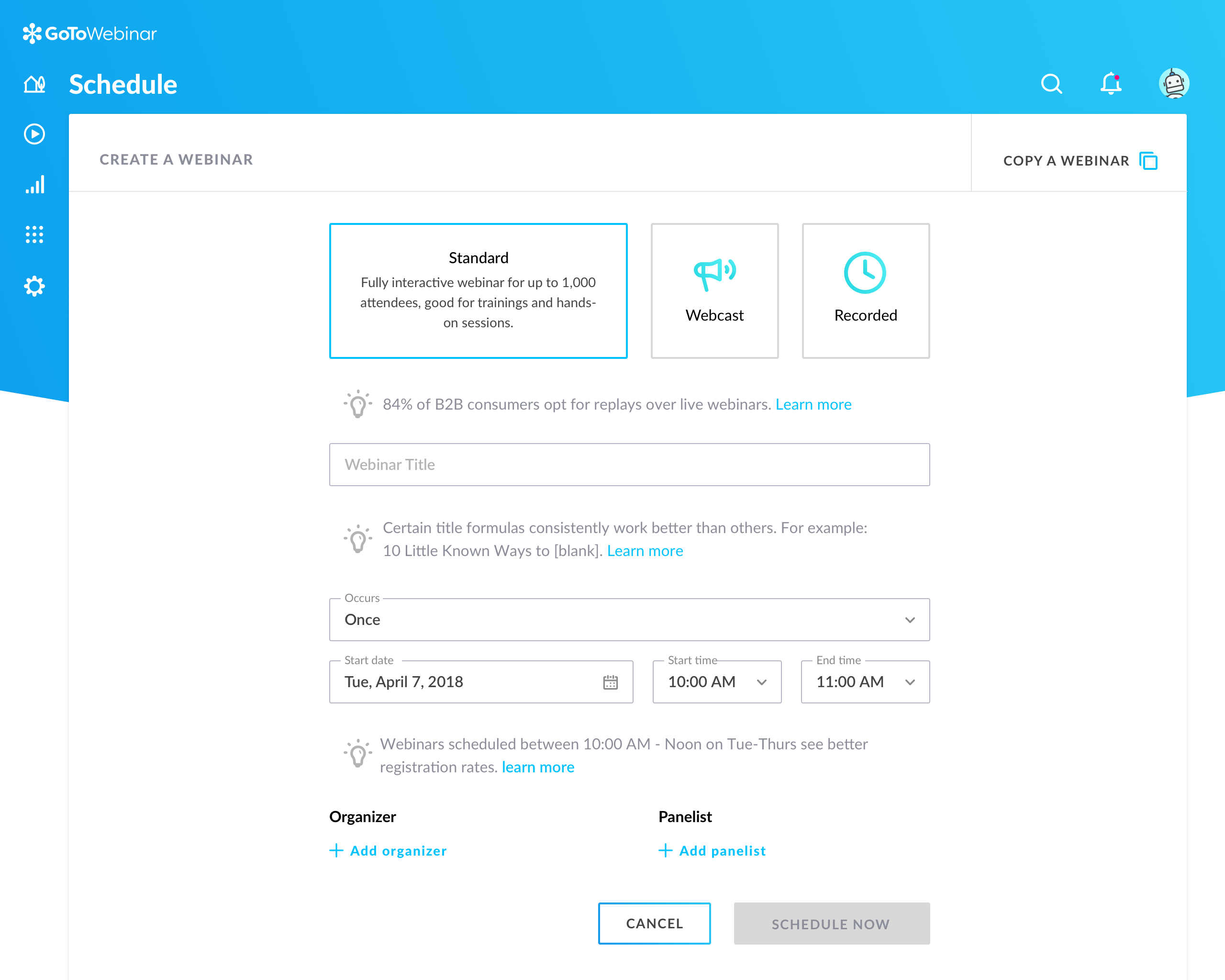
GoToWebinar is GoTo’s webinar and online conferencing solution, and offers features like audience polling and Q&A, flexible scheduling experiences, and webinar templates. It offers CRM integrations and reporting & analytics tools to help engage clients’ audiences.
$49
per month per organizer
Planned
Score 8.7 out of 10
Enterprise companies (1,001+ employees)
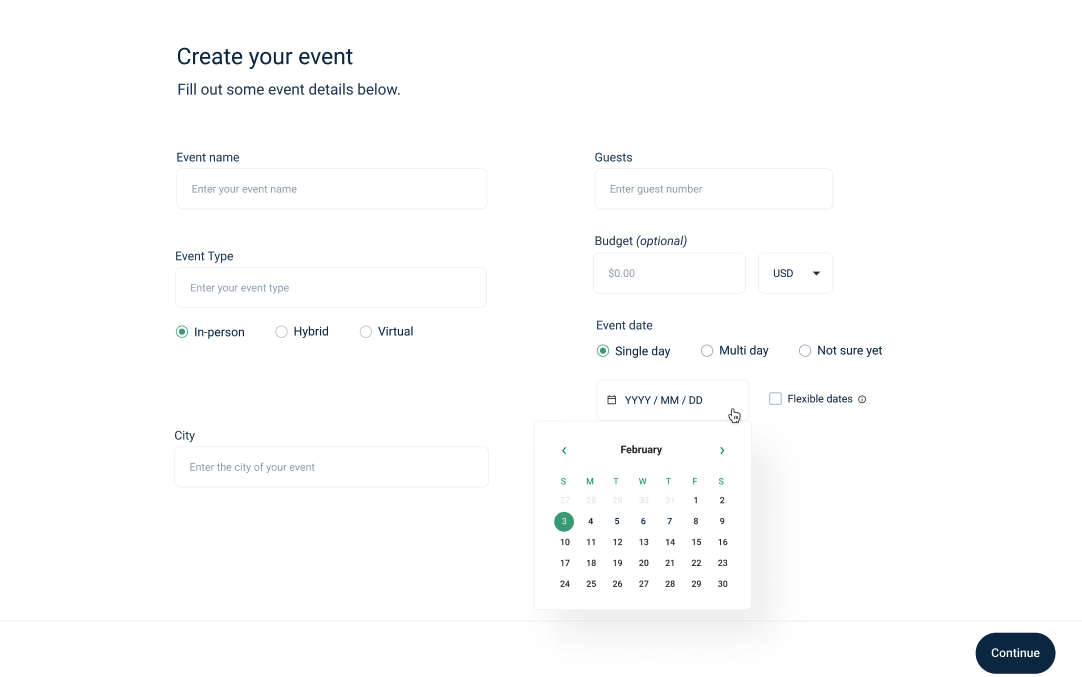
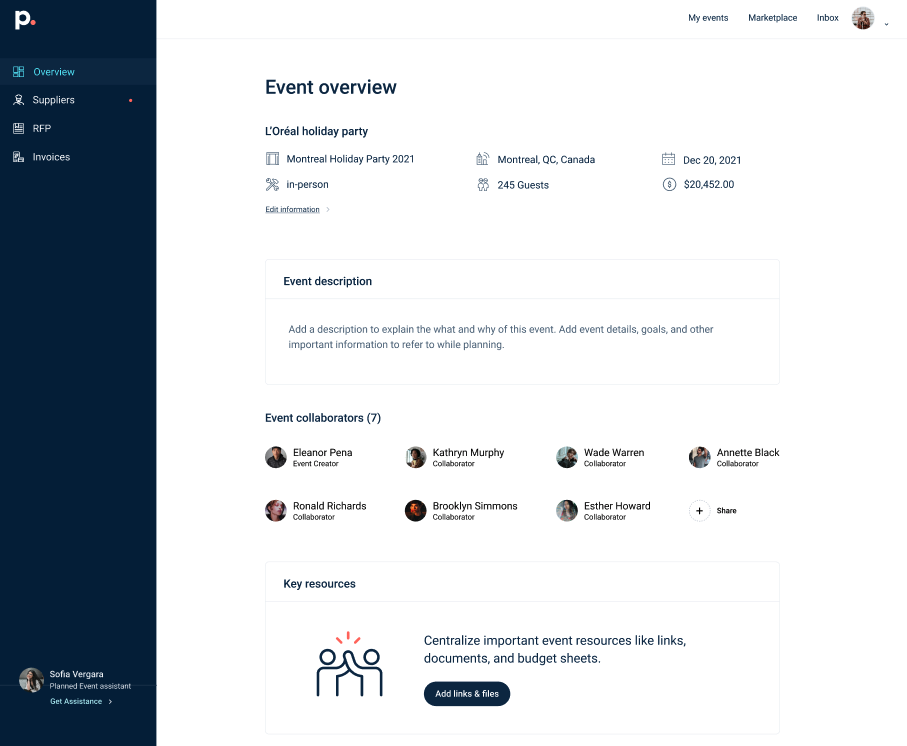
Planned, from the company in Montreal, is an event planning platform for corporations offering tools for discovery, booking, invoicing and reporting.
$0.03
per booking
Whova
Score 9.4 out of 10
N/A
Whova, headquartered in San Diego, provides what they describe as Intelligent Event Technology Solutions by creating authentic audience participation and engagement and simplifying the entire event process from planning to registration, networking, and follow-up. Whova's mobile engagement apps support both on-location events and virtual events.
N/A
Pricing
GoTo Webinar
Planned
Whova
Editions & Modules
Lite
$49/month
per month per organizer
Standard
$99/month
per month per organizer
Pro
$199/month
per month per organizer
Enterprise
$399/month
per month per organizer
Basic account
3%
per booking
Enterprise account
3%
per booking
No answers on this topic
Offerings
Pricing Offerings
GoTo Webinar
Planned
Whova
Free Trial
Yes
Yes
Yes
Free/Freemium Version
Yes
Yes
No
Premium Consulting/Integration Services
Yes
No
No
Entry-level Setup Fee
No setup fee
Optional
Optional
Additional Details
—
With the basic account, any planner can sign in, browse the marketplace, contact suppliers and use all of Planned's features. We only charge at booking time: 3% of the total booking cost.
Enterprise accounts have the same terms as basic accounts, but can also include SSO integrations and reporting, for a fixed implementation fee cost.
I like Whova best for interactive conferencing. However, I did not select it. It was selected by the NY-NJ Harbor & Estuary Program and I'm glad it was. Subsequent discussion with HEP staff has found that the platform is well worth it.
Have only used Whova or particularly proprietary software developed by the particular conference. That proprietary software was not nearly as good as Whova! No contest.
Features
GoTo Webinar
Planned
Whova
Reporting & Analytics
Comparison of Reporting & Analytics features of Product A and Product B
GoTo Webinar
7.1
153 Ratings
8% below category average
Planned
-
Ratings
Whova
-
Ratings
Dashboards
7.2145 Ratings
00 Ratings
00 Ratings
Data exportability
7.1141 Ratings
00 Ratings
00 Ratings
Performance & Compatibility of Online Events Software
Comparison of Performance & Compatibility of Online Events Software features of Product A and Product B
GoTo Webinar
7.6
170 Ratings
7% below category average
Planned
-
Ratings
Whova
-
Ratings
High quality audio
8.2170 Ratings
00 Ratings
00 Ratings
Mobile support
7.6120 Ratings
00 Ratings
00 Ratings
Online Meetings / Events
Comparison of Online Meetings / Events features of Product A and Product B
GoTo Webinar
7.2
170 Ratings
12% below category average
Planned
-
Ratings
Whova
8.3
67 Ratings
0% below category average
Calendar integration
7.7147 Ratings
00 Ratings
8.449 Ratings
Record meetings / events
8.4165 Ratings
00 Ratings
7.630 Ratings
Slideshows
8.5148 Ratings
00 Ratings
8.435 Ratings
Event registration
8.6161 Ratings
00 Ratings
8.754 Ratings
Meeting initiation
00 Ratings
00 Ratings
8.350 Ratings
Integrates with social media
00 Ratings
00 Ratings
8.748 Ratings
Online Events Collaboration
Comparison of Online Events Collaboration features of Product A and Product B
GoTo Webinar
8.2
215 Ratings
3% below category average
Planned
-
Ratings
Whova
8.1
64 Ratings
0% above category average
Audience polling
7.9193 Ratings
00 Ratings
8.453 Ratings
Q&A
8.6211 Ratings
00 Ratings
8.260 Ratings
Live chat
00 Ratings
00 Ratings
7.638 Ratings
Online Events Security
Comparison of Online Events Security features of Product A and Product B
GoTo Webinar
7.9
166 Ratings
6% below category average
Planned
-
Ratings
Whova
8.8
41 Ratings
3% above category average
Participant roles & permissions
7.8163 Ratings
00 Ratings
8.835 Ratings
Confidential attendee list
8.0143 Ratings
00 Ratings
8.929 Ratings
User authentication
00 Ratings
00 Ratings
8.738 Ratings
Online Events Marketing
Comparison of Online Events Marketing features of Product A and Product B
GoTo Webinar
8.1
133 Ratings
2% above category average
Planned
-
Ratings
Whova
7.5
45 Ratings
9% below category average
Branding options
8.1129 Ratings
00 Ratings
7.635 Ratings
Integration to Marketing Automation
8.0113 Ratings
00 Ratings
7.829 Ratings
Attendee list export
00 Ratings
00 Ratings
7.236 Ratings
Mobile Capabilities
Comparison of Mobile Capabilities features of Product A and Product B
GoTo Webinar
-
Ratings
Planned
-
Ratings
Whova
8.4
70 Ratings
0% above category average
Responsive Design for Web Access
00 Ratings
00 Ratings
7.955 Ratings
Mobile Application
00 Ratings
00 Ratings
8.869 Ratings
Dashboard / Report / Visualization Interactivity on Mobile
00 Ratings
00 Ratings
8.458 Ratings
Virtual Event
Comparison of Virtual Event features of Product A and Product B
It is great for big events like training or product demos. It's good for marketing webinars with features like polls and Q&A. It's not ideal for small, casual meetings. It can be too expensive for some businesses. For smaller events, other tools might be better.
I think it works really well as a way to organize yourself while at a conference. As well, to network with said attendees I found it very valuable to remember names. Having an automatic rolodex with everyone I met and ensure I had their info to connect later
Can't schedule recurring webinars twice per week or every other week--must manually add or delete instances.
Can't schedule recurring webinars more than 'x' number of instances (less than a year's worth).
If you want a recurring webinar to continue past the last instance (in order to keep the same link), your only option is to manually add future instances before the last one occurs. If the last instance occurs, the webinar (and corresponding link) are archived with no recourse and you must recreate it from scratch and update every bit of external collateral with a new link. So I have to have reminders on my calendar every 6 months to go in and add additional dates for all my recurring webinars in order to keep my links active.
Canceling/changing seats is a huge pain.
The default 'join' screen is app-based rather than web based, so registrants often have to download GTW. I have a lot of clients whose computers are locked down from unapproved apps and have missed the webinar because the ability to join on the web is very unintuitive.
The platform can use some tweaking (i.e.: when reserving hotels, adding guest rooms, including meeting rooms - instead of just spaces, which can be confusing when searching).
Our largest issue with GoTo have been the limitations on recording and using recordings to host a webinar, and the biggest of those is the ability to record. We have had most of our webinars recorded successfully, but when it failed to save, it failed in a big way. Their customer service team was there to help, but they were unable to truly fix the problem. There are, of course, other providers, but as we are still seeing where hosted webinars fit in our marketing strategy, cost is an important factor. Since our company already uses GoToMeeting, it makes more sense for us to stay with the entire suite of products, especially while we are testing the strategy as a whole.
We already registered with Whova for our 2024 event and we will continue to use Whova for the foreseeable future as long as the price doesn't rise too high. It was a bit of a shock to see the difference between last year's price and this year's price - nearly 2k increase! We were able to negotiate, thankfully, to lower the price.
This is very easy to set up, configure, onboard, and use. The features can be explored without much ado. In-webinar and post-webinar features are also used seamlessly. Any new person can self-train in minutes and be hands-on. I love the overall usability of this tool.
Most of Whova's functions are intuitive and you can self-teach about 80% of it with ease. I really was impressive with the messaging, follow up meet-up capabilities and sharing of contact information. My only few concerns were about the lack of an archive or back up, [perhaps cloud-based?] of the meeting room and round-table's presentations
I rated GoTo Webinar a 9 out of 10 for availability because it generally performs reliably, with minimal application errors or unplanned outages. The platform’s high uptime ensures that it’s usually accessible when needed, supporting a seamless experience for scheduling and conducting webinars. While occasional minor issues may arise, they are infrequent and typically well-managed, contributing to a strong overall rating for availability.
I rated GoTo Webinar an 8 out of 10 for performance due to its generally robust capabilities. Pages load quickly, and reports are generated efficiently, even for complex data sets. The platform’s integration with other systems typically doesn’t introduce significant latency or performance issues. However, during peak usage times or when handling very large data volumes, there can be occasional slowdowns. Despite these instances, GoTo Webinar consistently provides strong performance and reliability in its core functions.
We had no performance issues with our event delivery. We did have some meet-ups that had some glitches for some attendees, but I believe they were quickly resolved and were more on the part of user error than anything. Once they got the hang of it, their meet-ups went more smoothly.
I was always able to get someone on the phone when I needed to. They were very thorough and ensuring my questions were answered. And if I was asking for a solution or request that they didn't offer, they told me so I could at least stop trying to search for it.
I only had a single issue regarding a photograph that was handled immediately and a colleague somehow ended up with two profiles which was also handled right away. Those two instances are all I have to go by. Other than that it was smooth but I did have ample information regarding who to contact if I experienced an issue
I didn't participate in the implementation nor did my company. As far as I know we have an IT office running alla these projects and we just use the final products for our educational purposes. I also didn't notice implementation at any level while using the desktop interface, but would immediately recognize it, if so.
I found Whova to be similar to many social media apps that I already use. It was easy to navigate. This was my second experience using Whova in my presenter role. I liked the icebreaker section to connect with other participants before the event started. I look forward to next year’s event.
GoToWebinar has a user-friendly interface and intuitive controls. When comparing it with other platforms, assess how easily you can navigate through features, set up events, and engage with participants. Connection stability, audio and video quality seem pretty much ok. Interactive polls, Q&A sessions, recording options are also working fine and provide to the user experience
Planned is the only event planning software company we have worked with, and plan to work with. The team behind the platform is constantly innovating to enhance features and the overall experience for both vendors and users.
We selected Whova for price, and ease of use. We would have chosen GoToWebinar but they did not have as many options for sponsor recognition. We will most likely use Event Rebels in the future for our needs. Tracking time and sessions viewed is a must for our industry as attendees rely on us to earn CEs to renew their licensing.
I especially liked the ease of communication, the ability to ask hard questions easily, and afterward the ability to survey all participants to see what we (and/or Whova) could do better going forward.
I rated GoTo Webinar an 8 out of 10 for scalability because it effectively supports deployment across multiple departments and sites with its flexible features. It allows for easy management of large-scale webinars and integration with various systems, accommodating a growing number of users and sessions. However, some users might find limitations in advanced customization or specific integration needs as their requirements become more complex. Overall, its robust capabilities and adaptability make it a strong choice for scalable webinar solutions.
We were able to get repeat business from a new client brought to us by Planned
We were able to learn more about what types of virtual event services we'd like to grow as a business, as a result of working with Planned
We have not seen a financial ROI for our business yet because we have only worked with one client on the platform and it has been costly for us to accommodate this client
Whova made our virtual and hybrid events possible! Our virtual attendees loved the ability to interact and engage with each other, the exhibitors, the speakers and organizers of the event. It also allowed our in-person attendees to do the same, and navigate the conference on-site.
Whova made organizing the conference possible for our small staffed organization! We only have 1.25 FTEs and were able to pull off a hybrid conference in 2022. It wouldn’t have been possible without Whova!