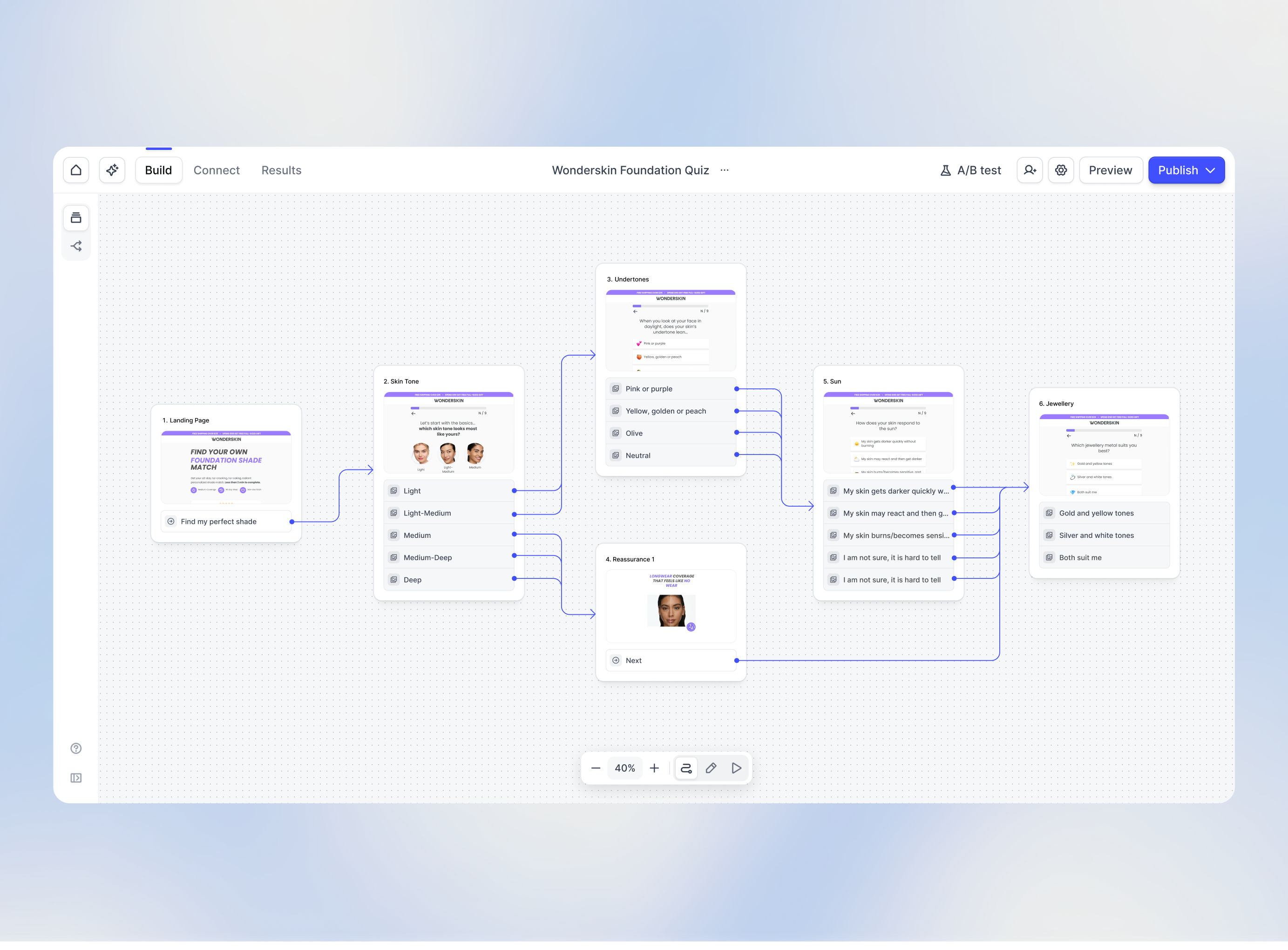
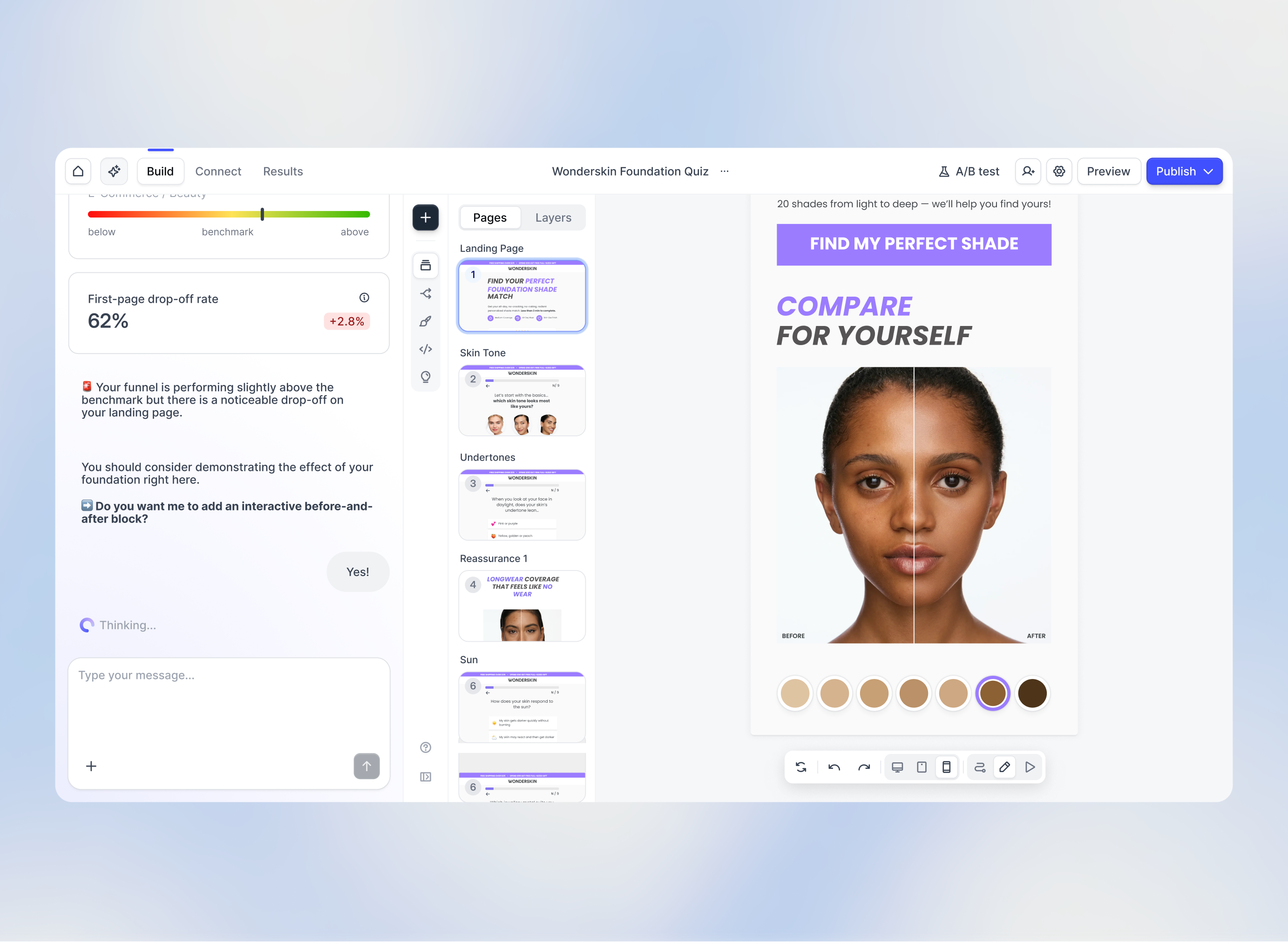
Heyflow is a funnel platform used to build highly converting funnels, landing pages, advertorial and pre-sell pages, quizzes, and anything else that needs to convert. With an AI trained on 150,000+ real funnels and $2B+ in ad spend, it recommends the right questions, proof points, and sequencing before a single test is run. Performance marketers, agencies, ecom brands, and growth teams can use Heyflow to drive higher CVR, better ROAS, and lower CAC.
$89
per month
Lusha
Score8.4 out of 10
N/A
Lusha is a Business-to-Business (B2B) data and Sales Intelligence platform utilized by sales, marketing, recruitment, and Revenue Operations (RevOps) departments to identify professional contacts, enrich database records, and monitor buying signals. The solution integrates with Customer Relationship Management (CRM) systems, automation tools, and existing Go-To-Market (GTM) stacks. According to Lusha, the system provides access to over 300 million business contacts and achieves over 90% direct…
$0
40 credits
Pricing
Heyflow
Lusha
Editions & Modules
Starter
$89
per month
Growth
$149
per month
Scale
$299
per month
Enterprise
from $1100
per month (billed annually)
Free
$0.00
per month 40 credits
Starter
$49.90
per month 400 credits
Pro
$69.90
per month 600 credits
Premium
$399.90
per month 3,400 credits
Scale
Fully customizable plan for large organizations
per month
Offerings
Pricing Offerings
Heyflow
Lusha
Free Trial
Yes
Yes
Free/Freemium Version
No
Yes
Premium Consulting/Integration Services
Yes
No
Entry-level Setup Fee
No setup fee
No setup fee
Additional Details
Discount available for annual subscription as well as for start ups.
Heyflow is very well suited for creating landing pages or simple forms for recruiting employees. It's also excellent as an order form for generating leads. However, it's not suitable for surveys or appointment requests. Furthermore, it's very easy to use, even for users with no prior experience in this area.
It excels in contact information, but leaves wanting when it comes to company data and matching, allowing only for matches on either URL or Company Name. Our standard practice is URL, Name and Country which ensures better accuracy. We use it primarily for adding mobile and email details to existing contacts. 25 Intent topics that we can change monthly gives us flexibility to search for specific signals that some of our other tools do not have access to. However, the exports do not come with a number, instead a description.
A de minimis incentive was given to thank the reviewer for their time. The incentive was not used to bias or drive a particular response, nor was the incentive contingent on a positive endorsement. TR verified that a representative sample of customers was invited. More Info
A de minimis incentive was given to thank the reviewer for their time. The incentive was not used to bias or drive a particular response, nor was the incentive contingent on a positive endorsement. More Info
A de minimis incentive was given to thank the reviewer for their time. The incentive was not used to bias or drive a particular response, nor was the incentive contingent on a positive endorsement. More Info
Restricted webhook functionality, wed like to be able to map fields without having to post the full request and change the receiving webhook our end to cater to Heyflow
a/b testing, not being able to 'keep' older variants which we may want to retest later
little things like we only do uk market so all phone numbers start with 01 or 07 so we want to have a placeholder example thats familiar to the user eg 07766554433 but the system is restricted to +447766554433 which is a conversion factor for us
A de minimis incentive was given to thank the reviewer for their time. The incentive was not used to bias or drive a particular response, nor was the incentive contingent on a positive endorsement. More Info
It would be nice to have a general idea of how many contacts it has information for on a particular account at the very start before scrolling through the different pages.
It would be great to also have the titles of individuals on the list, so it's quicker to sift who to keep in or exclude prior to revealing details.
No product is perfect! Some of the information generated can be inaccurate or generic, e.g., a phone number for a persona may not be direct for that individual but could be a general customer service number for the company and could be the same number listed for multiple prospects.
A de minimis incentive was given to thank the reviewer for their time. The incentive was not used to bias or drive a particular response, nor was the incentive contingent on a positive endorsement. More Info
Heyflow hat mich von Anfang an begeistert – und das nicht nur wegen der intuitiven Benutzeroberfläche. Die Plattform schafft es, komplexe Prozesse wie Leadgenerierung, Qualifizierung oder Terminvereinbarungen in einfache, interaktive und visuelle Erlebnisse zu verwandeln.
In wenigen Minuten lassen sich Flows erstellen, anpassen und live schalten – ohne auf Entwickler warten zu müssen.
Mit Features wie progressiver Datenerfassung, A/B-Testing, personalisierter Ansprache und reibungsloser UX steigern wir messbar die Conversion Rates. Ich kann CI-konforme, moderne und mobiloptimierte Flows gestalten, die genau zu der Zielgruppe passen. Für mich ist Heyflow nicht nur ein Tool, sondern ein echter Gamechanger im digitalen Marketing. Es verbindet Effizienz mit Kreativität – und das mit einem Wow-Effekt für Nutzer und Kund:innen
A de minimis incentive was given to thank the reviewer for their time. The incentive was not used to bias or drive a particular response, nor was the incentive contingent on a positive endorsement. More Info
A de minimis incentive was given to thank the reviewer for their time. The incentive was not used to bias or drive a particular response, nor was the incentive contingent on a positive endorsement. More Info
Heyflow is very user-friendly and intuitive, especially for non-technical users. The drag-and-drop interface makes it easy to design and launch interactive flows quickly, and the real-time preview feature is a big plus. I’m giving it an eight because while it’s great for most standard use cases, there are some limitations in advanced logic, dynamic behavior, and custom styling that can require workarounds.
A de minimis incentive was given to thank the reviewer for their time. The incentive was not used to bias or drive a particular response, nor was the incentive contingent on a positive endorsement. More Info
Simple, clean efficient. No lags and gets us the exact data that we need. No unnecessary terminologies, and it works like a charm every time. From prospecting to lead generation, and intent searching, Lusha is our go to tool and it has stayed ever since we started using it. i would highly recommend.
A de minimis incentive was given to thank the reviewer for their time. The incentive was not used to bias or drive a particular response, nor was the incentive contingent on a positive endorsement. More Info
There have been no notable outages of HEyflow to date, not even in the past. If an outage is imminent, HEyflow will announce it in good time. If it occurs unexpectedly, SUpport will find a solution as quickly as possible. In some cases, a different server solution has been offered temporarily to minimize downtime. All in all, the response times of the support team are excellent.
Heyflow's performance is truly exemplary and fast. We have never had any performance issues, regardless of how many visuals or videos we used. Unfortunately, we cannot comment on integrations, as we do not use any except for a Meta Pixel. However, even this has not affected our performance so far.
Heyflow's support is truly world-class. Whether via chat or email, you'll receive genuine help. If a problem can't be resolved immediately, they'll look into it and usually get back to you the next day. Their response time is generally very fast compared to other companies. It's also possible to book a free appointment at any time, during which a representative will contact you by phone to offer advice and assistance on how to improve your performance.
A de minimis incentive was given to thank the reviewer for their time. The incentive was not used to bias or drive a particular response, nor was the incentive contingent on a positive endorsement. TR verified that a representative sample of customers was invited. More Info
A de minimis incentive was given to thank the reviewer for their time. The incentive was not used to bias or drive a particular response, nor was the incentive contingent on a positive endorsement. TR verified that a representative sample of customers was invited. More Info
A de minimis incentive was given to thank the reviewer for their time. The incentive was not used to bias or drive a particular response, nor was the incentive contingent on a positive endorsement. TR verified that a representative sample of customers was invited. More Info
I had already used Heyflow at my previous company because I was familiar with it from a service provider. Therefore, it was an easy decision to implement Heyflow again. The implementation was very straightforward, just as planned. There were absolutely no problems, and it worked perfectly from the start. But that's precisely what makes Heyflow so great!
The platform is super easy to use. The UI is very intuitive and clean, and has a similar layout to other data tools meaning you can very quickly jump into it and understand how to source contacts or companies, create lists or run email sequences. At first I found the addition of the AI to be quite overwhelming as it is pushed quite heavily on a number of areas of the tool, but once you get used to that the tools are very helpful. I also found it much easier to setup intent signals than other tools which was a nice bonus. Marked down slightly as I find the CRM integration whilst easy to set up, can fail and disconnect often.
A de minimis incentive was given to thank the reviewer for their time. The incentive was not used to bias or drive a particular response, nor was the incentive contingent on a positive endorsement. TR verified that a representative sample of customers was invited. More Info
Heyflow Vs. Typeform = Heyflow wins because of design flexibility as TF is very stuck in their typical classical look. Heyflow also comes with a plethora of more options to improve lead quality and has drop-off analytics as standard. Heyflow Vs. Growform = This one is tougher as I think Growform is very competitive with what you get value-wise like no charge for phone and email network validations against Twilio and Neverbounce API's. Also Growform comes with a much more generous submission count for their smaller tiers AND I'm not capped by the amount of forms.
I used a lot of tools, but Lusha is the most accurate and precise data. Other may have a better user experience inside the platform, but it doesn't really matter if the data generated doesn't convert into sales. Lusha also provides phone numbers, which is fantastic, and most of the tools delivers only emails adresses.
A de minimis incentive was given to thank the reviewer for their time. The incentive was not used to bias or drive a particular response, nor was the incentive contingent on a positive endorsement. More Info
No, I wouldn't change any of Heyflow's terms and conditions or price. The price-performance ratio is simply impressive. I don't know of any other provider that offers a platform that allows you to start from scratch without any prior knowledge and gives you top-notch support at all times, helping you optimize your flows and get even more out of them.
The overall scalability is excellent in Heyflow. We have the ability to work across locations as a team without any limitations; it doesn't matter how many team members we have or how many customers we cover. The scalability and flexibility also allow us to serve our customers with the same account and thus cover different business segments when it comes to online forms.
A de minimis incentive was given to thank the reviewer for their time. The incentive was not used to bias or drive a particular response, nor was the incentive contingent on a positive endorsement. More Info
More time Selling, Less Time Searching: B2B selling today is all about how fast you can reach your prospects. Searching for contact information was daunting and painful a few years back. With 1-click imports, integrations and hunts: tools like Lusha are a massive benefit in terms of saving time in the ever laborious task of List Building.
Better Phone Numbers: Especially in regions like EU and APAC, where mobile numbers are not available with tools like ZoomInfo and Apollo, Lusha comes as a saviour.
A de minimis incentive was given to thank the reviewer for their time. The incentive was not used to bias or drive a particular response, nor was the incentive contingent on a positive endorsement. More Info