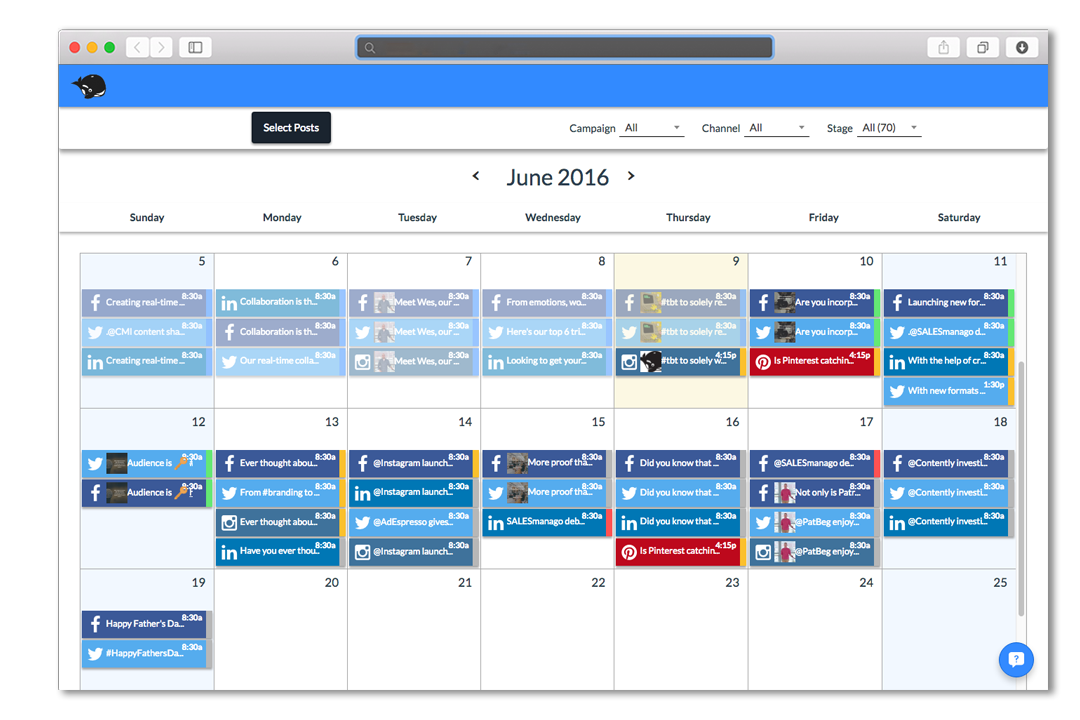
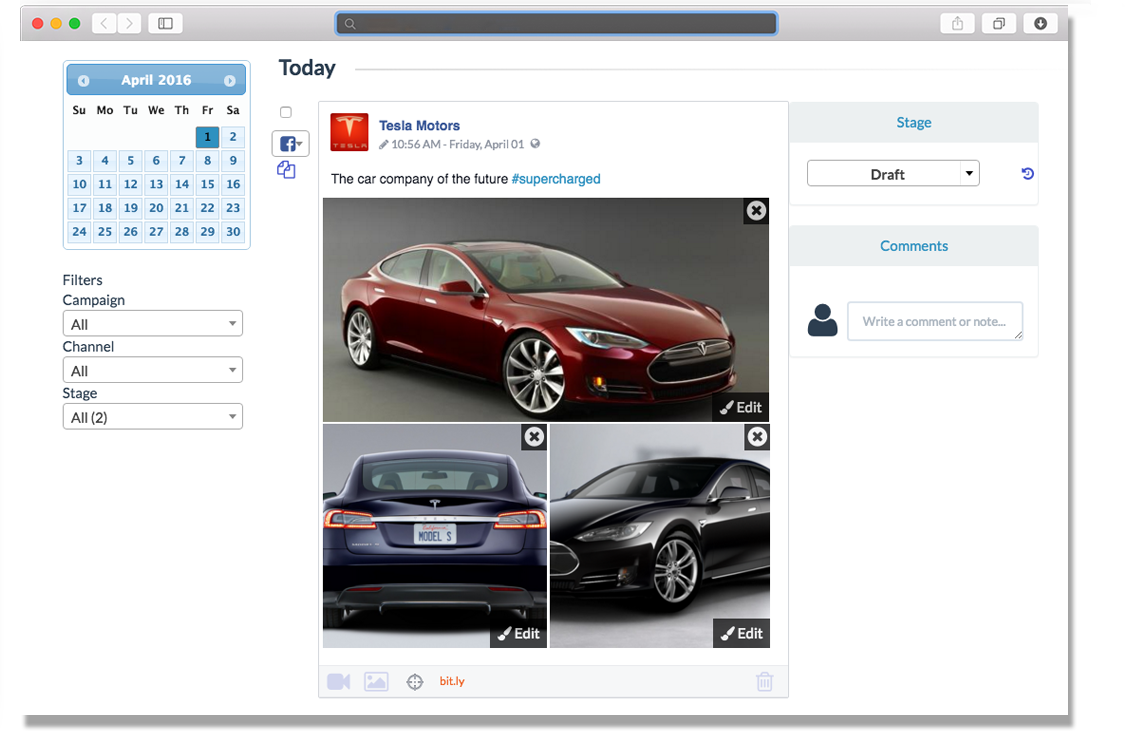
HeyOrca is a solution that allows an agency’s clients to review and approve upcoming social media content. The vendor aims to help agencies save time by moving away from using spreadsheets and docs to communicate and obtain approvals from their clients. With this solution, no logins or spreadsheets are needed. Agencies can invite clients into a visual stakeholder-friendly view where they can approve and provide feedback without needing to sign up. Agencies can also record every change made to…
$59
per month per calendar
Zoho Social
Score9.1 out of 10
N/A
Zoho Social is a comprehensive social media management platform designed for businesses of all sizes and agencies. It is used to schedule and publish posts, manage conversations—including direct messages, comments, and mentions—across multiple platforms, track keywords, competitors, and hashtags, and generate reports from one dashboard. Supported platforms: Meta (Facebook, Instagram, and Threads), Google Business Profile, YouTube, Pinterest, Mastodon, X (formerly Twitter),…
$15
per month
Pricing
HeyOrca
Zoho Social
Editions & Modules
Solo
$0
Basic
$59
per month per calendar
Standard
$99.00
per month per calendar
Pro
$149
per month per calendar
Free
$0
per month per user
Standard
$15
per month per user
Professional
$40
per month per user
Premium
$65
per month 3 users
Agency
$320
per month 5 users
Agency Plus
$460
per month 5 users
Offerings
Pricing Offerings
HeyOrca
Zoho Social
Free Trial
Yes
Yes
Free/Freemium Version
No
Yes
Premium Consulting/Integration Services
No
No
Entry-level Setup Fee
No setup fee
No setup fee
Additional Details
Plans start at: $99 USD Per Month. From there, the price scales according to your needs, up to a maximum of $499 USD per month.
Add Ons
Users at $10 / user / month
Brands $10 / brand / month
Discount available for annual pricing.
More Pricing Information
Community Pulse
HeyOrca
Zoho Social
Considered Both Products
HeyOrca
No answer on this topic
Zoho
Verified User
Chose Zoho Social
Zoho Social is so much easier to use than all the other platforms I've used.
A de minimis incentive was given to thank the reviewer for their time. The incentive was not used to bias or drive a particular response, nor was the incentive contingent on a positive endorsement. More Info
HeyOrca is perfect for the social post editing. For example, when I send the content link to my clients, they can easily go in and comment on posts that need editing rather than having to email me changes. Essentially it streamlines client/agency communication. It is perfect for a smaller agency who has less than 20 clients. I think HeyOrca is not for those whose main content is blogs and corresponding social posts. WordPress isn't Integrated, making it inconvenient to manage.
A de minimis incentive was given to thank the reviewer for their time. The incentive was not used to bias or drive a particular response, nor was the incentive contingent on a positive endorsement. More Info
Zoho Social excels at multi-channel social media management with intuitive scheduling and analytics. The platform integrates seamlessly with CRM, enabling personalized customer engagement. Best suited for small-to-medium businesses managing multiple social accounts. However, advanced AI-driven insights and competitor analysis features could be enhanced. The reporting dashboard is comprehensive but could use more customization options for enterprise teams.
A de minimis incentive was given to thank the reviewer for their time. The incentive was not used to bias or drive a particular response, nor was the incentive contingent on a positive endorsement. More Info
A de minimis incentive was given to thank the reviewer for their time. The incentive was not used to bias or drive a particular response, nor was the incentive contingent on a positive endorsement. More Info
I wanted to use the ability to have Zoho queue the posts, but I wanted to choose the start time of the first post for a few days in the future and I did not find an easy way to set that.
I wish there were a box with a cheat sheet of the sizes that each social media platform allows for it's video and pictures in the dialogue box for posting so I can be sure to choose appropriate content.
I do think it's a bit expensive, especially for my needs, but I like the ease of use. I will continue to do what I can to get this service discounted until I can no longer afford it.
A de minimis incentive was given to thank the reviewer for their time. The incentive was not used to bias or drive a particular response, nor was the incentive contingent on a positive endorsement. More Info
A de minimis incentive was given to thank the reviewer for their time. The incentive was not used to bias or drive a particular response, nor was the incentive contingent on a positive endorsement. More Info
Zoho Social is the BEST! I have found the perfect solution to social media marketing! It is extremely affordable and I highly recommend it! Create a post once and post it to 5 or more social media platforms! LOVE IT!! :)
Hey Orca has a lot of really great features, they make the workflow really easy and are extremely available for help with questions. I think there are some minor workflow issues that it could overcome and features it could add on that are available in other apps. It definitely doesn't offer the best analytics and also hasn't offered single image direct publishing like hootsuite does. Yet, it's benefits outweigh those minor inconveniences for our team
A de minimis incentive was given to thank the reviewer for their time. The incentive was not used to bias or drive a particular response, nor was the incentive contingent on a positive endorsement. More Info
It logs you in directly to the screen you need to use, and our use reason of this software is to share posts on our social media accounts at one place. It also warns you about platform specific issues as you prepare your post. Its integration interfaces are great, easy to use, and have clear and helpful instructions.
A de minimis incentive was given to thank the reviewer for their time. The incentive was not used to bias or drive a particular response, nor was the incentive contingent on a positive endorsement. More Info
I rate the customer support as outstanding. The assistance provided by the support team has been consistently prompt, knowledgeable, and attentive to our needs. Whenever we've encountered issues or had questions, they have swiftly addressed them, guiding us through solutions and ensuring a smooth experience. Their dedication to resolving concerns reflects their commitment to customer satisfaction, and I am thoroughly impressed with the level of support we have received.
HeyOrca is definitely more for the agency level than Hootsuite. Hootsuite is fairly limited, even at its larger plans. HeyOrca is geared towards agencies, and that is definitely clear in the interface and arrangement. Hootsuite sure seems like more of a consumer product than a B2B product in my opinion.
A de minimis incentive was given to thank the reviewer for their time. The incentive was not used to bias or drive a particular response, nor was the incentive contingent on a positive endorsement. More Info
Zoho Social is a great social media management tool that allows businesses, and individuals, to manage multiple social media accounts, schedule posts, track analytics, and engage with followers. It competes well with other social media management tools such as Hootsuite, Buffer, Sprout Social, Agora Pulse, and Hubspot. Zoho Social stands out for its integration capabilities with other Zoho applications and affordability for small to medium-sized businesses. Each tool has its own strengths and weaknesses, and businesses should evaluate them based on their specific needs and goals. The biggest fallacy for Zoho is its restriction on scheduling tools on the free plan who have social and personal needs. I believe this can be circumvented by Zoho periodically making an advertisement to one's feed.
A de minimis incentive was given to thank the reviewer for their time. The incentive was not used to bias or drive a particular response, nor was the incentive contingent on a positive endorsement. More Info