
Leonardo Nery
Project Analyst
Chose Hive
In my experience, Hive is better for the work and not so good for financial. That's why we use monday.

| Product | Rating | Most Used By | Product Summary | Starting Price |
|---|---|---|---|---|
 Hive | N/A | Hive Technology offers their eponymous project management and process management application, providing integrations with many popularly used applications for productivity, cloud storage, and collaboration. | $0 | |
 Nifty | N/A | Nifty consolidates projects, work, and communications in one place. Nifty simplifies and automates the tracking of project milestones, communications with teammates and clients, collaborative document creation, and more in a centralized workspace! Nifty enables organizational oversight across projects and teammates with project & team workload overviews. With communications, project management, and workflow collaboration centralized in one place, teams can consolidate their workday as well… | N/A | |
 Wrike | Mid-Size Companies (51-1,000 employees) | Wrike is a project management and collaboration software. This solution connects tasks, discussions, and emails to the user’s project plan. Wrike is optimized for agile workflows and aims to help resolve data silos, poor visibility into work status, and missed deadlines and project failures. | $0 per month per user |
| Hive | Nifty | Wrike | ||||||||||||||||||||||
|---|---|---|---|---|---|---|---|---|---|---|---|---|---|---|---|---|---|---|---|---|---|---|---|---|
| Editions & Modules |
| No answers on this topic |
| |||||||||||||||||||||
| Offerings |
| |||||||||||||||||||||||
| Entry-level Setup Fee | No setup fee | $89 simple flat-rate pricing | No setup fee | |||||||||||||||||||||
| Additional Details | A discount is offered for annual pricing. | — | Every premium plan begins with a 14-day trial period. | |||||||||||||||||||||
| More Pricing Information | ||||||||||||||||||||||||
| Hive | Nifty | Wrike | |
|---|---|---|---|
| Considered Multiple Products | Hive Leonardo Nery Project Analyst Chose Hive In my experience, Hive is better for the work and not so good for financial. That's why we use monday.  María José Nieto Hidalgo Digital Consultant Chose Hive It's an all in one, amazing and simple. I've been looking for something like this all along.  John Bianchi Director of Accounts Chose Hive I would say that in comparison to Asana, Hive is a better interface an UI. I think Asana is more robust in terms of what it can do in conjunction with Confluence but I think Hive is a better entry-level model for new employees. Hive is much simpler and more straight forward and …  Tera Ogorzalek Director of Marketing Chose Hive I prefer Hive because we are able to connect and share with our local network.  Cameron Michael Rhoads Content Supervisor Chose Hive I like Hive better than Trello. Hive is definitely more user-friendly, but Trello had nice shortcuts that I miss in Hive. I would like to organize my board with just one click. |  Nifty  Candace Mitchell Senior Talent Acquisition Specialist Chose Nifty We've tried several project management tools and most of them lacked the features we exactly needed. Jira was the last we tested and it was complicated to handle as projects grew bigger. Nifty is structured well and has major features that can handle big projects and does well …  Ashlie Pappas Founder Chose Nifty There's no comparison. Nifty does what all of these do all in one place (with the exception of slack's community aspect with hashtagging - not sure if Nifty can do this, never tried) Nifty even has the ability to import directly from many other platforms - I've personally … |  Wrike  Deanna Reis Production Director Chose Wrike We have been using Wrike for over seven years, so I don't recall the specific reason why we chose it over Asana. I recall that the functions were similar, but I think we found that Wrike offered flexibility and structure that we felt would function the best for our department. |
| Hive | Nifty | Wrike | |||||||||||||||||||||||||||||||||||||||||||||||||||||||||||
|---|---|---|---|---|---|---|---|---|---|---|---|---|---|---|---|---|---|---|---|---|---|---|---|---|---|---|---|---|---|---|---|---|---|---|---|---|---|---|---|---|---|---|---|---|---|---|---|---|---|---|---|---|---|---|---|---|---|---|---|---|---|
| Project Management |
| ||||||||||||||||||||||||||||||||||||||||||||||||||||||||||||
| Professional Services Automation |
|
| Hive | Nifty | Wrike | |
|---|---|---|---|
| Small Businesses |  Stackby Score 8.9 out of 10 | Stackby Score 8.9 out of 10 | Stackby Score 8.9 out of 10 |
| Medium-sized Companies |  InEight Score 8.2 out of 10 | InEight Score 8.2 out of 10 | InEight Score 8.2 out of 10 |
| Enterprises | InEight Score 8.2 out of 10 | InEight Score 8.2 out of 10 | InEight Score 8.2 out of 10 |
| All Alternatives | View all alternatives | View all alternatives | View all alternatives |
| Hive | Nifty | Wrike | |
|---|---|---|---|
| Likelihood to Recommend | 9.0 (0 ratings) | 9.0 (0 ratings) | 8.6 (0 ratings) |
| Likelihood to Renew | - (0 ratings) | - (0 ratings) | 8.5 (0 ratings) |
| Usability | 8.0 (0 ratings) | - (0 ratings) | 8.4 (0 ratings) |
| Availability | - (0 ratings) | - (0 ratings) | 8.2 (0 ratings) |
| Performance | - (0 ratings) | - (0 ratings) | 6.6 (0 ratings) |
| Support Rating | 9.4 (0 ratings) | - (0 ratings) | 9.4 (0 ratings) |
| In-Person Training | - (0 ratings) | - (0 ratings) | 8.2 (0 ratings) |
| Online Training | - (0 ratings) | - (0 ratings) | 8.3 (0 ratings) |
| Implementation Rating | - (0 ratings) | - (0 ratings) | 9.9 (0 ratings) |
| Configurability | - (0 ratings) | - (0 ratings) | 7.6 (0 ratings) |
| Ease of integration | - (0 ratings) | - (0 ratings) | 6.9 (0 ratings) |
| Product Scalability | - (0 ratings) | - (0 ratings) | 8.1 (0 ratings) |
| Vendor post-sale | - (0 ratings) | - (0 ratings) | 9.1 (0 ratings) |
| Vendor pre-sale | - (0 ratings) | - (0 ratings) | 7.6 (0 ratings) |
| Hive | Nifty | Wrike | |
|---|---|---|---|
| Likelihood to Recommend |
|
Candace Mitchell Senior Talent Acquisition Specialist |
Deanna Reis Production Director |
| Pros |
|
Ashlie Pappas Founder |
 Alysen Boston Content marketing writer |
| Cons |
Cameron Michael Rhoads Content Supervisor |
Candace Mitchell Senior Talent Acquisition Specialist |
 Alicia Stacy Account Executive |
| Likelihood to Renew | No answers on this topic | No answers on this topic |
|
| Usability |
Leonardo Nery Project Analyst | No answers on this topic |
|
| Reliability and Availability | No answers on this topic | No answers on this topic |
 Cristi Radulian Senior Design Engineer |
| Performance | No answers on this topic | No answers on this topic |
 Mark Ferrer Senior Web Developer |
| Support Rating |
| No answers on this topic |
 Sherrie Besecker Creative Technology Manager |
| In-Person Training | No answers on this topic | No answers on this topic |
 Ashley Pauls Assistant director of communications |
| Online Training | No answers on this topic | No answers on this topic |
|
| Implementation Rating | No answers on this topic | No answers on this topic |
|
| Alternatives Considered |
|
Ashlie Pappas Founder |
|
| Scalability | No answers on this topic | No answers on this topic |
 Nikos Taskos Head of SEO |
| Return on Investment |
María José Nieto Hidalgo Digital Consultant |
|
|
| ScreenShots | Hive Screenshots | Nifty Screenshots 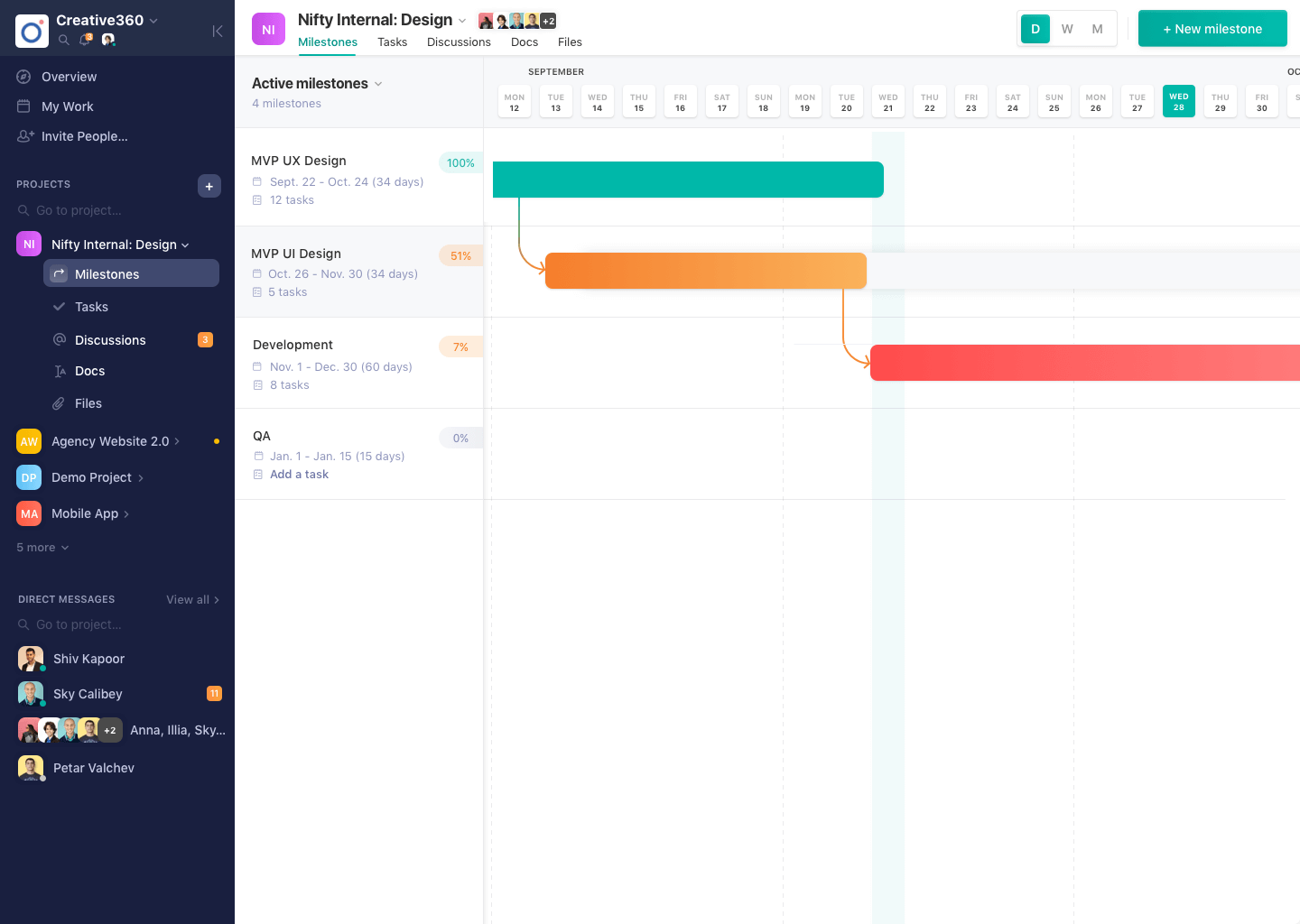  | Wrike Screenshots      |