Overview
ProductRatingMost Used ByProduct SummaryStarting Price
Ideanote
Score 9.1 out of 10
Mid-Size Companies (51-1,000 employees)
Ideanote is an all-in-one innovation platform that promises to help teams and businesses around the world capture, develop, prioritize and act on more of the right ideas. According to the vendor, key benefits include: Capture ideas with structure by launching powerful goal-oriented idea collections in seconds. Collaborate across teams with a streamlined process that makes sure you get the most out of every idea. Grow your community…
$49
per month
MindManager
Score 8.2 out of 10
N/A
MindManager is a mind mapping and project management tool that aims to boost users’ productivity. It is designed to facilitate a wide range of project types, and includes cross-platform functionality and 3rd party integrations.
$105
per year
SmartDraw
Score 8.3 out of 10
N/A
SmartDraw is a diagramming and flow chart building tool from SmartDraw Software in San Diego, California.
$131.40
per year (for a single user on an individual plan)
Pricing
IdeanoteMindManagerSmartDraw
Editions & Modules
No answers on this topic
MindManager for Microsoft Teams
$105
per year
Annual Subscription
$179
per year
Organizations
Contact sales team
Team
$119.40
per year per user (3 minimum)
Individual
$131.40
per year single user
Enterprise
Contact Sales
Offerings
Pricing Offerings
IdeanoteMindManagerSmartDraw
Free Trial
YesYesYes
Free/Freemium Version
YesNoNo
Premium Consulting/Integration Services
NoYesNo
Entry-level Setup FeeNo setup feeNo setup feeNo setup fee
Additional DetailsWe believe in fair and transparent pricing. Capture ideas for free with our Free plan or choose one of our paid plans for less than the price of one coffee per employee. It's cheaper than not listening to ideas.
More Pricing Information
Community Pulse
IdeanoteMindManagerSmartDraw
Features
IdeanoteMindManagerSmartDraw
Mind Mapping
Comparison of Mind Mapping features of Product A and Product B
Ideanote
-
Ratings
MindManager
7.5
70 Ratings
1% above category average
SmartDraw
-
Ratings
Cross-Platform Compatibility00 Ratings7.455 Ratings00 Ratings
Customizable Templates00 Ratings7.764 Ratings00 Ratings
Import and Export Options00 Ratings7.265 Ratings00 Ratings
Real-time Collaboration Tools00 Ratings6.849 Ratings00 Ratings
Drag-and-Drop Capabilities00 Ratings8.960 Ratings00 Ratings
Notes and Attachments00 Ratings7.763 Ratings00 Ratings
Color and Style Customization00 Ratings7.864 Ratings00 Ratings
Presentation Mode00 Ratings7.456 Ratings00 Ratings
Integration with Task Management00 Ratings6.951 Ratings00 Ratings
Mind Map Revision History00 Ratings6.942 Ratings00 Ratings
Best Alternatives
IdeanoteMindManagerSmartDraw
Small Businesses
MindMeister
MindMeister
Score 3.1 out of 10
Whimsical
Whimsical
Score 9.3 out of 10
OmniGraffle
OmniGraffle
Score 9.6 out of 10
Medium-sized Companies
Oracle Fusion Cloud PLM
Score 10.0 out of 10
Whimsical
Whimsical
Score 9.3 out of 10
OmniGraffle
OmniGraffle
Score 9.6 out of 10
Enterprises
Miro
Miro
Score 9.1 out of 10
Whimsical
Whimsical
Score 9.3 out of 10
OmniGraffle
OmniGraffle
Score 9.6 out of 10
All AlternativesView all alternativesView all alternativesView all alternatives
User Ratings
IdeanoteMindManagerSmartDraw
Likelihood to Recommend
8.9
(12 ratings)
8.0
(255 ratings)
2.8
(14 ratings)
Likelihood to Renew
-
(0 ratings)
8.9
(24 ratings)
-
(0 ratings)
Usability
-
(0 ratings)
8.3
(19 ratings)
-
(0 ratings)
Availability
-
(0 ratings)
8.4
(7 ratings)
-
(0 ratings)
Performance
-
(0 ratings)
8.6
(6 ratings)
-
(0 ratings)
Support Rating
-
(0 ratings)
7.5
(16 ratings)
8.4
(2 ratings)
Online Training
-
(0 ratings)
6.4
(1 ratings)
-
(0 ratings)
Implementation Rating
-
(0 ratings)
8.4
(6 ratings)
-
(0 ratings)
Configurability
-
(0 ratings)
8.6
(5 ratings)
-
(0 ratings)
Ease of integration
-
(0 ratings)
8.8
(4 ratings)
-
(0 ratings)
Product Scalability
-
(0 ratings)
8.6
(6 ratings)
-
(0 ratings)
Vendor post-sale
-
(0 ratings)
8.9
(5 ratings)
-
(0 ratings)
Vendor pre-sale
-
(0 ratings)
8.9
(5 ratings)
-
(0 ratings)
User Testimonials
IdeanoteMindManagerSmartDraw
Likelihood to Recommend
Ideanote
Best suited: In focused, facilitator driven idea noting or discussion session. Less suited: There is no force factor to get users to come back to the mission or page once the session is over. There is no what happens next driver for Missions.
Read full review
Alludo
It is well suited for a quick prototype of product/development planning to show relationships amongst the APIs used. This helps developers understand the impact of the product changes and identifies the need to update integration components to avoid erroneous deployments. I have not personally experienced a less appropriate scenario at the moment.
Read full review
SmartDraw Software
I believe SmartDraw is a great tool for small- to mid-sized organizations for simplifying the production and management of org charts. We've also had the PMO experiment with the use of some of their flow charts as well. If an organization has an HCM with the capability of producing (good!) org charts, that is likely the best option... but many that I have used in my 30-year HR career don't. So there is definitely a need for SmartDraw in the market!
Read full review
Pros
Ideanote
  • It is not overloaded. Clear to finish the things in mind.
  • It is flexible to the Team and the upcoming crowd
  • The design is very impressive and we love it
  • So we can link simple to it from our page
  • In my opinion it is an alternative to this normal roadmap
Read full review
Alludo
  • Allows me to learn by organizing notes.
  • Enables me to create and present strategic plans.
  • Empowers me to present complex concepts in a different and straightforward way.
  • Captivates my audience when I prepare and present a conference, a class, or a seminar in MindManager.
  • Allows me to share mind maps in a variety of formats like JPG, PDF, and HTML.
Read full review
SmartDraw Software
  • Provides examples to work off of--these are helpful when you don't know exactly where to start.
  • Provides a number of stylistic options without making things too complex, so you can be creative without getting overwhelmed.
  • Provides a wide variety of templates, meets a wide variety of needs.
Read full review
Cons
Ideanote
  • More videos in terms of tutorials and use cases.
  • Success stories of how companies used Ideanote to supercharge their innovation.
  • The new Zapier integration is a good step but I would like to see more native integrations with popular SaaS products.
  • Expensive - if not for finding it in an AppSumo deal it would have been hard to afford.
Read full review
Alludo
  • There should be some more functionality in the Notes window, such as a "Paste Special " Icon in the notes area to maintain format control.
  • Although I create many of my own Web export templates, an add-on for web export design would be great, as I regularly create Interactive Electronic Technical Publications (IETP) in HTML export format.
  • The ability to sync Map shortcuts between devices would also be welcome. I use MM on three devices, and I have to add or amend the Map list individually. My maps are on OneDrive, so using them should not be that hard if they are cloud-based.
Read full review
SmartDraw Software
  • A month-to-month plan would be ideal for users that don't have a need to create many projects
  • The sidebar navigation can be a little confusing with all of the tools listed.
  • Offering customizable plans with only the feature you need would simplify navigation
Read full review
Likelihood to Renew
Ideanote
No answers on this topic
Alludo
I feel the main issues of the old Mindjet seem to be gone with the
Corel purchase. With the huge advance of sharing via browser HTML even 1
user can affect many. And, actually, using MM kind of forced my rigid
brain to rethink how I categorize and classify information/projects.
The
idea of paying $69USD for an annual cost is more than fair and a great
model for Corel/Mindjet to keep rolling out improvements!
Read full review
SmartDraw Software
No answers on this topic
Usability
Ideanote
No answers on this topic
Alludo
MindManager is very intuitive. The user interface is not cluttered and the ribbon icons are easy to understand. Several excellent "how-to" videos are available on the MindManager site as well as on YouTube. MindManager starts quickly and the user interface is very responsive. Launching other programs from MindManager such as Excel is very fast and issue free. The browsing feature is lightning fast. The drag-and-drop capability is also very fast and reliable.
Read full review
SmartDraw Software
I rated 8 because its simple to use and easy to create network topologies quickly. I liked the drag and drop option which makes designing the network topology and flow chart easier. In general its does what it needs to.
Read full review
Reliability and Availability
Ideanote
No answers on this topic
Alludo
We have had no issues with the application's availability
Read full review
SmartDraw Software
No answers on this topic
Performance
Ideanote
No answers on this topic
Alludo
The application is quick and responsive. We are able to produce mindmaps and reports with ease. The program is not complicated at all and integrates well with software and programs like Microsoft Outlook and Teams, which we truly appreciate.
Read full review
SmartDraw Software
No answers on this topic
Support Rating
Ideanote
No answers on this topic
Alludo
I have called technical support a few times. During the COVID Crisis, I called a few times repeatedly due to a rush request. The technical support guy called me back in minutes. He somehow knew that I had called repeatedly and wanted to make sure my issue was resolved immediately
Read full review
SmartDraw Software
They are always very helpful, we get computers every two years and I have to call them to move the license from one computer to another and they do it with a smile in their voice!
Read full review
Online Training
Ideanote
No answers on this topic
Alludo
There is a wide range of online training through webinars led by expert users. They are particularly useful for explaining how to use new features and using MindManager 'in the real world' for projects, tasks etc.
Read full review
SmartDraw Software
No answers on this topic
Implementation Rating
Ideanote
No answers on this topic
Alludo
better backup and exporting functions
Read full review
SmartDraw Software
No answers on this topic
Alternatives Considered
Ideanote
None. This is the only idea and innovation management software I use for our internal processes and we soon plan to use this for our future lined-up services.We have tried GERU in the past but that is a visual mapping software and does not really help in managing proper communication between guests and internal team members.
Read full review
Alludo
MindManager stands out for its wide range of export options, customization and how they have enriched the format over time. As a constantly evolving tool, and having tried others, I consider it superior for the abovementioned reasons. Its cross-platform nature has been decisive, and although there are many alternatives in the form of web applications or the like, MindManager presents itself as a more complete and robust option.
Read full review
SmartDraw Software
We have used Corel Draw and Adobe Acrobat. Both of those tools were good when they came out but the abilities of SmartDraw far outweigh both those tools. Corel Draw was also more complex to operate and do tasks, as was Adobe Acrobat in which some basic tasks took additional steps to complete.
Read full review
Scalability
Ideanote
No answers on this topic
Alludo
A team can collaborate on the same project but cannot create a shared project file. It would be helpful for that feature to be added.
Read full review
SmartDraw Software
No answers on this topic
Return on Investment
Ideanote
  • Ideas are well tracked and centralized in one place.
  • We can prioritize ideas and take immediate actions on them.
  • Our team members are recognized for contributing improvement ideas and hence our team is encouraged to think outside the box about business challenges.
Read full review
Alludo
  • For a single person business presentation it is a plus.
  • Project difficulty is well assessed using the map.
  • Giving away a paper version of a map is a positive gesture. People like the map, the look, and what it says, and it may also be a way to promote MindManager to them.
  • Keep the PDF or JPEG saving capabilities for small customers like me. It's important.
Read full review
SmartDraw Software
  • SmartDraw has provided good return for our internal purposes. Using it to understand an organization's structure and inner workings has been valuable. On the client side, creating steps and businesses processes has also been a big plus. It has helped decrease confusing reporting structures and has provided a detailed map for individuals to understand where they fit within their organization.
  • Unfortunately, SmartDraw has been somewhat inefficient with some of the more complex projects on our plate and has really deterred certain employees from even wanting to use it.
Read full review
ScreenShots

Ideanote Screenshots

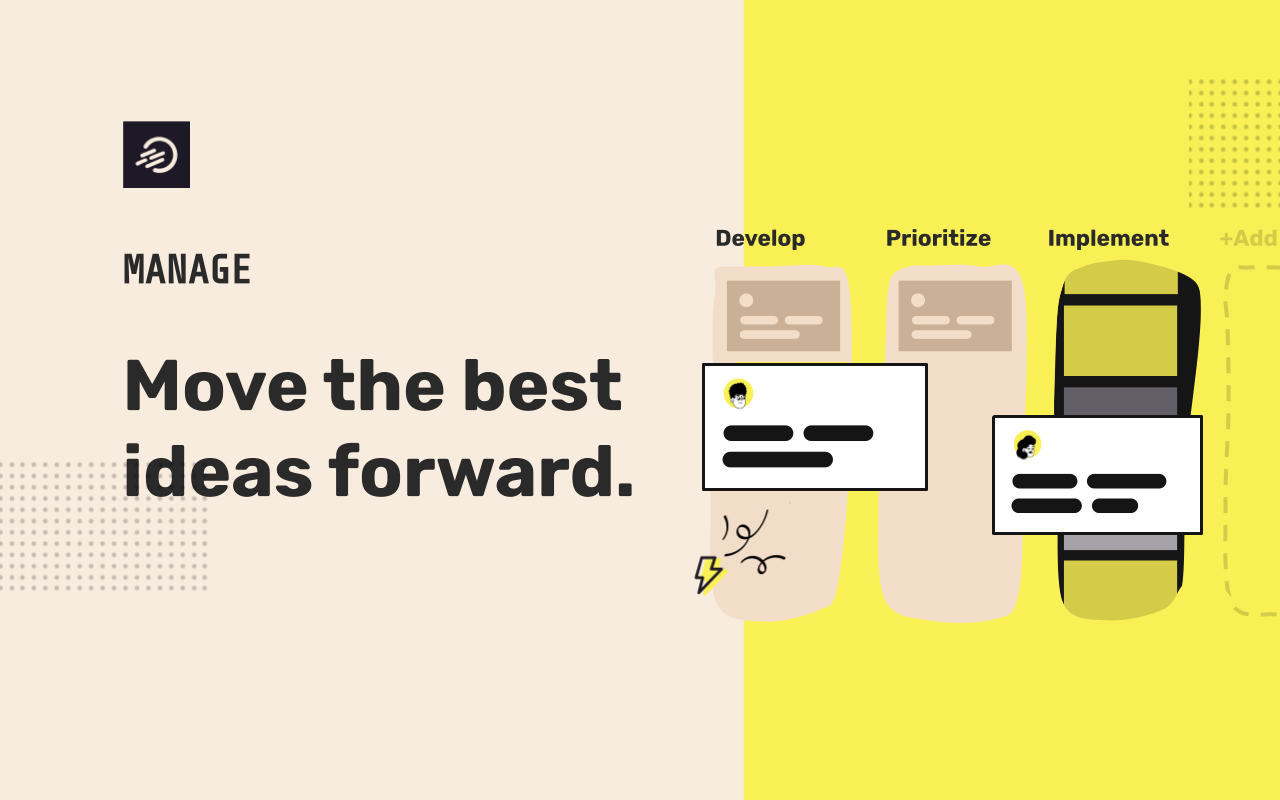
Screenshot of Collect ideas.Screenshot of Engage people.Screenshot of Manage ideas.Screenshot of Measure impact.Screenshot of Automate innovation.

MindManager Screenshots

Screenshot of MindmapScreenshot of Reverse BrainstormingScreenshot of MindManager for Microsoft TeamsScreenshot of MindManager SnapScreenshot of MindManager GoScreenshot of Mind Maps in MindManager

SmartDraw Screenshots

Screenshot of where to create diagrams, including: flowcharts and swimlanes, organizational charts, mind maps, CAD drawings & floor plans, project charts, network diagrams, and wireframes & mockups.Screenshot of a workspace that combines brainstorming with technical diagrams. SmartDraw can be used to visualize processes, organizations, roadmaps, and even generate diagrams from data.Screenshot of SmartDraw's templates and tools used to make flowcharts, swimlanes, and process maps.Screenshot of the org chart tool, used to document organizational structure and work as a team to plan for growth or manage change. Data can be imported to generate a chart automatically.Screenshot of the CAD drawing and floor plan tools, used to design a home or optimize office space to improve traffic flow in a retail space.Screenshot of an example of the built-in templates for landscapes, gardens, backyards used to design outdoor spaces. Users can drag-and-drop flowers, shrubs, and other plants, or add sprinkler systems, lights, and walkways, and apply photo-realistic textures for a professional finish.