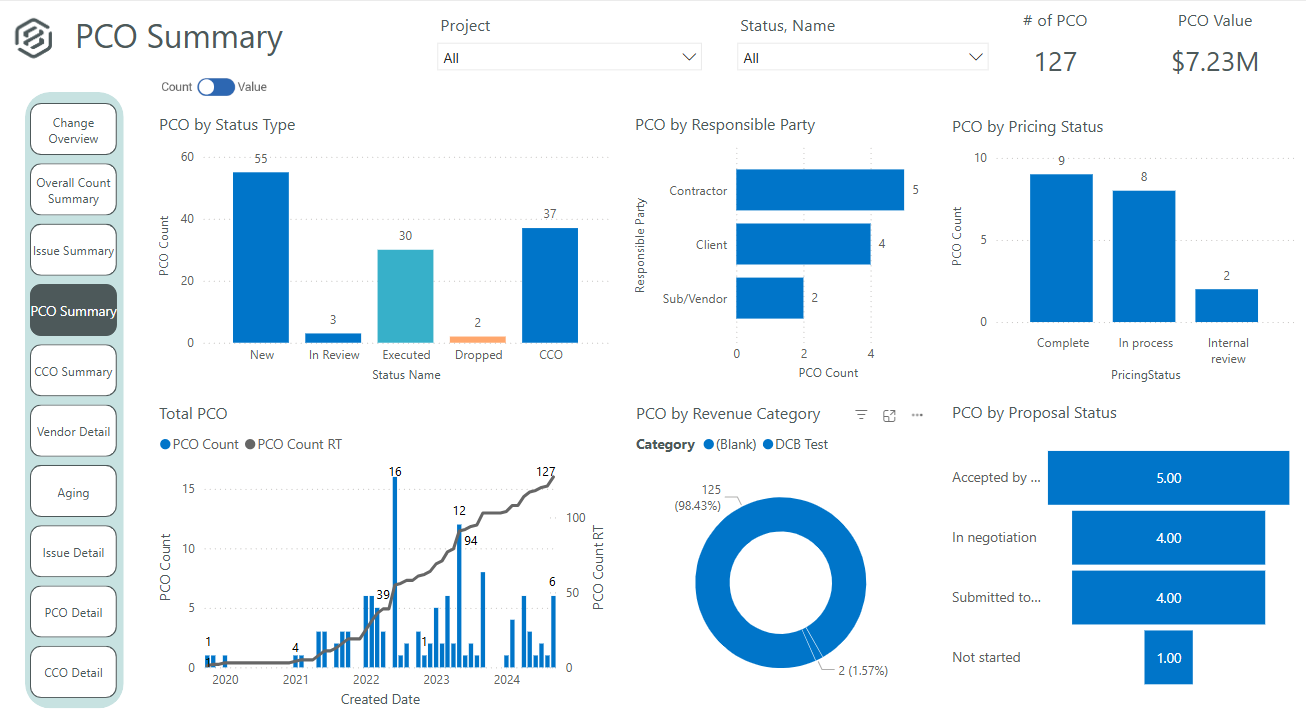
InEight's modular project controls software connects complex project data to improve visibility and delivery in capital construction.
N/A
NoteVault
Score7.9 out of 10
N/A
NoteVault is a construction reporting tool with three components. The Notes! app is supported by an audio-to-text translation service, and the Crew! app allows users to track labor, materials, and equipment quantities. The AlertMe! app supports group calls for issue notification.
N/A
Pricing
InEight
NoteVault
Editions & Modules
No answers on this topic
No answers on this topic
Offerings
Pricing Offerings
InEight
NoteVault
Free Trial
No
No
Free/Freemium Version
No
No
Premium Consulting/Integration Services
No
No
Entry-level Setup Fee
No setup fee
No setup fee
Additional Details
InEight offers a modular, integrated project controls platform. Because the InEight platform covers the entire construction lifecycle, customers purchase the software based on their specific needs – purchasing stand-alone products, a bundle of products, or the entire platform. As a result, the pricing will vary depending on the specific product, number of users and length of contract. Once InEight has identified the highest impact areas, they offer potential customers a custom proposal. The options they consider include:
Per user pricing: typically annual subscriptions.
Revenue-based: using a percentage of the customer’s revenue.
Project-based: software use dedicated to a specific project or program of work.
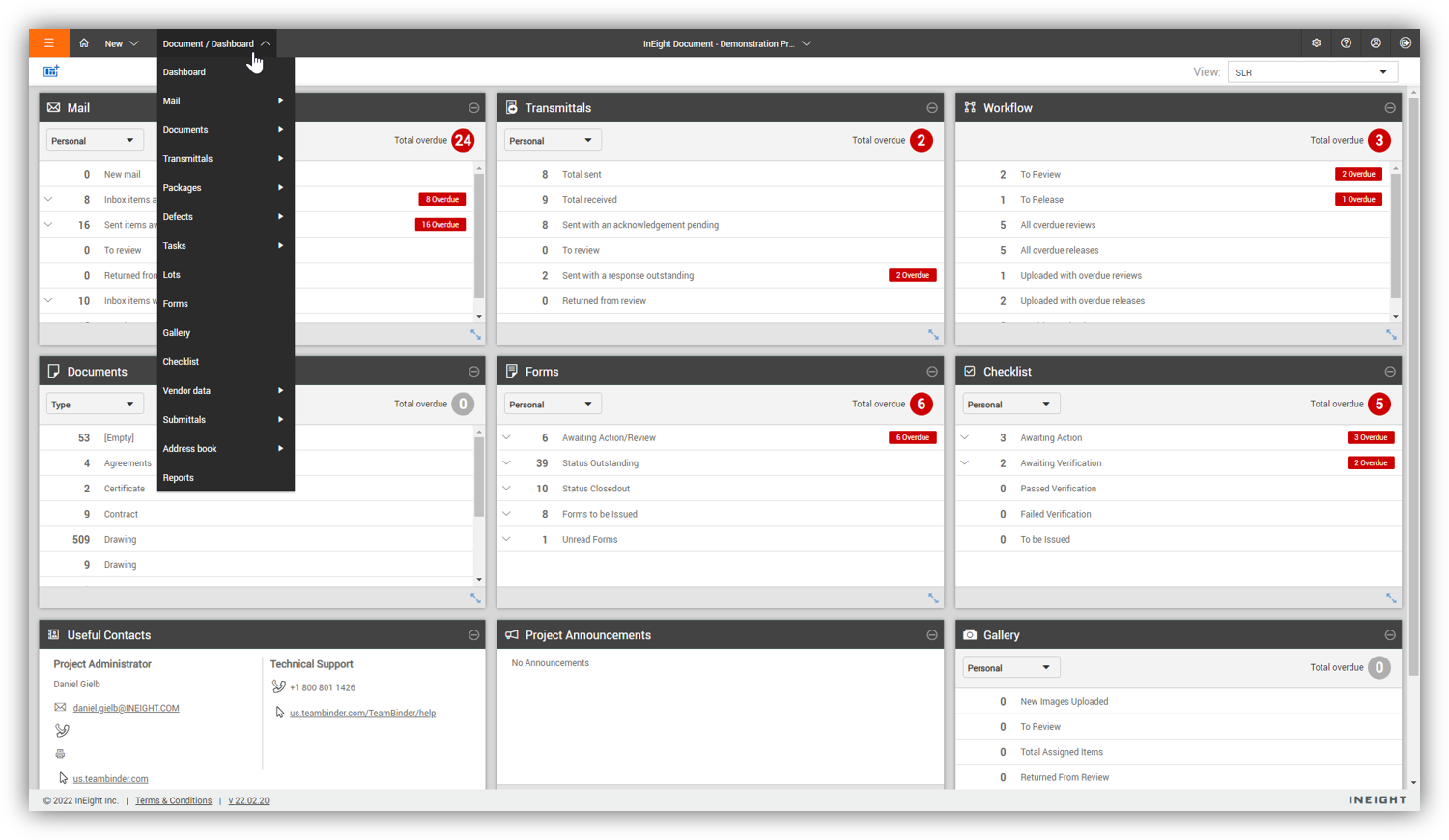
For engineering and constructions project, InEight Document is one of the best out there. It is flexible, end-user and admin friendly and has enough features for any size company. If you need to be able to track documentation and have good revision control, easy review workflows, and good transmittal workflows, InEight Document is great.
A de minimis incentive was given to thank the reviewer for their time. The incentive was not used to bias or drive a particular response, nor was the incentive contingent on a positive endorsement. More Info
It's is absolutely well suited for all daily reporting/documentation needs, also since it essentially 'self archives' you can revisit past projects by logging into the admin panel faster than going to my own archived job files. It saved our skin by documenting where a bad GC Superintendent had been giving false information to the office, and we were able to prove our conditions/progress and alleviate the issue. It's very well suited for large projects, and ongoing projects. A bit less suited for small fast service type projects. We keep one 'service' job open to document the fast turn over stuff to alleviate that issue.
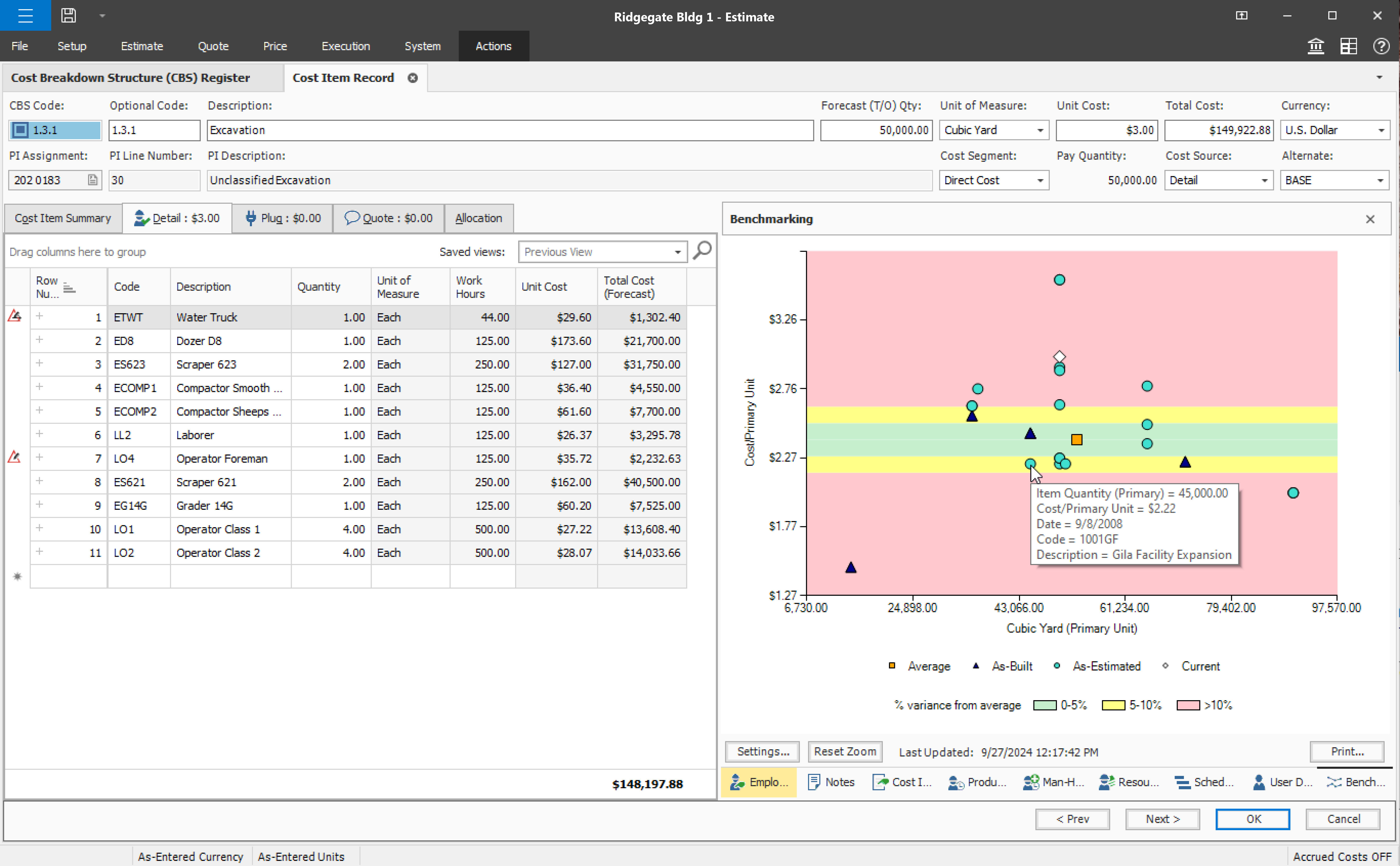
User defined views and descriptions for all screens.
Customizable ribbons to provide an efficient use of the software.
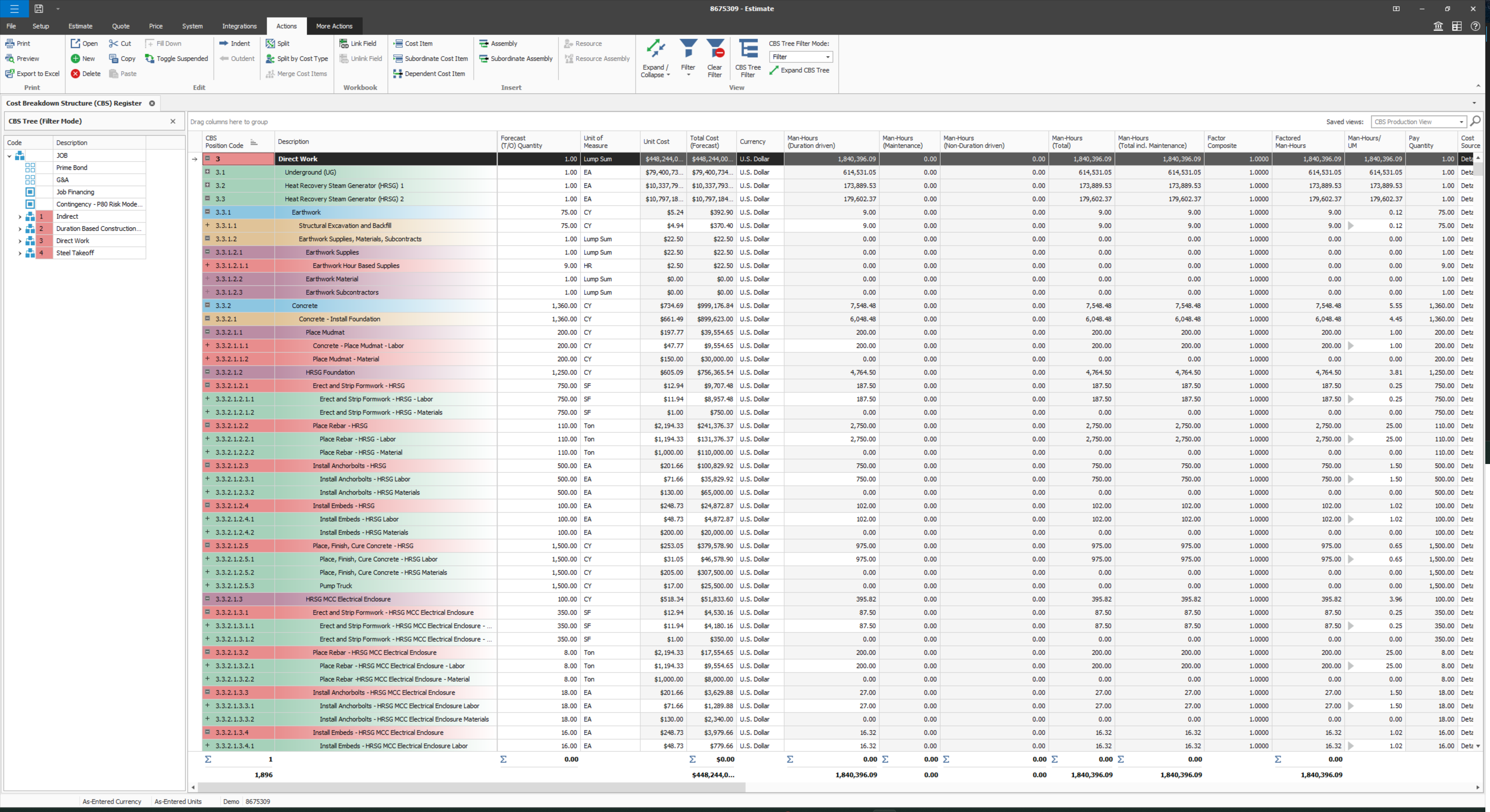
Multiple layers/dependents to allow for an extreme drill down of the work and the ability to roll up to a more useful level for upper management review.
You can bid the work as you would build it, in detail.
A de minimis incentive was given to thank the reviewer for their time. The incentive was not used to bias or drive a particular response, nor was the incentive contingent on a positive endorsement. More Info
As a delay has occurred in the field, the foremen are able to report it immediately. The project manager now gets this information as it happened, not just trying to remember the next time they talk or see each other.
As an RFI arises, the foremen can ask their questions immediately so that the PM can address it right away.
We input our manpower on a daily basis, which helps us project where we are as it pertains to hours on a job.
Provide a simpler version (cliff notes) of the knowledge database
Offer versions of InEight for smaller companies, i.e. less than 20 emplyees, under $5M in revenue
When an estimate is complete, offer a dialog box to ask if the job was won, lost, or still in progress. We tend to leave most of our estimates in the bidding column. This is a user error, but the prompt would be helpful.
A de minimis incentive was given to thank the reviewer for their time. The incentive was not used to bias or drive a particular response, nor was the incentive contingent on a positive endorsement. More Info
Difficult to bring back reports from the archives. I don't archive any more; I just sequentially date my projects and keep them all live.
Notevault is set up for normal work shifts. But I mostly work night shifts from about 10 pm to 6 am. You then have to sort and filter the notes from two separate "days" in the system to get a coherent report from a single night shift. I live with it, but I don't like it.
A de minimis incentive was given to thank the reviewer for their time. The incentive was not used to bias or drive a particular response, nor was the incentive contingent on a positive endorsement. More Info
Some features with InEight's TeamBinder are worthy of single use, however the review feature and subsequent revision and version numbering could be improved. We will be aiming to roll out the package to encompass our internal documentation in the near future and will be in a better position to judge the usability after that point in time.
A de minimis incentive was given to thank the reviewer for their time. The incentive was not used to bias or drive a particular response, nor was the incentive contingent on a positive endorsement. More Info
I would give it an 8 out of 10 because the software can be a bit cumbersome to new users. It also takes a long time to set up the library and input all of your companies needs so that the software will provide the level of service required to estimate projects. However, once the software is set up it is a powerful tool. We only use a portion of what the software is capable of delivering
A de minimis incentive was given to thank the reviewer for their time. The incentive was not used to bias or drive a particular response, nor was the incentive contingent on a positive endorsement. More Info
A de minimis incentive was given to thank the reviewer for their time. The incentive was not used to bias or drive a particular response, nor was the incentive contingent on a positive endorsement. More Info
A de minimis incentive was given to thank the reviewer for their time. The incentive was not used to bias or drive a particular response, nor was the incentive contingent on a positive endorsement. More Info
A de minimis incentive was given to thank the reviewer for their time. The incentive was not used to bias or drive a particular response, nor was the incentive contingent on a positive endorsement. More Info
Why do we call support? Always because some things got broken, right? And when it happens, the likelihood of us getting in troubles waiting the support to fix it, it's tremendously high, almost certain. Through my experience with InEight, I'm really concerned whenever I see an update message in the screen, we got really used to see errors in reports right after an update is released. You can see by my tickets, that some of my issues last too long, as client perspective. We had to send messages to our clients excusing us for the weekly report that is being shared due to internal issues, not once, not twice.
A de minimis incentive was given to thank the reviewer for their time. The incentive was not used to bias or drive a particular response, nor was the incentive contingent on a positive endorsement. More Info
The support we had was phenomenal and very detail oriented, which was a necessity during the implementation phase and level of complexity of the projects we had ongoing at that time.
A de minimis incentive was given to thank the reviewer for their time. The incentive was not used to bias or drive a particular response, nor was the incentive contingent on a positive endorsement. More Info
A de minimis incentive was given to thank the reviewer for their time. The incentive was not used to bias or drive a particular response, nor was the incentive contingent on a positive endorsement. More Info
Since the original inception, I have been required to overhaul the system so that it is more user friendly and combines both aspects of our business, documentation and drawings. Being able to control revision and version numbering has been a key struggle that only staff training has been able to mark this as complete.
A de minimis incentive was given to thank the reviewer for their time. The incentive was not used to bias or drive a particular response, nor was the incentive contingent on a positive endorsement. More Info
Both Sage Estimating and InEight programs have their unique capabilities. Sage Estimating is much more configured for use in detailed construction, the majority of which are for non-nuclear projects. InEight has so many more capabilities, especially in creating our own libraries of data, which are vital in creating an estimate. The ability to access historical data (pricing), is an outstanding feature of the program.
A de minimis incentive was given to thank the reviewer for their time. The incentive was not used to bias or drive a particular response, nor was the incentive contingent on a positive endorsement. More Info
I have used both Raken and NoteVault. It is my preference to use NoteVault due to the simplicity of it. Raken tended to be a bit cumbersome. I did not like the photo features used with Raken as opposed to the very simple straight forward approach with NoteVault
A de minimis incentive was given to thank the reviewer for their time. The incentive was not used to bias or drive a particular response, nor was the incentive contingent on a positive endorsement. More Info
InEight is a good system that has scaled nicely as the company has grown. the tools are still readily available and applicable for our larger scope of work. It has kept up with the growth of the company very nicely
A de minimis incentive was given to thank the reviewer for their time. The incentive was not used to bias or drive a particular response, nor was the incentive contingent on a positive endorsement. More Info
A de minimis incentive was given to thank the reviewer for their time. The incentive was not used to bias or drive a particular response, nor was the incentive contingent on a positive endorsement. More Info
Daily reports get published the following day after downloaded to NoteVault.
From an executive standpoint, I am able to track the progress of each project on a daily basis and to be able to focus my efforts to the project that needs help.