
InvoiceBerry vs. Paymo
| Product | Rating | Most Used By | Product Summary | Starting Price |
|---|---|---|---|---|
 InvoiceBerry | Score9.3 out of 10 | N/A | InvoiceBerry offers a simple and secure online invoicing software for freelancers and small businesses. InvoiceBerry users can choose between 15 different invoice template designs when setting up their account. Once set up, businesses can add their company items and services as well as their customers to their InvoiceBerry account. On top of using InvoiceBerry for sending invoices businesses can also send quotes and credit notes and set up recurring invoicing. An expense tracking feature helps… | $0 |
 Paymo | Score9.3 out of 10 | N/A | Paymo is a collaborative work management platform that helps track team progress, collaborate in context, and make smarter decisions. It acts as a single source of truth, where project planning, resource scheduling, file proofing, time tracking, and billing feed into each other to co-exist under the same roof. | $0 Up to 10 users |
| InvoiceBerry | Paymo | |||||||||||||||
|---|---|---|---|---|---|---|---|---|---|---|---|---|---|---|---|---|
| Editions & Modules |
|
| ||||||||||||||
| Offerings |
| |||||||||||||||
| Entry-level Setup Fee | No setup fee | No setup fee | ||||||||||||||
| Additional Details | — | Free version available for freelancers. | ||||||||||||||
| More Pricing Information | ||||||||||||||||
| InvoiceBerry | Paymo | |
|---|---|---|
| Considered Both Products | No answer on this topic | No answer on this topic |
| Key User Insights | ||
| Would buy again | ||
80% Would buy again 4 Answers | No answers on this topic | |
| Delivers good value for the price | ||
100% Delivers good value for the price 5 Answers | No answers on this topic | |
| Happy with the feature set | ||
100% Happy with the feature set 5 Answers | No answers on this topic | |
| Lived up to sales and marketing promises | ||
100% Lived up to sales and marketing promises 5 Answers | No answers on this topic | |
| Implementation went as expected | ||
100% Implementation went as expected 5 Answers | No answers on this topic | |
| InvoiceBerry | Paymo | |||||||||||||||||||||||||||||||||||||
|---|---|---|---|---|---|---|---|---|---|---|---|---|---|---|---|---|---|---|---|---|---|---|---|---|---|---|---|---|---|---|---|---|---|---|---|---|---|---|
| Project Management |
| |||||||||||||||||||||||||||||||||||||
| Professional Services Automation |
| |||||||||||||||||||||||||||||||||||||
| InvoiceBerry | Paymo | |
|---|---|---|
| Small Businesses |  Square Invoices Score9.2 out of 10 |  Any.do Score8 out of 10 |
| Medium-sized Companies | No answers on this topic |  KanbanFlow Score7.3 out of 10 |
| Enterprises | No answers on this topic |  Microsoft To Do Score7.9 out of 10 |
| All Alternatives | View all alternatives | View all alternatives |
| InvoiceBerry | Paymo | |
|---|---|---|
| Likelihood to Recommend | 9.2 | 8.0 |
| Usability | - | 9.0 |
| Support Rating | 7.0 | 8.9 |
| InvoiceBerry | Paymo | |
|---|---|---|
| Likelihood to Recommend |
|
|
| Pros |
|
|
| Cons |
|
|
| Usability | No answers on this topic |
|
| Support Rating |
|
|
| Alternatives Considered |
|
|
| Return on Investment |
|
|
| ScreenShots | InvoiceBerry Screenshots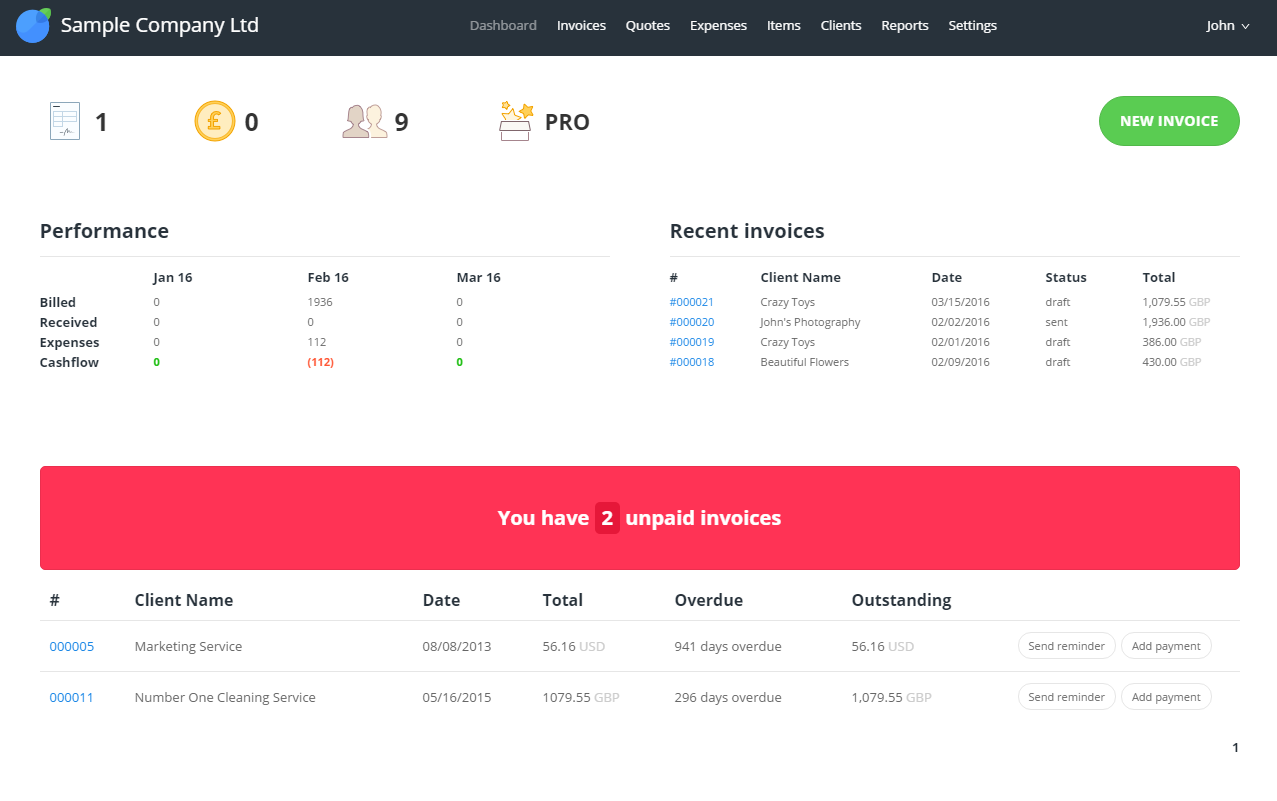   | Paymo Screenshots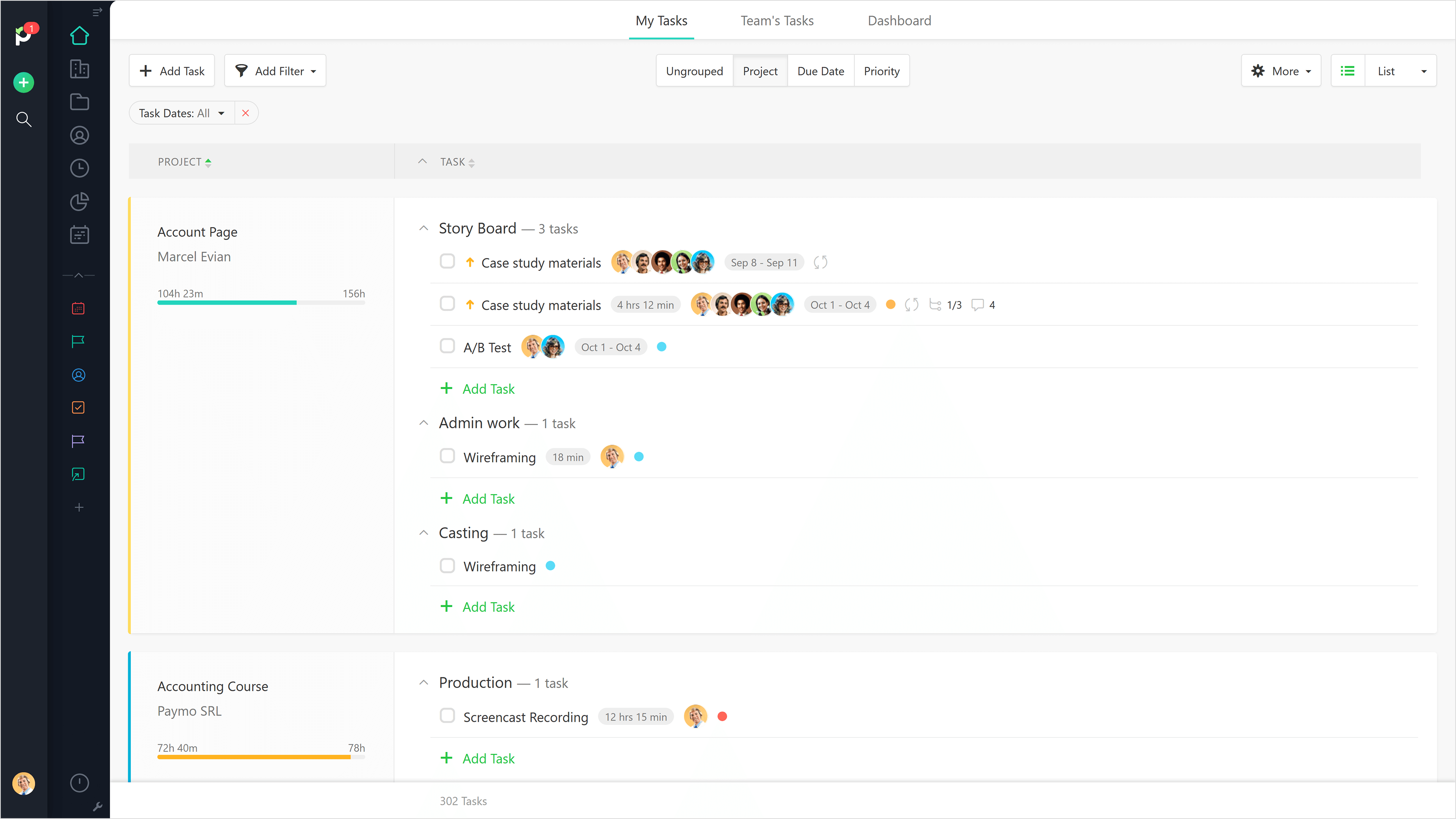 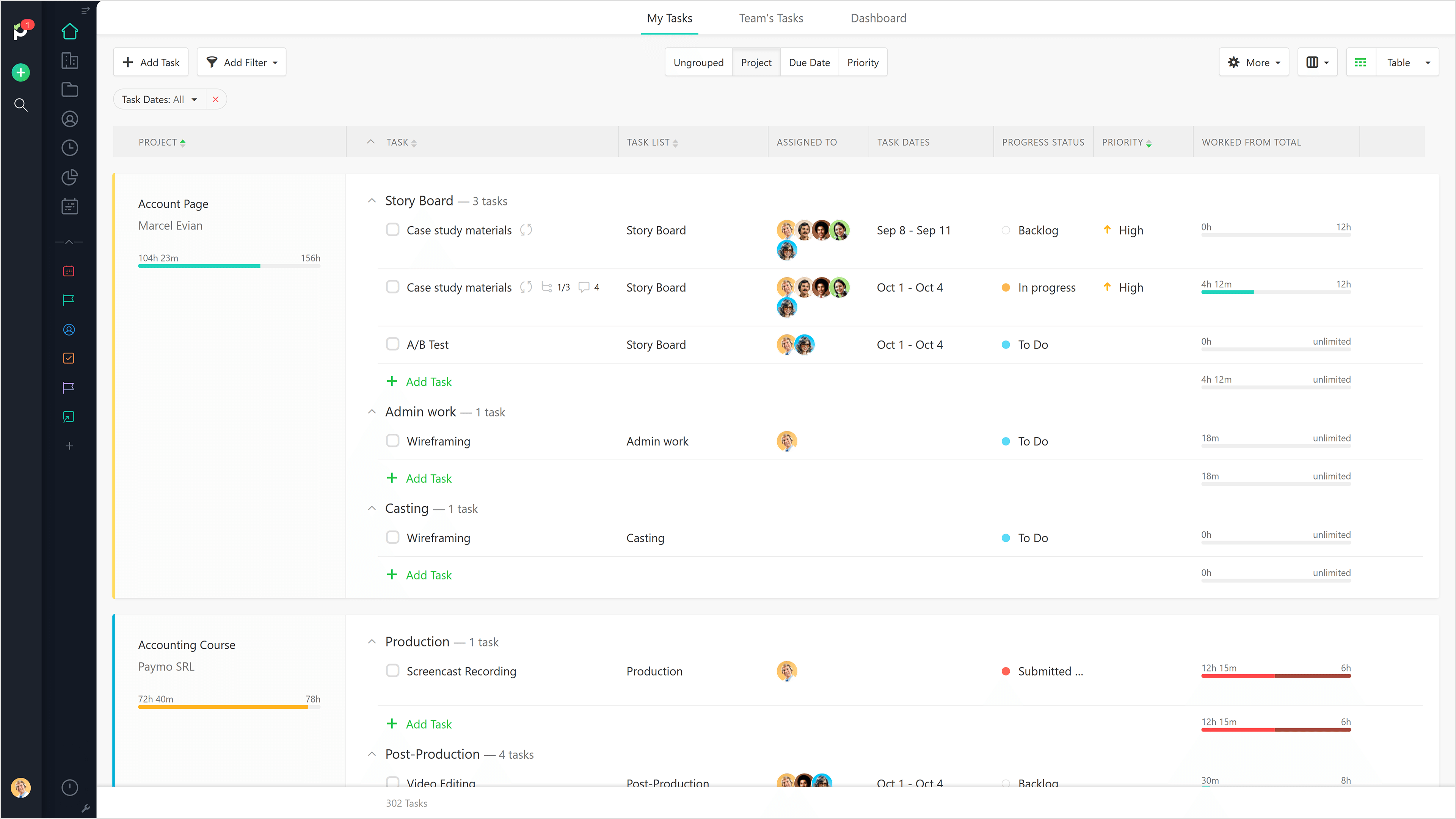     |





