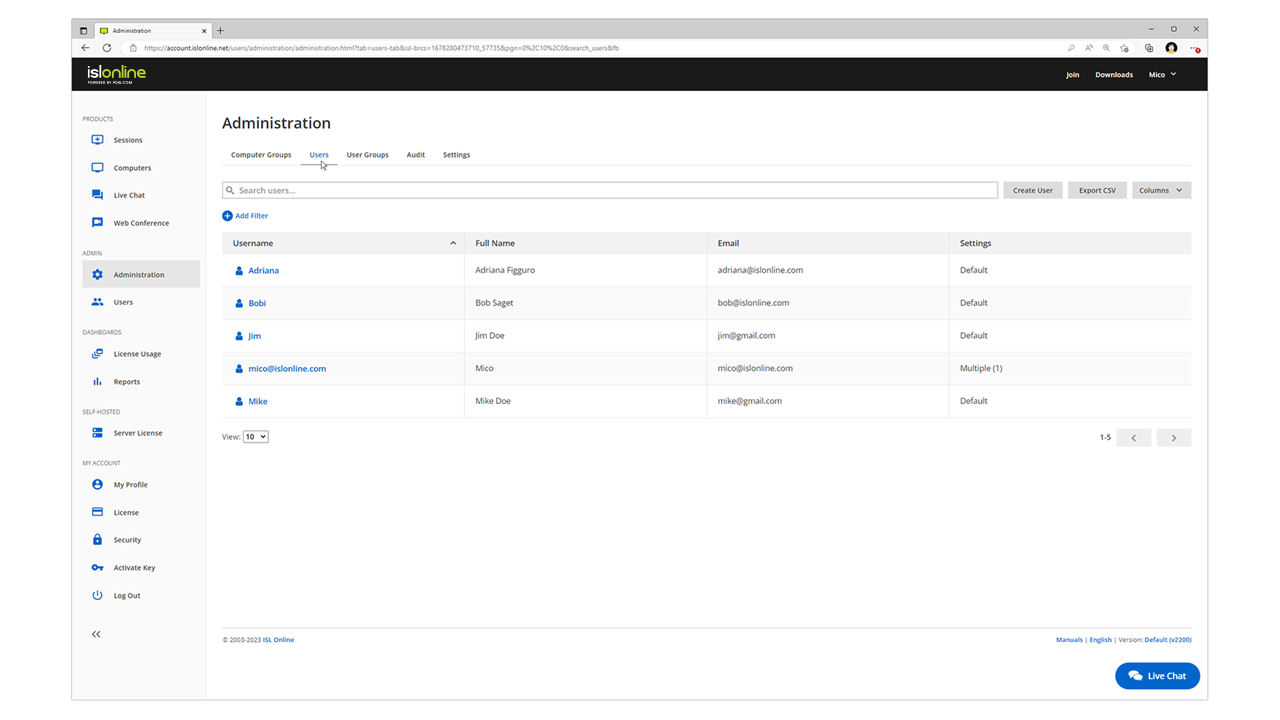
ISL Light is remote support and remote access software that enables SMBs and large enterprises to offer fast and efficient support and maintenance for Windows, Mac and Linux computers as well as mobile device support for Android and iOS.
$16.90
per month (1 concurrent user)
SupRemo
Score9 out of 10
N/A
Supremo Remote Desktop by Nanosystems S.r.l., is presented as a lightweight, multi-platform remote desktop software for Windows, macOS, and mobile on Android and iOS.
$11
per month
Pricing
ISL Light
SupRemo
Editions & Modules
Starter
$16.90
per month
Standard
$34.90
per month
Self-Hosted
$44.90
per month
Premium
$54.90
per month
Solo
€ 11.00
per month (billed quarterly) 1 active connection
Business
starting at € 19.67
per month (billed quarterly) starting with 3 active connection
Professional
from € 42.67
per month (billed quarterly) starting with 3 active connection
Offerings
Pricing Offerings
ISL Light
SupRemo
Free Trial
Yes
No
Free/Freemium Version
No
No
Premium Consulting/Integration Services
Yes
No
Entry-level Setup Fee
No setup fee
No setup fee
Additional Details
ISL Online's pricing model considers the number of licenses purchased, which determines the maximum number of concurrent users within the organization. A concurrent user is defined as anyone running one or more sessions simultaneously from any device. There are no restrictions on the number of ISL Light users within a company or the remote devices managed.
For example, with three licenses, an unlimited number of people in a company can use ISL Light and can access an unlimited number of remote devices, but only three users can use it concurrently. When one of these three users ends their session, a fourth user can begin their session, and so on.
Prices are provided in Euros. Discounts are offered for annual, biennial and triennial subscription plans. Extra connections can be bought for 39 euros per year.
More Pricing Information
Community Pulse
ISL Light
SupRemo
Considered Both Products
ISL Online
Verified User
Chose ISL Light
Price fit our needs, and it had all the functions we needed. The others all had issues that were preventing me from using it as we do on a day to day basis. TeamViewer especially has declined to a horrible state, and they trap you in with forced renewals which is seriously …
A de minimis incentive was given to thank the reviewer for their time. The incentive was not used to bias or drive a particular response, nor was the incentive contingent on a positive endorsement. More Info
ISL light is suitable for anyone who plans to provide remote assistance services on a medium to large scale. Due to the high entry price, it is less suitable for consultants with a smaller number of clients or remote stations that need management. Their smallest package in which minutes are rented does not seem suitable for most cases.
A de minimis incentive was given to thank the reviewer for their time. The incentive was not used to bias or drive a particular response, nor was the incentive contingent on a positive endorsement. More Info
SupRemo is well-suited for scenarios such as remote IT support, collaborative work, and training. It excels when IT teams need to troubleshoot and resolve technical issues on remote computers, as it allows for efficient, real-time control and support. In collaborative work, SupRemo enables multiple users to work on a shared computer simultaneously, making it valuable for project collaborations. Remote training sessions also benefit from SupRemo's capabilities, ensuring effective onboarding and skill development for remote or geographically dispersed teams.However, SupRemo may be less appropriate for extremely sensitive or highly regulated environments, as it requires careful configuration to maintain strict security standards. Additionally, it might not be the best choice for organizations with limited bandwidth or unreliable internet connections, which could hinder the performance of remote sessions.
A de minimis incentive was given to thank the reviewer for their time. The incentive was not used to bias or drive a particular response, nor was the incentive contingent on a positive endorsement. More Info
A de minimis incentive was given to thank the reviewer for their time. The incentive was not used to bias or drive a particular response, nor was the incentive contingent on a positive endorsement. More Info
Need a control toggle at least on AlwaysOn. User moves the mouse and you lose all control instantly.
Clipboard features are a bit wonky still, and your clipboard seems to get emptied a lot. So if you're trying to copy and paste you might lose something
Passwords for the systems are saved per machine, so if you work from multiple devices it can be tricky if you have complex passwords
A de minimis incentive was given to thank the reviewer for their time. The incentive was not used to bias or drive a particular response, nor was the incentive contingent on a positive endorsement. More Info
A de minimis incentive was given to thank the reviewer for their time. The incentive was not used to bias or drive a particular response, nor was the incentive contingent on a positive endorsement. More Info
Everything works well and quickly, and that's all we need. ISL Light always works, and we've never had a situation where the server was inaccessible or the website was down. It simply gives us a 100% guarantee that we can always log in to our customers' systems. We can install the ISL Light client at our customers' sites without any problems, even though security is high.
A de minimis incentive was given to thank the reviewer for their time. The incentive was not used to bias or drive a particular response, nor was the incentive contingent on a positive endorsement. More Info
A de minimis incentive was given to thank the reviewer for their time. The incentive was not used to bias or drive a particular response, nor was the incentive contingent on a positive endorsement. More Info
We had issues with mouse skipping on mobile devices. Support is immediatly availabe, they examined our case and in one of the new versions of the app this problem was gone.
A de minimis incentive was given to thank the reviewer for their time. The incentive was not used to bias or drive a particular response, nor was the incentive contingent on a positive endorsement. More Info
The main reason was price initially, after TeamViewer jacked up the price 3 fold come covid in start of 2020, told them to get stuffed and went elsewhere, back then they had a good reliable product, then after I switched to another provider, the came crawling back and offer me the same price I was paying before the COVID tax (3 times increase in price) like I said, told them to get stuffed, ISL on the other hand didn’t increase their price when covid started, so have been with them ever since.
A de minimis incentive was given to thank the reviewer for their time. The incentive was not used to bias or drive a particular response, nor was the incentive contingent on a positive endorsement. More Info
SupRemo and AnyDesk are both remote desktop software solutions, and they share many common features and capabilities. The choice between SupRemo and AnyDesk depends on your organization's specific needs and priorities. If you prioritize a user-friendly interface and robust security features, SupRemo might be the better option.
A de minimis incentive was given to thank the reviewer for their time. The incentive was not used to bias or drive a particular response, nor was the incentive contingent on a positive endorsement. More Info
A de minimis incentive was given to thank the reviewer for their time. The incentive was not used to bias or drive a particular response, nor was the incentive contingent on a positive endorsement. More Info
A de minimis incentive was given to thank the reviewer for their time. The incentive was not used to bias or drive a particular response, nor was the incentive contingent on a positive endorsement. More Info
A de minimis incentive was given to thank the reviewer for their time. The incentive was not used to bias or drive a particular response, nor was the incentive contingent on a positive endorsement. More Info
A de minimis incentive was given to thank the reviewer for their time. The incentive was not used to bias or drive a particular response, nor was the incentive contingent on a positive endorsement. More Info