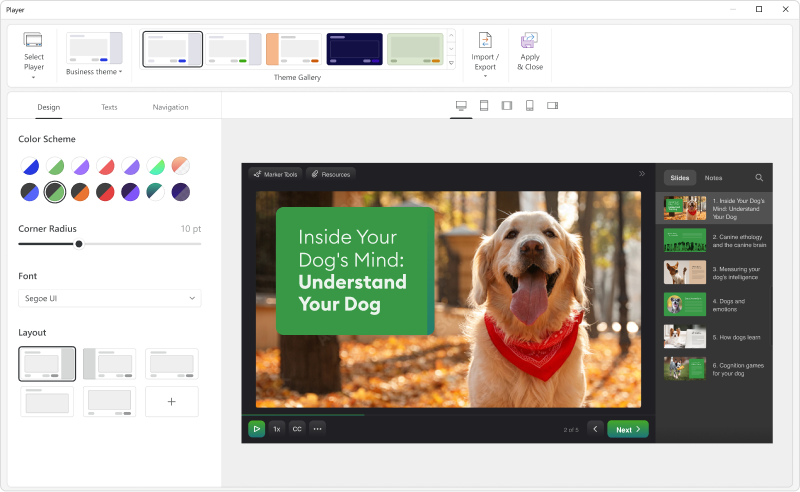
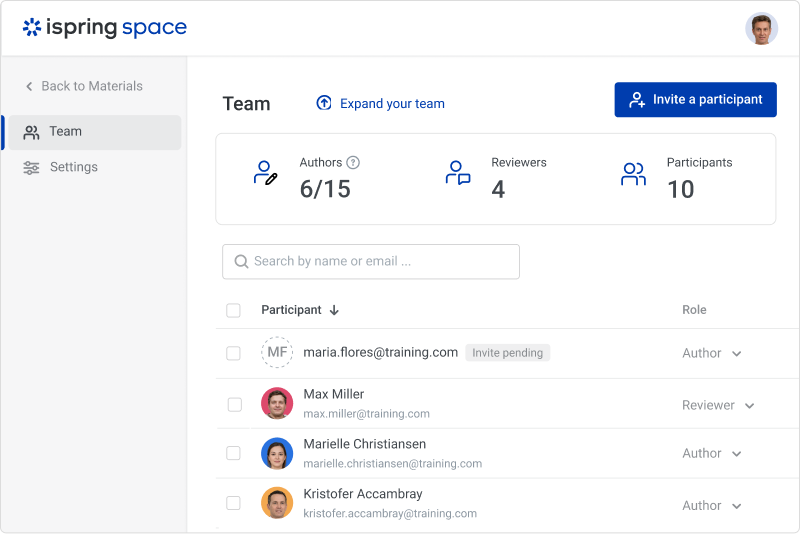
iSpring Suite is an authoring tool with AI-assisted features for creating slide-based online courses, quizzes, and video lessons in Microsoft PowerPoint. Instructional designers, corporate L&D and HR teams, educators, and independent course developers can build training content without relying on multiple specialized tools. iSpring Suite enables users to: Generate a course from a topic. Users can describe what to teach or upload subject…
$970
per year per user
SurveyMonkey
Score8.1 out of 10
N/A
SurveyMonkey provides free, customizable surveys, and a suite of paid, back-end programs that include data analysis, sample selection, bias elimination, and data representation tools. SurveyMonkey also offers large-scale, enterprise options for companies interested in data analysis, brand management, and consumer focused marketing.
$99
per month
Pricing
iSpring Suite
SurveyMonkey
Editions & Modules
No answers on this topic
Team Advantage
$25
per month (billed annually) per user (starting at 3 users)
Team Premier
$75
per month (billed annually) per user (starting at 3 users)
Standard Monthly
$99
per month
Individual Plan - Advantage Annual
$468
per year
Individual Plan - Premier Annual
$1,428
per year
Offerings
Pricing Offerings
iSpring Suite
SurveyMonkey
Free Trial
Yes
No
Free/Freemium Version
Yes
Yes
Premium Consulting/Integration Services
No
No
Entry-level Setup Fee
No setup fee
No setup fee
Additional Details
Academic, non-profit, government and volume discounts are available.
iSpring Suite gives me a platform to easily create training courses for any number of subjects, custom-designed to fit my workplace. I can include quizzes that allow me to track both the completion rate of the course and the success rate of the training. Its user-friendliness stands out and makes my role as Training Director much easier on a day-to-day basis.
SurveyMonkey is well suited for external, professional, client-facing forms and complex question types. I've tried generating forms on HubSpot, and it's not nearly as intuitive or clean-looking, and not all question types are supported (e.g. Likert scales). For quick, internal forms that don't need to be as pretty or professional, I find that Google Forms is the quickest and easiest to pull together, especially since it has a single, universal respondent link. If I wanted to embed a link in a mass email, SurveyMonkey doesn't allow multiple respondents to use the same link on my plan.
A de minimis incentive was given to thank the reviewer for their time. The incentive was not used to bias or drive a particular response, nor was the incentive contingent on a positive endorsement. More Info
A de minimis incentive was given to thank the reviewer for their time. The incentive was not used to bias or drive a particular response, nor was the incentive contingent on a positive endorsement. More Info
Being able to close the survey at a set time without having to remember to do so.
Takes the guess work out of response collecting.
Makes it easy to categorize responses within the same survey. Being able to add tags to open-ended questions makes it easy for us to identify patterns in responses.
An array of survey options and questions.
An all around great product that meets multiple needs.
Can have multiple collectors for the same survey to included manual input.
Add details on what the customized play includes when the mouse hovers over the icon. It took a bit of time to realize that this was where we could select different layouts.
A de minimis incentive was given to thank the reviewer for their time. The incentive was not used to bias or drive a particular response, nor was the incentive contingent on a positive endorsement. More Info
I would like to have more customizable options for branding it to our hospital colors. Some survey options allow you to enter html color codes. SurveyMonkey allows you to change colors and you have to pick from selected options.
Embedding the surveys into a webpage, like WordPress is not as seamless as other services.
A de minimis incentive was given to thank the reviewer for their time. The incentive was not used to bias or drive a particular response, nor was the incentive contingent on a positive endorsement. More Info
Compared to other competitors in the market (including a few I've used internally), if you're looking for a survey application, this one does the job and it's quite inexpensive too. Considering the fact that it comes with a handy mobile application too (on iOS and Android), you also get flexibility thrown in the deal too.
iSpring Suite is a perfect tool overall to create contents in collaboration with colleagues. There are some difficulties though in usability but the usability is OK in total. We are fully satisfied with the customer support. There are simple online tutorials and a team of competent support colleagues. The support content is sometimes not simply accessible, you need to search for them longer.
A de minimis incentive was given to thank the reviewer for their time. The incentive was not used to bias or drive a particular response, nor was the incentive contingent on a positive endorsement. More Info
It does everything a survey software should do, and it does it very well. I can't speak for how well it would work for a business that was surveying tens of thousands of people - but for a small business of 50 employees with a couple of thousand clients, it does everything it needs to do.
A de minimis incentive was given to thank the reviewer for their time. The incentive was not used to bias or drive a particular response, nor was the incentive contingent on a positive endorsement. More Info
Great software is only exceeded by their fantastic support. Prompt responses, complete with clearly outlined steps to follow, are just the beginning. There are tremendous resources and continual webinars to challenge what we think we know about the iSpring Suite. I often use PowerPoint to lay out marketing slides, add music and narration, then publish them as an MP4 video. I can count on iSpring support to assist me when I need help.
I've never had to contact the SurveyMonkey customer care team directly, but they have a pretty good library of help articles on their website. Everything from designing and executing your survey to account and billing questions. I never had a need for further support from Survey Monkey.
A de minimis incentive was given to thank the reviewer for their time. The incentive was not used to bias or drive a particular response, nor was the incentive contingent on a positive endorsement. More Info
Ultimately, I selected iSpring Suite because of the ease of use and small learning curve. I needed to be able to start creating content immediately, and after doing trial periods with iSpring as well as some of the other options, it was clear that I could be up and running the quickest with iSpring. I don't see any features that are missing for what I need, and it was also the cheapest option.
A de minimis incentive was given to thank the reviewer for their time. The incentive was not used to bias or drive a particular response, nor was the incentive contingent on a positive endorsement. More Info
SurveyMonkey is easier to customize and provides much more in depth analytics. SurveyMonkey also provides better templates providing us with a better presentation to our employees. SurveyMonkey also comes with a more trustworthy platform that ensures confidentiality, which is incredibly important to our employees and means we're getting more reliable results from the surveys.
A de minimis incentive was given to thank the reviewer for their time. The incentive was not used to bias or drive a particular response, nor was the incentive contingent on a positive endorsement. More Info
It has enhance my reputation personally within the organization. This has led to other departments requesting me by name to head up eLearning development projects, even delaying their own deadlines to ensure that I am involved.
Other than a few duds (I let some inexperienced vocal talent slip thru in the heat of multiple conflicting deadlines), learner feedback has skyrocketed over that developed before I became involved and standardized the effort on iSpring
The speed at which we can develop, program, execute and generate actual usable results provides significant value, particularly when we need fresh numbers to illustrate a point.
The fact that we can execute a research project so quickly means that new research is always a primary option when we're developing campaigns. That's a huge value proposition.
A de minimis incentive was given to thank the reviewer for their time. The incentive was not used to bias or drive a particular response, nor was the incentive contingent on a positive endorsement. More Info