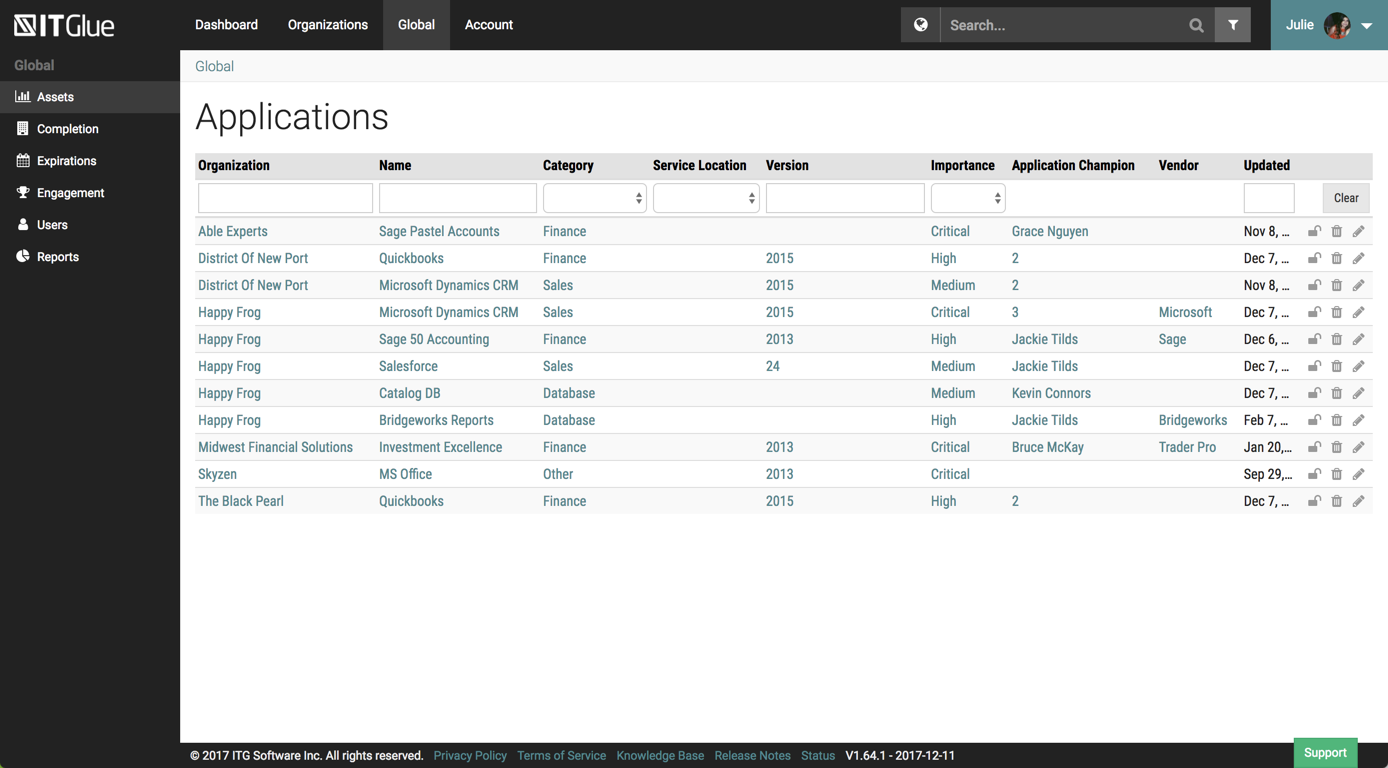
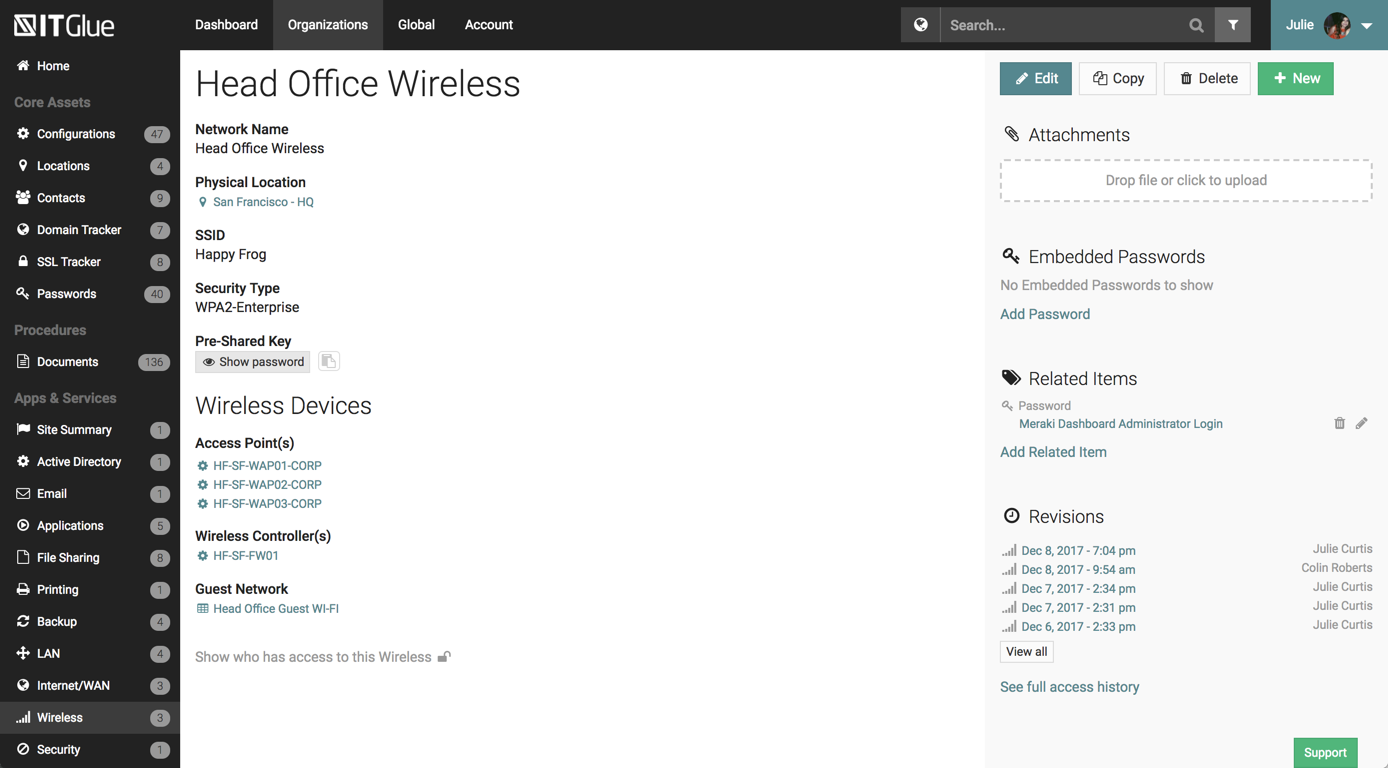
IT Glue, a Kaseya company since the December 2018 acquisition, is an information management platform that allows for efficient storage and retrieval of all the documentation an organization needs to help their MSP run better. By integrating PSA and RMM data, the vendor says they can help increase efficiency, and reduce onboarding times.
$29
per month per user (5 user minimum)
JungleDocs
Score7.6 out of 10
N/A
JungleDocs takes properties and parts of an existing document and puts them into a new one. The vendor’s value proposition is that this prevents possible mistakes and saves up to 90% of the user’s time that would be used on inputting and copy-pasting operations. Key features include: Word and PowerPoint document generation and automation Document mail merge from SharePoint lists Template processing engine uses Open XML technology for very fast and…
N/A
Wondershare PDFelement
Score5 out of 10
N/A
PDFelement is a document management solution from Wondershare Software headquartered in China.
$79.99
per year per user
Pricing
IT Glue
JungleDocs
Wondershare PDFelement
Editions & Modules
Basic
$29.00
per month per user (5 user minimum)
Select
$34.00
per month per user (5 user minimum)
Enterprise
$39.00
per month per user
No answers on this topic
PDFelement
79.99USD
per year per user
PDFelement
129.99USD
one-time fee per user
Offerings
Pricing Offerings
IT Glue
JungleDocs
Wondershare PDFelement
Free Trial
No
Yes
Yes
Free/Freemium Version
No
No
No
Premium Consulting/Integration Services
Yes
Yes
No
Entry-level Setup Fee
$545 one-time fee
No setup fee
No setup fee
Additional Details
—
Licensed per Web Front End (WFE) Server
For Individuals:
Yearly Plan: $79.99/user;
2-Year Plan: $109.99/user
Perpetual Plan(one-time): $129.99/user
For Teams:
Yearly plan starts at $109/year for 1 user
For Education:
Yearly Plan: $47.99/user;
Perpetual Plan(one-time): $99.99/user
It is best suited for an MSP but it is also best not suited for an MSP. It is well suited for folks with a minimal knowledge of a client and are attempting to learn what they can. Perhaps just bumbling about and can find the same thing consistently. At my particular work, we pay somebody full time to manage the system. I feel this is unnecessary.
A de minimis incentive was given to thank the reviewer for their time. The incentive was not used to bias or drive a particular response, nor was the incentive contingent on a positive endorsement. More Info
Great for maintaining consistent language in proposals, contracts, RFI responses, and other legal documents. We can make sure our language passes our legal, regulatory and compliance departments without burdening each document with detailed reviews. This saves us time. When responding to RFIs, we have some standard language to several hundred questions and we can answer them by clicking the boxes. We put in an RFI response question # so they can easily be sorted to match the RFI document. Again, I can't count the labor hours saved. We use this to build plan documents and plan adoption agreements using building blocks that are added by selecting the sections and clicking some checkboxes to determine what gets added. JungleDocs is great for these use cases.
A de minimis incentive was given to thank the reviewer for their time. The incentive was not used to bias or drive a particular response, nor was the incentive contingent on a positive endorsement. More Info
It's a wonderful asset to have when you lose your original Word doc, etc. so you can still edit a document (and not have to start from ground zero). That feature alone is why I bought this product and why I will continue to recommend.
A de minimis incentive was given to thank the reviewer for their time. The incentive was not used to bias or drive a particular response, nor was the incentive contingent on a positive endorsement. More Info
The UI has been set up perfectly, there is a sub-menu for every possible bit of information you wish to store.
There are a number of excellent features such as the autohiding passwords and quick searching from anywhere on the page.
The recent addition of the IT Glue is also an excellent feature, it features online self-guided courses to become a certified IT Glue user.
You can create and group custom documents together.
IT Glue can be integrated with a number of platforms such as Autotask.
IT Glue also integrates well with N-Central to automatically populate the configurations tab with all the relevant Workstation, Printer, and Server information making client on-boarding a breeze.
A de minimis incentive was given to thank the reviewer for their time. The incentive was not used to bias or drive a particular response, nor was the incentive contingent on a positive endorsement. More Info
Auto population of documents from files stored on SharePoint. Eliminates extra steps for more efficacy.
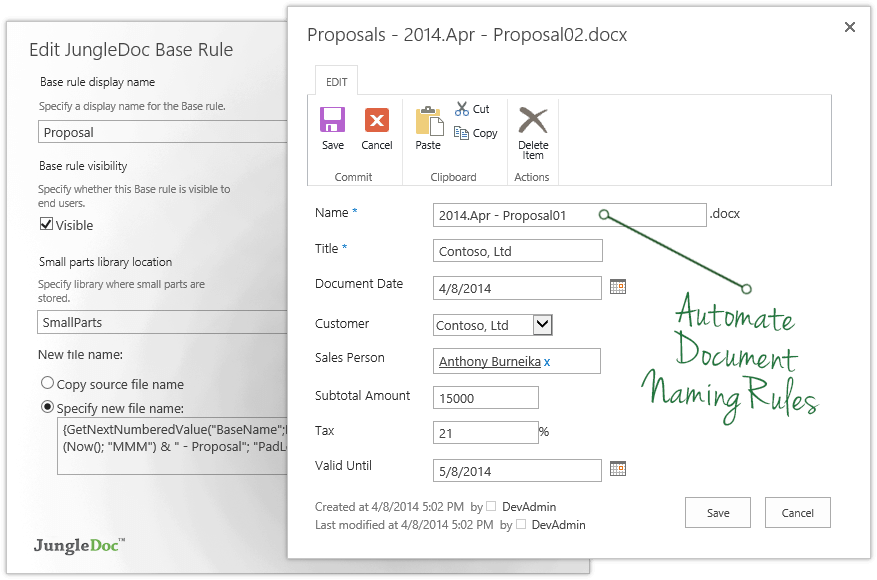
Can also set up automation for managing documents. Our department uses specific naming conventions for our documents and JungleDocs allows the naming conventions to be automated to help eliminate human error.
A de minimis incentive was given to thank the reviewer for their time. The incentive was not used to bias or drive a particular response, nor was the incentive contingent on a positive endorsement. More Info
PDFelement provides the same powerful features as Adobe Acrobat, but the interface is easy to learn and use. The product is extremely intuitive, which saves our clients from becoming frustrated as they learn the product.
PDFelement Pro's ability to create fillable forms with the click of one button is one of our clients favorite features. I was impressed at how accurately PDFelement performed this task and the ease with which these fields can be edited, if needed.
Security is more important than ever these days and PDFelement provides the encryption and permissions to protect documents quickly and easily. I especially like the batch encrypt feature, this makes it easy to protect multiple files with the same password.
PDFelement makes it easy to extract the data from form fields. This is a huge plus for our clients.
A de minimis incentive was given to thank the reviewer for their time. The incentive was not used to bias or drive a particular response, nor was the incentive contingent on a positive endorsement. More Info
Like many other MSPs we had the majority of our SOPs and KBs in Word docs. The best case scenario would be to simply drop those files directly into ITG without having to import them into the ITG documentation format. The import function is so broken as to not be an option because it completely ruins formatting and tends to drop images. Thus we have to manually copy/paste text and individually upload each image.
They marketed the product as having true branding but that is stretching the truth. SSL is not an option so client-facing documents will give security errors in browsers. ITG does not appear to be concerned about this even though security is a major concern for all MSPs.
A de minimis incentive was given to thank the reviewer for their time. The incentive was not used to bias or drive a particular response, nor was the incentive contingent on a positive endorsement. More Info
The ability to update fields in headers and footers, if they change after the document has been created
When content or metadata change, the document doesn't auto update the fields in the document, you have to manually go and click the update option (excludes fields in headers or footers footers)
A de minimis incentive was given to thank the reviewer for their time. The incentive was not used to bias or drive a particular response, nor was the incentive contingent on a positive endorsement. More Info
I wish there was a lighter program for just reviewing a document and then to transition seamlessly to an editing mode. It takes a few seconds longer to load than Preview on my Mac, and based on that frustration, I use Preview to view documents.
A de minimis incentive was given to thank the reviewer for their time. The incentive was not used to bias or drive a particular response, nor was the incentive contingent on a positive endorsement. More Info
Overall IT Glue meets every need that we need it to. IT is easy to use and convenient and we have not had very many issues with it since the inception. I would easily recommend it to anyone who needs this software.
A de minimis incentive was given to thank the reviewer for their time. The incentive was not used to bias or drive a particular response, nor was the incentive contingent on a positive endorsement. More Info
A de minimis incentive was given to thank the reviewer for their time. The incentive was not used to bias or drive a particular response, nor was the incentive contingent on a positive endorsement. TR verified that a representative sample of customers was invited. More Info
The interface is excellent and very easy to use. As long as the text you input into the system can be easily read, you will have no problem finding it with all the different categories offered. Sometimes, the slider on the right can blend in with dark backgrounds, making it hard to see.
A de minimis incentive was given to thank the reviewer for their time. The incentive was not used to bias or drive a particular response, nor was the incentive contingent on a positive endorsement. More Info
A de minimis incentive was given to thank the reviewer for their time. The incentive was not used to bias or drive a particular response, nor was the incentive contingent on a positive endorsement. More Info
A de minimis incentive was given to thank the reviewer for their time. The incentive was not used to bias or drive a particular response, nor was the incentive contingent on a positive endorsement. TR verified that a representative sample of customers was invited. More Info
Other than a few access outages, ITGlue is always up and available to us. Their ability to export Playbook, that contain our customers data, and securely send those over to them is amazing and are produced pretty fast. We have IT Glue linked with several other services and software and we have not found that it slows anything down.
A de minimis incentive was given to thank the reviewer for their time. The incentive was not used to bias or drive a particular response, nor was the incentive contingent on a positive endorsement. More Info
There is a lot of learning. Although some of the functions you can probably pick up relatively quickly, some of them, including compressing the size or using a different language, remains a myth to me.
A de minimis incentive was given to thank the reviewer for their time. The incentive was not used to bias or drive a particular response, nor was the incentive contingent on a positive endorsement. More Info
No problems with support when needed it. Their answers on how to handle DR/BC situations when ITG is down are not stellar. They don't seem to get the business risks of their suggestions to just give the xls backup to engineers (aka give all passwords of ALL clients to engineers in an unencrypted flat-file where it is easy to copy, print, etc.)
A de minimis incentive was given to thank the reviewer for their time. The incentive was not used to bias or drive a particular response, nor was the incentive contingent on a positive endorsement. More Info
PDFelement is always in contact with me, by email and by giving constant tips and recommendations. But what makes me give you a 10, was the outstanding support service received on July 9th by one of your support professionals Amanda, who helped me with a tariff issue, and makes me [rate] your product.
A de minimis incentive was given to thank the reviewer for their time. The incentive was not used to bias or drive a particular response, nor was the incentive contingent on a positive endorsement. TR verified that a representative sample of customers was invited. More Info
We chose IT Glue particularly because it's tailored to IT documentation. As a managed IT service provider, it's perfectly in line with what we were looking for. The flexibility and tagging in particular were the kind of features we were looking for. Confluence is very good, and can be used for a number of things, not just IT documentation, but IT Glue shines for that.
A de minimis incentive was given to thank the reviewer for their time. The incentive was not used to bias or drive a particular response, nor was the incentive contingent on a positive endorsement. More Info
JungleDocs was intuitively easier to use than eFileCabinet and Sharepoint. JungleDocs works with Sharepoint to extend its feature set and make it easier to use. Our team didn't feel that eFileCabinet was suitable for all of our use cases, especially the RFI response documents. We used a scorecard to rank the products and JungleDocs proved to be the winner.
A de minimis incentive was given to thank the reviewer for their time. The incentive was not used to bias or drive a particular response, nor was the incentive contingent on a positive endorsement. More Info
I didn't try or buy other programs, but did a good bit of research on them. I went with PDFelement because of the lower pricing, and because of the rich features I learned it had. I also appreciated the great customer service I received from reps in the community forums, which showed me they have an aim in keeping their customers happy - which is always good to have when using fairly complex technical apps.
A de minimis incentive was given to thank the reviewer for their time. The incentive was not used to bias or drive a particular response, nor was the incentive contingent on a positive endorsement. TR verified that a representative sample of customers was invited. More Info
A de minimis incentive was given to thank the reviewer for their time. The incentive was not used to bias or drive a particular response, nor was the incentive contingent on a positive endorsement. TR verified that a representative sample of customers was invited. More Info
A de minimis incentive was given to thank the reviewer for their time. The incentive was not used to bias or drive a particular response, nor was the incentive contingent on a positive endorsement. More Info
For me, it's been very important to me that my business as a pet sitter and dog walker not leave a negative footprint on the environment. To that end, it's been very important that i'm able to do as much paperwork as possible without using paper. PDFelement is wonderful at helping me meet those goals.
A de minimis incentive was given to thank the reviewer for their time. The incentive was not used to bias or drive a particular response, nor was the incentive contingent on a positive endorsement. More Info