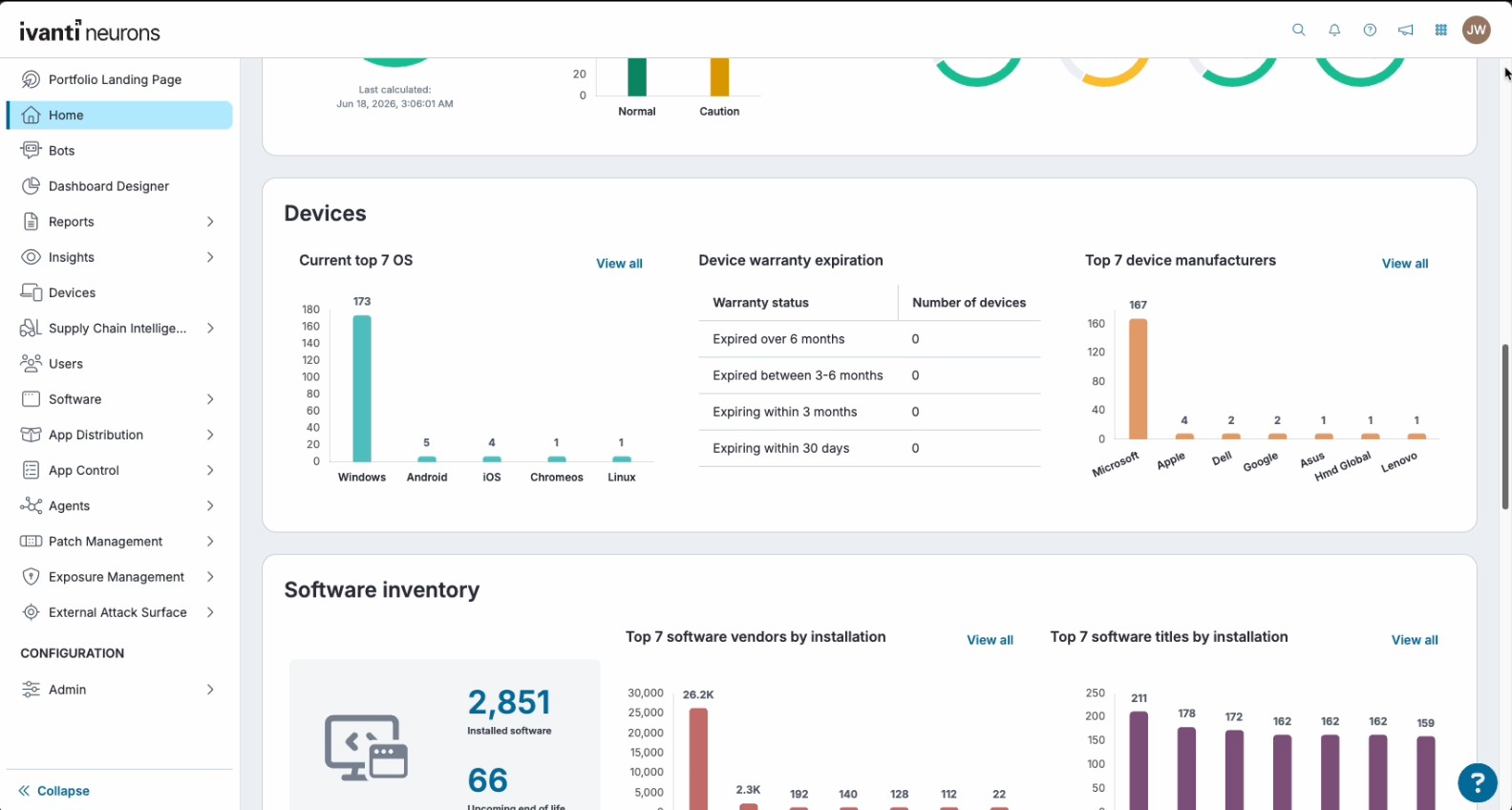
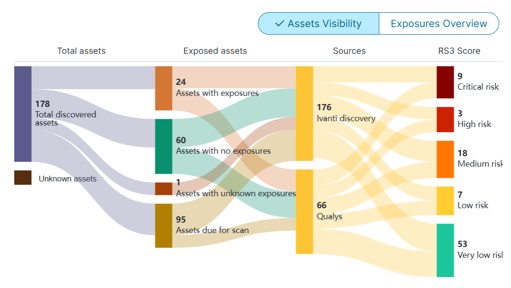
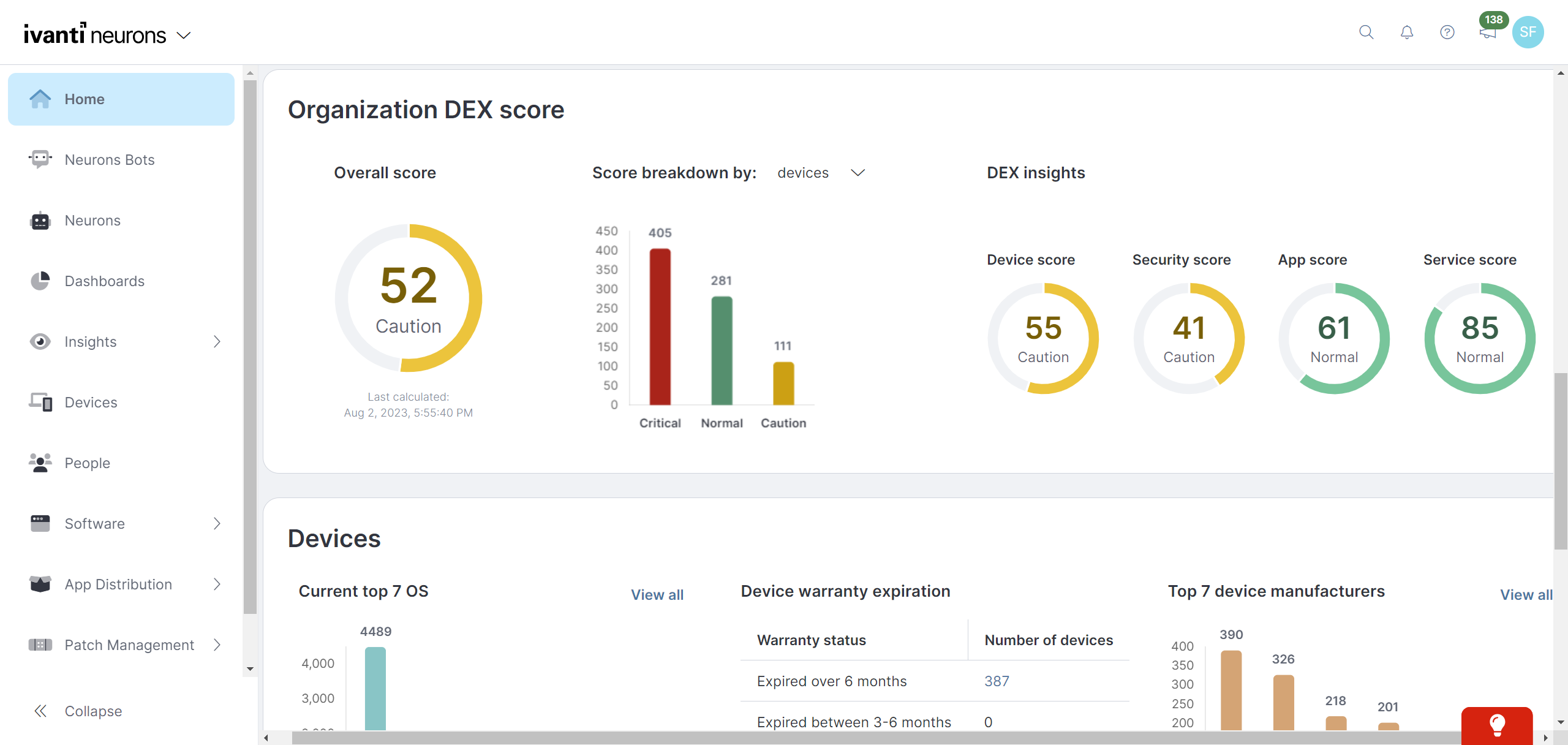
Ivanti Autonomous Endpoint Management (AEM) is an enterprise endpoint-operations solution built on the Ivanti Neurons platform. It combines unified endpoint management (UEM)—centralized management of desktops, mobile devices, and other endpoints—with digital employee experience monitoring, asset discovery, security controls, and automated remediation. Ivanti positions AEM as a broader solution layer that brings UEM, digital employee experience, and security capabilities together rather than as a…
N/A
ManageEngine Endpoint Central
Score9 out of 10
N/A
Desktop Central from ManageEngine is a client desktop management with patching, remote control, and configuration.
A de minimis incentive was given to thank the reviewer for their time. The incentive was not used to bias or drive a particular response, nor was the incentive contingent on a positive endorsement. More Info
ManageEngine A Div of Zoho Corporation Pvt Ltd
Verified User
Chose ManageEngine Endpoint Central
ManageEngine Endpoint Central is better than these products because of user experience and easy functionality. When I evaluated other products, I faced difficulty in exploring their features and there were too many things to do before a simple deployment unlike ManageEngine …
A de minimis incentive was given to thank the reviewer for their time. The incentive was not used to bias or drive a particular response, nor was the incentive contingent on a positive endorsement. TR verified that a representative sample of customers was invited. More Info
I think that Ivanti Autonomous Endpoint Management can be well suited to most scenarios for patch management. The different options with Ring Deployments allow for rolling out patches in any number of circumstances. Typical monthly, weekly, daily, zero day response, etc. There is some lack of control over how to wrap up a deployment. What I mean is that in a scenario where we need extremely controlled rollouts, some of the features do not align well. For our organization, we would ideally evaluate patches that come out each Patch Tuesday. Select those patches for deployment, deploy those to our test servers over 3 days, wait 2 days, then deploy to production for 3 days. While we have plenty of control over the initial deployment, we have no clean way to say "after these 3 days, no longer deploy the patch". In our specific scenario, we sacrifice process to align with the tool's capabilities.
A de minimis incentive was given to thank the reviewer for their time. The incentive was not used to bias or drive a particular response, nor was the incentive contingent on a positive endorsement. TR verified that a representative sample of customers was invited. More Info
For small businesses, it is also free, which, for what it offers, is really helpful. It works better than similar products, such as SCCM, both within and outside the internal network. I do not see scenarios in which it could be less appropriate.
Ivanti Autonomous Endpoint Management is light weight and easy to install
Ivanti Autonomous Endpoint Management allows the user to defer a required restart. Allowing them to restart their machine at a time that's more convenient for them.
Comparatively, Ivanti Autonomous Endpoint Management is a budget friendly solution.
A de minimis incentive was given to thank the reviewer for their time. The incentive was not used to bias or drive a particular response, nor was the incentive contingent on a positive endorsement. More Info
We set alerts when a devices gets low on disk space. That is automatic and creates a ticket in ME SDP. We are then able to Add space to a VM Desktop, and then go thru ManageEngine Endpoint Central to extend the drives so the entire process can be done without interruption to the end user.
Using the patch scans we can easily see what patches have been installed for all manufacturers not just Microsoft, without having to physically go to the device. It also allows us to choose which patches we want to push out and automate the process so we can be hands off, freeing up out time for other things.
Remote access to devices. This allows us to remotely make changes, not just via remote control but also make registry changes and clean up space without going to the device and without interruption to the end user.
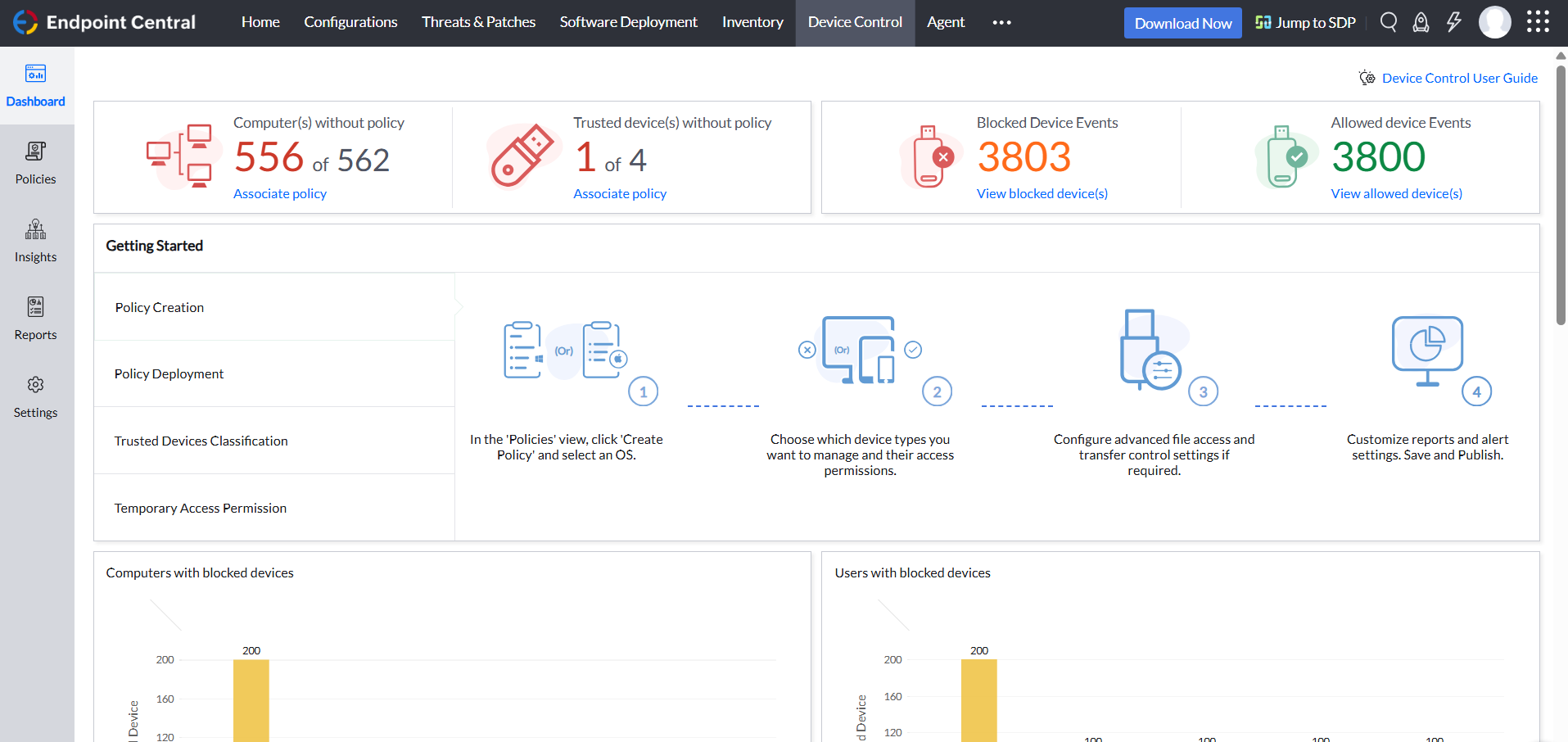
Alerts. We have set up to get email alerts when new hardware is plugged into any computers. This lets us know if someone is bringing in un-authorized equipment (thumb drives, hubs, etc) to better manage what is/is not on our network.
A de minimis incentive was given to thank the reviewer for their time. The incentive was not used to bias or drive a particular response, nor was the incentive contingent on a positive endorsement. TR verified that a representative sample of customers was invited. More Info
MDM has fallen a bit flat, however, with the recent acquisition of MobileIron I believe this will change but as of now there is some of this still built into the product
The antivirus portion of the product hasn't had much love and could use a bump. It is not bad at all but I would like to see it hit that next level.
Data Analytics is the most powerful tool inside this platform but it is so hard for people to figure it out that it often goes unused. It needs a good redesign.
A de minimis incentive was given to thank the reviewer for their time. The incentive was not used to bias or drive a particular response, nor was the incentive contingent on a positive endorsement. More Info
MobileIron is a constantly evolving platform that stays current with industry trends. iOS updates? No problem, they're supported almost immediately after a new iOS version comes out. If you are a Core (on-prem) customer there is ample support and assistance to migrate to the Cloud version of MobileIron (although I've yet to convince my department head to approve the request). The platform is very robust and extremely configurable. Management roles can be delegated effectively to other staff without compromising security. These in alone are important, but even more important is the company itself - they are great to work with, from support to sales. We have never had a situation where MobileIron left us on our own, and many times support has gone way beyond what is simply required in order to educate us or extend the usefulness of the product
A de minimis incentive was given to thank the reviewer for their time. The incentive was not used to bias or drive a particular response, nor was the incentive contingent on a positive endorsement. TR verified that a representative sample of customers was invited. More Info
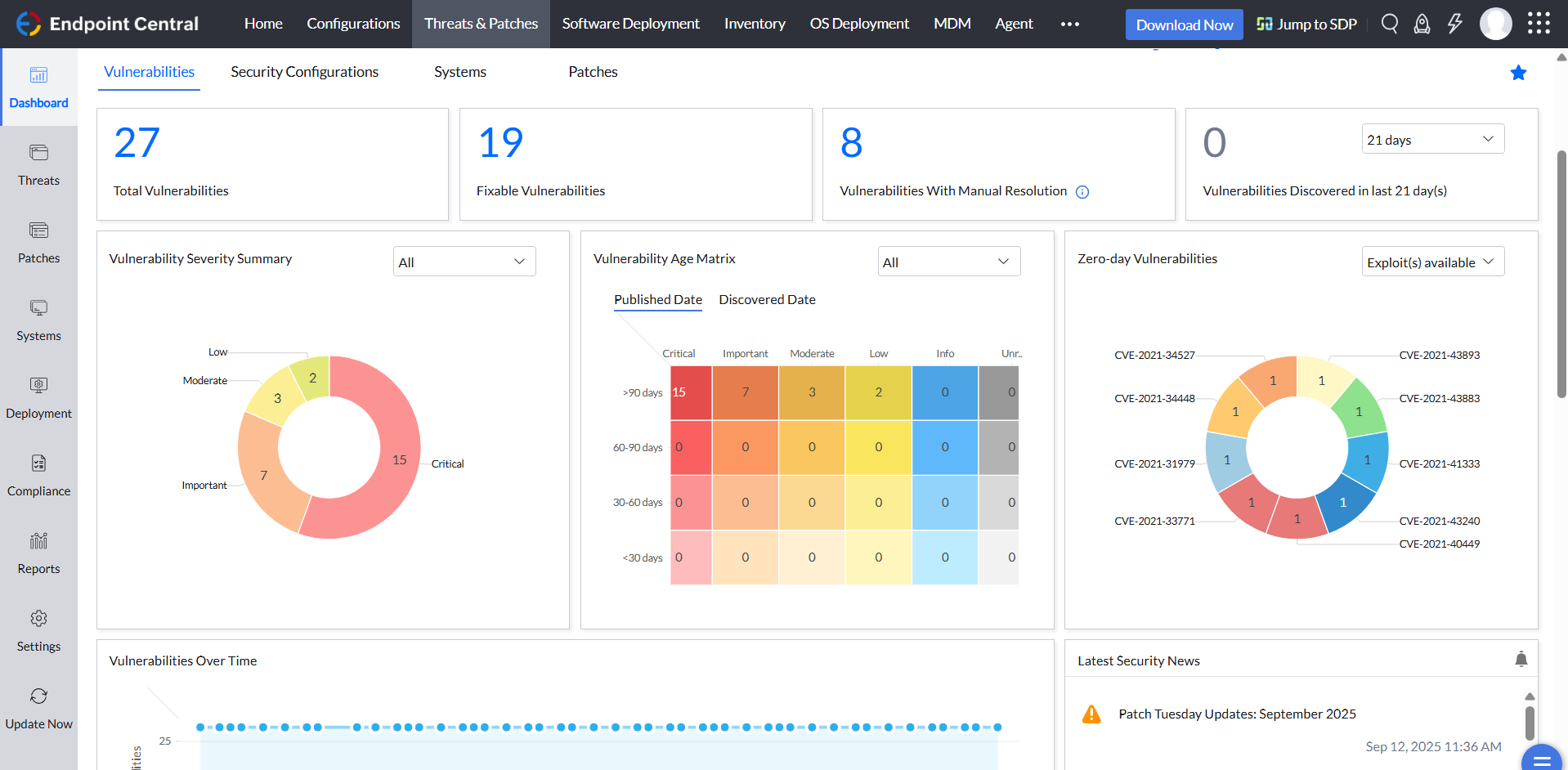
ManageEngine is considered an excellent product due to its comprehensive suite of solutions for IT management, with ManageEngine Endpoint Central specifically excelling in endpoint management. The platform stands out for its user-friendly interface, robust features, and versatility in addressing diverse IT needs. It offers organizations a centralized solution for endpoint security, patch management, software deployment, and asset management
It's relatively straightforward as far as using it. We can create roles in it and have some of our junior engineers still do the patching. Also, creating rules and exclusions, once shown, can be done by most of our engineers. We also like the interface on the home page that shows the current progress of our patch deployments
A de minimis incentive was given to thank the reviewer for their time. The incentive was not used to bias or drive a particular response, nor was the incentive contingent on a positive endorsement. TR verified that a representative sample of customers was invited. More Info
Not using WNS to communicate with the endpoint console is a big plus. We now use Workspace One, and WNS can be really annoying at times. After deployment, it cleans itself, which is important for us because our current solution leaves the package on the computer and requires maintenance. The remotely script command is a lifesaver.
A de minimis incentive was given to thank the reviewer for their time. The incentive was not used to bias or drive a particular response, nor was the incentive contingent on a positive endorsement. More Info
TRM\TAM support has been generally very good. Getting reported bug fixes, design changes, UX problems resolved has been a pain. It is often difficult to get problems escalated beyond the TRM\TAM level. Support is fantastic when you can get it, getting it can often require more work than it should, and that is probably our biggest issue.
The immediate chat support is great and very helpful. However, if you need escalated support or have a deeper need that the chat tool can't help with, you will experience significant wait times and slow responses. The time zone difference becomes painful to the point of often just giving up.
It is online based, after learning content you can take a test and if you don't pass you get two other chances to pass. Once you pass the test you can print out your certification or save it
A de minimis incentive was given to thank the reviewer for their time. The incentive was not used to bias or drive a particular response, nor was the incentive contingent on a positive endorsement. More Info
A de minimis incentive was given to thank the reviewer for their time. The incentive was not used to bias or drive a particular response, nor was the incentive contingent on a positive endorsement. More Info
It seems that the services offered with the purchase change from what is covered to what is an additional cost. Somethings I thought we had ended up requiring an additional purchase if we wanted to continue using the feature.
A de minimis incentive was given to thank the reviewer for their time. The incentive was not used to bias or drive a particular response, nor was the incentive contingent on a positive endorsement. More Info
Better in most all categories. On-prem was not an issue for my organization. MS SCCM was lacking features. Airwatch required increasing tiers of service in order to match [Ivanti Unified Endpoint Manager (formerly LANDESK Management Suite)] features, and lacked the robust inventory data we needed. Meraki was very simple to use, but did not meet our needs. I would say that most Airwatch customers aren't using all the features they are paying for, and could save lots of money by using Meraki instead.
I was not a part of the initial selection process, but I understand the issue was related to cost per endpoint. As a user of the other solutions I would say that the other solutions do have other strengths that ManageEngine is missing. The remote access tools are superior but at the end of the day you get what you pay for.
A de minimis incentive was given to thank the reviewer for their time. The incentive was not used to bias or drive a particular response, nor was the incentive contingent on a positive endorsement. More Info
The installation of MobileIron was for security compliance so we could containerize email on BYOD devices and also control who got email on company phones (to prevent hourly workers from working on emails after hours). MobileIron met this need nicely.
MobileIron allowed us to utilize device certificates to prevent unauthorized devices from joining wireless networks in our company.
MobileIron allows our sales staff to get emails on the road and many users rely on the functionality and ease of the phone for general mail communication.
A de minimis incentive was given to thank the reviewer for their time. The incentive was not used to bias or drive a particular response, nor was the incentive contingent on a positive endorsement. More Info
A de minimis incentive was given to thank the reviewer for their time. The incentive was not used to bias or drive a particular response, nor was the incentive contingent on a positive endorsement. TR verified that a representative sample of customers was invited. More Info