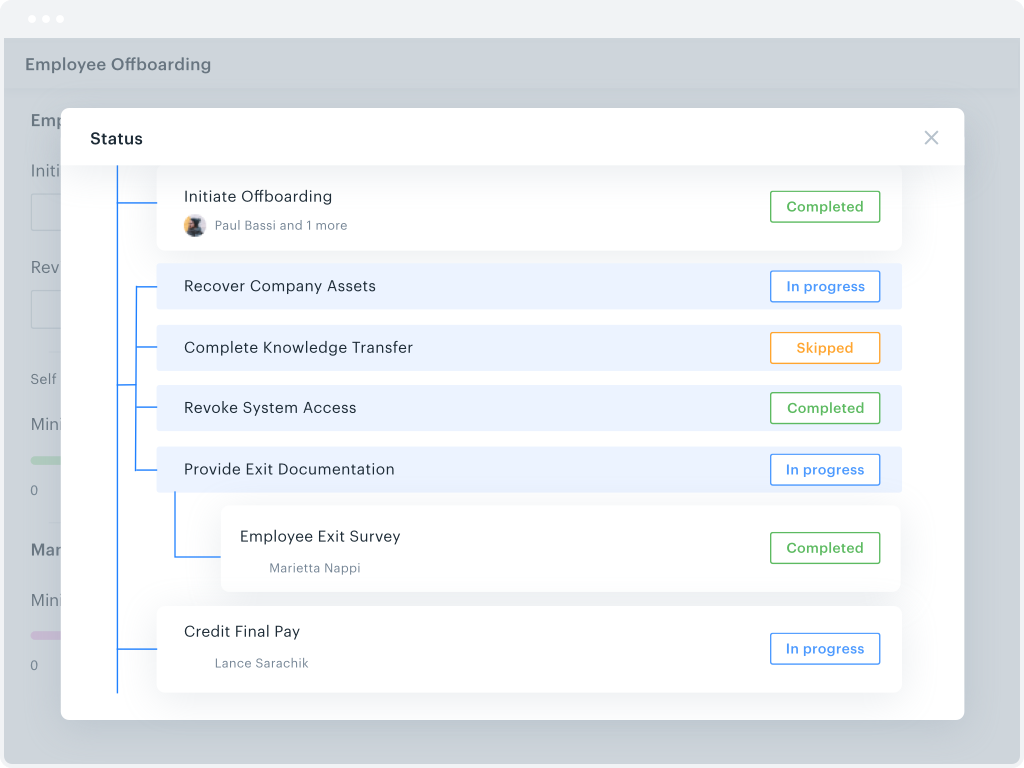
Kissflow is a low-code platform for custom application development tailored to business operations. Kissflow empowers process owners and IT developers to automate and build processes and applications for internal business operations.
$1,500
per month 50 Users
M‑Files
Score8.9 out of 10
N/A
M-Files delivers Context-First Document Management with a metadata-driven architecture that improves productivity across the document lifecycle. By linking documents to the people, processes, clients, and projects that give them meaning, M-Files creates a unified environment that strengthens governance.
We've used Kissflow [School Cloud] in order to track parent requests for transportation in the SpEd department. It has been user friendly for parents to input a request and staff to review, double check school sites and locations, and set up specific routes to meet the needs of students and communicate the info back to parents.
A de minimis incentive was given to thank the reviewer for their time. The incentive was not used to bias or drive a particular response, nor was the incentive contingent on a positive endorsement. More Info
M‑Files is great for companies with multiple locations. Drive letters can become cumbersome to use and collaborate with colleagues and M‑Files fills that gap. The check out/check in system is great and allows only one editor at a time. This can be good and bad depending on the situation.
A de minimis incentive was given to thank the reviewer for their time. The incentive was not used to bias or drive a particular response, nor was the incentive contingent on a positive endorsement. More Info
They know what they are. You aren't going to get a Workflow program that also wants to be a CRM. You will get the equivalent of an electronic assistant going from station to station, taking care of business and giving you the end result.
Paper. It reduces the amount of paper needed for menial tasks tremendously. You can automate an entire process. As an educational institution, you may still need paper copies, but you aren't waiting for John Doe to sign Line 3, then Jane Doe to initial, and so on and so on with a paper form.
Tracking. If you need to know where things are in the process, the fact that this program is dedicated to workflow makes it incredibly easy to identify where people are in the sales flow.
Customer appreciation. When your workflow is stronger, faster, and better, the customers feel it. They feel like you are right there with them and getting things moving.
A de minimis incentive was given to thank the reviewer for their time. The incentive was not used to bias or drive a particular response, nor was the incentive contingent on a positive endorsement. More Info
Reliable: Our M-Files system has only gone down one time (for a very short period of time) at the beginning of the two years that we have been with M-Files. Our previous vendor's system had so many downtimes that our IT Department had to assign an associate to work with me for sending out notifications to associates etc. With our last vendor, one day I came to work and only 60 of the 260 consent for surgery forms were available to our end users although they were visible to me as the Administrator but weren't showing up for the end-users!
Our M-Files system was created for us. It was created by working with developers to only have on our system what we required, and I must say, there were so many extra features that M-Files offered in our program that weren't available with our previous vendor. As mentioned previously, we can have two policies or forms visible to the end-user so one can be listed as "draft" or "training only" so our end users can read and use for training as we get ready to roll out a new medical record system. I can also preload policies and leave them in the working stage until they are approved and go back and publish them the day they are approved. The list goes on with so many great features.
Our end users would say the greatest asset of this product is the search function. It's amazing how fast it is. There are many ways to search out a form or policy which makes it a true asset for our associates.
A de minimis incentive was given to thank the reviewer for their time. The incentive was not used to bias or drive a particular response, nor was the incentive contingent on a positive endorsement. More Info
Workflow Design: There isn't a copy/paste function when creating the workflow, and you can't move a workflow task between parallel branches. This becomes a pain point when an item has 98% of what you need, but you can't copy it and place it in another branch to make the last tweaks. Instead, it needs to be completely recreated
Interface: While I like the current design features, which make it easy for an end-user to find their tasks and items, it would be nice to also have some flexibility within the platform. Things like being able to groups apps under a category or tailoring the look and feel of the page a little more would be a welcome addition.
A de minimis incentive was given to thank the reviewer for their time. The incentive was not used to bias or drive a particular response, nor was the incentive contingent on a positive endorsement. More Info
If you are new to Electronic Document Management, this can be a really difficult product to roll out. Since it is infinitely versatile, there are infinite ways to configure it wrong. I highly recommend the M-Files admin training offered by M-Files as it will set you in the right direction.
Many options are paid add-ons. So while you are not paying for what you don't need, many great features will come at a cost.
If you don't have a technical person on staff, this will be tricky to maintain. Not impossible. If your processes do not change, once setup it will be fine.
A de minimis incentive was given to thank the reviewer for their time. The incentive was not used to bias or drive a particular response, nor was the incentive contingent on a positive endorsement. More Info
A de minimis incentive was given to thank the reviewer for their time. The incentive was not used to bias or drive a particular response, nor was the incentive contingent on a positive endorsement. More Info
M-files meets our almost all needs, we dont have other option to replace m-files. it saves lots, like Hardware because of Vault Feature means we can create many vaults (mini-servers) in m-files in other solutions we need more hardware for more installations.
A de minimis incentive was given to thank the reviewer for their time. The incentive was not used to bias or drive a particular response, nor was the incentive contingent on a positive endorsement. TR verified that a representative sample of customers was invited. More Info
The system has room to grow as it's limited by not being able to edit POs after they've been approved. The system is great for registrations and syncing to other systems while including the attachments. The reporting from Kissflow is also easy to setup to link to other platforms such as Looker
A de minimis incentive was given to thank the reviewer for their time. The incentive was not used to bias or drive a particular response, nor was the incentive contingent on a positive endorsement. More Info
It is a powerful system that can locate content fast and effectively. The system takes quite some time to setup initially. It can be hard for M-Files support to know how businesses operate and how they want to use the system in a way that works for them. The customization makes it great for companies to cater to their own needs. Once the system is set up in a way that makes sense for the business, the user experience is positive. There is room for improvement in the notifications, workflow, and support areas.
A de minimis incentive was given to thank the reviewer for their time. The incentive was not used to bias or drive a particular response, nor was the incentive contingent on a positive endorsement. More Info
A de minimis incentive was given to thank the reviewer for their time. The incentive was not used to bias or drive a particular response, nor was the incentive contingent on a positive endorsement. More Info
I noticed some lagging with the integration with Microsoft Office but not so much that I would not use it. It has gotten better with updates. to be fair the issues were when Office 2013 first came out.
A de minimis incentive was given to thank the reviewer for their time. The incentive was not used to bias or drive a particular response, nor was the incentive contingent on a positive endorsement. More Info
I haven't encountered a need for support with KiSSFLOW. It's not a perfect platform, but it's functional, dependable, and reasonably intuitive. I can't fault a support team just because their product works!
A de minimis incentive was given to thank the reviewer for their time. The incentive was not used to bias or drive a particular response, nor was the incentive contingent on a positive endorsement. More Info
Usually when I need help from them I got support and it was very good and focused to solve my problem. I didn't have so many problems, but when used it worked. I just would like to have a support in my native language, but I can understand that sometimes is hard for the companies.
A de minimis incentive was given to thank the reviewer for their time. The incentive was not used to bias or drive a particular response, nor was the incentive contingent on a positive endorsement. More Info
A de minimis incentive was given to thank the reviewer for their time. The incentive was not used to bias or drive a particular response, nor was the incentive contingent on a positive endorsement. More Info
A de minimis incentive was given to thank the reviewer for their time. The incentive was not used to bias or drive a particular response, nor was the incentive contingent on a positive endorsement. More Info
The key insight is that the most important thing is to have a open mind. The application is easy to use, but if you have a company with different views and it is not aligned could be a huge problem. So the company transformation is required together with the application. Ensure to use as much as possible the capabilities of the application helps to have best ROI.
A de minimis incentive was given to thank the reviewer for their time. The incentive was not used to bias or drive a particular response, nor was the incentive contingent on a positive endorsement. More Info
KiSSFLOW is much easier to set up, less coding and easier to explain to those that are being trained. The company already had SharePoint, but it is a very difficult system to set up. A class had to be taken, along with getting books in order to understand the process of the workflow. With KiSSFLOW, it is simple to understand, the helpdesk is quick with their response, help topics are laid out simply and you can even talk with someone on that side to ask your questions. Overall, KiSSFLOW is a much easier workflow and system to use.
The customization ability seemed to be a level above and easy to navigate and available options are constantly being reinvented. We have used OnBase for years and now desire to move away from this option for a number of reasons.
A de minimis incentive was given to thank the reviewer for their time. The incentive was not used to bias or drive a particular response, nor was the incentive contingent on a positive endorsement. More Info
A de minimis incentive was given to thank the reviewer for their time. The incentive was not used to bias or drive a particular response, nor was the incentive contingent on a positive endorsement. More Info
The only real hard number savings that we have had with KiSSFLOW is the money we have saved in forms being printed, especially multi-part forms. So for a small college like us that it probably in the $5000 to $10000 per year range. We have certainly saved money in increased efficiencies of the processes that we have moved to KiSSFLOW. But that is harder to calculate.
M-Files allows us to track important milestones and expiration dates. We are now able to easily track revisions to contracts with community partners and record comments and history in one place.
We are able to track all contracts that come through our District and to create monthly reports to present to our Board.
A de minimis incentive was given to thank the reviewer for their time. The incentive was not used to bias or drive a particular response, nor was the incentive contingent on a positive endorsement. More Info