LinkedIn Sales Navigator is a sales intelligence software solution offered by LinkedIn.
$79.99
per month
ZeroBounce
Score9.1 out of 10
N/A
ZeroBounce is an email list validator that removes all invalid email addresses to prevent bounces and preserve the sender's reputation.
$39
one-time fee 2,000 emails
Pricing
LinkedIn Sales Navigator
ZeroBounce
Editions & Modules
Professional
$79.99
per month
Team
$134.99
per license
Enterprise
Contact sales team
Pay-as-you-Go
$39
one-time fee starting at 2000 credits
ZeroBounce ONE
$99
per month starting with 10000 credits
Offerings
Pricing Offerings
LinkedIn Sales Navigator
ZeroBounce
Free Trial
No
Yes
Free/Freemium Version
No
Yes
Premium Consulting/Integration Services
No
Yes
Entry-level Setup Fee
No setup fee
No setup fee
Additional Details
—
Plans scale to provide additional validations. A discount of ZeroBounce ONE is available for annual billing. Enterprise customers who need to validate more than 1,000,000 email addresses per month should contact the ZeroBounce sales team for a customized quote.
A de minimis incentive was given to thank the reviewer for their time. The incentive was not used to bias or drive a particular response, nor was the incentive contingent on a positive endorsement. TR verified that a representative sample of customers was invited. More Info
LinkedIn Sales Navigator is hands down the best tool for identifying targeted contacts or leads. You can drill down on a company and look at its entire workforce, or search by the exact title that is your key target. The information is up to date, as people tend to keep their LinkedIn profiles current. In terms of other marketing functions LI Sales Navigator is extremely limited. BUT if you are looking to identify contacts for prospecting purposes, then this tool is what you need.
A de minimis incentive was given to thank the reviewer for their time. The incentive was not used to bias or drive a particular response, nor was the incentive contingent on a positive endorsement. More Info
At the outset of my position with my current company, we used a marketing automation system that was known as a swiss army knife: it could do many things, but none of them well. They had no built in functionality for boosting email deliverability. Digging in to find out what we could do to improve our authority, we learned we needed to clean our lists before sending. ZeroBounce does everything we need it to, and at a reasonable price. What more could you want?
A de minimis incentive was given to thank the reviewer for their time. The incentive was not used to bias or drive a particular response, nor was the incentive contingent on a positive endorsement. More Info
Search Functionality: LinkedIn Sales Navigator has one of the most powerful search functions. The filters are not unnecessary and some are very well thought of. You can drill down to finding a needle in a haystack of 20000 employee company when it comes to using LinkedIn Sales Navigator if done in the right manner.
Smart Links: Gone are the days of attached Decks. One can simply create their deck online using this feature on LinkedIn Sales Navigator, or even upload an existing ppt. A smart link is shareable as well as trackable for opens and clicks.
Fewer Clicks: With a single click, I can filter out decision-makers in any company. With a single click, I can import contacts from LinkedIn Sales Navigator to Salesforce. Lesser clicks are actually less stressful if you think.
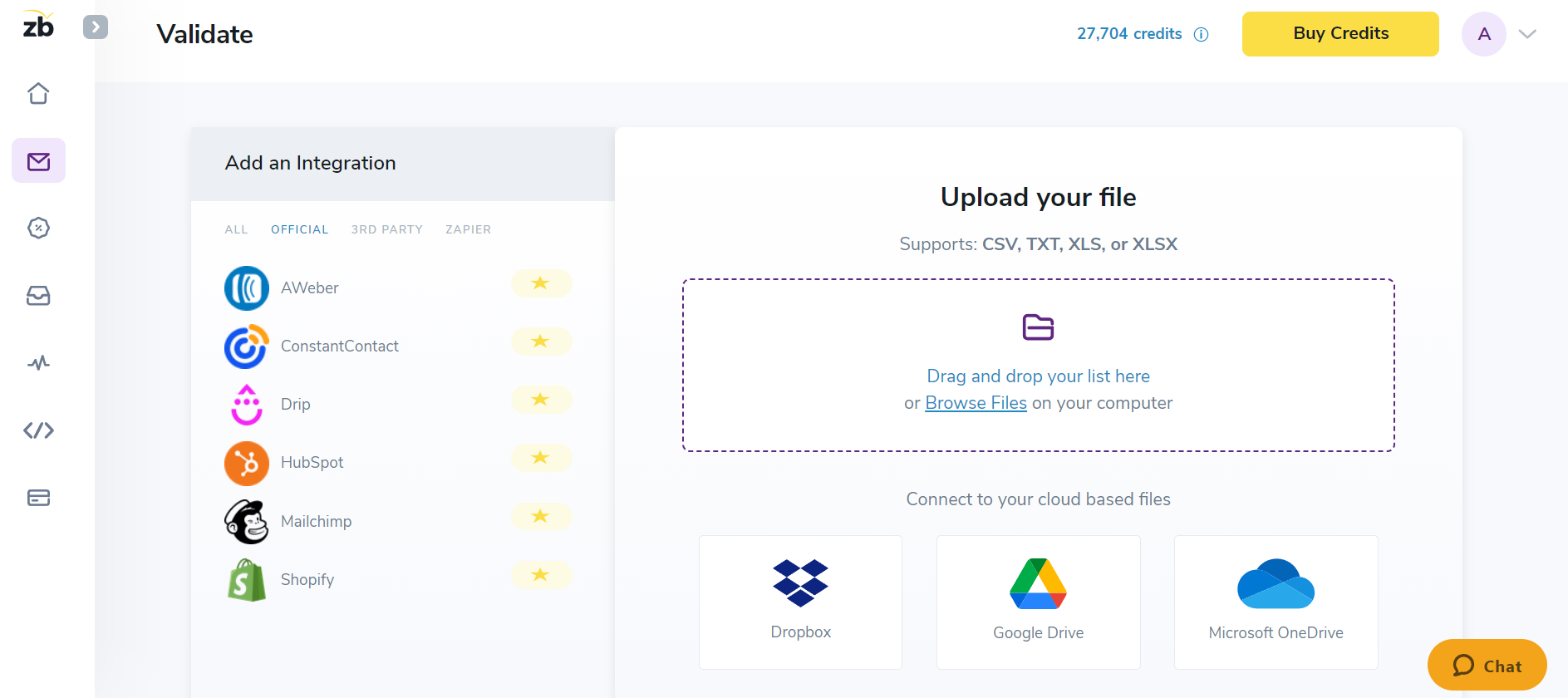
Bulk List validation up to 25 IDs per action is useful in some situations, as we don't want to create a CSV file every time, and for this smaller number.
We sometimes use the email Finder option when we can't find an email for a person on any other platform.
A de minimis incentive was given to thank the reviewer for their time. The incentive was not used to bias or drive a particular response, nor was the incentive contingent on a positive endorsement. More Info
A de minimis incentive was given to thank the reviewer for their time. The incentive was not used to bias or drive a particular response, nor was the incentive contingent on a positive endorsement. More Info
Navigating among bulk validation, CSV upload, and single-ID validation is hard, and sometimes finding them or switching between them can be made more user-friendly.
Results: After bulk validation, we receive the results in a Zip file, which is useful sometimes but not every time, as we have to un-zip, and there will be a different CSV file for each result. The final results can be made simple, like email ID in column A, results (valid or Invalid) in column B.
A de minimis incentive was given to thank the reviewer for their time. The incentive was not used to bias or drive a particular response, nor was the incentive contingent on a positive endorsement. More Info
This question is a no-brainer. The tool is the industry standard for anyone tied to sales and marketing. The name "LinkedIn Sales Navigator" is synonymous with streamlining relevant customer and account data in an easy to use format that is actionable and intelligent. The focus on continuous improvement and richer means of communicating with customers and prospects is evident each time new features are rolled out. The social component of the tool even includes a gamification component to ensure that peers remain relevant among each other, which is refreshing and enjoyable for those who engage the tool on a daily basis.
A de minimis incentive was given to thank the reviewer for their time. The incentive was not used to bias or drive a particular response, nor was the incentive contingent on a positive endorsement. More Info
Overall, it's very user-friendly. It's hard for a tool to make sorting through loads of data easy, but Sales Nav does this very well. Its advanced search features enable us to be selective in finding the right people to talk to and connect with.
A de minimis incentive was given to thank the reviewer for their time. The incentive was not used to bias or drive a particular response, nor was the incentive contingent on a positive endorsement. More Info
For the large suite of services that they offer their system is pretty easy to understand and navigate. ZeroBonce is also NOT one of those services that is constantly tweaking their UI and making it hard to find tasks that you regularly use. More complex tasks can be more challenging but that's understandable. They also have an extensive restful API that if technical enough allow you to automate some of your most used tasks. They stand behind their product with good documentation as well as high quality customer service.
A de minimis incentive was given to thank the reviewer for their time. The incentive was not used to bias or drive a particular response, nor was the incentive contingent on a positive endorsement. More Info
I would recommend LinkedIn Sales Navigator entirely. It has been the most user-friendly tool to use starting off in a sales role. I genuinely enjoy the navigation of the tool and how easy it is to save lists and see job changes within those lists. Generating leads and finding the most up to date information on prospects is all housed within this tool.
A de minimis incentive was given to thank the reviewer for their time. The incentive was not used to bias or drive a particular response, nor was the incentive contingent on a positive endorsement. More Info
We have used ZeroBounce for about 18 months and it works flawlessly. We are able to get all of our questions/issues answered immediately. Felt very comfortable with the product immediately - used their web site which walked us through it and were able to get up and running within minutes. I really haven't had any issues that required support.
A de minimis incentive was given to thank the reviewer for their time. The incentive was not used to bias or drive a particular response, nor was the incentive contingent on a positive endorsement. More Info
I am unsure of the rollout, as I was not involved. I was an early adopter, and I have had a lot of success with the tool personally at multiple organizations, but I have no idea whether the implementation process encountered any errors. I can personally say that it works, and that I have not encountered significant issues with the tool since adoption, although a few issues like messages showing up as being unread even though they have been opened have been an on-again/off-again issues throughout the past few years. Overall, the company is doing a great job, and our implementation seems to have been effective.
A de minimis incentive was given to thank the reviewer for their time. The incentive was not used to bias or drive a particular response, nor was the incentive contingent on a positive endorsement. More Info
LinkedIn Sales Navigator is much more valuable than Dice or Cognism, as we do most of our prospecting on LinkedIn. Therefore, it means we can build lists of our prospects based on activity, connections, and buying intention. With Cognism and Dice, you cannot do this as they do not work alongside the LinkedIn platform and, therefore, lack the functionality that is essential to what we are using the platform for.
A de minimis incentive was given to thank the reviewer for their time. The incentive was not used to bias or drive a particular response, nor was the incentive contingent on a positive endorsement. More Info
We considered AtData since it was recommended by a colleague who has used it in the past. We ultimately ended up going with ZeroBounce based on the cost and documentation/resources available. Email validation tools are probably very similar, but ZeroBounce seemed the simplest for us, and we needed to implement one fast, so activation time was very quick.
A de minimis incentive was given to thank the reviewer for their time. The incentive was not used to bias or drive a particular response, nor was the incentive contingent on a positive endorsement. TR verified that a representative sample of customers was invited. More Info
A de minimis incentive was given to thank the reviewer for their time. The incentive was not used to bias or drive a particular response, nor was the incentive contingent on a positive endorsement. More Info
A de minimis incentive was given to thank the reviewer for their time. The incentive was not used to bias or drive a particular response, nor was the incentive contingent on a positive endorsement. More Info