LogMeIn Rescue is an enterprise remote support solution that provides IT helpdesks and customer support organizations with the ability to remotely access, diagnose, and resolve issues across endpoint devices. The platform includes in-session diagnostic tools, security controls, and workflow configuration features. The solution is utilized by IT help desks, global enterprises, Business Process Outsourcers (BPOs), and Managed Service Providers (MSPs). It is designed to support…
$149
per month
N-able N-central
Score9.2 out of 10
N/A
MSPs
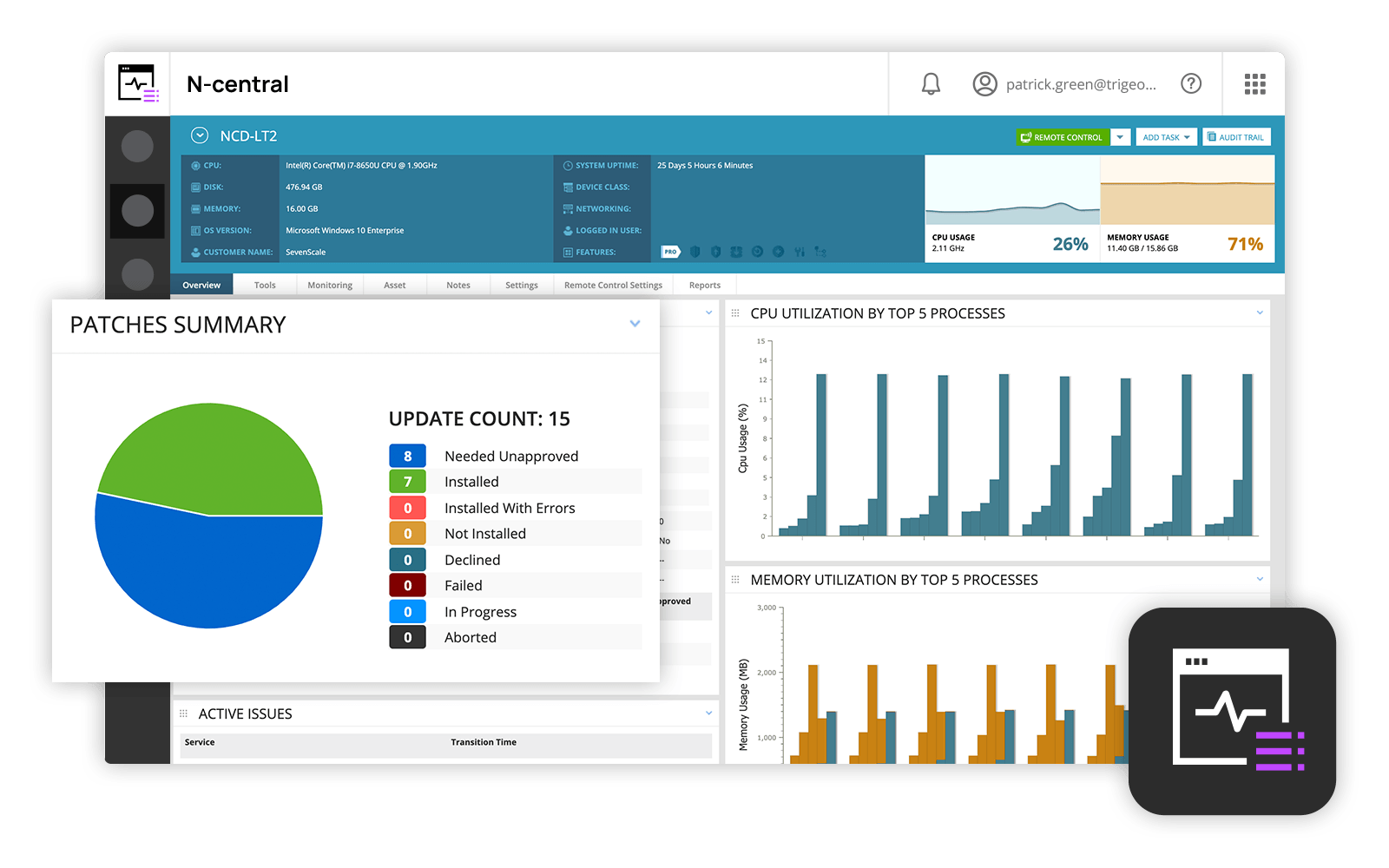
and IT professionals use N-able™ N-central® to monitor and manage devices and complex
networks remotely. N-central provides
visibility and efficiency as the user's needs scale. N-central can help users:
1. Proactively monitor everything on a customer network—not just servers
and workstations—and troubleshoot.
2. Stay on top of threats with features like MFA, antivirus, integrated endpoint
detection and response, data backup, disk encryption, email protection,…
N/A
Pricing
LogMeIn Rescue
N-able N-central
Editions & Modules
Remote Device Support
$149
per month per seat
Rescue Enterprise
Contact Us
No answers on this topic
Offerings
Pricing Offerings
LogMeIn Rescue
N-able N-central
Free Trial
Yes
No
Free/Freemium Version
No
No
Premium Consulting/Integration Services
No
No
Entry-level Setup Fee
No setup fee
No setup fee
Additional Details
Discount available for annual pricing. Contact sales for Enterprise pricing.
I have used similar tools like TeamViewer, NCentral, and Mikogo. Some of those tools are more than just remote support, and they have other uses like collaboration, remote management, patching, etc. However, when it comes to purely providing remote support, LogMeIn is the only …
A de minimis incentive was given to thank the reviewer for their time. The incentive was not used to bias or drive a particular response, nor was the incentive contingent on a positive endorsement. TR verified that a representative sample of customers was invited. More Info
N-able
Verified User
Chose N-able N-central
SolarWinds N-central is on the more unique side of tools because it can do so many things, and do most of them quite well. For patching, it is much easier to use than SCCM. In terms of monitoring, it is not great out of the box and requires tweaking to take full advantage. …
A de minimis incentive was given to thank the reviewer for their time. The incentive was not used to bias or drive a particular response, nor was the incentive contingent on a positive endorsement. More Info
Service Delivery Leader in Information Technology at Contegix (Information Technology and Services, 201-500 employees)
Chose N-able N-central
With Bomgar there are codes and/or a website that the user has to login to before we can connect remotely. N-central allows us to click on the machine and log in. We can set it to prompt the user to accept the connection, or on some computers, we can just log right into it.
A de minimis incentive was given to thank the reviewer for their time. The incentive was not used to bias or drive a particular response, nor was the incentive contingent on a positive endorsement. More Info
LogMeIn is extremely appopriate when you have to perform something remotely or mutltask and perform work from your location. It gives you the ability to almost be at the site and perform work. While LogMeIn is an excellent toolkit. It can not always save the day. Sometimes it is more efficient to be on site to perform hardware upgrades, multiple software upgrades, technology refresehes and or have someone send you their hardware for rescue and repair as it is too messed up to fix and or perform the tasks remotely. However if you win 60 percent of the time - it's still a great benefit
A de minimis incentive was given to thank the reviewer for their time. The incentive was not used to bias or drive a particular response, nor was the incentive contingent on a positive endorsement. More Info
N-Able is perfect for an MSP environment. It gives all the standard functionality an IT professional needs out of the box and can be configured to show almost anything required. For example, we have configured a dashboard to show when our backups need attention for each customer. This is achieved by running a small script on repeat via N-Central everyday/evening, and the result gives us information on the dashboard to help us identify exactly what is working and what needs looking into.
A de minimis incentive was given to thank the reviewer for their time. The incentive was not used to bias or drive a particular response, nor was the incentive contingent on a positive endorsement. More Info
A de minimis incentive was given to thank the reviewer for their time. The incentive was not used to bias or drive a particular response, nor was the incentive contingent on a positive endorsement. More Info
Remote tasks - entry-level techs can run basic tasks without physically touching a piece of equipment.
Remote support - remote controlling user devices is easy and saves a lot of time with having to initiate a remote session.
Management of devices, particularly patch management and anti-virus management - you can automatically approve and deploy patches and schedule automatic AV scans.
By default it would be good to have clipboard sync enabled - disabled instead. So difficult when copying from my computer doesn’t work because of an agent sharing the connection and it will not let us copy information into the client’s computer.
Copying into excel is difficult. It will deselect things that you have highlighted when copying.
Would be nice to make the hierarchy easier when sharing files between clients and us.
Logging into certain environments can be challenging and require customers to be fairly techy to be able to understand how to get logged into client’s computers.
Sometimes login is pretty unstable on certain internet connections even though they are fine when they use team viewer with their IT.
A de minimis incentive was given to thank the reviewer for their time. The incentive was not used to bias or drive a particular response, nor was the incentive contingent on a positive endorsement. More Info
Customer support just points to online guides and I feel they aren't helpful.
During the trial they turn on a lot of features. In my experience, if you play around with the features, they charge you for them. Keep this in mind if you move forward with N-Able - they will charge for "trialed" services.
In my experience, some services that you're being charged for can't be disabled or monitored by you or your team. You only see them on the monthly invoice.
In my opinion, the "Scripting Automation" doesn't provide value. You're either going to be writing your own batch or Powershell to make scripting work.
In my opinion, monitoring software deployments is painful.
The default monitoring template can't be duplicated, edited, or referenced. You'll find that the default monitors in an unusual way and will throw needless recurring alerts into your ticketing system. To avoid this, you need to create a template from scratch which takes many hours to set up.
In my opinion, they're more concerned about a quick buck than customer service. "Buyer beware" company.
Since we have not had anything other than a couple minor hiccups with LogMeIn Rescue and due to the overwhelming success we have had in implementing as well as utilizing LogMeIn Rescue, I cannot see any reason why would consider looking elsewhere. Overall, we have been highly satisfied with LogMeIn Rescue and have no intentions of making a switch.
A de minimis incentive was given to thank the reviewer for their time. The incentive was not used to bias or drive a particular response, nor was the incentive contingent on a positive endorsement. More Info
Overall we have liked our solar winds experience, however, as our company has grown to support larger enterprises, this product does not have the functionality that our teams need in order to fully support them. The lack of granularity with backups and lack of ability to support nutanix environments is slowly drawing us into the use of other tools.
A de minimis incentive was given to thank the reviewer for their time. The incentive was not used to bias or drive a particular response, nor was the incentive contingent on a positive endorsement. More Info
Sometimes connecting with a PIN has a delay that confuses users. If there is a way to minimize the delay, that would be ideal. If the user's individual account does have administrator permissions, the user has to click on elevated prompts even if administrator credentials are on hand. Yes, except if the user's individual account does not have administrator permissions. I have never gotten the option to input the admin credentials and start as system server to work across hundreds of sessions. I absolutely dread using LogMeIn Rescue during this type of scenario and may even need to use an alternative temporarily. Frequently clashes with users' security software. Otherwise, I love the application.
A de minimis incentive was given to thank the reviewer for their time. The incentive was not used to bias or drive a particular response, nor was the incentive contingent on a positive endorsement. More Info
The user interface is fairly straight forward, with logic groupings for objects. I did not deploy this software, but am one of the daily administrators. Once you get the correct agent package (Which can be a challenge) the integration into AD is not bad. The UI could be more customized, but that may have been a design choice.
A de minimis incentive was given to thank the reviewer for their time. The incentive was not used to bias or drive a particular response, nor was the incentive contingent on a positive endorsement. More Info
A de minimis incentive was given to thank the reviewer for their time. The incentive was not used to bias or drive a particular response, nor was the incentive contingent on a positive endorsement. More Info
A de minimis incentive was given to thank the reviewer for their time. The incentive was not used to bias or drive a particular response, nor was the incentive contingent on a positive endorsement. More Info
We have never had to access support because the software has always worked as expected. It is great to have a software vendor from whom we know we will have no issue with glitches or incompatibility. We do know, however, that if we did have an issue, we would have our issue resolved quickly.
A de minimis incentive was given to thank the reviewer for their time. The incentive was not used to bias or drive a particular response, nor was the incentive contingent on a positive endorsement. More Info
Every time we have reached out to SolarWinds they are quick to respond, even offering support chat 24/7. Their support team is great and works with you to find solutions to issues. They have taken items we had issues with before and used those to create updates so that the issue is handled better in the future.
A de minimis incentive was given to thank the reviewer for their time. The incentive was not used to bias or drive a particular response, nor was the incentive contingent on a positive endorsement. More Info
A de minimis incentive was given to thank the reviewer for their time. The incentive was not used to bias or drive a particular response, nor was the incentive contingent on a positive endorsement. More Info
A de minimis incentive was given to thank the reviewer for their time. The incentive was not used to bias or drive a particular response, nor was the incentive contingent on a positive endorsement. More Info
I haven’t reviewed other platforms like LogMeIn Rescue because I am not aware of any alternative tools available to us for assisting clients and performing troubleshooting. Additionally, LogMeIn Rescue is the first tool I have used that allows me to view a client’s screen, which is why I am unable to compare it with others.
A de minimis incentive was given to thank the reviewer for their time. The incentive was not used to bias or drive a particular response, nor was the incentive contingent on a positive endorsement. TR verified that a representative sample of customers was invited. More Info
Our version of SolarWinds was old and running on old hardware, but it was way easier to setup and do things with. It did not do everything N-able does such as patch management, or at least we didn't have a module to do so if one existed. However it definitely seemed easier to use and possibly more stable.
A de minimis incentive was given to thank the reviewer for their time. The incentive was not used to bias or drive a particular response, nor was the incentive contingent on a positive endorsement. More Info
For businesses with small to midsize IT staff, the ability to remotely control devices that are not on-site and occasionally out of state is extremely cost-effective.
The speedy response time of LogMeIn Rescue has been very helpful in resolving issues for IT staff.
The administrative process has been made more efficient by the ability to remotely log into servers.
A de minimis incentive was given to thank the reviewer for their time. The incentive was not used to bias or drive a particular response, nor was the incentive contingent on a positive endorsement. TR verified that a representative sample of customers was invited. More Info