
Anson Abraham
Data Lord
Chose Looker

| Product | Rating | Most Used By | Product Summary | Starting Price |
|---|---|---|---|---|
 Looker | N/A | Looker is a BI application with an analytics-oriented application server that sits on top of relational data stores. It includes an end-user interface for exploring data, a reusable development paradigm for data discovery, and an API for supporting data in other systems. | N/A | |
 Qlik Cloud Analytics (Qlik Sense) | N/A | Qlik Sense® is a self-service BI platform for data discovery and visualization. It supports a full range of analytics use cases—data governance, pixel-perfect reporting, and collaboration. Its Associative Engine indexes and connects relationships between data points for creating actionable insights. | $200 per month | |
 QlikView | N/A | QlikView® is Qlik®’s original BI offering designed primarily for shared business intelligence reports and data visualizations. It offers guided exploration and discovery, collaborative analytics for sharing insight, and agile development and deployment. | N/A |
| Looker | Qlik Cloud Analytics (Qlik Sense) | QlikView | ||||||||||||||||||||||
|---|---|---|---|---|---|---|---|---|---|---|---|---|---|---|---|---|---|---|---|---|---|---|---|---|
| Editions & Modules | No answers on this topic |
|
| |||||||||||||||||||||
| Offerings |
| |||||||||||||||||||||||
| Entry-level Setup Fee | Required | No setup fee | Optional | |||||||||||||||||||||
| Additional Details | Must contact sales team for pricing. | — | On an perpetual license basis, based on server plus number of users. Contact vendor for pricing. | |||||||||||||||||||||
| More Pricing Information | ||||||||||||||||||||||||
| Looker | Qlik Cloud Analytics (Qlik Sense) | QlikView | |
|---|---|---|---|
| Considered Multiple Products |  Looker Anson Abraham Data Lord Chose Looker  Purav Vaidya Vice President, Mobile technology Chose Looker Looker stacks up very well against the other tools we have evaluated and used. All the tools have their own pros and cons. Looker had a better edge in terms of visualizations when we chose to use it. After several updates, other tools began to have newer features. Looker still …  Mohammed Anzil Founder and Chief Editor Chose Looker I think working on Looker could be hard, but in performance, it can easily overtake Wave and Zoho Reports. The flexibility of the system and it being super fast makes Looker a standalone from other similar software. |  Qlik Cloud Analytics (Qlik Sense)  Kate Pellegrina Supply Chain Programme Director Chose Qlik Cloud Analytics (Qlik Sense) Having been a huge advocate of QlikView for many years, I was surprised to find how easy the transition to Sense as both a developer and an end-user has been. Improvements in most areas massively outweigh the small things I miss  Manjul Malhotra Product Consultant Chose Qlik Cloud Analytics (Qlik Sense) Qlik Sense cost of licensing is cheaper compared with other tools which always gives an upper edge in analytics industry with good functionality. More enhanced level of security with better user community group available to discuss about new updates. Understanding of Qlik Sense …  Edgar Olmos Ascanio Intelligence Data Manager Chose Qlik Cloud Analytics (Qlik Sense) Qlik Sense is a fast tool to implement; you can have a functional dashboard in a few days, and the ETL processes are quite easy to build it. You can have the ROI in a short period of time.  Nuno Orestes Vaz da Silva IT Service Manager BI Chose Qlik Cloud Analytics (Qlik Sense) Qlik Sense, Tableau, Power BI and Looker are all great tools that will cover and add value to virtually every organization. They are a bit different and the decision of selecting one and not other can reside in the particular needs of each case. Qlik Sense integration with …  John Delligatti Director of Digital Transformation Strategy Chose Qlik Cloud Analytics (Qlik Sense) While the same can be said for many of the other tools we evaluated, Qlik's robust community and free training programs were a major benefit to driving the democratization of data at our company. Qlik also offered local in person events (pre-COVID) that provided free training … |  QlikView  Jake Tolbert Director of Development - Data Services Chose QlikView Tableau and Qlik Sense are a lot prettier and easier to use than QlikView. They also cost a LOT more. If you've got the budget, I'd consider going with one of those solutions. However, departments that don't have the budget to support tools like those need usable solutions as …  Andrew Khonje Financial Analyst Chose QlikView Qlikview is more outdated compared to Qlik Sense. Qlik Sense puts more of the power onto the users to create their own dashboards while QlikView tends to be managed by BI teams. |
| Looker | Qlik Cloud Analytics (Qlik Sense) | QlikView | |||||||||||||||||||||||||||
|---|---|---|---|---|---|---|---|---|---|---|---|---|---|---|---|---|---|---|---|---|---|---|---|---|---|---|---|---|---|
| BI Standard Reporting |
| ||||||||||||||||||||||||||||
| Ad-hoc Reporting |
| ||||||||||||||||||||||||||||
| Report Output and Scheduling |
| ||||||||||||||||||||||||||||
| Data Discovery and Visualization |
| ||||||||||||||||||||||||||||
| Access Control and Security |
| ||||||||||||||||||||||||||||
| Mobile Capabilities |
| ||||||||||||||||||||||||||||
| Application Program Interfaces (APIs) / Embedding |
|
| Looker | Qlik Cloud Analytics (Qlik Sense) | QlikView | |
|---|---|---|---|
| Small Businesses |  Yellowfin Score 8.7 out of 10 | Yellowfin Score 8.7 out of 10 | Yellowfin Score 8.7 out of 10 |
| Medium-sized Companies |  Reveal Score 10.0 out of 10 | Reveal Score 10.0 out of 10 | Reveal Score 10.0 out of 10 |
| Enterprises |  Kyvos Semantic Layer Score 9.5 out of 10 | Kyvos Semantic Layer Score 9.5 out of 10 | Kyvos Semantic Layer Score 9.5 out of 10 |
| All Alternatives | View all alternatives | View all alternatives | View all alternatives |
| Looker | Qlik Cloud Analytics (Qlik Sense) | QlikView | |
|---|---|---|---|
| Likelihood to Recommend | 8.3 (132 ratings) | 8.3 (331 ratings) | 7.7 (88 ratings) |
| Likelihood to Renew | 9.3 (8 ratings) | 8.4 (7 ratings) | 8.8 (29 ratings) |
| Usability | 8.8 (12 ratings) | 8.3 (14 ratings) | 8.0 (15 ratings) |
| Availability | 10.0 (1 ratings) | - (0 ratings) | 9.8 (4 ratings) |
| Performance | 6.0 (1 ratings) | - (0 ratings) | 8.6 (4 ratings) |
| Support Rating | 8.8 (14 ratings) | 7.3 (9 ratings) | 3.3 (15 ratings) |
| In-Person Training | - (0 ratings) | 9.1 (1 ratings) | - (0 ratings) |
| Online Training | - (0 ratings) | 9.1 (1 ratings) | 8.0 (3 ratings) |
| Implementation Rating | 10.0 (1 ratings) | 7.3 (5 ratings) | 7.4 (13 ratings) |
| Configurability | 10.0 (1 ratings) | - (0 ratings) | - (0 ratings) |
| Contract Terms and Pricing Model | 10.0 (1 ratings) | - (0 ratings) | - (0 ratings) |
| Ease of integration | 10.0 (1 ratings) | - (0 ratings) | - (0 ratings) |
| Product Scalability | 10.0 (1 ratings) | - (0 ratings) | 8.9 (2 ratings) |
| Professional Services | 10.0 (1 ratings) | - (0 ratings) | - (0 ratings) |
| Vendor post-sale | 10.0 (1 ratings) | 9.1 (1 ratings) | - (0 ratings) |
| Vendor pre-sale | 10.0 (1 ratings) | 9.1 (1 ratings) | - (0 ratings) |
| Looker | Qlik Cloud Analytics (Qlik Sense) | QlikView | |
|---|---|---|---|
| Likelihood to Recommend | Google
 Daniel Dammerman Regional Sales Director | Qlik
 Gustavo Figueroa IT Developer / Engineer | Qlik
|
| Pros | Google
| Qlik
 Victor Ramirez Benitez Sales Support Team Leader Arg | Qlik
Jake Tolbert Director of Development - Data Services |
| Cons | Google
| Qlik
 Anjum Arora Group ICT Head - Technology & Applications | Qlik
|
| Likelihood to Renew | Google
| Qlik
| Qlik
 Debbie Pyykkonen, MBA Director of Business Analytics |
| Usability | Google
| Qlik
Manjul Malhotra Product Consultant | Qlik
|
| Reliability and Availability | Google
 David Mynář Head Of Online Marketing | Qlik No answers on this topic | Qlik
 Bill Chamberlain Partner |
| Performance | Google
David Mynář Head Of Online Marketing | Qlik No answers on this topic | Qlik
|
| Support Rating | Google
Anson Abraham Data Lord | Qlik
| Qlik
|
| In-Person Training | Google No answers on this topic | Qlik
| Qlik
|
| Online Training | Google No answers on this topic | Qlik
| Qlik
 Robert Goodman Director, Business Intelligence & Analytics |
| Implementation Rating | Google
David Mynář Head Of Online Marketing | Qlik
 Mohan Suswaram Enterprise Data Architect | Qlik
 David Worrell CFO (Chief Financial Officer) |
| Alternatives Considered | Google
| Qlik
 Lucy Daniell Senior Business Analyst | Qlik
|
| Contract Terms and Pricing Model | Google
David Mynář Head Of Online Marketing | Qlik No answers on this topic | Qlik No answers on this topic |
| Return on Investment | Google
| Qlik
| Qlik
 Mark McHenry Marketing |
| ScreenShots | Looker Screenshots | Qlik Cloud Analytics (Qlik Sense) Screenshots   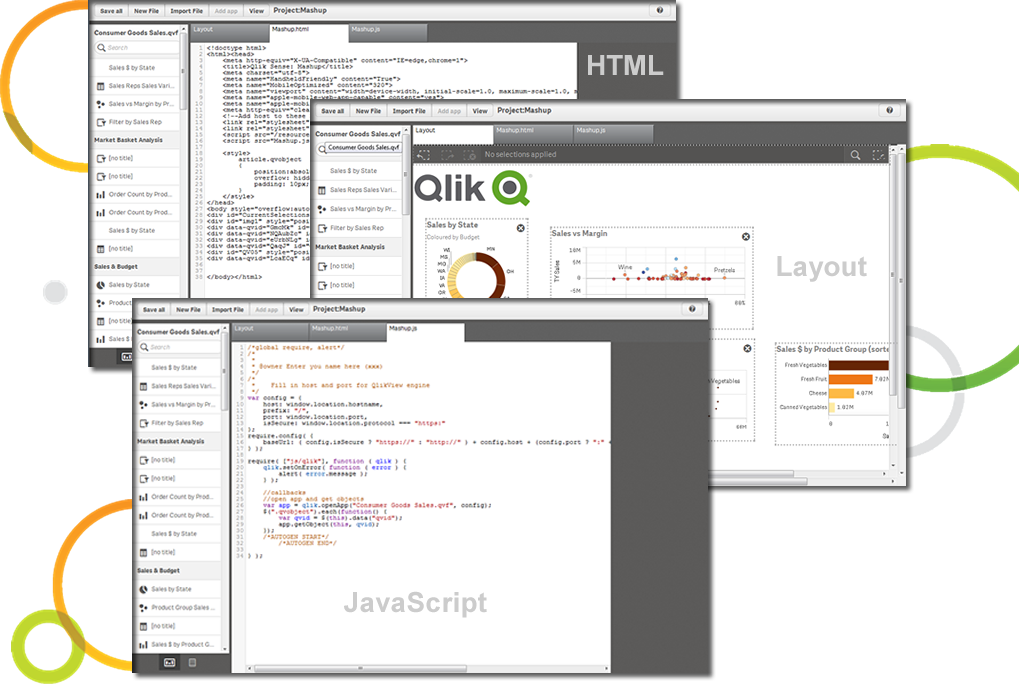   | QlikView Screenshots   |