Mediafly Intelligence360, based on InsightSquared's solution acquired by Mediafly in 2021, is a sales analytics and development platform that also supports demand generation analytics and SaaS reporting. It is designed for providing insights into sales processes, closing rates, pipeline and revenue forecasts, calculating KPIs, and market hiring processes.
$65
per month
Salesforce CRM Analytics
Score 8.5 out of 10
N/A
Salesforce CRM Analytics (formerly Tableau CRM) is a cloud-based business intelligence solutions and analytics software. It provides users with automated data discovery, CRM-connected analytics, top-down views of data, augmented analytics, predictive insights, and customizable data visualization tools.
$125
per month
Pricing
Mediafly
Salesforce CRM Analytics
Editions & Modules
No answers on this topic
No answers on this topic
Offerings
Pricing Offerings
Mediafly
Salesforce CRM Analytics
Free Trial
Yes
No
Free/Freemium Version
Yes
No
Premium Consulting/Integration Services
Yes
No
Entry-level Setup Fee
No setup fee
No setup fee
Additional Details
—
—
More Pricing Information
Community Pulse
Mediafly
Salesforce CRM Analytics
Considered Both Products
Mediafly
Verified User
Administrator
Chose Mediafly
Our internal SF team looked at some alternatives that Salesforce already provides, as well as Tableau which we use internally. InsightSquared is preferred within our org because it is tailored for sales analytics and is easy to get up and running with meaningful components …
We selected InsightSquared because of the ease of use when it comes to retroactive reporting. Also being able to see our data in helpful charts and graphs allows for a quick, high level overview of the business. InsightSquared takes the information from these different …
InsightSquared is most valuable in the visualization of data and the simplistic nature of the UI. Other platforms have specific specialties, but InsightSquared is specifically designed with the Sales and Marketing teams in mind.
There are a lot of similarities between Clari and Insightsquared. The folks at Insightsquared were very responsive and went the extra mile to help us customize. Cost also played a big factor since we are not a large organization and Insightsquared was able to meet our cost …
I do find Looker to be more user-friendly and the UI is really nice for sharing with others who are not data minded. It is very clean and easy to use. Though, it is very expensive which is a downside.
It's an intuitive tool that is visually oriented. It also caters more to marketers than other product offerings. Overall, it's a great tool for Salesforce users. My only recommendation is to make sure that your Salesforce processes are clear and adopted across your entire team.
Our company chose it while trying to use other analytics software. The team all agree that this is a very good product and that it deserves to be put up against all others. Managers were very happy with the way it helped promote the sales team to better themselves. Highly …
It's best for simple quick analytics. For more complex insights it takes a bit of manipulating. Salesforce Analytics Cloud is in its infancy, but the fact that it is built on the Salesforce platform is a big plus for any institution/organization using salesforce as its primary …
Honestly, this was a new one for us. I'm not entirely sure what was being used before this option to track the lifecycles of our sales. Maybe just a notes page from within salesforce?
Tableau is the absolute top of the class when it comes to business intelligence, but it doesn't make sense for every business case. In our case, we needed a simple data visualization platform for our CRM platform and sales pipeline. Salesforce Analytics, while nowhere near as …
In terms of how Salesforce Analytics Cloud stacks up in comparison to other products, it's a no brainer. When you combine the entire CRM of Salesforce alongside the analytics...especially when data is the main driver behind anything in business. Couldn't think of another …
I would say Marketo is the closest thing to Salesforce Analytics Cloud that I have experienced. I wasn't given the choice about selecting Salesforce Analytics Cloud, but I am satisfied with the decision because I find it very easy to use. It has many valuable features included …
I haven't used comparable tools, other than Domo. And Domo as a BI tool is more geared at making high level inferences off raw data. Salesforce Analytics pulls in data from an existing Salesforce suite to make the inferences. But then you can make iterative changes, and track …
Salesforce Analytics Cloud is in its infancy, but the fact that it is built on the Salesforce.com platform is a big plus for any institution/organization using Salesforce as its primary CRM. The ability to natively report and build analytics components on top of existing SFDC …
InsightSquared has been a great tool for quick reference dashboards for the whole organization and teams within the sales org. It presents a standardized individual dashboard for all the reps on the team. It doesn't fare well when trying to deep dive things like campaign and lead source inquiries, as well as activities associated with that opportunity.
For us it really comes down to that book management and next best contact for our advisors. When we're thinking about a book of business that may range, depending on the advisor, from 400 clients to a thousand clients, how do they really optimize their time? Who do they call next? Who do they work with to make sure not only they're keeping those clients engaged, they're not leaving the firm going to other advisors who they haven't talked to in a while who might need their attention. That's really where that CRM analytics is really proven pretty powerful for us.
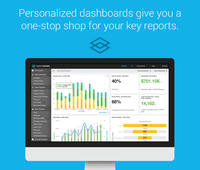
The dashboard is amazing: easily customize your view so you can view all the data that is most relevant to you at a glance
Sales metrics: see how you are comparing to your peers, from every possible angle. InsightSquared gathers all the data you need to know, want to know, and didn't even know you wanted!
Predictive statistics and the likelihood of a deal to fail or succeed is quite useful in a sales environment where time efficiency is key. Need to know what deals to focus on? You can see exactly what deals need more TLC, which ones are likely to close, and which ones to stop wasting time on.
I know this is something they have in process, but I would love to be able to customize reports myself. The support team is always super responsive and makes sure that we're taken care of. But, it would be great to just be able to log in and change the small things myself.
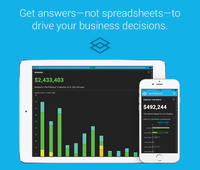
I recently downloaded the InsightSquared app to my phone, and I'd like to see more functionality there. Currently. You are only able to see dashboards that have a already been created.
Implementation takes time and resources. It is a heavy lift to implement and at first, it can take a little bit of time to understand what you are looking at. But once it's implemented it's easy to get started.
Without any BI expertise or resources available to your organization, the implementation of this is difficult. If you aren't used to BI tools and don't have an expert in house, the terminology can be difficult to understand at first.
Their support is not on hand to help you if you encounter any issues, at least not on all the plans or the basic plans. Real-time support service is an add-on, so you'll need to be patient if you require help or pay extra money.
More functionality for the tool is needed to compete with other heavyweights in the arena like Tableau, Qlik, and Microstrategy. Still lacks the robustness, functionality, and flexibility other competing products possess.
InsightSquared has been hugely beneficial to us, and to me in particular as someone outside of our sales team to gain insight into how our sales team and company is performing and how our overall health is. They offer fantastic customer support and have a great community to assist in your implementation of the product.
InsightSquared is easy to use overall. Running reports and creating dashboards is quick and easy - drag and drop functionality. All reports have multi-filter options allowing you to drill down into your data. Scorecards for employees help show how quickly a rep can start selling after they join your team. Activity ratios provide insight into what it takes from a KPI standpoint to close a deal.
For someone who don't have coding background, this could be a useful tool and fairly easy to learn and use given the good support. However, if you know other open source tools, it would be much easier to use the other tools and the knowledge is more transferable in the future.
InsightSquared has a very responsive team, and always willing to help with reporting needs which are not able to be completed in house. They do offer a professional services team at an additional cost, so if your reporting is very complex, or you have a team that is continuously changing the type of metrics they require as a business, their support team will be an invaluable asset for you.
I was not able to be in interaction much with Salesforce support team since every feature works the way it should be working. So far I have not experienced any bug or major glitches that would delay the result of my work and performance. There is also a hotline in our company for Salesforce issue but so far I have not used it.
An implementation partner would certainly result in greater output in a more efficient amount of time. However, I have found implementation partners to be extremely expensive for the output received (at least working for a non-profit company they are frequently unaffordable). Internal implementation does help with usable output though since internal knowledge would better know the data architecture and business processes
I was not involved in our purchasing of this platform, so comparing it is difficult. This being said, it's most similar to constantly running reports in Salesforce, probably. SFDC offers more flexibility, obviously, but InsightSquared offers better visualization, less report updating, and more features dedicated to making analytics more enjoyable. It's worth the cost of the platform to save your admin time in reporting.
Tableau is the absolute top of the class when it comes to business intelligence, but it doesn't make sense for every business case. In our case, we needed a simple data visualization platform for our CRM platform and sales pipeline. Salesforce Analytics, while nowhere near as robust, did the job we needed it to do perfectly in a significantly more cost-effective manner.
I would say it's been positive just because as a company, anyone that has access to it can go in there and pull any company information and we're very up to date then on all of our client base. So I would say it's been a very positive impact.