Mimecast Awareness Training equips security teams to identify and reduce human-driven risk across their entire organization. The security awareness and human risk management solution works to continuously inspire awareness, transform behavior, and reduce the likelihood of security incidents caused by human error.
N/A
RealVNC Connect
Score8.9 out of 10
N/A
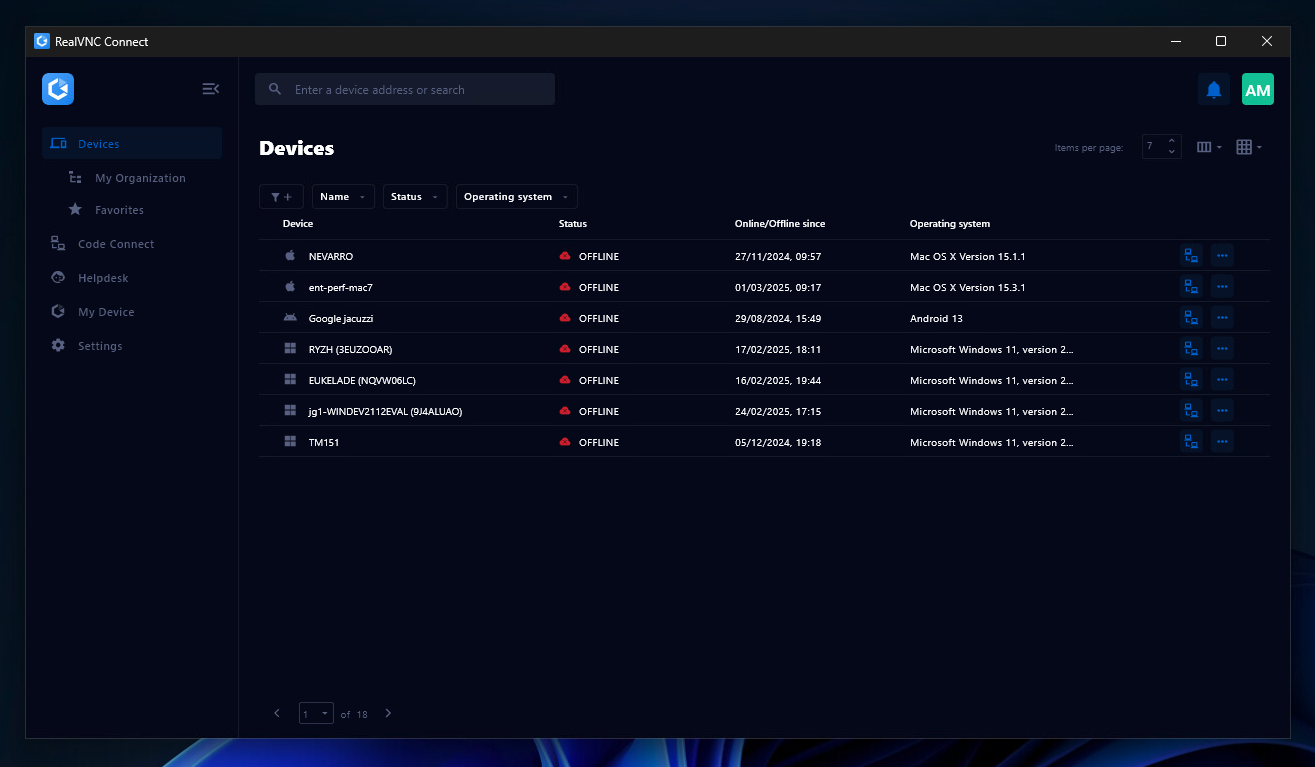
RealVNC® Connect is a secure remote access solution from RealVNC. It can be used to connect to a remote device anywhere in the world to view its desktop in real-time and take control as though sitting in front of it.
$99
per year (one concurrent session)
Pricing
Mimecast Security Behavior Management
RealVNC Connect
Editions & Modules
No answers on this topic
Essentials
$8.25
per month (billed annually) per concurrent session
Plus
$16.50
per month (billed annually) per concurrent session (add up to 3)
Premium
$29.75
per month (billed annually) per concurrent session (add up to 5)
Enterprise
Custom Pricing
per year
Enterprise
Custom Pricing
Offerings
Pricing Offerings
Mimecast Security Behavior Management
RealVNC Connect
Free Trial
No
Yes
Free/Freemium Version
No
Yes
Premium Consulting/Integration Services
No
No
Entry-level Setup Fee
Optional
No setup fee
Additional Details
—
Plans work on a Per Concurrent Session basis. Each plan gives access to a bundled number of devices, but limits apply to the amount of devices that can be connected at any given time.
The Premium plan includes On-Demand Assist, a useful tool for providing just-in-time remote support to end-users without them needing RealVNC Connect installed on their device.
Staff is the single most significant danger to the cyber security posture of an organization. Before implementing Mimecast Awareness Training, staff had almost no awareness or concept of IT security or the potential risks. Staff attitudes have improved dramatically since introducing Awareness Training.
A de minimis incentive was given to thank the reviewer for their time. The incentive was not used to bias or drive a particular response, nor was the incentive contingent on a positive endorsement. More Info
It is very easy to use if the remote device is already set up to receive connections, so if you are setting up devices before deploying them, it is a great tool to have. It is well-suited to use when shadowing users or using it as a teaching tool. There are other products that are better if you are trying to help someone on a one-use basis.
A de minimis incentive was given to thank the reviewer for their time. The incentive was not used to bias or drive a particular response, nor was the incentive contingent on a positive endorsement. More Info
A de minimis incentive was given to thank the reviewer for their time. The incentive was not used to bias or drive a particular response, nor was the incentive contingent on a positive endorsement. TR verified that a representative sample of customers was invited. More Info
VNC Connect does an excellent job in remotely connecting to a computer through either your local area network or even another computer on the internet. As long as the VNC Connect services is installed and the client is running in the background.
VNC Connect provides password protection to prevent unauthorized users from attempting to remotely access your computer. There's an option to have a separate password to remotely view vs view & access a computer. You can even add an additional level of security by turning on the feature to require Windows login credentials.
VNC Connect provides an additional set of controls after a remote connection has been established with another computer. You can have special keystrokes like Ctrl+Alt+Del sent as a command sequence to the other computer as well as access more than a single screen when in use at the remote computer location.
A de minimis incentive was given to thank the reviewer for their time. The incentive was not used to bias or drive a particular response, nor was the incentive contingent on a positive endorsement. More Info
A de minimis incentive was given to thank the reviewer for their time. The incentive was not used to bias or drive a particular response, nor was the incentive contingent on a positive endorsement. More Info
A de minimis incentive was given to thank the reviewer for their time. The incentive was not used to bias or drive a particular response, nor was the incentive contingent on a positive endorsement. More Info
I’ve parked the slider at a solid 10 because the platform keeps proving its worth every quarter. Staff phishing‑click rates have plunged from double digits to low single digits, our audit team finally stopped chasing overdue modules, and—bonus—engagement surveys show people actually enjoy the bite‑sized, comedic flavoured content. The built‑in reporting lets me walk straight into the boardroom with clean metrics. Minimal admin, measurable behaviour change, and zero eye‑rolls from end‑users—hard to ask for more.
A de minimis incentive was given to thank the reviewer for their time. The incentive was not used to bias or drive a particular response, nor was the incentive contingent on a positive endorsement. More Info
VNC is a solid product for the price. It simply works and its reliable across different platforms. Some products state they work well in the Mac environment but don't deliver. This one does what it says. Connections are reliable, but of course, this depends on internet connections. The product works well over wireless connections as well. It delivers on what a remote tool should deliver on. My technicians are happy with the product and customers appreciate the ease of use when letting us connect to their systems. Some also appreciate the remote support while they are multi-task.
A de minimis incentive was given to thank the reviewer for their time. The incentive was not used to bias or drive a particular response, nor was the incentive contingent on a positive endorsement. More Info
I pegged usability at a full‑blown 10 because even my least tech‑savvy colleagues—think “still double‑clicks web links” level—navigate the portal without ringing the help‑desk. Single‑sign‑on drops them straight into the next module, the interface looks like Netflix for cyber nerds, and the progress bar shouts “two minutes left” instead of burying them in menus. On the admin side, I spin up campaigns in three clicks, clone content on the fly, and the drag‑and‑drop scheduling means I can rejig a whole quarter’s plan during the time it takes the kettle to boil. Zero training manuals, zero grumbles, zero excuses—just smooth sailing from login to completion.
A de minimis incentive was given to thank the reviewer for their time. The incentive was not used to bias or drive a particular response, nor was the incentive contingent on a positive endorsement. More Info
It's a niche product and in that niche they try to cater to as many use cases as they can. Other as a TCO aspect i don't see many use cases where you can't use this product as the one tool for all remote session use cases in your company
A de minimis incentive was given to thank the reviewer for their time. The incentive was not used to bias or drive a particular response, nor was the incentive contingent on a positive endorsement. More Info
Its the best, hands down. Great, easy to use and on point content that injects some humour into the training makes it relevent whilst staying engaging. We have seen our engagement scores almost double since using Mimecast, with completion rates across the buisness above 90% compared to previous scores on less than 50%.
A de minimis incentive was given to thank the reviewer for their time. The incentive was not used to bias or drive a particular response, nor was the incentive contingent on a positive endorsement. More Info
The product is quick and responsive. Emails alert the staff of new training content and provides a direct link to the training video. They watch, learn and than answer a brief question to test their knowledge. This feeds into the users risk profile in which additional training can be automatically applied based on a risk scores.
A de minimis incentive was given to thank the reviewer for their time. The incentive was not used to bias or drive a particular response, nor was the incentive contingent on a positive endorsement. More Info
We have had a couple of instances where we needed to contact customer support for our minecast cyber awareness training. The team were great and easy to deal with. The problem in itself was minor, and turned out to be our issues and understanding setup, however the mimecase team walked us through the issue and it was resolved exceptionally quick.
A de minimis incentive was given to thank the reviewer for their time. The incentive was not used to bias or drive a particular response, nor was the incentive contingent on a positive endorsement. More Info
VNC Connect is a reliable product that has been around for a long time. It is reasonably priced and works well in the Mac & PC environment. When you have a small team that supports many users we need tools that we can rely upon and that will get the job done on the first try. Many customers appreciate the quick assistance and can multi-task while our team works on their computer issues remotely. From a customer service point of view, this tool gives us transparency and efficient effectiveness.
A de minimis incentive was given to thank the reviewer for their time. The incentive was not used to bias or drive a particular response, nor was the incentive contingent on a positive endorsement. More Info
The training is very informative, quick and to the point. All of the details one would need are present so the user doesn't have to go searching for additional information just to use the application. The layout of the training was also neat and concise, some of the other training sessions for other companies I've done in the past were confusing and not well thought out, this one is much more superior
I gave implementation a rock‑solid 10 because, frankly, it was smoother than a servo sausage roll at 2 a.m. SSO clicked in on the first try, directory sync hoovered up all the user data without mangling job titles, and change comms went out on time—no “surprise training” backlash. Key insight: involve your internal comms or HR crew from day zero so the launch emails feel like a friendly nudge, not a phishing attempt. We also ran a pilot with our most cynical techs; their nit‑picks helped us tweak permissions before unleashing it on the masses. Finally, schedule the baseline phishing test after staff receive the kickoff memo—sounds obvious, but it spares you the angry “gotcha” emails and makes the resulting metrics actually meaningful.
A de minimis incentive was given to thank the reviewer for their time. The incentive was not used to bias or drive a particular response, nor was the incentive contingent on a positive endorsement. More Info
A de minimis incentive was given to thank the reviewer for their time. The incentive was not used to bias or drive a particular response, nor was the incentive contingent on a positive endorsement. More Info
Mimecast's content is much higher quality. KnowBe4's sales tactics are much more pushy. Customer service has been better with Mimecast in general, though Mimecast's UX/UI is a lot more confusing a less user-friendly to navigate than KnowBe4. It is difficult to group individuals together, let alone manage if the directory integration is not used.
A de minimis incentive was given to thank the reviewer for their time. The incentive was not used to bias or drive a particular response, nor was the incentive contingent on a positive endorsement. More Info
VNC is light and sleek with the quick setup, was impressed with the quick setup despite poor Internet connection outdoor. TeamViewer is good, but the pricing is not as good as VNC. Both do the basic job, but VNC still outperform TeamViewer in terms of performance and ease of use.
A de minimis incentive was given to thank the reviewer for their time. The incentive was not used to bias or drive a particular response, nor was the incentive contingent on a positive endorsement. More Info
Honestly, the pricing model is about as painless as a public‑holiday Monday—straightforward per‑user cost, no sneaky “module packs” hiding in the fine print, and the nonprofit discount went down a treat. If I had to nit‑pick for the sake of continuous improvement, I’d love two tweaks:
Seat‑band granularity. The jump between tiers can feel like falling off a cliff when you’re hovering near the threshold; a smaller step (say, every 50 users) would soften the blow on fast‑growing teams.
Mid‑term seat reductions. We negotiated a generous +10 % buffer, but if headcount ever drops, a pro‑rata credit instead of waiting for renewal would be ace.
Minor quibbles, though—the value’s still a raging 10/10.
A de minimis incentive was given to thank the reviewer for their time. The incentive was not used to bias or drive a particular response, nor was the incentive contingent on a positive endorsement. More Info
Mimecast Awareness Training is so easy to use, a child could set it up. One of the major benefits of the platform is its ability to easily prepare a years worth of content. As new users enter the organisation, its integration with Microsoft makes it easy to onboard the user and have then catch up on training.
A de minimis incentive was given to thank the reviewer for their time. The incentive was not used to bias or drive a particular response, nor was the incentive contingent on a positive endorsement. More Info
I’m handing professional services a loud 10 because they rocked up like a pit‑crew at Bathurst and had us race‑ready in record time. Two half‑day workshops, and suddenly we’d nailed SSO, tuned the Azure AD connector, and had a fistful of custom phishing templates dripping with Aussie‑isms (Bunnings receipts, anyone?). Their consultant even whipped up a cheeky PowerShell script to clean up dodgy display‑name attributes, saving our sys‑ops hours of beard‑scratching. On top of that, they translated our dull “Information Handling” policy into bite‑sized language for the learner splash screens—legal loved it, staff actually read it. Zero scope creep, crystal‑clear handover docs, and follow‑up calls that felt more like mentoring than billable hours. Worth every cent.
A de minimis incentive was given to thank the reviewer for their time. The incentive was not used to bias or drive a particular response, nor was the incentive contingent on a positive endorsement. More Info
A de minimis incentive was given to thank the reviewer for their time. The incentive was not used to bias or drive a particular response, nor was the incentive contingent on a positive endorsement. More Info
I have just used the software for about 1 month and so far so god. I am saving time whenever I can access my client's computers from my desk as opposed to having to leave my office to go to their offices. Saves me time and the client money.
A de minimis incentive was given to thank the reviewer for their time. The incentive was not used to bias or drive a particular response, nor was the incentive contingent on a positive endorsement. More Info