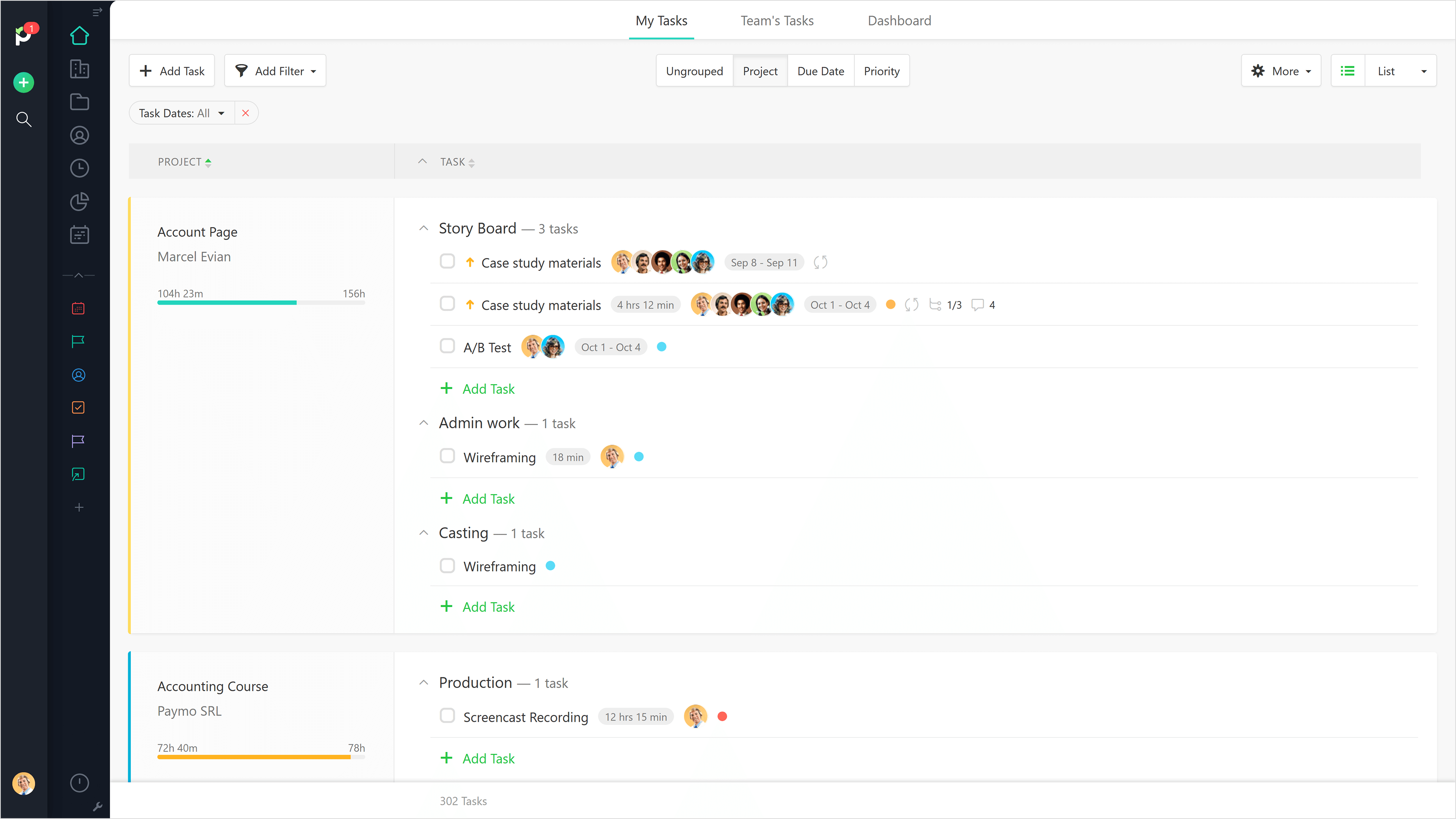
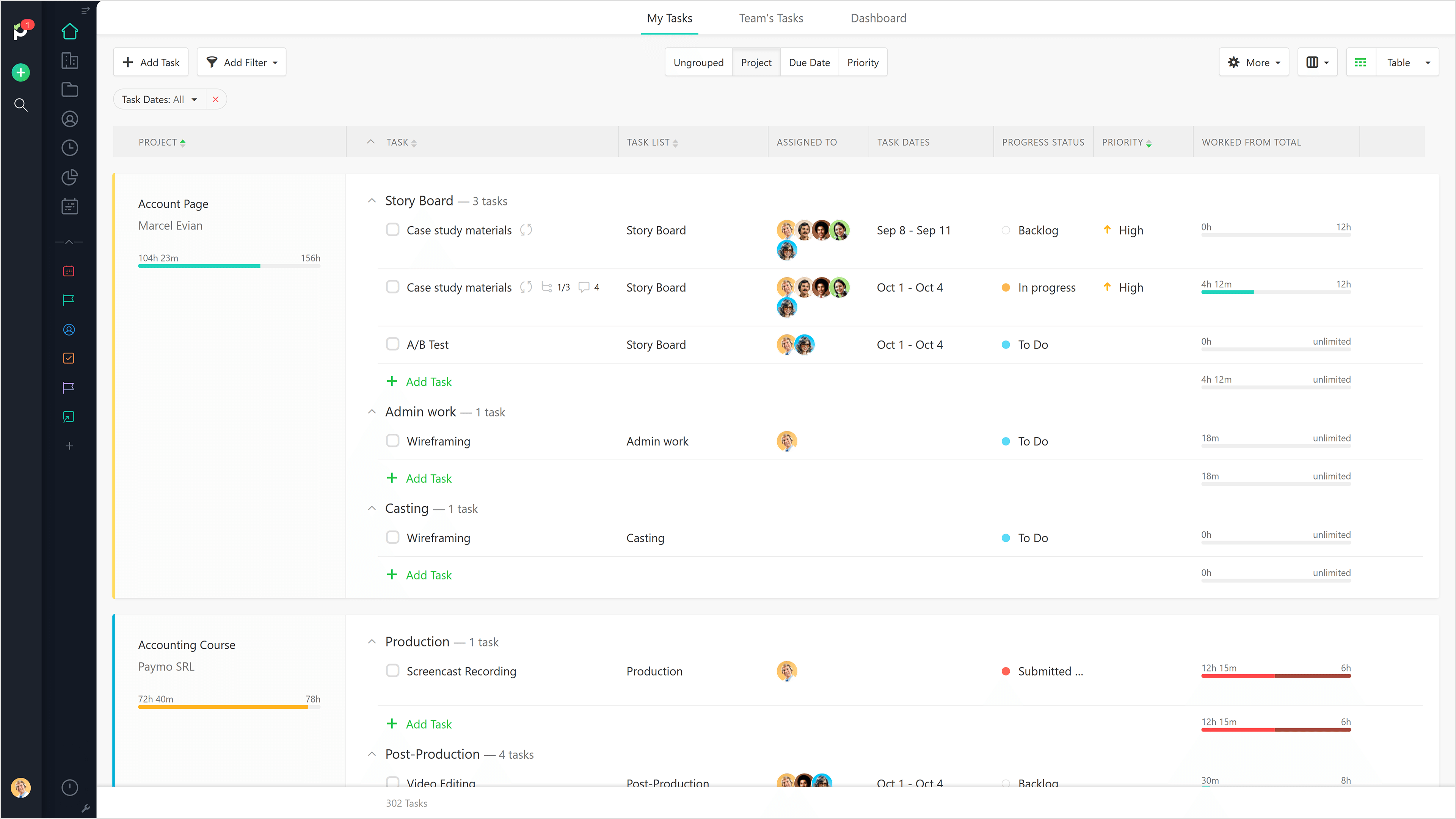
Paymo is a collaborative work management platform that helps track team progress, collaborate in context, and make smarter decisions. It acts as a single source of truth, where project planning, resource scheduling, file proofing, time tracking, and billing feed into each other to co-exist under the same roof.
$0
Up to 10 users
Traqq
Score 9.1 out of 10
Small Businesses (1-50 employees)
Traqq leads the shift to ethical time tracking through non-invasive analytics. No screenshots. No screen recording. No micromanagement. Our lightweight desktop app respects privacy while delivering rich insights into team performance and productivity. You get intelligent analysis that tracks app usage, work patterns, and idle time - all while keeping your data secure. Traqq combines AI-powered time tracking with smart activity monitoring. The 2025 AI analytics upgrade brings…
$0
(for up to 3 users)
Pricing
Paymo
Traqq
Editions & Modules
Free
$0
Up to 10 users
Small Office
$11.95
per user/per month
Business
$18.95
per user/per month
Premium Starter
$0
(up to 3 users)
Premium Teams
$7
per month per user
Enterprise
Custom Plan
Offerings
Pricing Offerings
Paymo
Traqq
Free Trial
Yes
Yes
Free/Freemium Version
Yes
Yes
Premium Consulting/Integration Services
No
Yes
Entry-level Setup Fee
No setup fee
No setup fee
Additional Details
Free version available for freelancers.
Discounts available for quarterly (10%) and annual (14%) pricing.
More Pricing Information
Community Pulse
Paymo
Traqq
Features
Paymo
Traqq
Project Management
Comparison of Project Management features of Product A and Product B
Paymo
5.9
9 Ratings
27% below category average
Traqq
-
Ratings
Task Management
3.59 Ratings
00 Ratings
Resource Management
5.36 Ratings
00 Ratings
Gantt Charts
4.43 Ratings
00 Ratings
Scheduling
7.06 Ratings
00 Ratings
Team Collaboration
4.16 Ratings
00 Ratings
Support for Waterfall Methodology
7.82 Ratings
00 Ratings
Document Management
5.06 Ratings
00 Ratings
Email integration
5.04 Ratings
00 Ratings
Mobile Access
5.37 Ratings
00 Ratings
Timesheet Tracking
9.09 Ratings
00 Ratings
Budget and Expense Management
8.88 Ratings
00 Ratings
Professional Services Automation
Comparison of Professional Services Automation features of Product A and Product B
Beautiful interface throughout, easy setup, most natural progressions are fluid and easy to use. Browser functionality allows us to use it cross-platform. Very reasonable pricing model as well. We have had a little trouble using Paymo for the entire creative process to have proofs reviewed and approved. Also, have to use external forms to have work submitted from campus.
Traqq is a great system when you are in the field of education. In my experience, it has saved me countless hours of figuring out how to remember the timezone my employees and students are located in. I used to use a written spreadsheet of each employee's timezone and one of those random timezone calculators. Being able to modify Traqq based on my employees' timezone, my timezone, and our company's timezone (the technical "working hours") has been a game-changer.
The ability to code exactly what time I worked on a project enables me to bill clients more accurately and within different minimums, which besides more accurately tracking time, this has been extremely helpful as I negotiate contracts for services and offer different deals with potential clients. Some are billed to the minute, some in 15-minute minimums, and some in 20-minute blocks.
The live reports are great, showing time spent in the minimums that I've set, while also including as much detail as I wish to share.
I've now started just writing my notes into the tracker, which are then carried into the live reports - this eases my needing to send logs to clients, as well as helping me to keep projects on track.
Gave me a detailed report of my daily activities, even hours of productivity.
My clients were not left behind every step of the way in my project. They had access to my activities and knew the periods I was inactive and even the apps I visited (although they blurred the screen, my clients were aware along the line, I visited a couple of applications) I loved that Traqq is conscious of its user's privacy. This is something you don't see in all Tracking apps.
Helps me track my hours effectively. This way, I had no issues on paydays because I was receiving the exact money for the exact time I worked. This is the big deal for me because no one like to work really hard and be underpaid, and neither does anyone want to overpay a lazy freelancer. I really love this about Traqq.
It would be really helpful if on the timer tool, they asked you to switch projects when you stop the timer, so it could fill that time in right away for you.
I never use the 'My Tasks' because I don't fully understand how to integrate it to be useful to what our purposes are in Paymo. Some Youtube tutorials might be helpful
It is a complete, a bit overambitious app but with many features that are needed. I didn't need most of the features but managed to make the most of the two I was using. Also, I think it is a well-rounded app and I am considering moving some team collab there.
Good! Fast, excellent, speedy responses. They always wanted to know why and how they could improve on something (good on receiving feedback, too). Not that they were much needed, but my limited experience with them is good; they were really keen to understand what the problem was really about and how they could help with it.
We still use Trello and Slack, but Basecamp and HubSpot are too much for our operation to manage or integrate. Paymo is missing some of the tracking features of HubSpot and isn't as universally used as Basecamp but we've been with them for 8 years and they seem to know what matters most to their user base
So I have used Jibble and Time Doctor for time tracking, but none of these would reflect the reasons for low/high performance of the employees as Jibble is just a time clock, and the Time Doctor won't yet make reports and send them to superiors right away. Traqq solves it. Honestly, I have never come across any software competing with functionalities like Traqq yet.
Gives me more accurate time that I've spent on projects compared to older methods I've used.
Has data that I can pull together, for example my boss wanted to know the percentage of time I'd spent working on projects for one client compared to everything else - I was able to give them an accurate percentage.
Forces you to stay on top of jobs, which can lengthen the time to complete something
I've been able to get things done faster with Traqq. One of my clients made a comment a while back(I asked for her permission before posting this). She said, "I loved how I don't get to pay freelancers for doing nothing, now I pay employees according to the quality of work I receive". We both laughed about it though, but I believe that's a positive impact on her.
I've been able to write more, knowing that my clients can see my major moves. My main aim is to impress my employers to get good feedback in return and Traqq helps me greatly in that area.