
Mauricio Quiroga-Pascal Ortega
Founder & CEO
Chose Plone

| Product | Rating | Most Used By | Product Summary | Starting Price |
|---|---|---|---|---|
 Plone | N/A | Plone is a free and open source content management system built on top of the Zope application server. Plone can be used for any kind of website, including blogs, internet sites, webshops, and internal websites. | N/A | |
 Progress Sitefinity | N/A | Progress Sitefinity is a content management and customer analytics platform. It supports content management, tailored marketing, multi-channel management, and ecommerce sites. | N/A | |
 WordPress | N/A | Wordpress is an open-source publishing platform popular with bloggers, and a content management system, known for its simplicity and modifiability. Websites may host their own blogging communities, controlling and moderating content from a single dashboard. | $3 per month 6 GB storage |
| Plone | Progress Sitefinity | WordPress | ||||||||||||||||||||||
|---|---|---|---|---|---|---|---|---|---|---|---|---|---|---|---|---|---|---|---|---|---|---|---|---|
| Editions & Modules | No answers on this topic | No answers on this topic |
| |||||||||||||||||||||
| Offerings |
| |||||||||||||||||||||||
| Entry-level Setup Fee | No setup fee | No setup fee | No setup fee | |||||||||||||||||||||
| Additional Details | — | — | Pricing for Business and Commerce plans vary on number of GB. | |||||||||||||||||||||
| More Pricing Information | ||||||||||||||||||||||||
| Plone | Progress Sitefinity | WordPress | |
|---|---|---|---|
| Considered Multiple Products |  Plone Mauricio Quiroga-Pascal Ortega Founder & CEO Chose Plone  Rikupekka Oksanen IT Specialist Chose Plone Since 2004, when we first started using Plone, here hasn't been any feature or request or system that we couldn't have been done with Plone. Sometimes there have been cases, where we pilot or test other workflow-based systems, but usually the problems come with licences …  Ronnie Stevens Owner Chose Plone Plone is much harder to learn then Wordpress. Development in Wordpress is learnt in day's, where development in Plone really takes years to get to the full depth. That said, once you're able to develop in Plone, is it a rock solid system, with readable code. In my experience …  Gracie Wardin Social Media Intern Chose Plone Plone may be more complicated than Wordpress when considering organizational factors and overall use, but for a reason. It has further capabilities than Wordpress and other content management systems. It takes slight training to learn, but it provides great knowledge that many … | Progress Sitefinity  Sean Patterson Software Development Director Chose Progress Sitefinity WordPress is a solid competitor to Sitefinity, but it lacks the WSYWIG editor that Sitefinity provides. Additionally, a lot of features that Sitefinity has out of the box, such as advanced document management and form generation, require additional extensions to be installed in …  Matt Graf Assistant Director of Production for Online Learning Video Chose Progress Sitefinity  Michael Dell'Arciprete Director of Customer Acquisition Chose Progress Sitefinity Sitefinity is more robust than WordPress. It is much less expensive than either Oracle or IBM. It has a broad range of functional capabilities and it is very reliable. It is not a leader in security, but this was not our top priority. Its A/B testing is not as extensive as …  Louie Kafka Frontend Web Developer Chose Progress Sitefinity  Alex Hood CTO Chose Progress Sitefinity It is hands down just easier for our customers to use. The interface and the page builder experience is much better than what we have used in the past and has many enterprise features even in the lower price-point.  Kelly Martinez Systems Manager / Application Developer Chose Progress Sitefinity We looked at the newer version of SharePoint and it was too cost prohibitive and not well suited for an overall website. We were primarily using it because of the multiple editors features coupled with the ability to segregate them to different areas of the site. Progress …  Rasheed Romain Digital Marketing Front-End UI/UX, & Email Marketing Chose Progress Sitefinity Sitefinity is a better enterprise product.  Patrick King Founder + CEO Chose Progress Sitefinity Sitefinity is cleaner and more professional. It's far simpler to understand and isn't cluttered with things that a client may get into trouble with.  Tony Giruzzi Coordinator of Network Support Chose Progress Sitefinity Two-thirds of our websites use Sitefinity. More will be added soon as a work in progress.  Mike Fus Vice President of Operations Chose Progress Sitefinity We prefer Sitefinity to any of the open source solutions out there for the basic arguments you will typically hear. Additionally, Sitefinity fit well into our .NET development stack and competency we have on staff. Relative to Sitecore, Sitefinity seemed to offer better value …  Jason Honn Owner Chose Progress Sitefinity Sitefinity's interface is much more intuitive and easy to use.  Paul Immediato Sr. Associate - Project Management and Information Technology Chose Progress Sitefinity All continent management systems are built to do basically, the same thing...manage content. When Trellist makes a CMS recommendation to a client, it is primarily based on the project requirements, how easy it is to customize the CMS, how intuitive it is for the content … |  WordPress |
| Plone | Progress Sitefinity | WordPress | |||||||||||||||||||||||||||||||||||
|---|---|---|---|---|---|---|---|---|---|---|---|---|---|---|---|---|---|---|---|---|---|---|---|---|---|---|---|---|---|---|---|---|---|---|---|---|---|
| Security |
| ||||||||||||||||||||||||||||||||||||
| Platform & Infrastructure |
| ||||||||||||||||||||||||||||||||||||
| Web Content Creation |
| ||||||||||||||||||||||||||||||||||||
| Web Content Management |
|
| Plone | Progress Sitefinity | WordPress | |
|---|---|---|---|
| Small Businesses |  ManageWP Score 10.0 out of 10 |  Bloomreach - The Agentic Platform for Personalization Score 8.9 out of 10 | ManageWP Score 10.0 out of 10 |
| Medium-sized Companies |  RWS Tridion Sites Score 9.0 out of 10 | RWS Tridion Sites Score 9.0 out of 10 | RWS Tridion Sites Score 9.0 out of 10 |
| Enterprises | RWS Tridion Sites Score 9.0 out of 10 | RWS Tridion Sites Score 9.0 out of 10 | RWS Tridion Sites Score 9.0 out of 10 |
| All Alternatives | View all alternatives | View all alternatives | View all alternatives |
| Plone | Progress Sitefinity | WordPress | |
|---|---|---|---|
| Likelihood to Recommend | 10.0 (13 ratings) | 7.1 (171 ratings) | 8.6 (203 ratings) |
| Likelihood to Renew | 10.0 (11 ratings) | 7.2 (7 ratings) | 4.9 (38 ratings) |
| Usability | 10.0 (1 ratings) | 8.9 (10 ratings) | 8.1 (50 ratings) |
| Availability | 10.0 (1 ratings) | 8.2 (1 ratings) | 9.5 (3 ratings) |
| Performance | 10.0 (2 ratings) | 5.5 (1 ratings) | 8.6 (2 ratings) |
| Support Rating | 8.0 (1 ratings) | 9.0 (7 ratings) | 10.0 (11 ratings) |
| In-Person Training | 10.0 (1 ratings) | - (0 ratings) | 7.0 (1 ratings) |
| Online Training | 10.0 (1 ratings) | - (0 ratings) | 10.0 (1 ratings) |
| Implementation Rating | - (0 ratings) | 4.6 (4 ratings) | 9.0 (10 ratings) |
| Configurability | - (0 ratings) | 5.5 (1 ratings) | 10.0 (1 ratings) |
| Ease of integration | 10.0 (1 ratings) | - (0 ratings) | 8.0 (1 ratings) |
| Product Scalability | 10.0 (1 ratings) | 4.5 (1 ratings) | 10.0 (1 ratings) |
| Vendor post-sale | - (0 ratings) | 6.4 (1 ratings) | 10.0 (1 ratings) |
| Vendor pre-sale | - (0 ratings) | 5.5 (1 ratings) | 10.0 (1 ratings) |
| Plone | Progress Sitefinity | WordPress | |
|---|---|---|---|
| Likelihood to Recommend | Plone
 Fulvio Casali Principal - Soliton Consulting | Progress Software Corporation
 Justin Cawthorne Senior Project Manager | Automattic
 Maria Clara Daly Director of Interactive Strategy |
| Pros | Plone
Ronnie Stevens Owner | Progress Software Corporation
 Jochem Bökkers Sitefinity lead | Automattic
|
| Cons | Plone
 Kelv Cutler Software Engineer | Progress Software Corporation
| Automattic
|
| Likelihood to Renew | Plone
Rikupekka Oksanen IT Specialist | Progress Software Corporation
| Automattic
 Daniel Cetina Founder |
| Usability | Plone
Rikupekka Oksanen IT Specialist | Progress Software Corporation
| Automattic
|
| Reliability and Availability | Plone
Rikupekka Oksanen IT Specialist | Progress Software Corporation
Kelly Martinez Systems Manager / Application Developer | Automattic
 Martin Aranovitch Founder, WPTrainMe.com - WordPress Training Plugin |
| Performance | Plone
| Progress Software Corporation
Kelly Martinez Systems Manager / Application Developer | Automattic
Martin Aranovitch Founder, WPTrainMe.com - WordPress Training Plugin |
| Support Rating | Plone
Rikupekka Oksanen IT Specialist | Progress Software Corporation
| Automattic
 Mathew Riexinger VP of Online Marketing |
| In-Person Training | Plone
Rikupekka Oksanen IT Specialist | Progress Software Corporation No answers on this topic | Automattic
|
| Online Training | Plone
Rikupekka Oksanen IT Specialist | Progress Software Corporation No answers on this topic | Automattic
 Lori Berkowitz Web Developer |
| Implementation Rating | Plone No answers on this topic | Progress Software Corporation
| Automattic
|
| Alternatives Considered | Plone
Mauricio Quiroga Founder & CEO | Progress Software Corporation
Alex Hood CTO | Automattic
 Daniel Berry Marketing Manager |
| Scalability | Plone
Rikupekka Oksanen IT Specialist | Progress Software Corporation
Kelly Martinez Systems Manager / Application Developer | Automattic
Martin Aranovitch Founder, WPTrainMe.com - WordPress Training Plugin |
| Return on Investment | Plone
Gracie Wardin Social Media Intern | Progress Software Corporation
 Julia Spangler Creative Team Supervisor | Automattic
|
| ScreenShots | Progress Sitefinity Screenshots    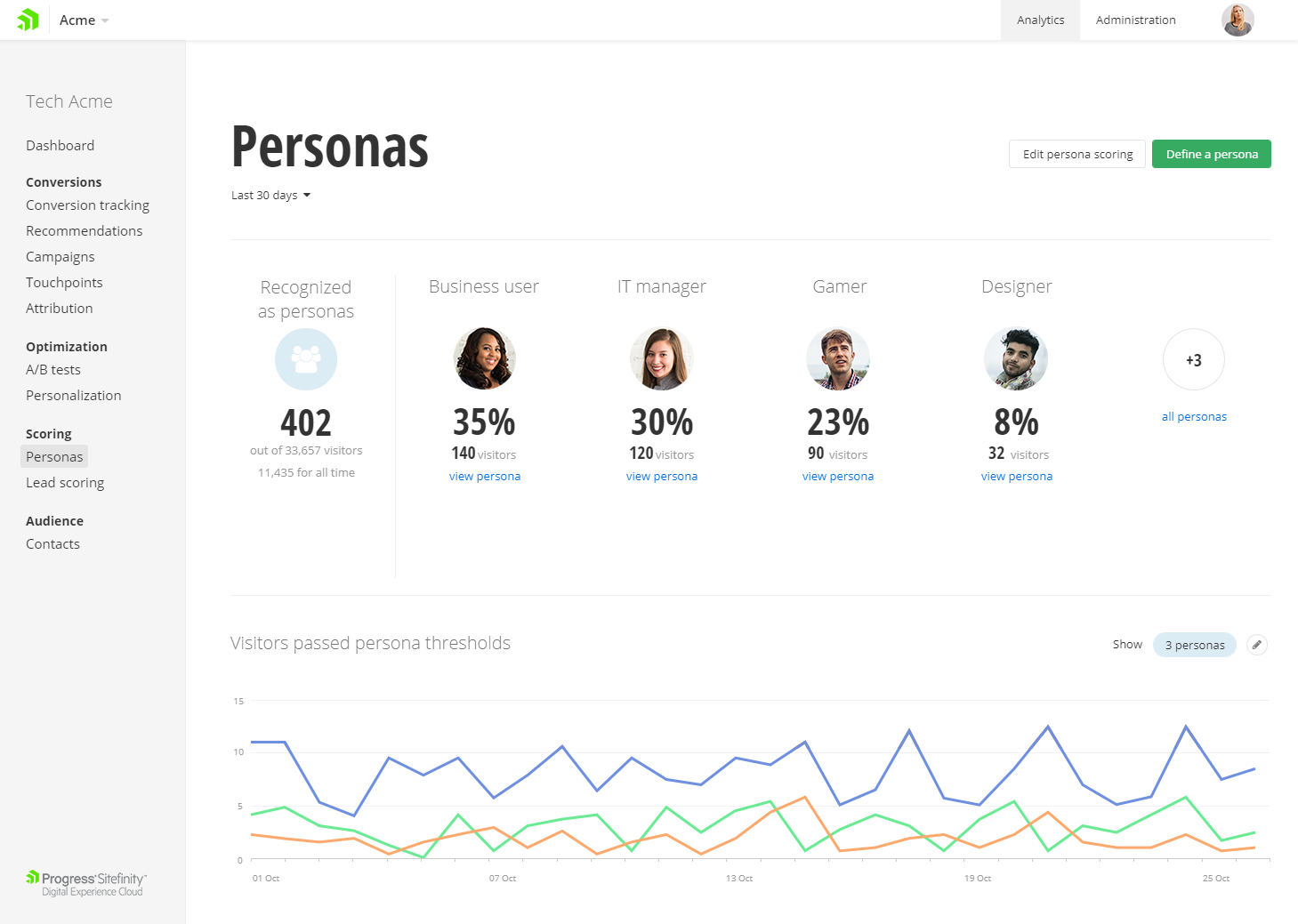 |