The makers of Screenhero now offer Pop, a remote collaboration platform with features like multiple mouse cursors, voice chat, and high definition screen resolution. Pop supports voice and video collaboration, screen sharing, multiplayer meetings, drawing and highlighting, and the ability to interact from a variety of devices (Mac, Windows, Linux, mobile devices, etc.).
$0
per month
Wistia
Score 9.6 out of 10
N/A
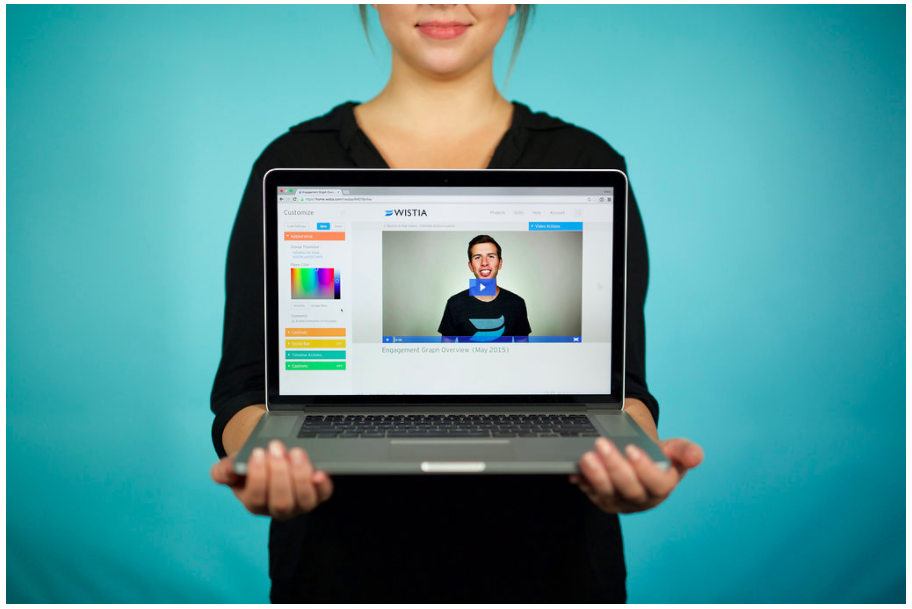
Wistia is a video marketing platform that helps teams create, host, market, and measure their videos and webinars. Wistia is used to create professional videos, host webinars, collect and send leads to a connected marketing automation platform. Wistia additionally offers customers support and educational resources.
Copy/Paste works flawlessly from my computer to another screenhero users computer.
Screenhero works with screen-recording software, so not only can I pair-develop, I can take video of a pair development session.
I can't think of any reason why Screenhero wouldn't be suited for any situation. I would say that they need to bring back the option for a native app capability outside of the slack app like they did during the Slack merge transition.
For companies that want to integrate their videos into actionable steps like behavioral follow up through a CRM, Wistia is the best tool to use. You can automate your systems to track when a video is viewed, engaged with or how long a person has been watching along with heatmaps to show where people were most interested and least interested so you can adjust your videos to optimize their performance.
EASY! A simply to use and understand UI cannot be understated. I needed no additional training and did not need to reference and support documentation to pick up and use Screenhero with my team. It's easy to add new folks to connect with, easy to call them, easy to end the call, and so forth. I would liken the UI to a more sleek Yahoo Instant Messenger (for those who remember that service!).
Painless. I rarely ever had connectivity issues or grainy audio/video quality. When I did occasionally encounter that (rough guess maybe 1 in 20), it usually cleared itself up after a few seconds. I think it's only ever "locked up" on me twice, meaning I had to disconnect and reconnect in order for the issue to be resolved. Overall, a painless experience.
I'm not sure how to sign up right now. I guess until it's integrated into Slack as a full-blown feature it'll stay like that.
Most probably it'll be monetized as an extra feature.
This is true for most of the remote management solutions: security concerns. Slack had some break-ins in the past, giving remote control to your computer can be dangerous.
Another issue which is problematic for similar product too: watch out if there's an extra remote server is involved. Say you and your client you want to guide with Screenhero both log in to a remote server through RDP. Both the RDP and Screenhero capture hotkeys, and depenfing on if your other peer logs into screenhero on the server itself or his machine, things like copy-paste won't work because the RDP is interfering with the remote management software.
Obtaining embed codes for a significantly large number of videos can be very time consuming as there is no way to automatically pull a report.
Within a project, there is no way to set the list to show a specific number of videos and you may only have a certain number of videos shown unless you click to expand the list and continue to do so.
Once the list is expanded and you click in to a video, when clicking back, the list reloads and you must expand the entire list again which can become very time consuming.
Wistia is super easy to use and very reliable, anytime a video needs to be updated, the existing media can be replaced, but the url remains the same so anywhere this media is shared or embedded, it is immediately updated. Their support is extremely helpful, and there is very rarely any issues with this product.
Great, simple, usable product. Would have given it higher marks, but sometimes the folders and permissions aren't the most intuitive. Interface for uploading, tagging, describing videos is simple. Sharing is also relatively intuitive. Overall, a clean and simple interface and most of our marketing team had no issues using it. I think it was easier than using Vimeo.
I have never had any technical issues with Wistia. The service is fast and reliable. video play back begins as soon as a few seconds of video have buffered. The stats are accurate and available within a few hours of current use. I have integrated it with Marketo and found that the integration is clean and is easily incorporated into the campaign logic flow. (ex. If the user played more than 50% of the video, do Action-A, otherwise do Action-B.
We have only had to reach out to Wistia support a handful of times in the 4 years we have been using Wistia. They have always been quick to respond and help us solve the problem. The system is self-service so there should be very little to no need to reach out to support on a regular basis.
Screenhero being acquired by Slack was honestly the primary reason we selected it over TeamViewer. Our organization is heavily invested in Slack's enterprise solution, so choosing Screenhero was a pretty easy decision. On top of that, Screenhero delivers very well on its core competencies, so there doesn't seem to be a very good reason to not use it given its relationship with Slack.
Wistia is for business. Period. Vimeo has none of the benefits for a business that Wistia offers. The SEO value and SUPER FAST playback speed are essential. Wistia has it all. Personally, I can rarely get thought a video if hosted on Vimeo because of the glitchy playback and slow rendering.
Doubled lead capture from lead magnet on website from one year to the next.
Increased email interaction on newsletters when embedding Wistia video thumbnail into email campaigns (10-15% links clicked bumped to 30-40% links clicked).
Can save us about 50+ hours of one-on-one client meeting time per year for pointing clients to video content rather than presenting the same info in a live setting.