Projector's cloud-based Professional Services Automation (PSA) software helps project-based services organizations track time and expenses, invoice clients, schedule resources, and manage projects. Its three modules span a more comprehensive set of uses than typical project management software. The Accounting module helps the user track time and expenses and manage invoices and billing. Also it syncs with the company's accounting systems as a sub-ledger. The Resource Scheduling module matches…
$15
per user
Vista
Score8.2 out of 10
N/A
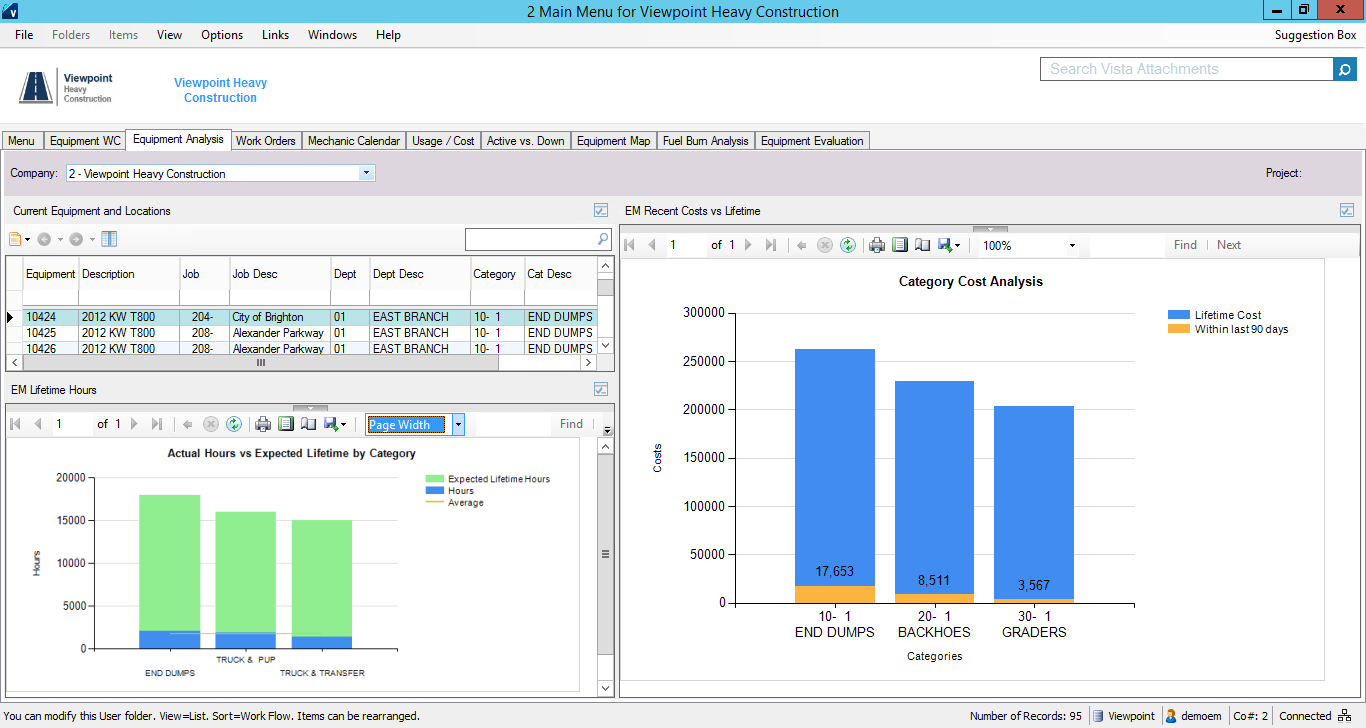
Viewpoint’s Vista is a construction accounting software. Vista’s core accounting features include accounts receivable and payable, general ledger, payroll and time management, and cash management. It also provides tools for document management, including document templates and reporting.
N/A
Pricing
Projector PSA
Vista
Editions & Modules
Team Edition
$15
per user
Professional Edition
$25
per user
Enterprise Edition
$30
per user
No answers on this topic
Offerings
Pricing Offerings
Projector PSA
Vista
Free Trial
Yes
No
Free/Freemium Version
No
No
Premium Consulting/Integration Services
Yes
No
Entry-level Setup Fee
No setup fee
No setup fee
Additional Details
—
Prospective buyers may contact Viewpoint directly for a price quote.
We think Projector PSA is a great tool to track and manage people in a professional service environment like management consulting. This system is easy to set up, easy to understand and should easily suit the needs of smaller and medium sized firms. It may be less appropriate for firms that rely very heavily on project management through another system (like MS Project) or firms that rely very heavily on a sales pipeline tracking system. While still very much possible to use, you would (I believe) have to do some re-keying between systems
The company has made a commitment to the use of the Vista products and continue to move forward trying to implement more with the Vista HR Management. From timekeeping to onboarding in the near future we strive to look for better ways to utilize the products for our accounting and payroll purposes.
A de minimis incentive was given to thank the reviewer for their time. The incentive was not used to bias or drive a particular response, nor was the incentive contingent on a positive endorsement. TR verified that a representative sample of customers was invited. More Info
Projector is a very well designed tool for project management. It has allowed us to eliminate a number of auxiliary tools for project timelines and WBS for the vast majority of our projects.
Time and expense entry is intuitive and quick for our staff.
Our forecasting and resource management capability has improved greatly with Projector and allows us to grow our team efficiently with minimal additional administrative burden.
Reporting is extremely robust. It does require some time to really get a handle on the full functionality of the reporting tool, but once you do, you can get almost any kind of report you want out of the system!
Release management process needs to be improved. Currently no facility is provided to test the impact of new releases in a sand-box. This introduces business risk if there are interfaces into Projector PSA as part of it's use in the business.
Their payroll module is terribly slow and very clunky.
Job costing parameters are very strict and limited.
Each module interface has too many forms and screens.
There is too much flexibility regarding where to put information into the system. There isn't one place to do anything, which creates confusion for staff.
A de minimis incentive was given to thank the reviewer for their time. The incentive was not used to bias or drive a particular response, nor was the incentive contingent on a positive endorsement. More Info
We have been using this tool for a year now and find our use of it continually evolves and broadens. We are also very excited about the overhaul that's under way and feel many of the improvements being put in place will help make us that much more effective and efficient. The Projector team is also very responsive and collaborative in terms of user feedback and improvement suggestions, which helps us know they will work hard to help us get what we need out of the tool.
It is extremely customizable and tracks so many complicated costs very well, more-so than other construction software programs out there that we've used in the past. It is also not an easy program to use for those even slightly not comfortable with a computer. The help sections/knowledge base could be better organized and updated more. It is a very powerful software program for our business and we rely on it hugely to see how our projects are running in real-time.
A de minimis incentive was given to thank the reviewer for their time. The incentive was not used to bias or drive a particular response, nor was the incentive contingent on a positive endorsement. More Info
I think that Vista's is an easy program to use very user friendly with lots of help features to allow the user to fix an issue without having to put a support call into Vista. The reporting and exporting capability's are strong.
A de minimis incentive was given to thank the reviewer for their time. The incentive was not used to bias or drive a particular response, nor was the incentive contingent on a positive endorsement. TR verified that a representative sample of customers was invited. More Info
Only issue is when there is an upgrade - it takes several times to get back logged in. Otherwise no issues with getting on to the program. We are set up on lap top or on the remote desk top. Works 90% of the time
No issue downloading the reports - I do find sometimes it is easier to export and save than it is to print to a pdf. Options on the different reports not consistent. You can print a couple projects on the JC Contract Status Report - but you have to do each project for the JC Cost by contract item - when neither one is a drill down - not a big deal
When privately owned, it was very good, then dropped when owned by Bane Capital Investments. Now that it has been bought by Trimble and has a home, support is back up again. Response time is better than most software companies, and the information provided is good. They have Chat support for quick answers, and a good Knowledge Base and video libraries.
Excellent training! They keep you on track to insure your implementation is going as planned. There are ample ways to receive additional training and training can be provided by position type. If you put on the effort, the training is there.
The trainer Viewpoint sent did not understand the processes, he only knew where the modules were located. He had no understanding of the actual process itself.
A de minimis incentive was given to thank the reviewer for their time. The incentive was not used to bias or drive a particular response, nor was the incentive contingent on a positive endorsement. More Info
We did pursue Quick Arrow another tool that was similar. We found that be in inflexible in use. Projector allows a lot of flexibility in setup. Our organization has very specific business processes and we were able to set up Projector to work with those processes. Several other systems we tried were not as flexible in allowing set up to our needs.
I personally have not used another ERP system other than Viewpoint Vista. I am sure there are others out there, but from listening to my managers experiences before Great Basin Industrial implemented Viewpoint, the other options were less superior to what Viewpoint offers. I think if you are looking for an ERP system in the construction industry, then Viewpoint is the way to go
A de minimis incentive was given to thank the reviewer for their time. The incentive was not used to bias or drive a particular response, nor was the incentive contingent on a positive endorsement. TR verified that a representative sample of customers was invited. More Info
A de minimis incentive was given to thank the reviewer for their time. The incentive was not used to bias or drive a particular response, nor was the incentive contingent on a positive endorsement. More Info
For a small business - this program is well used in the accounting and operations. The two different work plans are set up for success. Alot of the programs we do not use - but like the reports that are generated - one disadvantage if you do not know crystal reports you cannot edit your form to meet your needs so there is a lot of printing different several forms to get all the information you need.
A de minimis incentive was given to thank the reviewer for their time. The incentive was not used to bias or drive a particular response, nor was the incentive contingent on a positive endorsement. More Info
Even in the small time that I stayed to see Projector PSA reporting I saw ROI projections become more realistic. There was real data to analyze that proved we were spending way too much and charging way too less on some projects.
Although employees were not used at entering their hours, this single reporting improved operations management and validated employees concerns that more people were needed to manage workload
Project proposals were more realistic because they were driven by real data.
Decision making overall for the department became more efficient and effective
A de minimis incentive was given to thank the reviewer for their time. The incentive was not used to bias or drive a particular response, nor was the incentive contingent on a positive endorsement. More Info
Not sure I can speak to this as the company moved to Viewpoint before I began here. I think it is helpful for the Project Management and Superintendent staff to easily review how specific job items went, which we do in the PM contract drilldown analysis
A de minimis incentive was given to thank the reviewer for their time. The incentive was not used to bias or drive a particular response, nor was the incentive contingent on a positive endorsement. More Info