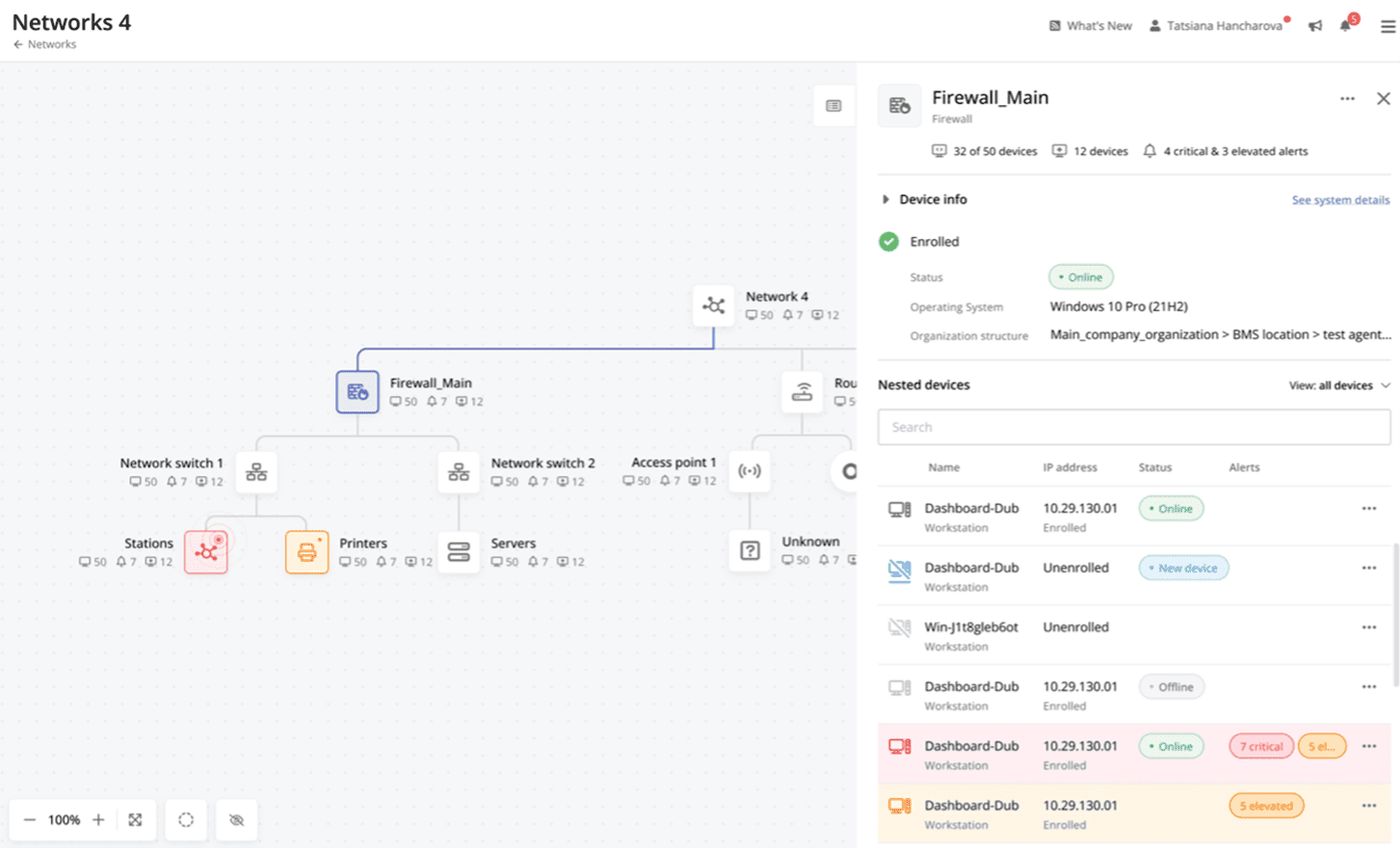
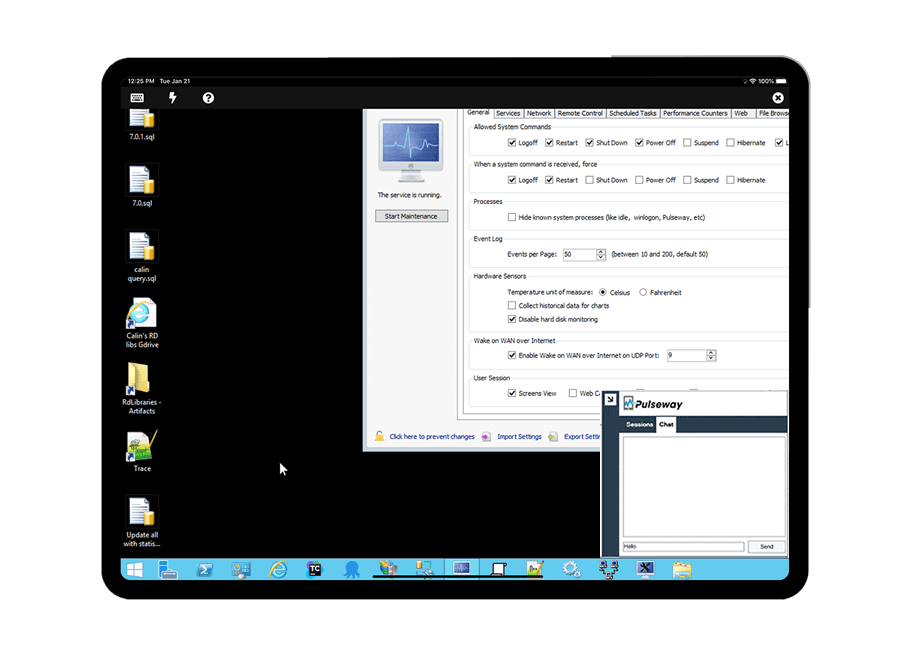
Pulseway is an IT monitoring and management solution that enables users to monitor, manage and control all systems and servers from a smartphone, tablet or browser. For system administrators, Pulseway sends a notification, so they can see an issue and sort it in seconds. Pulseway features: Automation: Auto-remediation workflows, so that IT issues are fixed before users even notice them. Mobile Access: Customers can monitor, manage, connect with…
$0.80
per month per installation
Splashtop
Score9.1 out of 10
N/A
Splashtop is a software solution for both remote access and remote support. Boasting 30+ million customers worldwide and users among both large and small organizations across the globe, Splashtop presents their solution as secure, high-performing, and fit to specific use-cases. Splashtop is ISO certified, SOC 2 and GDPR compliant. Splashtop Remote Access provides remote desktop connections for business professionals and teams to work from anywhere, using any device.…
$99
per year per user
Pricing
Pulseway
Splashtop
Editions & Modules
Enterprise
$0.80
per month per installation
Splashtop Remote Access Solo
$6.00
per month per user, billed annually
Splashtop Remote Access Pro
$8.25
per month per user, billed annually
Splashtop Remote Access Performance
$13.00
per month per user, billed annually
Splashtop Remote Support Enterprise
Contact Sales
per month per concurrent technician, billed annually
Splashtop Remote Access Enterprise
Contact Sales
per month per user, billed annually
Splashtop On-Prem
Contact Sales
Splashtop Autonomous Endpoint Management (AEM)
Contact Sales
per month per endpoint, billed annually
Splashtop Remote Support SOS
Starting at $22.00
per month per concurrent technician, billed annually
Offerings
Pricing Offerings
Pulseway
Splashtop
Free Trial
Yes
Yes
Free/Freemium Version
Yes
No
Premium Consulting/Integration Services
Yes
No
Entry-level Setup Fee
No setup fee
No setup fee
Additional Details
No hidden fees or contracts. Term-based discounts.
Owner in Corporate at Self-employed (Information Technology & Services, 1-10 employees)
Chose Splashtop
[In my experience] TeamViewer is just too expensive for what I consider marginal benefit. Splashtop SOS works incredibly well, and while [I feel] TeamViewer does have a performance edge, I just can't justify the massive increase in cost. Plus, to my knowledge, TeamViewer's …
A de minimis incentive was given to thank the reviewer for their time. The incentive was not used to bias or drive a particular response, nor was the incentive contingent on a positive endorsement. More Info
If you have to manage a large number of computers, especially spread over multiple clients or a large physical area. This is one of the main products that allows us to act as a Managed Service Provider (MSP) and actually manage our clients devices and not just react to issues as clients call them in. Clients really love the proactive approach it allows us to take. Sadly as we became more familiar with options out there we found this area lacking and what was actually holding us back.
A de minimis incentive was given to thank the reviewer for their time. The incentive was not used to bias or drive a particular response, nor was the incentive contingent on a positive endorsement. More Info
Well suited for any MSP, MSSP, or IT Manager who needs access to a broad array of machines and values their time. Great for an individual who just needs access to their work computer from home. It might not be suited for environments where national security is involved.
A de minimis incentive was given to thank the reviewer for their time. The incentive was not used to bias or drive a particular response, nor was the incentive contingent on a positive endorsement. More Info
It monitors computers and notifies us of any issues with any computer.
It allows remote control of computers, such as requesting a computer to reboot itself.
It is very highly configurable to monitor exactly what we need to monitor. For example, on server, we can have it notify us any time the server is shutdown or rebooted. On the other hand, for a desktop computer, we don't have to be bothered with notifications when a user decides to reboot his computer.
A de minimis incentive was given to thank the reviewer for their time. The incentive was not used to bias or drive a particular response, nor was the incentive contingent on a positive endorsement. More Info
Seamless RMM Integration - Splashtop’s integration into Syncro is functionally invisible, but in a good way. I don't have to manage a separate contact list or worry about syncing credentials between my RMM and my remote tool. I click "Remote Desktop" in Syncro, and Splashtop launches instantly.
High Performance Graphics & Low Latency - The frame rate and refresh speed are consistently superior to competitors I’ve used in the past. Even when connecting to a client with a dual monitor setup or a slower upload speed, the lag is minimal. The picture quality is crisp enough that I can read fine print on error logs without squinting.
"SOS" Ad-Hoc Workflow - r clients who aren't on a managed contract (my "break/fix" customers), the SOS feature is a lifesaver. I don't have to walk a non-technical user through a complex installation. I just tell them to go to the site, give me the 9-digit code, and I'm in!
A de minimis incentive was given to thank the reviewer for their time. The incentive was not used to bias or drive a particular response, nor was the incentive contingent on a positive endorsement. More Info
A de minimis incentive was given to thank the reviewer for their time. The incentive was not used to bias or drive a particular response, nor was the incentive contingent on a positive endorsement. More Info
Compared to our prior solution, Splashtop does not "organize" devices nearly as well. They need some some sort of tagging solution so that you can, say, pull up a list of "all machines at this campus" or "All Macs at this site"
The Business App that runs locally feels clunky, and is presented in a weirdly-sized window
A de minimis incentive was given to thank the reviewer for their time. The incentive was not used to bias or drive a particular response, nor was the incentive contingent on a positive endorsement. More Info
Splashtop has been one of the best investments our firm has made, and we have become proud partners. The ROI is off the charts for a law firm since more time can be billed now. This is aside from all the quality of life improvements Splashtop has rolled out in the past couple of years that makes IT administration notably easier in multiple ways on a daily basis.
A de minimis incentive was given to thank the reviewer for their time. The incentive was not used to bias or drive a particular response, nor was the incentive contingent on a positive endorsement. More Info
The tool is easy to use however it is can be daunting with the amount of features available in it. Last I checked, their knowledge base was not very expansive and they relied a lot on the changelog for how to do some stuff. This can make it hard to learn how to do some more advanced things like the automation.
A de minimis incentive was given to thank the reviewer for their time. The incentive was not used to bias or drive a particular response, nor was the incentive contingent on a positive endorsement. More Info
It's hard to find any significant faults with Splashtop. It offers a very responsive remote access experience with clear and simple interface. There's very little learning curve as it's toolbar mimics other popular remote access solutions graphical user interface. It's gives you access to your remote computer quickly and stays out of your way
A de minimis incentive was given to thank the reviewer for their time. The incentive was not used to bias or drive a particular response, nor was the incentive contingent on a positive endorsement. More Info
I recall one outage, and it wasn't very long. We use QuickAssist when someone's having a problem connecting with Splashtop on a Windows machine. Fortunately, that doesn't happen very often. QuickAssist is for the QUICK Assist. Splashtop is far better for addressing more complex support needs.
A de minimis incentive was given to thank the reviewer for their time. The incentive was not used to bias or drive a particular response, nor was the incentive contingent on a positive endorsement. More Info
I've raved and rambled about Splashtop's utterly shocking performance nearly endlessly. One of the key reasons our firm adopted Splashtop was because I could demonstrate the unbelievable performance to our Tech Committee. Before finding Splashtop, the thought of being able to start a remote connection to another PC and smoothly watch a full 1080p video through that remote connection was unthinkable. Yet, Splashtop achieved this. I was blown away, and our committee was impressed. In fact, in my testing environment prior to onboarding, I was have 2 PC's next to each other on different networks and internet sources with a Splashtop connection from one to the other with a 1080p YouTube video playing. I was astounded that the audio I was hearing on the "connect from" PC matched in perfect synch with the "connect to" PC. Unbelievable!! And keep this between us, but when I was working late one night at the office waiting for some server to finish a long upgrade, I was able to actually Splashtop to my home gaming PC and play a full-quality FPS with no lag through the connection. Shocked, astounded, flabbergasted! The adjectives could be endless!
A de minimis incentive was given to thank the reviewer for their time. The incentive was not used to bias or drive a particular response, nor was the incentive contingent on a positive endorsement. More Info
I have never had to use the support for Pulseway. However, when initially starting out, we would receive emails every so often asking how we are doing and if there is any support that they can provide. I would imagine that any request would be supplied with the same great support!
A de minimis incentive was given to thank the reviewer for their time. The incentive was not used to bias or drive a particular response, nor was the incentive contingent on a positive endorsement. More Info
The phone number is in the top right of each page of the website and app and when called, the person who picks up (before any automation delays the call) is ready to assist or immediately recognize the appropriate place for a transfer. If transferred to a different department, that department picks up immediately and each person is fully trained to help resolve a (typically user error) call.
A de minimis incentive was given to thank the reviewer for their time. The incentive was not used to bias or drive a particular response, nor was the incentive contingent on a positive endorsement. More Info
It couldn't have been any easier to setup and I have had no issues with it since it was implemented. It's a great product and makes remotely connecting to another device so simple and quick. I can't recommend it enough
A de minimis incentive was given to thank the reviewer for their time. The incentive was not used to bias or drive a particular response, nor was the incentive contingent on a positive endorsement. TR verified that a representative sample of customers was invited. More Info
Pulseway has the most features, the best looking app with the best design and better usability than any others we evaluated. We liked the uniformity of the app design across all platforms (Windows, Android, Apple) and the notifications displayed on each platform. The price was a major contributor to our selection of Pulseway compared to the competition.
A de minimis incentive was given to thank the reviewer for their time. The incentive was not used to bias or drive a particular response, nor was the incentive contingent on a positive endorsement. More Info
I have not looked at TeamViewer in quite some time but I found Splashtop SOS for me to be at least a 1 to 1 feature switch. And right now connecting to mobile devices to see a customers screen is included with Splashtop SOS and it is a real value add. I hope it says that way. TeamViewer is just too expensive in comparison.
A colleague got a significantly better deal that did not allow him to use Groups. His savings/pricing was far more attractive than mine was. I tried to get that from sales, and they told me it was not an option. That was disappointing.
A de minimis incentive was given to thank the reviewer for their time. The incentive was not used to bias or drive a particular response, nor was the incentive contingent on a positive endorsement. More Info
I bought service for 250 unattended machines. I anticipate the next level will be very expensive, so I may stop at 250. It works very well for our needs. Only recently have I needed to add a second team to add a group of computers, but it's all been great.
A de minimis incentive was given to thank the reviewer for their time. The incentive was not used to bias or drive a particular response, nor was the incentive contingent on a positive endorsement. More Info
A de minimis incentive was given to thank the reviewer for their time. The incentive was not used to bias or drive a particular response, nor was the incentive contingent on a positive endorsement. More Info
Problems can be dealt with more rapidly because I have access to systems from anywhere. I don't have to carry a computer with me nor do I have to find a location with potentially non-secure wifi to gain access to my systems.
I can handle 99% of my system admin tasks using Pulseway and never have to touch a system or connect to the console.
Pulseway gives so much control over a system that I don't need to spend extra money on other software to perform management tasks.
A de minimis incentive was given to thank the reviewer for their time. The incentive was not used to bias or drive a particular response, nor was the incentive contingent on a positive endorsement. More Info
Remote support makes my business possible, period.
Switching from TeamViewer to Splashtop has made a huge difference to my operation: the cost is both lower and more predictable, and getting from "answering the phone from a client in trouble" to "satisfied client" is much faster and easier.
I apologize that I don't actually have hard numbers, but I can sincerely recommend Splashtop and Splashtop SOS. It will make your life and business better!
A de minimis incentive was given to thank the reviewer for their time. The incentive was not used to bias or drive a particular response, nor was the incentive contingent on a positive endorsement. More Info