Reply.io helps sales teams book more meetings by automating outreach with smart AI. It finds leads, writes personalized messages, handles replies, and books meetings, so you can focus on closing deals. Reply.io's AI SDR learns the product, targets its potential users, and engages across email, LinkedIn, SMS, WhatsApp, and calls. Additionally it: Handles replies, books meetings, and works in multiple languages Has access to 1B+ leads with…
$50
per month
Salesmate
Score 10.0 out of 10
Mid-Size Companies (51-1,000 employees)
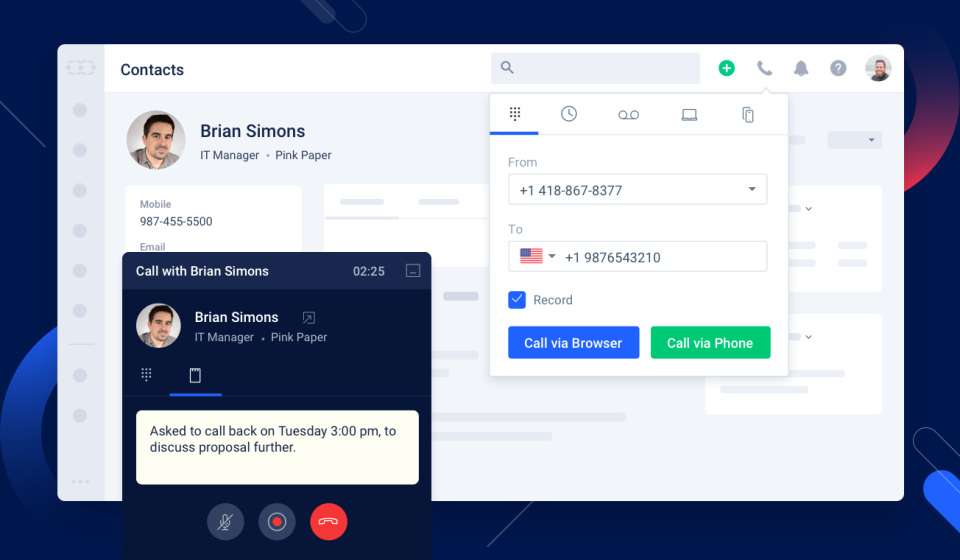
Salesmate is a single platform that helps create personalized experiences across marketing, sales, and service touchpoints across all channels – email, text, chat, web, calls, and eCommerce. It is designed to enable users to generate more leads, close more deals, and build lasting customer relationships. It replaces many disjointed systems to save users time and money. Salesmate offers businesses: …
$29
per month per user
Pricing
Reply
Salesmate
Editions & Modules
AI Chat
$50
per month
Email Volume
$59
per month per user
Multichannel
$99
per month per user
Agency
$166 (starts at)
per month (billed annually) per account
AI SDR Starter
starting with $800
per month 1000 active contacts
AI SDR Growth
Starts from $2500
per month 5000 active contacts
Basic
$29
per month per user
Pro
$49
per month per user
Business
$79
per month per user
Enterprise
Custom
Offerings
Pricing Offerings
Reply
Salesmate
Free Trial
Yes
Yes
Free/Freemium Version
Yes
No
Premium Consulting/Integration Services
No
No
Entry-level Setup Fee
Optional
Optional
Additional Details
Discount available for annual pricing.
We offer built-in calling:
Starting at $1.10 per month for your phone line & pay as you go credits
More Pricing Information
Community Pulse
Reply
Salesmate
Considered Both Products
Reply
Verified User
Anonymous
Chose Reply
Reply is simpler and faster for reps. Sequencing, task queues, and basic A/B testing are easy to run, so ramp time and admin overhead stay low. Salesloft is stronger for enterprise governance, dialer ecosystem, and deeper analytics. HubSpot offers the widest footprint with CRM, …
I’ve used Apollo.io alongside Reply, and while Apollo offers broader data enrichment and prospecting tools, Reply shines in its simplicity and focus on outreach automation. Reply’s interface feels lighter and more intuitive, making it easier to manage campaigns without …
Reply is a very good and widely known platform. I find it to be a lot more sophisticated and composed. I believe this tool works great for both large and small companies, which makes it stand out. There are so many other tools that work great, but they are restricted to the …
Its customer service is very professional. They
respond to my messages within a few minutes. I recently had a hard time creating templates, and their representative gives me the right workable solution, which makes me more comfortable using the platform on the next step.
It …
These tools are great, but they aren't built for what we use Reply for. Reply is perfect for doing these outbound campaigns at scale, whereas with ActiveCampaign and Vitally we were trying to turn the tools into something they are not.
Reply is more user-friendly and has more features than the other tools I’ve used. It doesn’t have every feature we need, but it works better than the others that exist in the important aspects (connects to Gmail, accurate results, customization, etc.)
Reply is a great tool, but it is not as sophisticated as Outreach. I think Outreach works best for larger companies, while Reply works great for smaller ones. The two tools have a lot of similarities. Outreach has also built a culture around their product, whereas Reply has not …
We've used MailChimp's email chain automation but they don't work as well as Reply.io when you need a plain text email to write to your contact. Our Business Development Managers are happier with Reply.io and say it has met their needs a lot better than the instruments that …
I terms of outbound emails, I would say Reply.io is very similar to SalesLoft Cadence. I haven't used Cadence since last year, so there may be upgrades that I'm unaware of. But I prefer the interface for Reply and it's significantly cheaper. For teams smaller than 4 you can't …
I think Reply.io has the most features for the price and the ability for me to insert dynamic images was the real winner. I have found that this is usually an enterprise feature in most of the platforms I have evaluated. I also like that this is accessible to the every day …
I haven't used any other CRM, but from what I've heard from other's that have, other CRM's are much more expensive and they don't offer the sale level of customer support that Salesmate does.
Salesmate was a good trade-off in pricing, features and possibilites: we started with a very simple pipeline management and then we slowly added some new features that we were already paying for in the basic/pro level. No need to upgrade to higher cost solutions to have full …
Salesmate is more individualised and significantly more impactful for the individual user whereas Salesforce is better at reporting and more applicable for upper management rather than daily use and workflow management.
I did brief this at the start itself. Salesmate is a simple tool, which is easy to understand, easy to navigate, easy to automate your own process, easy to configure and execute things without manually feeding it everything with all details. The simple point is - Email Outlook …
I was using the free version of Hubspot, which was extremely limiting. If I wanted to go ahead and unlock a simple feature, which every other CRM offered, my price would shoot up to hundreds of dollars a month for no reason, as they force you to unlock “all the features” not …
Salesmate is head and shoulders above these other systems when you weigh the price to features. Salesmate is simple to navigate and is packed with useful everyday features; all included at the same price. The standard features in Salesmate are additional or nonexistent features …
Salesmate is way better at keeping organized, creating call lists, and keeping track of won and lost deals. I spent years trying to organize blitz to no avail and that's why we made the move to Salesmate.
I am fairly decent with computers but I don't like dealing with things that are overly complicated. I loved Salesmate because it had all of the features we needed to manage clients, but not a bunch of extra stuff you never use. Customization of the system was easy and it didn't …
Salesmate is more user-friendly than the above. We enjoy the simplistic functions rather than too many moving parts that confuse our staff. Salesmate keeps all of the important features that you would look for in a CRM. However, if you are looking for more features you can …
In our quest to streamline our sales effort and
consolidate our siloed data, we evaluated various CRM's out there in the market
and zeroed on to Salesmate, some of the features we really liked, are the
The mobile feature is not available with Creatio Manual dialing with Freshsales CRM no power dialer Customizable
but fairly detailed (more focused on quotation management) Knowledge base not available with Mothernode
Very similar in overall layout and user experience...but the features blow these others out of the water. Where alternative solutions had features either lacking or as an upgrade (ie having to spend an extra $10-$30/month/user) Salesmate has these features out-of-the-box.
Every call, chat and email creates a support ticket which is usually 24-48 hours for a response. I accomplished more with Salesmate support than I did with a month of the entire Fresh Works Suite. Also - all components are separate with Freshworks i.e. contacts to not sync …
I have looked at trial versions of most of the major CRM's most of which did NOT have a VOIP component. The ones that did poorly worked and were buggy. I extensively looked at Bitrix24 (lacks certain functionality), worked with LessAnnoyingCRM integrated with SIMPLII VOIP …
Compared to Hubspot, Salesmate just provides so much more for less. It misses some of the marketing stuff that Hubspot has but personally I never needed them because I use a different software for that anyway.
The reply is an excellent sales management solution. If any company wants to save time and keep their sales team flexible, they should try it first. It is a fantastic tool for delivering multiple emails to any target audience. This is also the best deal for firms who looking for an all-in-one solution, as it provides virtually unlimited email addresses along with CRM and outreach automation.
Salesmate gives us everything we need as a small business, with a clear interface, and can adapt to any business. If I was being ultra picky, I would perhaps suggest the ability to remove or hide certain modules not applicable to our niche, e.g., we are a B2C business, so the company module is not really useable for us, but this is not a negative by any means.
This product gives me the liberty to very easily and freely navigate all things on my own, which does not require many skills to start working.
This product gives us the leverage of creating our own tailored and personalized templates for our teams in just a matter of minutes.
This program is so automated that it performs everything on its own from LinkedIn to email search, to even booking meetings.
I found the onboarding process pretty great and efficient. I am really happy with the overall customer support. They are some of the nicest people I have met who are there to willingly help me at any time of need and problem.
Their usability is also hands down very good. However, I find their user interface to be slightly less user-friendly, so there is some degree of scope in the improvement of their user intuitiveness and user-friendliness.
Syncing to other programs. You cannot interrelate Reply with other software in a simple way. Zapier is required and even then it’s not perfect.
Similar to syncing, there’s no way to export results of particular campaigns. This is awful. If I send out a campaign to a group, I’d like to export the results to enter into a CRM since I can’t sync the contacts. One of these features must be added ASAP.
Organization. While Reply itself is user-friendly, keeping campaigns and contacts and results organized is not. You cannot organize campaigns or file them away when they are done. Therefore you have to delete campaigns to stay organized and lose results, which you cannot even export.
The search feature can be buggy and does not allow for highlighted text to be typed on. You must clear the box or hit backspace before typing. The only app in my life that does this.
The dashboard button is pointless if it still makes you choose between legacy or classic.
Very happy with the customer service and the overall functionality of the program. With new features always being launched and discussed I'm looking fwd to growing with them
Reply’s overall usability is strong. The interface is intuitive, and most features are easy to navigate without much training. Creating and managing sequences is straightforward, and the automation flow saves a lot of manual effort. Occasionally, the dashboard can feel a bit cluttered, and reporting could be more flexible. But overall, it’s a user-friendly tool that allows teams to get started quickly and operate efficiently day to day
The platform is incredibly robust while maintaining a clean appearance. This allows you to see exactly what you need at any given time without being overwhelmed. The ability to customize your dashboard easily allows you to see the information that is most relevant to your operations and needs.
I generally receive a reply in no time at all and found not only the support org. but the sales team to be extremely helpful. Additionally I found a great onboarding process with plenty of resources to consume.
Fantastic - always reply in a reasonable amount of time, usually with a simple fix. The support website is very handy, but often you will likely have 'niche' questions - to which the team are all to happy to help with. For larger issues, we have had to lodge tickets with tech, but to date, every issue we have had has been resolved. Very happy with the support and service.
Reply is simpler and faster for reps. Sequencing, task queues, and basic A/B testing are easy to run, so ramp time and admin overhead stay low. Salesloft is stronger for enterprise governance, dialer ecosystem, and deeper analytics. HubSpot offers the widest footprint with CRM, marketing automation, and complex workflows, but it’s heavier and pricier. We chose Reply for speed, cleaner UX, and cost efficiency. Tradeoff: it lacks some HubSpot extras like advanced workflows, ticketing, and multi-touch attribution.
I was using the free version of Hubspot, which was extremely limiting. If I wanted to go ahead and unlock a simple feature, which every other CRM offered, my price would shoot up to hundreds of dollars a month for no reason, as they force you to unlock “all the features” not just the ones you need. Salesmate is much better, as you can choose which features you want, and don’t want.
Reply.io has been a lot more effective than MailChimp in terms of the follow-ups for the email chains. We use them to contact the people who said they wanted to do business with us and MailChimp's emails usually went to Promotions on Gmail. With Reply.io, we overcame this problem and the open rate improved 30%.