DiskStation is a line of network-attached storage (NAS) solutions from Synology headquartered in Taiwan.
N/A
TeamViewer
Score8.5 out of 10
N/A
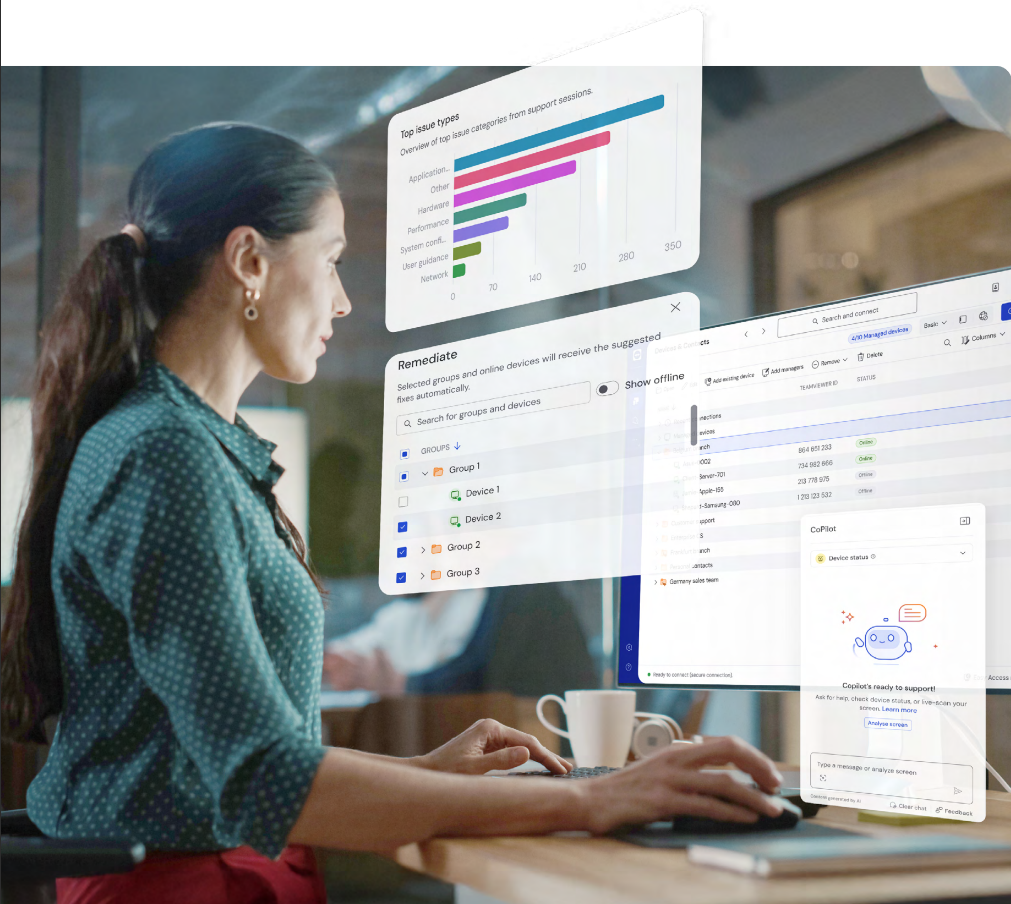
Teamviewer offers secure remote access, IT support and device management on a scalable platform. It speeds up problem resolution, reduces downtime and enhances control through automation, unattended access and complete visibility of every device and location.
The Synology DiskStation is well suited as a NAS solution, easy enough to mirror a Windows file server shares setup. Access to the Hyperbackup utility eliminates the need to purchase a tape backup solution. A portable USB drive can be used as the initial backup target. For air gap purposes can connect Hyperbackup to the various cloud providers such as AWS, Azure, GCP to copy backup data there. Utilizing it as a backup solution has also been great, instead of purchasing a tape solution, tapes and an offsite tape repository. Active Backup for Business is another excellent backup utility for physical servers, VMWare virtual machines, etc. Restoring files is fairly intuitive. Until Synology introduced the dual controller setup, using it as a SAN was less appropriate as there was occasional downtime when the controller had an issue but this was less important for the scenarios we were using it for. It would be more of a concern if we had used it for things that require more robust uptime requirements. Overall we are happy with the features of the Synology DiskStation.
A de minimis incentive was given to thank the reviewer for their time. The incentive was not used to bias or drive a particular response, nor was the incentive contingent on a positive endorsement. More Info
I would definitely recommend it, and that's why I've stuck with it so long: continuous improvement. Now AI has fully embraced it to help with faster monitoring and Troubleshooting, saving me a huge amount of time and effort. Affordable to use for both personal and Professional work to assist colleagues from different workstations.
Synology DiskStation offers lots of options for creating links to share files or request that some uploads files. It makes it really easy to just share a link that can have an expiration or a set number of times it is accessed.
We always had enough storage on our Synology DiskStation, we never had to worry about something being too big to upload or share.
Love how you can create folders that are shared and also have some that are private. This makes it so easy to have shared collaborations with coworkers or clients, but also allows you to have a private place to save things that only you need.
A de minimis incentive was given to thank the reviewer for their time. The incentive was not used to bias or drive a particular response, nor was the incentive contingent on a positive endorsement. More Info
A de minimis incentive was given to thank the reviewer for their time. The incentive was not used to bias or drive a particular response, nor was the incentive contingent on a positive endorsement. TR verified that a representative sample of customers was invited. More Info
While BTRFS is a more advanced file system than ext4, it also is in a perpetual state of development, with many features not fully functional and a plethora of bugs. Synology has managed to overcome many of these limitations by placing BTRFS on top of a LVM, but there are much better file systems that Synology could have used, such as OpenZFS.
DSM's built-in backup software, HyperBackup, while robust, oftentimes runs into issues. Specifically, backups can be working fine for months or years, and then suddenly the backups will fail. Sometimes these failures can be resolved, but oftentimes the backups need to be completely restarted. Fortunately, even when the backup fails, the existing backups are still accessible, it is just that new backups can not be performed.
The underlying Linux OS provides significant benefits, but also adds a fair amount of complexity. Most of that complexity is wonderfully hidden by the DSM interface, but when certain problems arise, delving into the Linux command line is not out of the question.
Perhaps the biggest issue with Synology DiskStation is Synology's support. The issue isn't that the support is bad, but it can be frustratingly slow when dealing with a major issue. Synology does have a very active community that is always willing to help, but nothing beats first-party support.
A de minimis incentive was given to thank the reviewer for their time. The incentive was not used to bias or drive a particular response, nor was the incentive contingent on a positive endorsement. More Info
MFA could be a lot better when connecting to the remote device. If a phone is added to security for the remote worker, then the admin cannot use Easy Access to access the device without interaction with the remote worker. Admins should have access to remote devices via other MFA methods.
App updates sometimes cause unstable status and computer must be restarted.
OS updates often require additional user interaction before completing the sign-in process, leaving TeamViewer in an incomplete startup state and preventing the Remote Worker from accessing the device. An admin then has to remote into the device using another remote desktop access tool (Apple Remote Desktop, for instance) and bypass the user interaction screens, which allows the login process to complete and TeamViewer to start up fully. It would be best if the TeamViewer Host could connect even when the OS is prompting for user interaction (e.g., clicking OK on modal dialog boxes post-update).
A de minimis incentive was given to thank the reviewer for their time. The incentive was not used to bias or drive a particular response, nor was the incentive contingent on a positive endorsement. TR verified that a representative sample of customers was invited. More Info
As long as Synology give us support for our hard drivers we will not change. I know Synology has now forced their hands to buy their own hard drivers and their new line of products. But if we still have support for old hard drivers from other manufacturers then we will still use Synology Nas. Otherwise we change manufacturers
We need this tool in our day to day business. It is what we do all day remoting into clients devices. In this day and age we can access devices all over the world as long as we have secure internet connection. It certainly saves money in gas, and even if you are away you can help.
A de minimis incentive was given to thank the reviewer for their time. The incentive was not used to bias or drive a particular response, nor was the incentive contingent on a positive endorsement. TR verified that a representative sample of customers was invited. More Info
The Synology DiskStation is easy to set up and manage. The interface is clean and features are well documented. These units are reliable and can be set up to do scheduled integrity checks so failures can be mitigated before they halt business operations. The available packages for expanded roles makes these devices versatile.
A de minimis incentive was given to thank the reviewer for their time. The incentive was not used to bias or drive a particular response, nor was the incentive contingent on a positive endorsement. More Info
TeamViewer is a reliable and really strong tool for accessing remote IT platforms secure and fast. We don't know any product that provide us such strong functionality to make our life as a internationally recognized MES provider with DIAMES with an international clientele so easy. We look forward for any new TeamViewer functionality that supports us even more.
A de minimis incentive was given to thank the reviewer for their time. The incentive was not used to bias or drive a particular response, nor was the incentive contingent on a positive endorsement. More Info
TeamViewer has always been available when we needed to use it. We have not noticed any outages or periods where the software functions were unavailable.
A de minimis incentive was given to thank the reviewer for their time. The incentive was not used to bias or drive a particular response, nor was the incentive contingent on a positive endorsement. More Info
TeamViewer performance has always been very good. Pages load quickly and we can see what the remote engineers are doing on the computer in real time. This is very beneficial for our own technicians and engineers and helps their learning curve. Troubleshooting is much easier with TeamViewer. We have not noticed and lagging of our computers while using TeamViewer.
A de minimis incentive was given to thank the reviewer for their time. The incentive was not used to bias or drive a particular response, nor was the incentive contingent on a positive endorsement. More Info
Unfortunately, the one time I've had to reach out to DiskStation support, it did not go well. My NAS appliance wasn't appearing on the network, and no matter what the support team tried, they could not get it back online. Instead of offering to send me a new unit, they told me to go buy a new one - obviously, this was a disappointing response and not very eco-friendly either! Fortunately, through some internet research of my own, and some ingenuity, I figured out I could restore my NAS to factory settings by removing all the drives and resetting. Only then did I realize I had a bad disk. I had to experiment for a while to figure out which one it was. Once I had done that, though, I was able to get the latest DiskStation loaded back on, no thanks to the DiskStation support crew. If notifications were rock solid, I suspect I would have caught the bad disk before it because an OS problem, but I never received a bad-disk notification.
A de minimis incentive was given to thank the reviewer for their time. The incentive was not used to bias or drive a particular response, nor was the incentive contingent on a positive endorsement. More Info
the few times i have had to contact teamviewer support, they were very responsive and give me quick answers and seemed to understand my problems quickly and easily. I did not have to sit on the phone for hours on hold or get passed around to multiple phone support techs before finding a solution to my issues, so i would rate their support very highly.
A de minimis incentive was given to thank the reviewer for their time. The incentive was not used to bias or drive a particular response, nor was the incentive contingent on a positive endorsement. More Info
As expected without any problem! Alternate in-person training is another efficient way to learn how a product works. There are many third party supporters for TeamViewer courses available that can give additional ideas how to use TeamViewer for specific functions and features as we did require in respect of our usage.
A de minimis incentive was given to thank the reviewer for their time. The incentive was not used to bias or drive a particular response, nor was the incentive contingent on a positive endorsement. More Info
I have never used the online training either. I have watched a few informational videos that were helpful when learning how to do a specific procedure within TeamViewer and get the most out of the software by utilizing one of the many features that are available with the software. Again, 5 if for neutral.
TeamViewer installation and deployment to other devices is pretty straightforward and does not require much technical know-how. This makes ease of use attractive when supporting both new and existing clients with limited technical knowledge. I think ease of use is a huge factor in getting new clients. TeamViewer handles that extremely well.
A de minimis incentive was given to thank the reviewer for their time. The incentive was not used to bias or drive a particular response, nor was the incentive contingent on a positive endorsement. TR verified that a representative sample of customers was invited. More Info
Synology DiskStation packs a punch with the latest and greatest feature set which goes above and beyond many other vendors. It allows for a turn-key solution to cover almost every use case in the SMB market leaving other vendors behind.
A de minimis incentive was given to thank the reviewer for their time. The incentive was not used to bias or drive a particular response, nor was the incentive contingent on a positive endorsement. More Info
TeamViewer's cost is much lower than that of other solutions, and its security is far superior to RemotePC's. TeamViewer is also a request-based remote session manager, unlike other software that allows indefinite connection time. TeamViewer's free version makes it even better for one end of the group to find support, while the other end has the paid version.
A de minimis incentive was given to thank the reviewer for their time. The incentive was not used to bias or drive a particular response, nor was the incentive contingent on a positive endorsement. TR verified that a representative sample of customers was invited. More Info
A de minimis incentive was given to thank the reviewer for their time. The incentive was not used to bias or drive a particular response, nor was the incentive contingent on a positive endorsement. More Info
A de minimis incentive was given to thank the reviewer for their time. The incentive was not used to bias or drive a particular response, nor was the incentive contingent on a positive endorsement. More Info
A de minimis incentive was given to thank the reviewer for their time. The incentive was not used to bias or drive a particular response, nor was the incentive contingent on a positive endorsement. TR verified that a representative sample of customers was invited. More Info