TrustRadius: an HG Insights company

Veeam Data Platform

Score9 out of 10

1,975 Reviews and Ratings

What is Veeam Data Platform?

Veeam’s® premier product, Veeam Backup & Replication™, delivers availability for all cloud, virtual, Kubernetes and physical workloads. Through a management console, the software provides backup, archival, recovery and replication capabilities.

Media

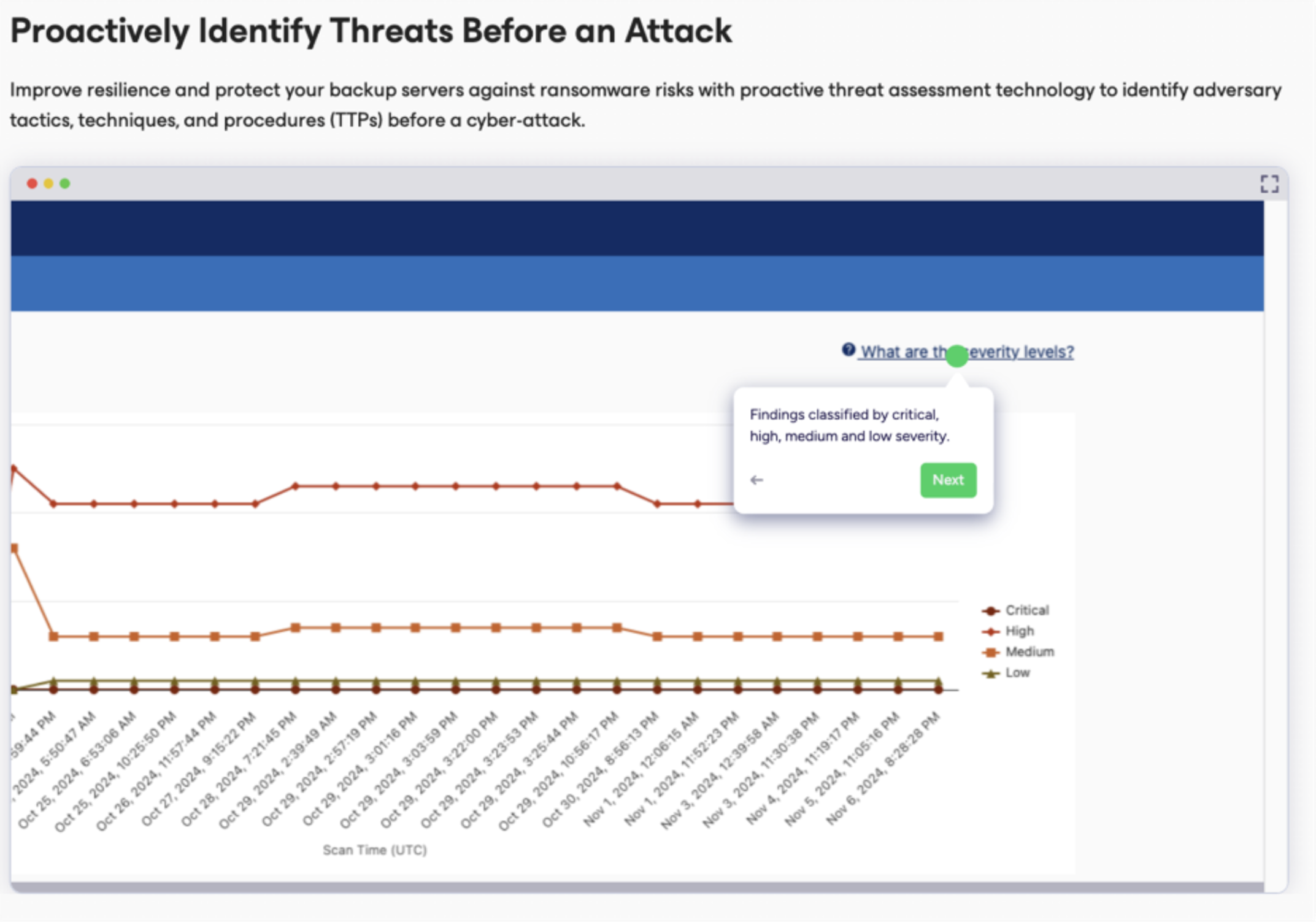
an example of the proactive threat assessment technology used to identify adversary tactics, techniques, and procedures (TTPs) before a cyber-attack.
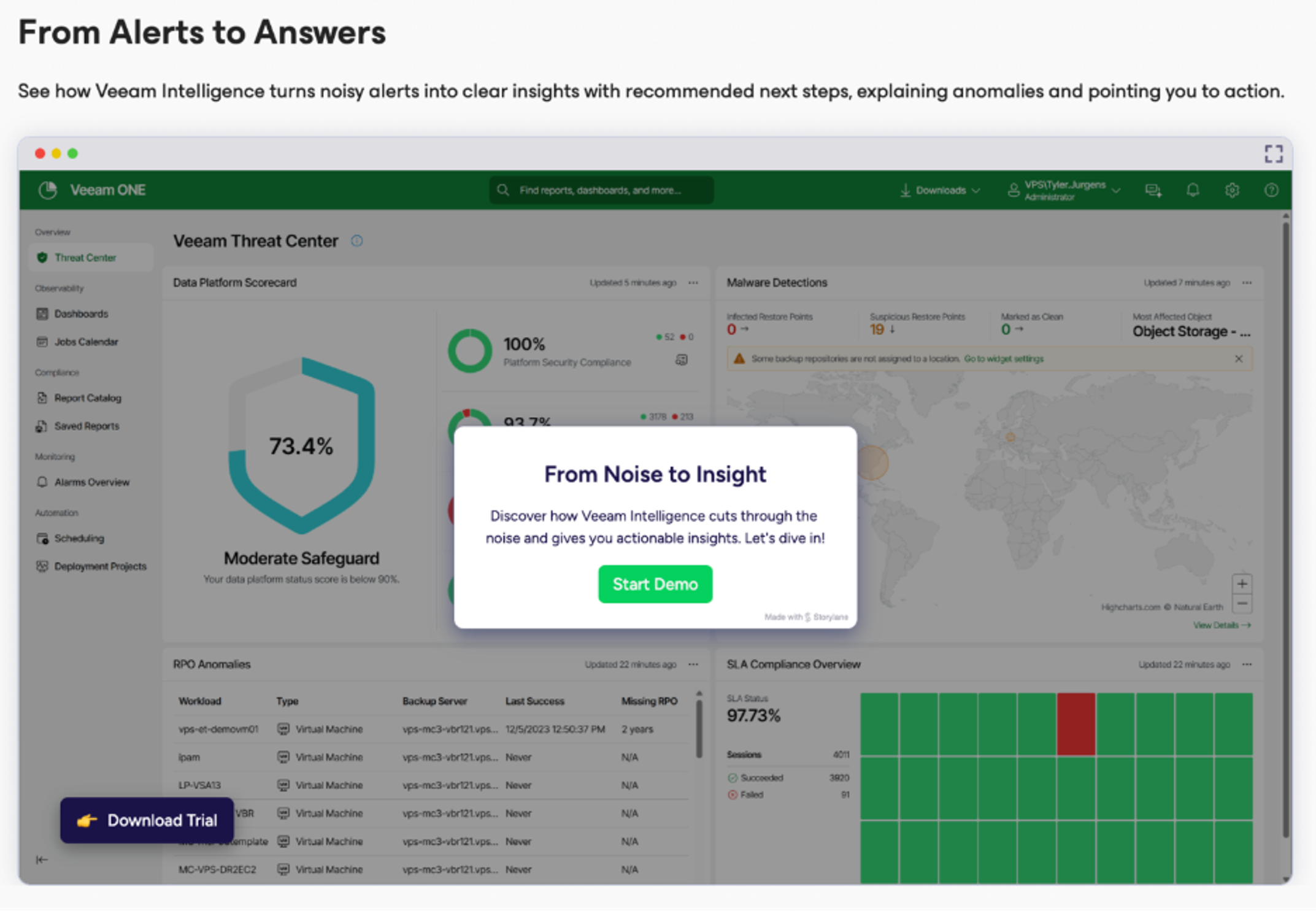
where Veeam Intelligence turns noisy alerts into clear insights with recommended next steps, explaining anomalies and pointing out the next best action.
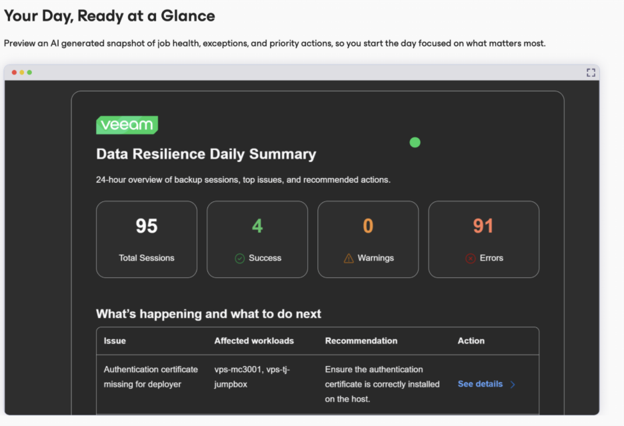
a preview of an AI generated snapshot of job health, exceptions, and priority actions.
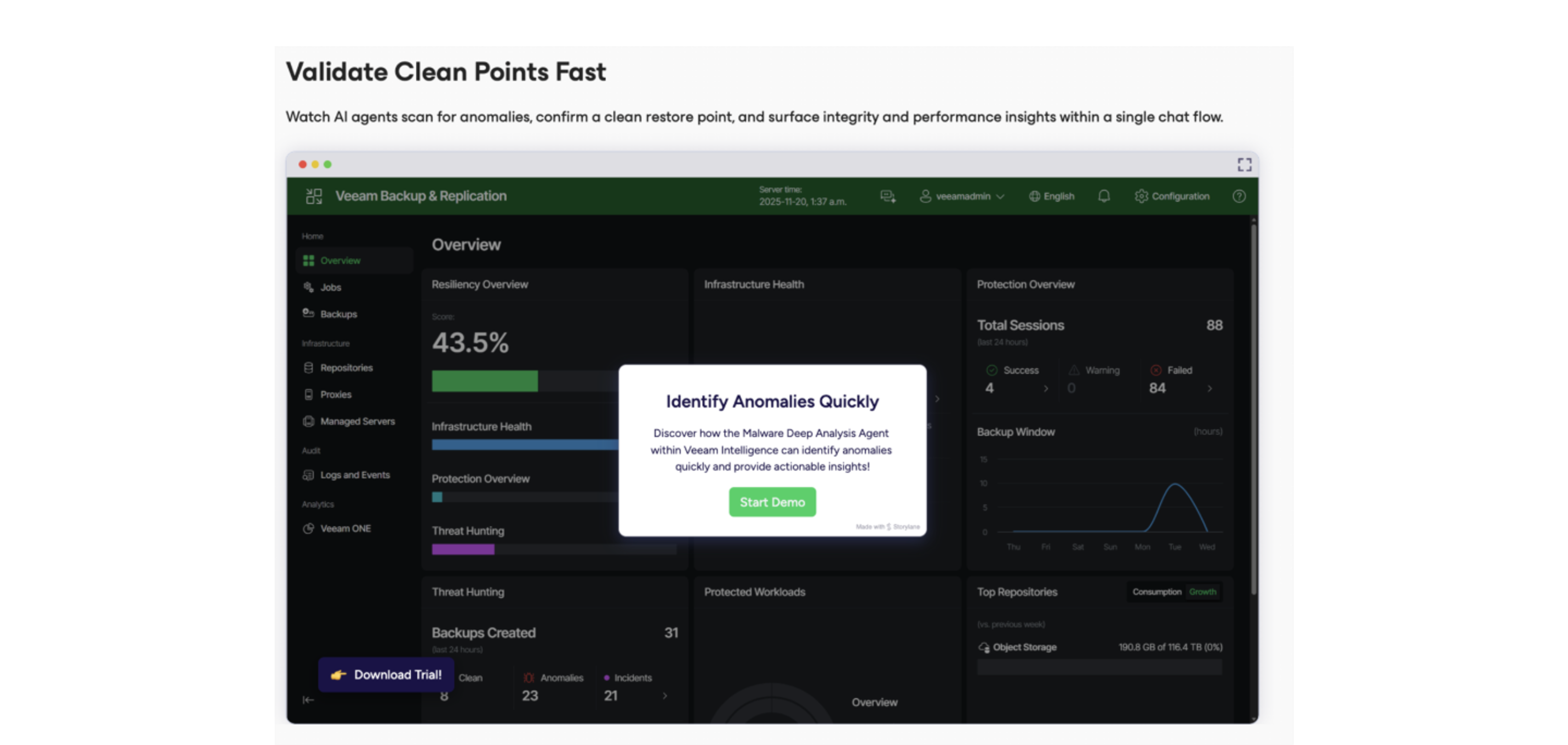
the chat flow to watch AI agents scan for anomalies, confirm a clean restore point, and surface integrity and performance insights.

1 / 4

Top Performing Features

  • Multiple backup destinations

    Multiple backup destinations is the ability to backup data to more than one location

    Category average: 8.5

  • Incremental backup identification

    Incremental backup identification is the ability to identify incremental changes since last backup

    Category average: 8.8

  • Universal recovery

    Universal recovery is the ability to restore backups to any machine regardless of the platform

    Category average: 8.5

Areas for Improvement

  • Instant recovery

    Instant recovery is the ability to restore operations very rapidly

    Category average: 8.6

  • Flexible deployment

    Deployment on any servers with full support for all applications being used

    Category average: 8.3

  • Management dashboard

    Web-based dashboard allowing configuration and monitoring of all backups

    Category average: 8.6

Veeam Data Platform is great depending on your needs.

Use Cases and Deployment Scope

We used Veeam Data Platform to back up our Linux servers. Windows were also being done, but not by my department. We are backing up normal webservers, scientific servers, and database servers. We had a wide variety of use levels on the servers. Some servers did not have much use, why some of our database servers where under heavy loads with constant writes to the database.

Pros

  • Connecting to new servers worked well
  • Web servers backed up with no issues
  • Restores were great

Cons

  • Heavy databases could not get a good backup and repeatedly failed
  • Couldn't get details about the Linux clients
  • Could not verify compression/dedup

Return on Investment

  • Saved substantial amount to budget
  • Allowed for more flexibility for expanding at a low, known cost
  • Intuitive dashboard lessened training and thus saved money

Other Software Used

Veritas NetBackup, Red Hat Enterprise Linux (RHEL)

Great low cost backup solution.

Use Cases and Deployment Scope

We use it as our primary file store backup and file recovery. We also use it to back up a physical-only DB server.

Pros

  • Setup, is a breeze.
  • Data Recovery from folder or file level is amazing.
  • Bare metal restores while it takes time, is flawless.

Cons

  • UI I feel could be snappier.
  • The load times to even get to the directory or file recovery area could be faster.
  • Detailed information while doing a bare metal restore would be nice.

Return on Investment

  • Recovery from Ransomware has been easier.
  • Recovering files after someone has deleted them is much easier and less time-consuming than using Windows' shadow copy feature.
  • Cloning the physical DB server was very nice and easy. A lot less time-consuming than reloading the OS and all the packages.

Alternatives Considered

Unitrends

Other Software Used

Db2, SAP BusinessObjects Business Intelligence, Contentverse

Your Secure Backup

Use Cases and Deployment Scope

I use it to back up my virtual machines and some databases. The problem is that, since I have it synced with Azure, I run into synchronization issues when uploading the backups to the cloud, and I have to contact support to resync the backups I have locally. The scope of the company's backup process covers the company's computers (PCs) and servers.

Pros

  • backup restoration
  • backups
  • backup notifications
  • job configuration

Cons

  • More detailed restoration.
  • Backup frequency.
  • Higher compression when performing a backup.

Return on Investment

  • the cost-benefit ratio favorable
  • configure cloud jobs directly from the app
  • Immutability of backups and their retention periods

Alternatives Considered

Veritas NetBackup and Commvault Clumio

Other Software Used

Azure App Configuration, Google Authenticator, VMware Anywhere from Claranet

Veeam is a no-brainer for easy and reliable backups.

Use Cases and Deployment Scope

We use Veeam as the center of our Disaster Recovery process. It makes backing up our VMWare infrastructure painless and is extremely reliable. It works very well with several different types of storage repositories, and is a breeze to configure. We have also used application-specific and file-level backups on many occasions. This allows you to revert to a previous backup and restore a specific file or even an Active Directory object that was mistakenly modified or deleted. This has saved us a great deal of time, rather than doing a full restore for just a couple of files.

Pros

  • Veeam takes the guesswork out of configuring your backups.
  • I've never had a failure on restore, and we have done several.
  • It has built in alerting, so you can easily see if a backup has failed to run correctly.

Cons

  • On occasion, the 'reason' for a failed backup can be a little hard to understand. It would be nice if it were a bit more straightforward.
  • I would love to run the platform natively on Linux, but I don't think it's an option.
  • Sometimes, locating the correct update file for the platform software can be a bit confusing. If they had an option to download the correct update file from within the console, that would take some of the guesswork out of it.

Return on Investment

  • Veeam has saved us multiple times with failed server upgrades, database corruption, etc. It is nice to be able to easily roll back to a previous backup.
  • We had an instance in which several users were accidentally deleted from Active Directory, and Veeam made restoring the accounts quick and painless.
  • Veeam definitely gives us peace of mind when it comes to backup security and reliability.

Alternatives Considered

Synology Active Backup Suite

Other Software Used

SolarWinds Kiwi Syslog Server, Security Onion, RS2

Veeams solution is second to none.

Use Cases and Deployment Scope

We use Veeam to back up our data and replicate our VMs onsite, offline, and in the cloud to S3 storage. Veeam has given us greater insight into the data that's being backed up, as well as confidence that it's available if/when we need it.

Pros

  • SQL Backups are quite fast.
  • VM replications are quick and easy to setup, and have had zero issues.
  • Orchestration of backups at different sites is fast, and reliable.

Cons

  • A user-friendly wizard to guide users through configuring jobs of any kind. For example, offer the option in a job configuration to create a copy job once, instead of having to go back and set it up after the fact.

Return on Investment

  • Very positive impact where we're more confident in the quality and availability of our backups.

Alternatives Considered

NAKIVO Backup & Replication

Other Software Used

ESET PROTECT, Action1, Zabbix

Usability
