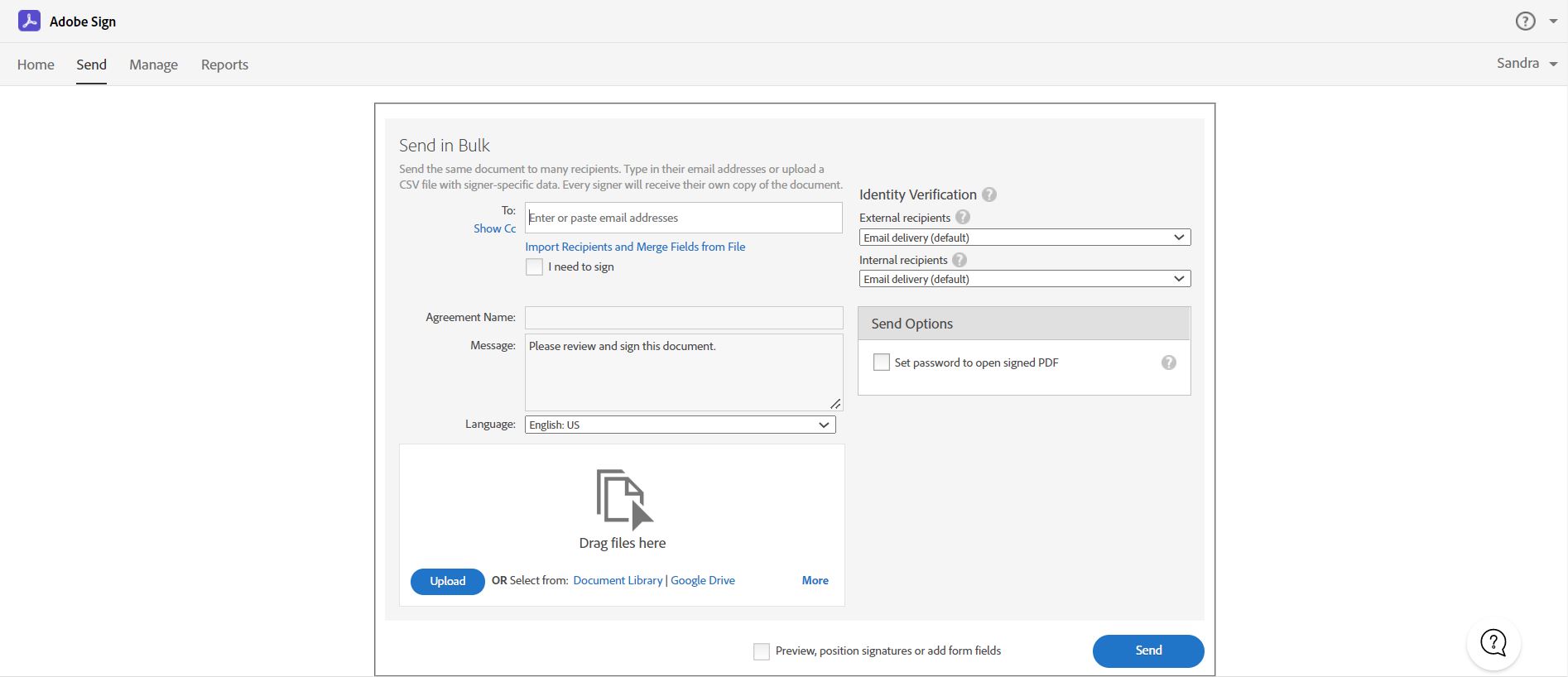
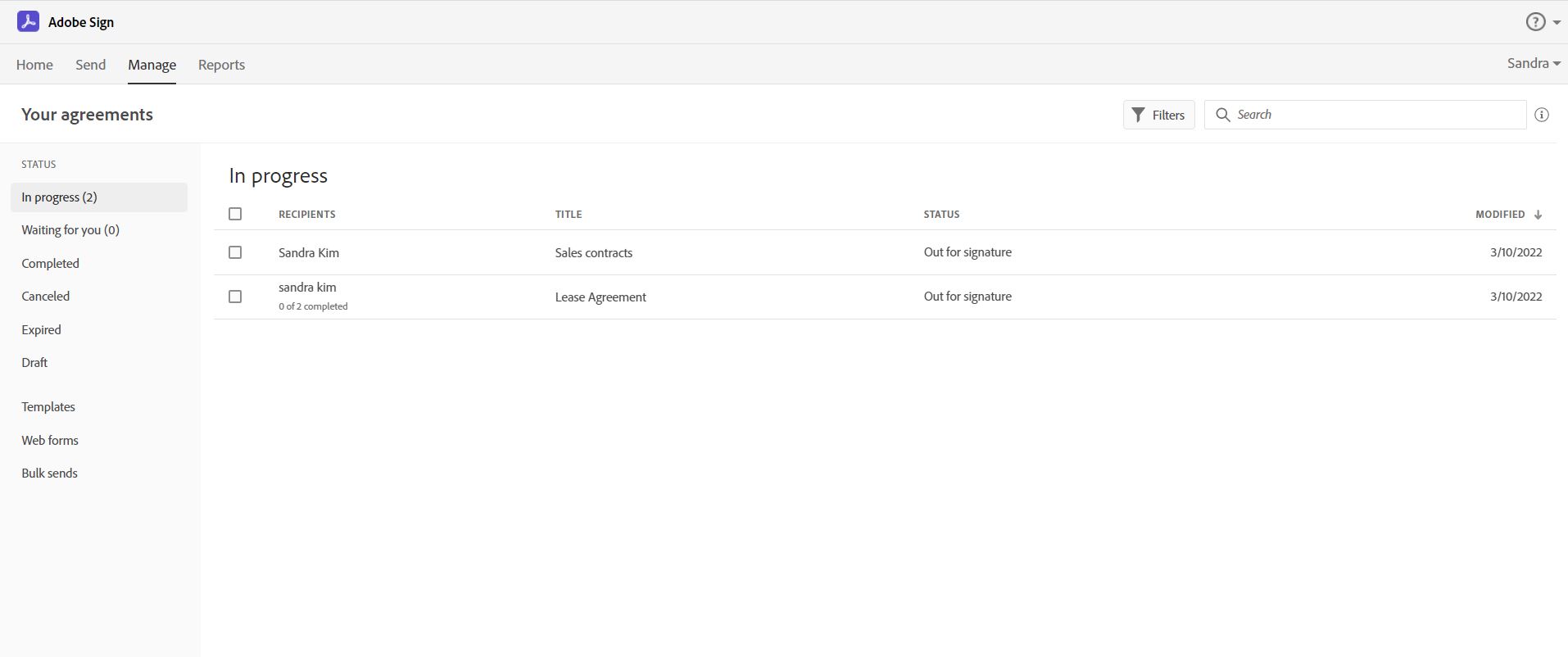
Acrobat Sign is an e-signature solution that combines simple and secure e-signatures with Adobe Acrobat. With Acrobat Sign, the user can create, sign, send for signature, manage, and track documents from one Adobe platform. The user can create signing experiences for customers and teams by enabling them to sign documents on any device or browser – anytime, anywhere. No additional software download or accounts are needed. As Microsoft’s e-signature solution, Acrobat Sign…
$14.99
per month license
Coremetrics / IBM Digital Analytics (discontinued)
Score 8.9 out of 10
N/A
Based on the former Coremetrics, IBM Digital Analytics is a discontinued analytics product. IBM acquired Coremetrics in 2010, and re-branded the platform to the IBM Digital Marketing Optimization Solution. Product support was ultimately provided by Acoustic, but the product is not a part of the company's plans going forward.
N/A
PDCflow
Score 0.0 out of 10
N/A
N/A
$40
per month
Pricing
Adobe Acrobat Sign
Coremetrics / IBM Digital Analytics (discontinued)
PDCflow
Editions & Modules
Acrobat Standard DC for teams
$14.99
per month license
Acrobat Pro DC with advanced e-sign
$16.99
per month license
Acrobat Sign Solutions
Call 800-685-4192 for pricing
No answers on this topic
Basic
$40
per month
Offerings
Pricing Offerings
Adobe Acrobat Sign
Coremetrics / IBM Digital Analytics (discontinued)
PDCflow
Free Trial
Yes
No
No
Free/Freemium Version
No
No
No
Premium Consulting/Integration Services
Yes
No
No
Entry-level Setup Fee
$34.99 license per month
No setup fee
No setup fee
Additional Details
—
—
—
More Pricing Information
Community Pulse
Adobe Acrobat Sign
Coremetrics / IBM Digital Analytics (discontinued)
PDCflow
Best Alternatives
Adobe Acrobat Sign
Coremetrics / IBM Digital Analytics (discontinued)
Coremetrics / IBM Digital Analytics (discontinued)
PDCflow
Likelihood to Recommend
Adobe
Acrobat Sign isn't quite as user friendly as other E-Sign platforms I have used. However, it offers a wide range of features that provide convenience and efficiency. For example, I can have multiple people receive the same document separately, or I can have multiple people receive and review the exact same document. I also like that I can choose to set a signing order or not, this is important for when I send Offer Letters and other things that require order of approvals.
IBM analytics has continued to improve upon the days of being the original core metrics. After using the updated version for quite some time, it has been great at providing the needed analytics to measure ROI and goal performance for our quarterly KPI's. It has resulted in a great increase in web engagements although we are a midsize company, smaller outfits may not need such an expensive option.
Adobe Acrobat Sign tracks whether or not a signer has viewed a document
Adobe Acrobat Sign tracks when a signer has signed, and the document has been sent to the next signer
Adobe Acrobat Sign sends you confirmation emails and progress update emails along the way
Adobe Acrobat Sign provides a "confirmation of signing" page at the end of the document package you put together, to prove the signatures are authentic
IBM CXA comprises an acquisition called Tealeaf. This tool has deep heritage and this is evident in its present-day capabilities.
The Universal Behaviour Exchange or UBX puts the concept of personalisation at the forefront. The ability to combine physical (analog) and digital transactions to create the complete picture of a customer journey, is a stand out benefit.
The solution does not have to involve the purchase of software. IBM CXA can be sold as a service bundled with analytics as a service. This not only lowers the cost of ownership, it gets around one of the principal issues. Strong staff with design and analytical capability to drive the solution and deliver tangible benefits.
The seamless integration of Watson AI services to help with the heavy lifiting. Watson reinforces the analytical focus this solution has and can learn to recognise situations specific to a company.
Builds on Adobe platform so it is easy to utilize, but many features require enterprise subscription.
Integrations available but your CRM integration is only available with enterprise license.
Lots of templates but there are additional templates with enterprise only and there was no drag and drop editor.
Adobe captures some analytical metrics but many of the analytics we required were not available - specifically metrics related to how the tool converts and reduces use time by our team and the impact on clients.
The user interface is in Flash, which can be very frustrating and slow at times. Apparently, this is to be transitioned in a future release.
Can only segment the last 93 days of data. Any historical segmentation beyond the 93 days must be run in Explore (which is credit based, and has its own limitations with the number of credits per month, based on the initial contract with IBM).
Reports can only display 93 days of data at a given time for custom date ranges. There are pre-programmed date ranges setup with IBM during implementation (last week, last month, last quarter etc.), but are not flexible enough to answer more specific questions.
Certain reports cannot have segments applied, making answering some simple questions a bit more tricky. For example, I can create a segment around mobile devices and apply it to the marketing channels report, but I can't create a marketing channel segment and apply it to the mobile reports.
Built in API calls allows for nice report design and automation.
It is by far the easiest service we have used to obtain digital signatures from employees. In the past we had done it by hand (a process I would not recommend for 1500+ employees) and with another company that would not allow us to create our own forms and would charge us for each form.
IBM Digital Analytics is a great solution for our clients and I believe they offer the best solution for the retail space. We have access to IBM support via email or live chat and they can answer many of the reporting questions that come up. IBM is receptive to our feedback of the product so I am confident they will continue making improvements
I've had very little trouble with it in all my uses with it. I do wish the text boxes you add wouldn't cut off the text if you entered too many words and that it would adjust it's size to fit within the space you've provided. However, that just takes a little refining in the initial set up of the document before you send it out.
I would have rated this a 9 or greater had they not had had such critical outages. They have taken steps to resolve this so I may come in and revise this
The Adobe Acrobat Sign's performance are excellent.
When we send electronic document by email for signature all the customers receive it regularly, nobody has any issue to open it and the signature phase was very easy. The user-friendly aspect of this product reduce or reset the call for IT support
As reports are templated, the system is pretty quick. Sometimes you have to wait a bit for a report to render. Or you might have to re-load the page. But there is no real issue here and the system is on par with other similar systems.
It is a great tool to get signatures from the client and has reduced a lot of overhead that was caused before resulting in very long delays. With the integration of Adobe Acrobat Sign, we have reduced this delay making the process much smoother and more efficient.
Overall, the level of support is very good and I would say it is a strong asset of the solution. However, you can sometimes feel that there is a difference of level among the support team.
The best types of training are well integrated into the product and Echosign does this well. As mentioned earlier in my review - there are some areas of functionality that can be difficult to understand ("only I sign") for the novice user. Other areas such as macro usage, bulk signature and so on were easily learned and understood via the online tools.
Online training is really great. One of the best assets that they have. Lots of great videos, pop quizzes at the end of each module. Fantastic. Other tools have similar features, but not as good.
We did not use it in the manner that most companies do, so I am pleased with how our company handled implementation. We will be pushing the full company over into Echosign for various processes which will incorporate more of an implementation effect.
They are just different. Adobe's number one feature that puts it above it's competitors is that your document, the signing process, all of it exists within Adobe. There is no need to go from Word, to Adobe, to DocuSign. It saves you time and makes life easy for you (and for your clients).
Much of the work we did in IBM Digital Analytics could have been answered through Google Analytics, a much simpler, agile and FREE solution set. Not mention, given the vast number of Google Analytics USERS, free and actionable support is simply a click away ... this compared to IBM Digital Analytics fractured and often absent support service.
At the beginning we assigned Adobe Acrobat Sign just to Purchase Office Department because at that moment we needed a tool that supported us to avoid manual signature and was compliance with remote working.
Now we are using it also in other situation because it help us with time and we can also reduce cost
This solution can support large amount of data and transaction. The way that user management features are built, it shows it is meant for large organizations.
We spend too much time trying to work around bugs on the new UI.
We spend too much time trying to figure out how to make certain segments work because support and the knowledge center are lackluster.
Our sales rep is very unresponsive and leaves us searching for a lot of answers on our own, including what other products we may benefit from that IBM offers.