Adobe Captivate is an elearning authoring and course design tool (or LCMS). It supports mobile HTML5 content. Captivate’s users are commonly midsized businesses to enterprises. Adobe Captivate includes some prebuilt assets as well as customizable workflows.
$33.99
per month
Adobe Learning Manager
Score 8.0 out of 10
Mid-Size Companies (51-1,000 employees)
Adobe Learning Manager is a Learning Management System developed by Adobe Inc. that offers personalized learning at scale to employees, partners and customers alike. Compliant with GDPR guidelines, SOC2 TYPE 2 and FedRAMP Certifications, Adobe Learning Manager integrates with Adobe Experience Manager Sites, Adobe Commerce, Marketo Engage with out-of-the-box components and any other application through Open APIs, offering hybrid learning programs and detailed analytics.…
N/A
Axonify
Score 10.0 out of 10
N/A
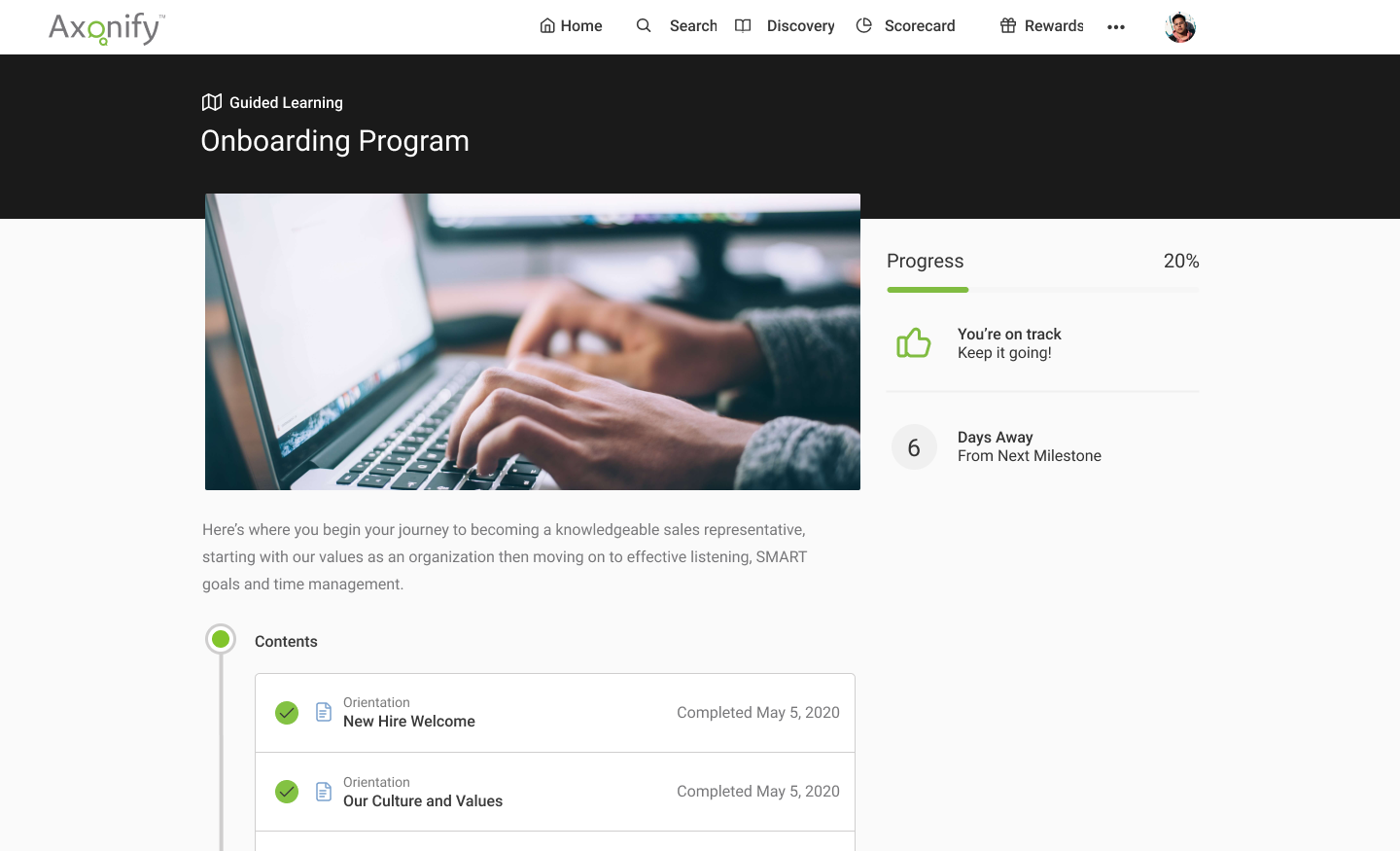
Axonify is a frontline enablement solution used to maximize the productivity of workforces. Axonify states they use brain science and AI to drive knowledge retention through bite-sized microlearning and daily intelligent reinforcement. Embedded two-way communication and feedback ensure staff is engaged, informed and connected to HQ, no matter the scale of the organization. Guided task management shows employees exactly how to put their training to use, every single day. And to ensure staff…
Captivate is SIGNIFICANTLY more user-friendly than Storyline or Flash. We found Storyline challenging and not as integrated as Captivate and Flash made it much harder to make edits to older content. While Storyline is viable we just don't feel it has the same capability or …
Captivate is well suited for instruction designers who want to build attractive, personalized, interactive, energetic lessons. It's also a good choice for someone who wants to build something innovative because Captivate gives the developer so much control over so many aspects.
But if someone wanted something built quickly, generically and didn't care about holding the viewer's attention, then Captivate might be an expensive tool. That person might be more satisfied with a cheaper and easier to learn authoring tool.
It's good if you have a good use case for that feed. I do know that you have to incorporate it in a process in isolation. It's not you don't realize the full value, so you have to incorporate it into an overall improvement process. I would say the pro cases are marketing optimization with respect to campaigns. And I would say that the areas it's not well suited is in distilling attribution. So if you were to take all of the improvements that it suggested, the numbers exceed revenue, which isn't real, but that's a hard problem to solve. Nobody's really solved that problem well. So distilling the attribution piece would be good. And it is well suited for marketing campaigns in the ideation phase of so
Well-suited to the original purpose of delivering questions on a daily basis; everything beyond that gets complicated. For example, there are a number of program types available to deliver information (certifications, daily reinforcement, self-directed learning, assigned paths, etc.). However understanding how they all fit together requires advancing weaving together of multiple types of programs for individual groups, and requires more time than you would expect. Nearly 3 years into working with Axonify, we are still trying to iron it all out. We also have side groups of customers who meet to help each other because we all struggle with it too. We have a hard time helping our leaders and subject matter experts understand what is possible and what doesn't work well in the platform, since it is so different and doesn't work as expected. For example, communication to teams is one way - the recipients can't respond.
Quickly adding in graphics, text, and interactive buttons.
Has extensive variables and branching for additional customization, beyond the competition.
Has 360 degree capability which competitors don't offer (I have not used this feature).
High degree of customization and personalization.
True responsive screen display on all devices, viewable as you are creating the training. This is different than some competitors - some just shrink the screen, but Adobe Captivate allows actually removing or moving or changing items at different screen sizes.
If you like Flash, it has Flash output, although it's going away in 2020. Personally, I think this is an outdated technology.
Many advanced capabilities. I chose this product due to the capabilities.
Comes with assets, templates, people, head shots, and full body—excellent.
Adobe Captivate is the authoring tool. It integrates with Adobe Captivate Prime - which I highly recommend if you want to truly take advantage of all of its features in reporting, administration, compliance, and social learning. (I didn't use Prime because you essentially need 100+ students to affordably use Prime.) If you look at my chart of what Captivate is capable of, I can't say that Captivate has a lot of the reporting features because they are part of Prime/SCORM, although, with Captivate's customization, you might be able to do most of them if you are up to it, but I did not.
Rich and engaging learning experiences that capture employees' attention.
Is multi-device capable so our teams can take classes where it's most convenient for them during the day, especially if they don't have an assigned static workstation?
Allows us to personalize compliance training based on where our employees are at in the organizational chart, competencies, and requirements.
Update the platform in response to feedback from current users- ex. Many of the features I wished Axonify had when I first signed up for it are now live, such as guided learning, the ability to add certification to guided learning paths, and the ability to tie outside metrics and behaviors directly to Axonify training frequency and scores
Reinforce employee knowledge to ensure employees don't forget content they don't use frequently- ex. as long as an employee signs in to train regularly, you can be assured that they will learn what they need to because the Axonify algorithm prioritizes reinforcement questions on topics that the learner hasn't seen recently and topics that the learner has the lowest scores in. The end result is that the platform is always customizing the content watch learner sees to help improve the individual's weak points. This means that of an employee is under performing, we know it is either because the process is not working, or the employee is unwilling to follow the process, not because he or she doesn't know any better
Foster competition and excitement around completing certain training milestones- ex. the Leaderboard can get pretty competitive as employees compete to reach the top. The platform also lets you auction off different prizes on the platform using points earned by answering questions correctly, thereby indirectly creating an incentive to complete training.
I have never worked with a company that did such a great job at walking a new user through the implementation process. A year and a half after implementing the platform I still have a regular call from my rep (Erin Bresser) during which we discuss my company's training plan, pain points, strategies, upcoming features, and anything else training related. I could not ask for more or better support from a vendor.
I love all the different content options I have. I can use the bare bones basics and simply add questions directly into Axonify, or I can support those questions by building a complex course, video, animation, or even downloading content from the Content exchange directly from Axonify. This means that weather I have a day or a year to prepare content, I have the ability to produce a functional and productive experience for my workforce
Clunky interface, it takes a lot of extra clicks to get places compared to other Adobe apps and competitor's eLearning software.
Would be nice if it was part of creative cloud, or at least in the group of apps you can add through Creative Cloud.
More regular and meaningful updates. Compared to flagship apps like Photoshop, Illustrator, etc. Captivate is like the read headed step child. Competitors excel at providing regular updates with clear change documentation. How are we still using Captivate 2019 in 2022?
The interface feels like it is still stuck in the 90s, would be nice if it was more modern and better in-line with flagship adobe offerings.
Variables and associated menus are a nuisance to work with vs some of the clever drop down and content-sensitive options in Articulate Storyline.
We have hundreds of courses that were created in Adobe Captivate. It will take us a while to convert to Articulate. We'll need a license for another year and/or until Adobe comes out with a true update to the software.
Currently, our company uses this program and another competitor for our learning management software. We like the adaptability of this program and appreciate the customer service that Adobe provides, however the other program is starting to turn out to be a better value for our company as they improve their compatibility.
Adobe Captivate does take some getting used to. There are features that are much more convoluted than they need to be, but overall it is a great product with a some excellent features. Being in a pretty small market, Adobe Captivate and Articulate Storyline dominate the space. They are not the same software, but allow for eLearning authoring. Each has their benefit and their downside, but, for me, Adobe Captivate edges out Storyline.
In general, the user experience in Adobe Learning Manager is very satisfactory. The layout of the interface, the structure and the order of the available functionalities make it very intuitive and usable. The adaptation to mobile devices is very convenient since most of the participants connect through these electronic devices.
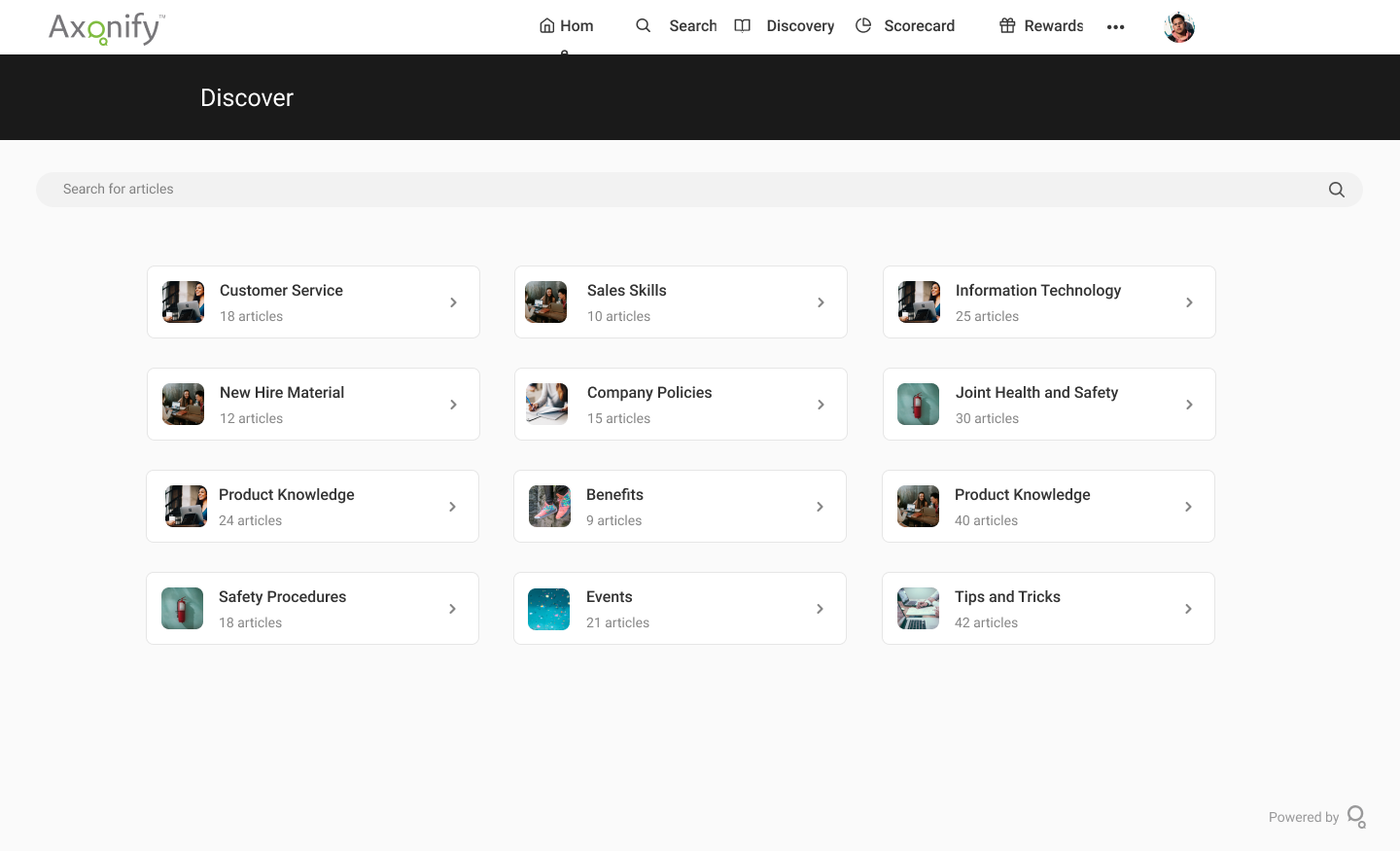
Axonify is extremely easy to use, for both employees and managers. The platform is visually appealing, and Axonify offers a number of videos and tutorials for any administration and user functionality. The reporting is also very easy to obtain and review, with the ability to drill down to team and individual results.
On a few occasions, I've logged in to issue a test to a staff member and my course would just spin. I've had to reschedule several test attempts due to this. In my opinion, the issue was not resolved by Adobe
The performance of Adobe Captivate Prime is also extremely good. The user interface is fast and easy to load. The complexity is not nearly as bad as some of the other programs on the market. Speed was not impacted.
It is difficult to get in touch with Adobe Captivate support. With a seemingly limited number of resources, mostly outsourced, getting in contact with someone to help troubleshoot an issue is challenging. Typically wait times are long, and the desired path to resolution is to use an existing knowledge base or a self-help guide. It is certainly not a user-friendly experience.
I think they have a competent, friendly and "resolving" team. I have only ever been met with a willingness to assist any and every query I have come across. Roy who is one of the technical people is amazing, and so is my Customer Success Manager, Hema! I do not know what I would do without them.
Axonify has been great for support. We have a dedicated rep but I have also just posted to the official user boards and gotten feedback as well. Axonify also has a conference every year that is a great way to learn. You can also become certified in Content or Administration with Axonify if you so choose.
I'm only aware of the problems Adobe Captivate had with SumTotal LMS and Upside LMS, requiring extensive contact with both internal and external support staff to fix the problems. We had no problems at all with Articulate.
Trial period was great, and It let me plenty of time to try the different feature of the platform. However, when we decided to move forward, the ADOBE team was slow and not reactive at all. Actually after 2 years, I am still waiting for answers which is quite unacceptable.
I think that Articulate360 is more user-friendly and has a cleaner, more updated look. If you can edit a PDF, then you can use Articulate 360. Adobe Captivate may be more challenging for the designer, but it has more features. We chose Adobe Captivate because we want the option to create interactive learning environments. Adobe Captivate plays well with the other Adobe design products including Photoshop, Illustrator, and Premier. Additionally, Adoe Captivate is highly compatible with Cornerstone, our preferred Learning Management Systems.
360 keeps up the Adobe learning manager. It even outclasses it in certain parts, but with a huge stalwart tech giant like Adobe, it is hard to keep up. Many of the features are present, but there's always that final touch missing. And it is always trying to play catchup.
I like the way Axonify provides chunks of information to the learner by overwhelming them by dividing them into bite-size content. The learners don't have a lot of time to give to training, so Axonify has helped has provided just in time training to those teams. It's very much suited to our organization. Axonify is extremely easy to use for both learners and managers. The platform is visually appealing and provides a lot of video-based content to learn the platform for any administrative and user functionality. It is a unique tool in its segment, it meets the requirements that other tools, LMS, or learning libraries don't.
The product's overall scalability and flexibility is extremely good. I wish that the other products our company uses were this flexible! The product is easy to deploy across multiple departments and teams as needed.
Adobe Captivate has allowed our instructors to engage students in ways we never have before.
Instructors who have used Adobe Captivate in our organization have reported higher levels of engagement with their courses and their students, theoretically leading to improved assessment of student performance.
Before, we could not accurately measure if people were really reviewing our monthly safety material or really reading our new policy releases. Now we have nearly 100% compliance.
Over the past two years since we implemented Axonify, we have seen a decrease of $200,000 in our workers comp annual cost. We expect this trend to continue or stay stable due to a staff that is more aware of safety.
We maintain our position as a San Francisco and Silicon Valley Best Place to Work due to our high morale and employee engagement level. 99% of our employees engage with Axonify an average of 13x per month. This ranking has made us an leader in affordable housing with some of the best staff members in our industry.