Adobe Captivate is an elearning authoring and course design tool (or LCMS). It supports mobile HTML5 content. Captivate’s users are commonly midsized businesses to enterprises. Adobe Captivate includes some prebuilt assets as well as customizable workflows.
$33.99
per month
Articulate 360
Score9.2 out of 10
N/A
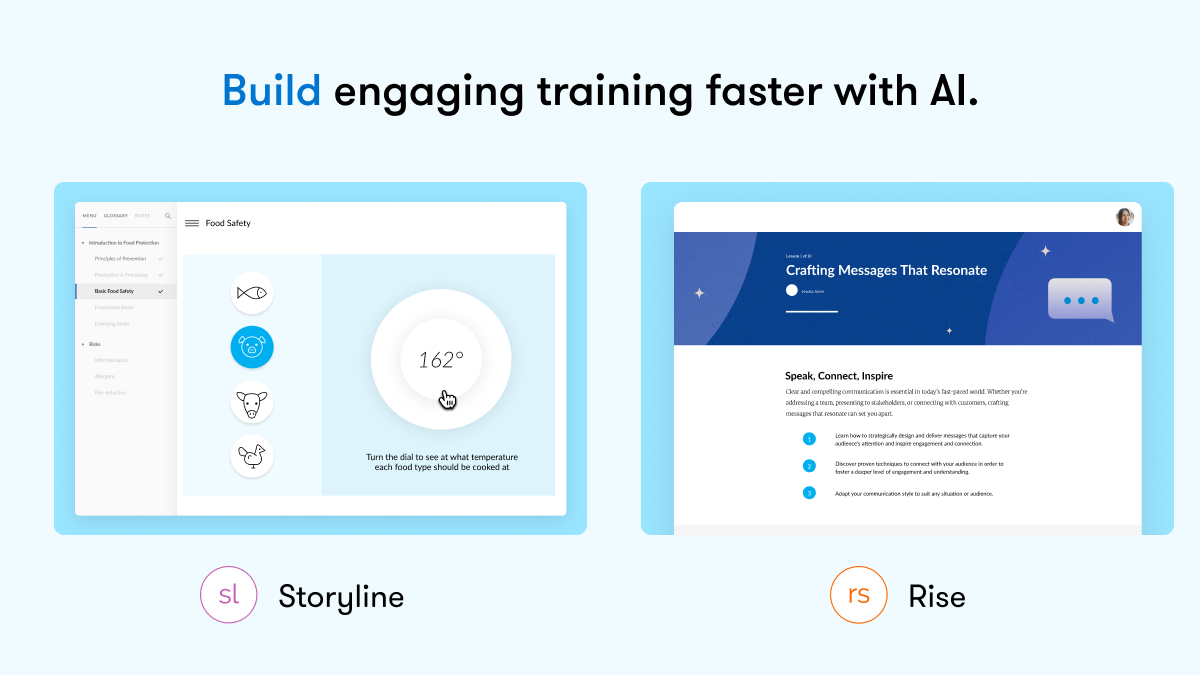
Articulate 360 is an e-learning platform for creating workplace training. Users can build engaging courses with AI-enhanced authoring, simplify collaboration, and quickly share content. A subscription includes robust onboarding resources and access to a community of 1.5M pros.
$1,449
per year per user
Cornerstone Galaxy
Score8.1 out of 10
N/A
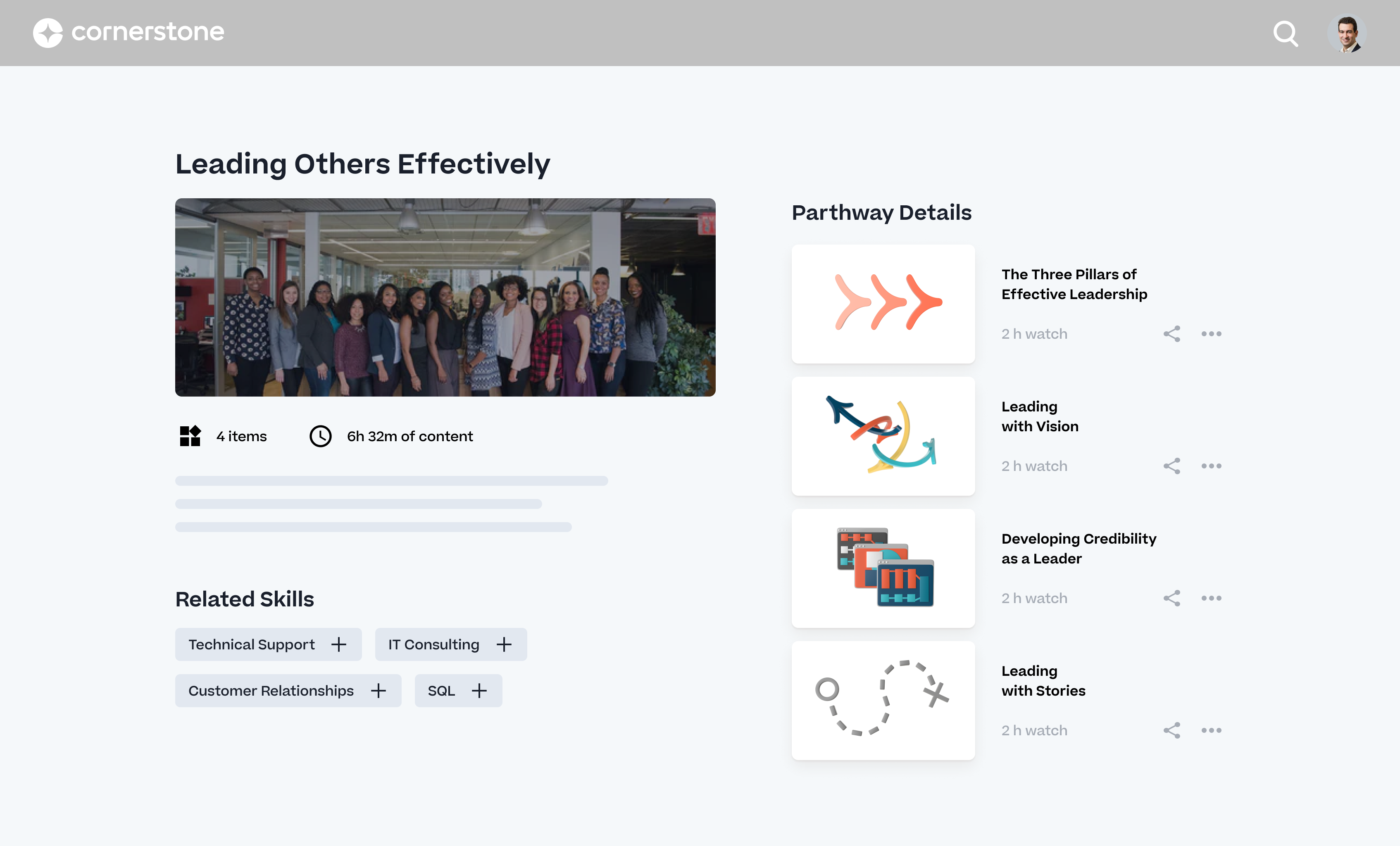
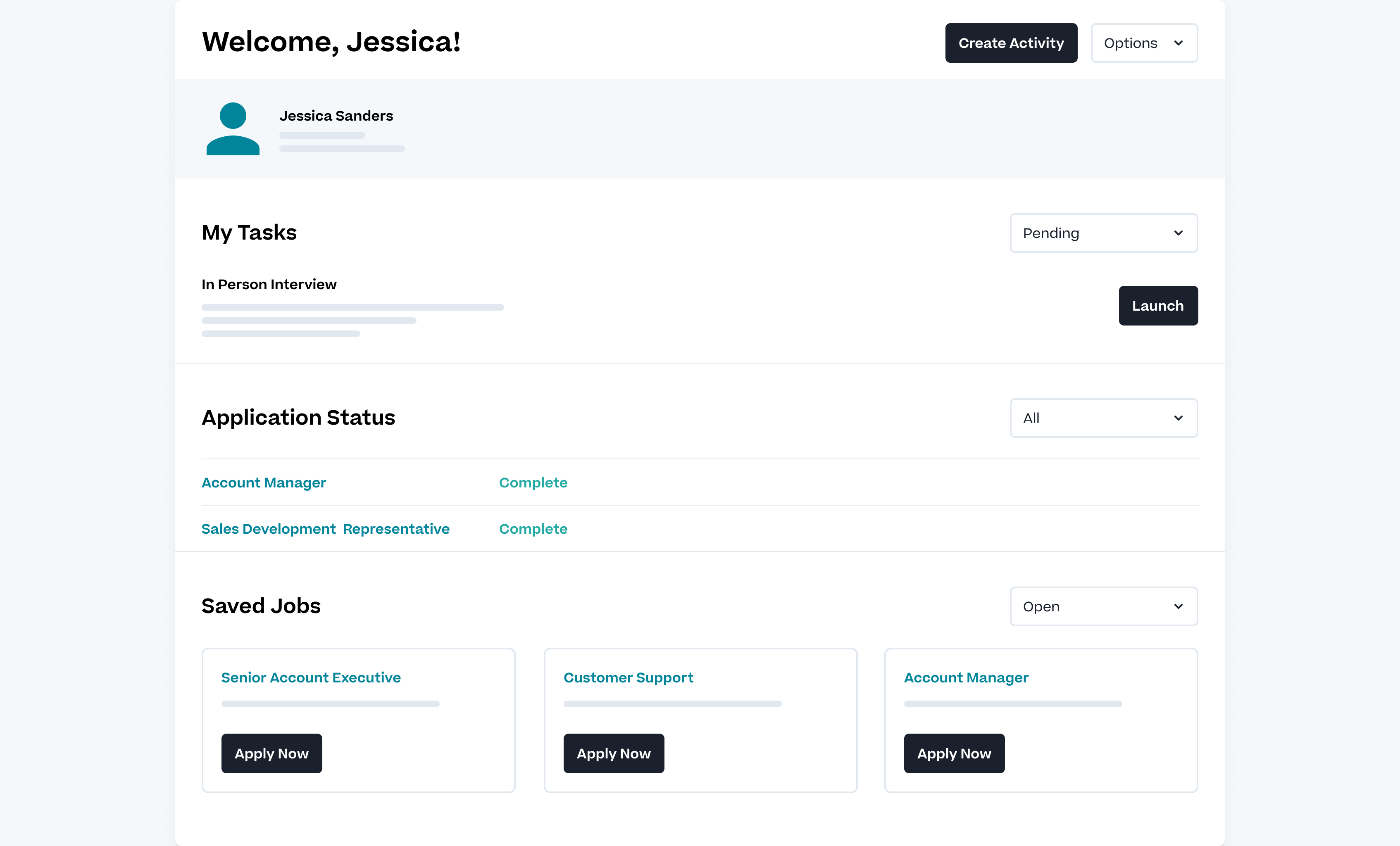
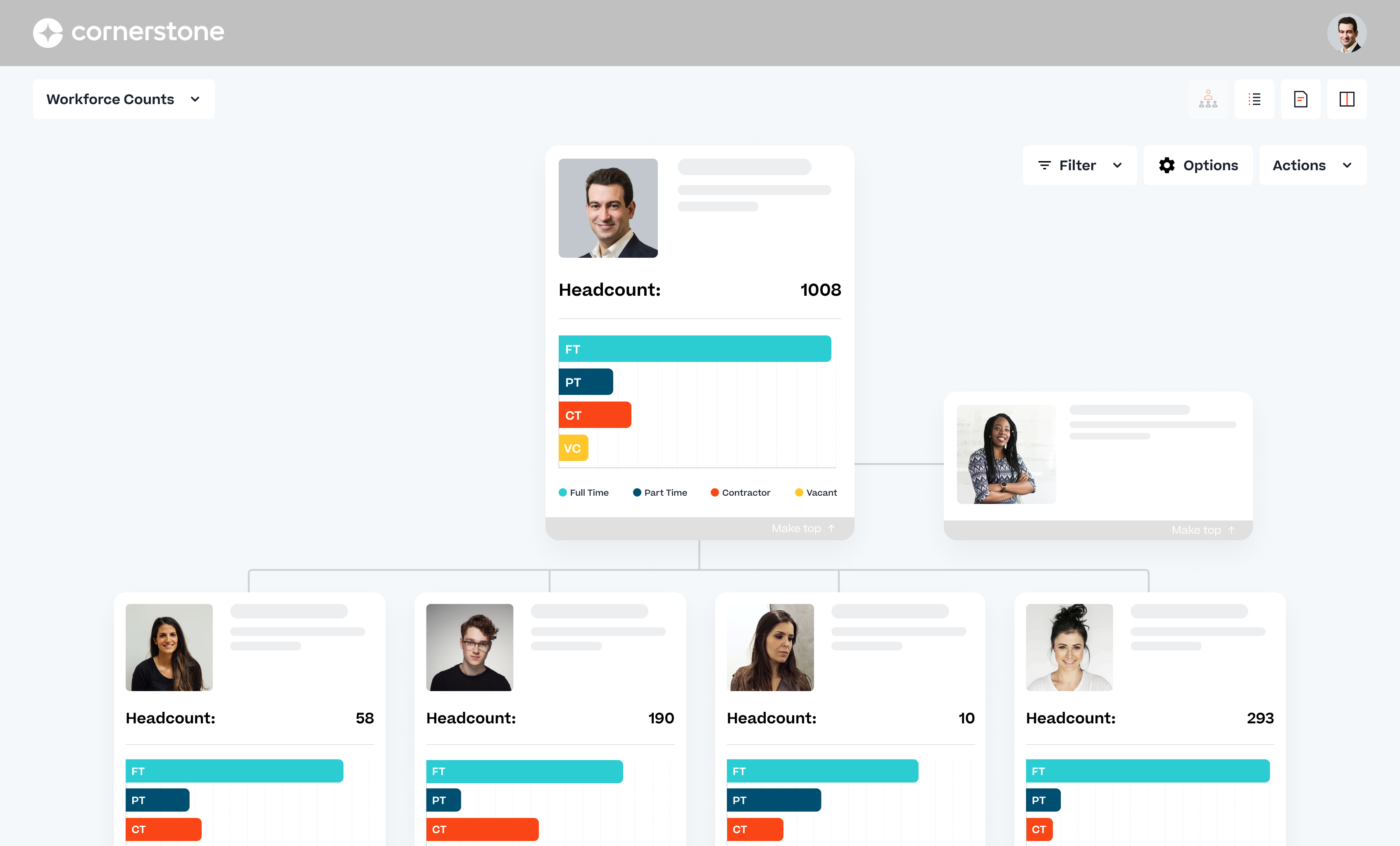
Cornerstone Galaxy is a cloud-based application for talent management. Cornerstone offers suites for recruiting, training, performance monitoring and planning, learning, and HR data management. It is scaled for enterprises.
N/A
Pricing
Adobe Captivate
Articulate 360
Cornerstone Galaxy
Editions & Modules
Subscription
$33.99
per month
Student & Teacher Edition
$399
one-time fee
Upgrade
$499
one-time fee
Pereptual License
1,299
one-time fee
Articulate 360 AI - Personal Plan
$1,449
per year
Articulate 360 AI - Teams Plan
$1,749
per year
Frontline
Starting at $500
No answers on this topic
Offerings
Pricing Offerings
Adobe Captivate
Articulate 360
Cornerstone Galaxy
Free Trial
Yes
Yes
No
Free/Freemium Version
No
No
No
Premium Consulting/Integration Services
No
No
Yes
Entry-level Setup Fee
No setup fee
Optional
Required
Additional Details
—
If you’re new to Articulate 360, you can try it out free of charge. After the trial period is over, you can subscribe to one of the following packages:
Articulate 360 AI
Teams plan: $1,749 per user per year
Rise: Build beautiful training that automatically adapts to every screen
Storyline: Create deeply custom, interactive courses
AI generation: Guide AI to draft complete courses and other formats from source material
Collaboration: Get stakeholder input, share for review, and finalize faster
Integrations: Stay in your flow of work with connections to Google Drive, OneDrive, Claude, ChatGPT, and more
Flexible distribution: Share trackable links, export to your LMS, use our native LMS—Reach—or download in more formats
AI tutor: Give learners personalized, in-context guidance and coaching
Analytics: Track engagement and completion, with insights to improve effectiveness
Advanced workflows available with credits (purchased separately)
Personal plan: $1,449 per user per year
Rise: Build beautiful training that automatically adapts to every screen
Storyline: Create deeply custom, interactive courses
AI generation: Guide AI to draft complete courses and other formats from source material
Review: Get stakeholder input, share for review, and finalize faster
Integrations: Stay in your flow of work with connections to Google Drive, OneDrive, Claude, ChatGPT, and more
Flexible distribution: Share trackable links, export to your LMS, use our native LMS—Reach—or download in more formats
AI tutor: Give learners personalized, in-context guidance and coaching
Analytics: Track engagement and completion, with insights to improve effectiveness
Advanced workflows available with credits (purchased separately)
Frontline: Starting at $500
Complete training kits: Turn source content into a connected set of training assets, with the right mix of formats chosen for what you're trying to teach
Formats that fit the job: Create training decks, guides, scenarios, interactive videos, and quick references, each built for a different training need
Quick updates and editing: Use AI to quickly update a whole kit, individual format, or specific sections
Insights and analytics: Gather data from surveys, track engagement and completion, and see what questions your team has to improve effectiveness
Easy distribution: Share trackable links anywhere your team already works: Slack, Microsoft Teams, email, or text
Integrations: Stay in your flow of work with connections to Google Drive, OneDrive, Claude, ChatGPT, and more
AI avatars: Create presenter-led videos, no filming required
Multi-format translation: Translate each output into 80+ languages in a click
AI tutor: Give learners personalized, in-context guidance and coaching
A de minimis incentive was given to thank the reviewer for their time. The incentive was not used to bias or drive a particular response, nor was the incentive contingent on a positive endorsement. More Info
Verified User
Chose Adobe Captivate
I think Captivate has more features to customized learning. However, Articulate 360 is more straight to the point and less hassle to use because of the limited features.
A de minimis incentive was given to thank the reviewer for their time. The incentive was not used to bias or drive a particular response, nor was the incentive contingent on a positive endorsement. More Info
Director, Digital Learning in Sales at Bluegreen Vacations (Hospitality, 5001-10,000 employees)
Chose Adobe Captivate
Adobe Captivate is perfect for advanced users or users who want to create innovative content. The restrictions are limited to how much/how little a user knows about Adobe Captivate and its features. On this note, beginners may have an easier time getting familiar with and …
A de minimis incentive was given to thank the reviewer for their time. The incentive was not used to bias or drive a particular response, nor was the incentive contingent on a positive endorsement. More Info
Learning and Development Specialist in Human Resources at Cellular Sales (Retail, 5001-10,000 employees)
Chose Adobe Captivate
I think that Articulate360 is more user-friendly and has a cleaner, more updated look. If you can edit a PDF, then you can use Articulate 360. Adobe Captivate may be more challenging for the designer, but it has more features. We chose Adobe Captivate because we want the option …
A de minimis incentive was given to thank the reviewer for their time. The incentive was not used to bias or drive a particular response, nor was the incentive contingent on a positive endorsement. More Info
Verified User
Chose Adobe Captivate
I prefer Articulate 360 over Adobe Captivate. While Captivate does have more features overall, Articulate 360 is much easier to navigate and nice, clean courses can be created in a fraction of the time.
A de minimis incentive was given to thank the reviewer for their time. The incentive was not used to bias or drive a particular response, nor was the incentive contingent on a positive endorsement. More Info
Verified User
Chose Adobe Captivate
Adobe Captivate is an okay software program, but it is not something I'd pick over Articulate Storyline or Articulate 360. I only selected Captivate because it was mandatory for my course plus I wanted to explore it to find out how it worked. But after using it, I didn't find …
A de minimis incentive was given to thank the reviewer for their time. The incentive was not used to bias or drive a particular response, nor was the incentive contingent on a positive endorsement. More Info
Corporate Trainer in Corporate at Bank of the Pacific (Banking, 201-500 employees)
Chose Adobe Captivate
Articulate 360 offers a both Storyline and Rise as eLearning authoring tools, as well as a Stock Library with over 100,000 images for $1200/year. Adobe Captivate is a stand alone product for $30/month. If you are only using eLearning authoring tools the cost is significantly …
A de minimis incentive was given to thank the reviewer for their time. The incentive was not used to bias or drive a particular response, nor was the incentive contingent on a positive endorsement. More Info
A de minimis incentive was given to thank the reviewer for their time. The incentive was not used to bias or drive a particular response, nor was the incentive contingent on a positive endorsement. More Info
Training Specialist in Research & Development at American Homes 4 Rent (Real Estate, 1001-5000 employees)
Chose Adobe Captivate
I use Camtasia for video editing, however, we have Premier Pro and are now learning to use it. Camtasia and Snagit we use for smaller projects. For bigger projects, we use them all.
A de minimis incentive was given to thank the reviewer for their time. The incentive was not used to bias or drive a particular response, nor was the incentive contingent on a positive endorsement. More Info
Verified User
Chose Adobe Captivate
We are looking for easier templates, automated features, simulations, interactivity activities, and collaboration features.
A de minimis incentive was given to thank the reviewer for their time. The incentive was not used to bias or drive a particular response, nor was the incentive contingent on a positive endorsement. More Info
Verified User
Chose Adobe Captivate
Articulate currently has some benefits over Captivate in flexibility and responsive design, but I think these are being addressed in the next version of Captivate. Articulate is also more fiddly. Mac support is important to our users, who are majority Mac users.
A de minimis incentive was given to thank the reviewer for their time. The incentive was not used to bias or drive a particular response, nor was the incentive contingent on a positive endorsement. More Info
A de minimis incentive was given to thank the reviewer for their time. The incentive was not used to bias or drive a particular response, nor was the incentive contingent on a positive endorsement. More Info
Verified User
Chose Adobe Captivate
Adobe Captivate is much more powerful than the Articulate products. It can take your training much further. If you can imagine it, you ca create it in Captivate. It also makes it easy to maintain simulations as they are recorded a individual pages making it easy to make a quick …
A de minimis incentive was given to thank the reviewer for their time. The incentive was not used to bias or drive a particular response, nor was the incentive contingent on a positive endorsement. More Info
Verified User
Chose Adobe Captivate
Adobe Captivate is superior in 360 view courseware development. It's outstanding and a delight to work with. That's about it. Unfortunately, Articulate dominates in everything else.
A de minimis incentive was given to thank the reviewer for their time. The incentive was not used to bias or drive a particular response, nor was the incentive contingent on a positive endorsement. More Info
A de minimis incentive was given to thank the reviewer for their time. The incentive was not used to bias or drive a particular response, nor was the incentive contingent on a positive endorsement. More Info
Verified User
Chose Adobe Captivate
While I prefer Storyline for its ease of use, I also use Captivate to accomplish advanced learning training.
A de minimis incentive was given to thank the reviewer for their time. The incentive was not used to bias or drive a particular response, nor was the incentive contingent on a positive endorsement. More Info
Senior Instructional Designer in Customer Service at Kerauno (Computer Software, 51-200 employees)
Chose Adobe Captivate
Adobe Captivate has more robust functionality than any of its competition. It is truly an all-in-one content creation tool that lets you create everything from the most simple to the most advanced eLearning modules. Moreover, it allows you to have more minute control over every …
A de minimis incentive was given to thank the reviewer for their time. The incentive was not used to bias or drive a particular response, nor was the incentive contingent on a positive endorsement. More Info
eLearning Technology Systems Analyst in Information Technology at Ann & Robert H. Lurie Children's Hospital of Chicago (Hospital & Health Care, 1001-5000 employees)
Chose Adobe Captivate
Whereas Articulate offers previews of production slides for mobile screen size, Captivate lets you design and edit content in a simulated mobile display. The ability to decide how content will behave when it encounters a mobile screen is immeasurably valuable. This is the …
A de minimis incentive was given to thank the reviewer for their time. The incentive was not used to bias or drive a particular response, nor was the incentive contingent on a positive endorsement. More Info
A de minimis incentive was given to thank the reviewer for their time. The incentive was not used to bias or drive a particular response, nor was the incentive contingent on a positive endorsement. More Info
Learning and Development Manager in Human Resources at Farm Credit Bank of Texas (Banking, 201-500 employees)
Chose Adobe Captivate
Although Articulate Storyline is more user friendly, Adobe Captivate has more functionality and options to choose from when designing an eLearning course. Articulate Storyline's interface is similar to Microsoft PowerPoint, so if you have experience with that program, …
A de minimis incentive was given to thank the reviewer for their time. The incentive was not used to bias or drive a particular response, nor was the incentive contingent on a positive endorsement. More Info
Director, Technology and Learning Development in Human Resources at Joelearning.com (Education Management, 1-10 employees)
Chose Adobe Captivate
There is no comparison (in my humble opinion). My production cycle is much faster with Articulate products (all of them) and I don't have the issues with YouTube playback that I do with Captivate 9. It's a simple matter of not wanting to expend time and effort to fix …
A de minimis incentive was given to thank the reviewer for their time. The incentive was not used to bias or drive a particular response, nor was the incentive contingent on a positive endorsement. More Info
Articulate Global Inc.
Verified User
Chose Articulate 360
Adobe Captivate is not very user friendly and seems to provide less features than Articulate 360. It was very easy to learn Articulate 360 on my own and am consistently testing it’s abilities.
A de minimis incentive was given to thank the reviewer for their time. The incentive was not used to bias or drive a particular response, nor was the incentive contingent on a positive endorsement. More Info
Trainer at University of California (Higher Education, 10,001+ employees)
Chose Articulate 360
I think Articulate is more user friendly than Adobe Captivate, but it is nice in captivate that you can put in xy coordinates. TechSmith offers less features, but is more user friendly.
A de minimis incentive was given to thank the reviewer for their time. The incentive was not used to bias or drive a particular response, nor was the incentive contingent on a positive endorsement. More Info
Content Developer II in Corporate at Moss and Associates (Construction, 1001-5000 employees)
Chose Articulate 360
I used Adobe Captivate when I first started my role as an ID. After doing some research, I found Articulate 360 and have been hooked since. I immediately sold my leader on the idea to invest in the tool.
A de minimis incentive was given to thank the reviewer for their time. The incentive was not used to bias or drive a particular response, nor was the incentive contingent on a positive endorsement. More Info
Verified User
Chose Articulate 360
It is light years ahead of Adobe Captivate with way better functionality and design capability.
A de minimis incentive was given to thank the reviewer for their time. The incentive was not used to bias or drive a particular response, nor was the incentive contingent on a positive endorsement. More Info
A de minimis incentive was given to thank the reviewer for their time. The incentive was not used to bias or drive a particular response, nor was the incentive contingent on a positive endorsement. More Info
Verified User
Chose Articulate 360
Articulate 360 has more options, better options for sharing and collaborating and is over all easier to use. The interface is intuitive as the blocks are present on the page. The UI feels modern, versus what the others have. Tried and true does not seem to be what Articulate …
A de minimis incentive was given to thank the reviewer for their time. The incentive was not used to bias or drive a particular response, nor was the incentive contingent on a positive endorsement. More Info
Verified User
Chose Articulate 360
Articulate 360's capabilities eliminate the need for multiple applications, saving time and the constant need to redesign.
A de minimis incentive was given to thank the reviewer for their time. The incentive was not used to bias or drive a particular response, nor was the incentive contingent on a positive endorsement. More Info
Sr. Instructional Designer at On Center Software by ConstructConnect (Construction, 1001-5000 employees)
Chose Articulate 360
Captivate classic looks fresh from the 90s and I think their new version is just trying to copy Rise but they're building it as they release it so, in my experience, it's woefully incomplete and frustrating to use. Articulate 360 can do so much more, easier, and they push out …
A de minimis incentive was given to thank the reviewer for their time. The incentive was not used to bias or drive a particular response, nor was the incentive contingent on a positive endorsement. More Info
A de minimis incentive was given to thank the reviewer for their time. The incentive was not used to bias or drive a particular response, nor was the incentive contingent on a positive endorsement. More Info
Verified User
Chose Articulate 360
Captivate and Storyline are very similar with basic functions but at the time we switched, Storyline seemed to surpass Captivate with the use of states and triggers. It is possible that we did not take the time to learn some functions in Captivate.
A de minimis incentive was given to thank the reviewer for their time. The incentive was not used to bias or drive a particular response, nor was the incentive contingent on a positive endorsement. More Info
A de minimis incentive was given to thank the reviewer for their time. The incentive was not used to bias or drive a particular response, nor was the incentive contingent on a positive endorsement. More Info
Verified User
Chose Articulate 360
I typically reach for Articulate 360 because of the ease of use and publishing. I also choose Articulate 360 because of the variety of learning activities learners can complete.
A de minimis incentive was given to thank the reviewer for their time. The incentive was not used to bias or drive a particular response, nor was the incentive contingent on a positive endorsement. More Info
A de minimis incentive was given to thank the reviewer for their time. The incentive was not used to bias or drive a particular response, nor was the incentive contingent on a positive endorsement. More Info
Learning Technology Specialist in Human Resources at Alabama Credit Union (Financial Services, 201-500 employees)
Chose Articulate 360
Articulate 360 cannot do animation as well as Vyond, I use them in conjunction with each other. However, Vyond obviously isn’t meant to do anything beyond the video creation. It has no interactivity capabilities. I create videos to deliver content and then put them in …
A de minimis incentive was given to thank the reviewer for their time. The incentive was not used to bias or drive a particular response, nor was the incentive contingent on a positive endorsement. TR verified that a representative sample of customers was invited. More Info
Verified User
Chose Articulate 360
Articulate is more user-friendly. Has an easy-to-understand interface. Interactions are not complicated to build. Personally, I found Storyline easy to open up and start working with. I also think my students find it to be user-friendly. The eLearning Brothers tutorials …
A de minimis incentive was given to thank the reviewer for their time. The incentive was not used to bias or drive a particular response, nor was the incentive contingent on a positive endorsement. TR verified that a representative sample of customers was invited. More Info
Verified User
Chose Articulate 360
Captivate is also a well-recognized authoring tool in the e-Learning industry. I find it isn't as intuitive as Articulate, and perhaps a bit harder to pick up and run with.
A de minimis incentive was given to thank the reviewer for their time. The incentive was not used to bias or drive a particular response, nor was the incentive contingent on a positive endorsement. More Info
Senior Instructional Designer at Dish (E-Learning, 1001-5000 employees)
Chose Articulate 360
Articulate 360 is the industry leader for e-learning authoring. While we use the Adobe Creative Suite for artistic support, we find that when it comes to authoring tools, Articulate products are superior in both design and accessibility. Articulate 360 has strong support …
A de minimis incentive was given to thank the reviewer for their time. The incentive was not used to bias or drive a particular response, nor was the incentive contingent on a positive endorsement. More Info
Verified User
Chose Articulate 360
Articulate 360 is much more intuitive and user-friendly than other products. If you can imagine it, you can probably build it in Storyline, but it won’t take you weeks' worth of learning and reading to figure it out.
A de minimis incentive was given to thank the reviewer for their time. The incentive was not used to bias or drive a particular response, nor was the incentive contingent on a positive endorsement. More Info
Verified User
Chose Articulate 360
Articulate 360 is easier to use out of the box. It is much more intuitive and does not require as much specialized knowledge. It makes learning design simple and fun. It also allows for just as much customization and looks just as good. It really is a seamless piece of software.
A de minimis incentive was given to thank the reviewer for their time. The incentive was not used to bias or drive a particular response, nor was the incentive contingent on a positive endorsement. More Info
instructional designer in Professional Services at ID for Hire (E-Learning, 1-10 employees)
Chose Articulate 360
The functionality, which includes layers,
triggers, states, and variables, provides flexibility and creative
possibilities that can’t be found in any other authoring tools.
A de minimis incentive was given to thank the reviewer for their time. The incentive was not used to bias or drive a particular response, nor was the incentive contingent on a positive endorsement. More Info
Verified User
Chose Articulate 360
Articulate 360 offers more variety and is easier to use. For me, if you can use PowerPoint, you can use Storyline.
A de minimis incentive was given to thank the reviewer for their time. The incentive was not used to bias or drive a particular response, nor was the incentive contingent on a positive endorsement. More Info
Verified User
Chose Articulate 360
Articulate 360 leaves Captivate in the dust. The look and feel of Articulate 360 products is so much more sleek and flexible. Captivate feels constrained and clunky in comparison.
A de minimis incentive was given to thank the reviewer for their time. The incentive was not used to bias or drive a particular response, nor was the incentive contingent on a positive endorsement. More Info
Instructional Designer - Sales Enablement in Marketing at NiCE (Computer Software, 1001-5000 employees)
Chose Articulate 360
The wide breadth of options that Articulate 360 offers is very real boon. Being able to implement simple, Cloud based builds and more robust, from scratch trainings and modules all in one place across different offerings is very helpful. I enjoy that it is easy to implement …
A de minimis incentive was given to thank the reviewer for their time. The incentive was not used to bias or drive a particular response, nor was the incentive contingent on a positive endorsement. More Info
A de minimis incentive was given to thank the reviewer for their time. The incentive was not used to bias or drive a particular response, nor was the incentive contingent on a positive endorsement. More Info
Cornerstone OnDemand
Verified User
Chose Cornerstone Galaxy
Mainly the annual costs of the suite: we are present in 7 countries and develp an implementation of SAP SSFF costs triple than Cornerstone OnDemand. Talentia was "in price" similar than Cornerstone OnDemand, but is more oriented to Europe customers than American or Latam. The …
A de minimis incentive was given to thank the reviewer for their time. The incentive was not used to bias or drive a particular response, nor was the incentive contingent on a positive endorsement. More Info
A de minimis incentive was given to thank the reviewer for their time. The incentive was not used to bias or drive a particular response, nor was the incentive contingent on a positive endorsement. TR verified that a representative sample of customers was invited. More Info
A de minimis incentive was given to thank the reviewer for their time. The incentive was not used to bias or drive a particular response, nor was the incentive contingent on a positive endorsement. More Info
A de minimis incentive was given to thank the reviewer for their time. The incentive was not used to bias or drive a particular response, nor was the incentive contingent on a positive endorsement. More Info
LMS System Administrator in Human Resources at Fred Hutchinson Cancer Research Center (Research, 1001-5000 employees)
Chose Cornerstone Galaxy
We selected Cornerstone versus Saba during our initial implementation because of the Administrative resources and the easy of use for administering training at the time Saba had a better learner experience in our reckoning. Now they are one company so it seems we chose well. …
A de minimis incentive was given to thank the reviewer for their time. The incentive was not used to bias or drive a particular response, nor was the incentive contingent on a positive endorsement. TR verified that a representative sample of customers was invited. More Info
Verified User
Chose Cornerstone Galaxy
I had experience with SABA prior to [Cornerstone OnDemand]. The comparison is night and day. Now that [Cornerstone OnDemand] has purchased SABA it will be interesting to see how the transition impacts service levels (my biggest complaint with SABA). We researched other …
A de minimis incentive was given to thank the reviewer for their time. The incentive was not used to bias or drive a particular response, nor was the incentive contingent on a positive endorsement. TR verified that a representative sample of customers was invited. More Info
Verified User
Chose Cornerstone Galaxy
CSOD offers more customizable features than Netlearning. The curricula administration and learning assignment features are more robust than Netlearning. I would say Netlearning's provided content is stronger than CSOD though (CSOD has course offerings but they are an …
A de minimis incentive was given to thank the reviewer for their time. The incentive was not used to bias or drive a particular response, nor was the incentive contingent on a positive endorsement. More Info
A de minimis incentive was given to thank the reviewer for their time. The incentive was not used to bias or drive a particular response, nor was the incentive contingent on a positive endorsement. TR verified that a representative sample of customers was invited. More Info
A de minimis incentive was given to thank the reviewer for their time. The incentive was not used to bias or drive a particular response, nor was the incentive contingent on a positive endorsement. TR verified that a representative sample of customers was invited. More Info
A de minimis incentive was given to thank the reviewer for their time. The incentive was not used to bias or drive a particular response, nor was the incentive contingent on a positive endorsement. TR verified that a representative sample of customers was invited. More Info
Senior Learning Management System Analyst in Human Resources at First Republic Bank (Financial Services, 5001-10,000 employees)
Chose Cornerstone Galaxy
Aside from what's listed above, I've also evaluated Myagi, Docebo, and some other companies I can't recall... Ultimately, when it comes down to it, the ability to set training visibility and availability, accurate reporting, user interface and user experience customization and …
A de minimis incentive was given to thank the reviewer for their time. The incentive was not used to bias or drive a particular response, nor was the incentive contingent on a positive endorsement. TR verified that a representative sample of customers was invited. More Info
Instructional Designer/LMS Admin at Children's Hospital & Medical Center (Hospital & Health Care, 1001-5000 employees)
Chose Cornerstone Galaxy
We selected Cornerstone for its wide variety within the learning platform and ease of use for employees. The other platforms we are not able to use at this time. It was a fairly smooth integration and configuration and we have really loved the features with the learning …
A de minimis incentive was given to thank the reviewer for their time. The incentive was not used to bias or drive a particular response, nor was the incentive contingent on a positive endorsement. More Info
Learning Technology & Design Consultant in Human Resources at Excellus BCBS (Insurance, 1001-5000 employees)
Chose Cornerstone Galaxy
Cornerstone checked all of our boxes for our 3 year and on strategy as an organization. From the reporting capabilities to the overall user experience, we thought CSOD led in all areas.
A de minimis incentive was given to thank the reviewer for their time. The incentive was not used to bias or drive a particular response, nor was the incentive contingent on a positive endorsement. TR verified that a representative sample of customers was invited. More Info
Verified User
Chose Cornerstone Galaxy
I haven't used any alternative products that are similar to Cornerstone.
A de minimis incentive was given to thank the reviewer for their time. The incentive was not used to bias or drive a particular response, nor was the incentive contingent on a positive endorsement. TR verified that a representative sample of customers was invited. More Info
Verified User
Chose Cornerstone Galaxy
We use it for different reasons so we can’t exactly compare.
A de minimis incentive was given to thank the reviewer for their time. The incentive was not used to bias or drive a particular response, nor was the incentive contingent on a positive endorsement. TR verified that a representative sample of customers was invited. More Info
Verified User
Chose Cornerstone Galaxy
Due to the size and varied approaches to training throughout our organization, a solution like Cornerstone which covers all of the many different lanes we run in is essential to providing a seamless experience to our end users. Keeping everything under one roof has been …
A de minimis incentive was given to thank the reviewer for their time. The incentive was not used to bias or drive a particular response, nor was the incentive contingent on a positive endorsement. TR verified that a representative sample of customers was invited. More Info
E-Learning Systems Technology Analyst in Research & Development at Ann & Robert H. Lurie Children's Hospital of Chicago (Hospital & Health Care, 5001-10,000 employees)
Chose Cornerstone Galaxy
We're currently entertaining alternatives as other HRIS systems have LMS features, but other learning system competitors do not have comparable capabilities for hosting and monitoring learning. Other systems have better integration capabilities, but Cornerstone has a stronger …
A de minimis incentive was given to thank the reviewer for their time. The incentive was not used to bias or drive a particular response, nor was the incentive contingent on a positive endorsement. More Info
Verified User
Chose Cornerstone Galaxy
Cornerstone is not as light and modern as Captivate Prime. Prime has a less cluttered intuitive interface, but it lacked some basic functionality, such as a test creation tool. We had to create tests like eLearnings instead of having a native test engine. Prime had the ability …
A de minimis incentive was given to thank the reviewer for their time. The incentive was not used to bias or drive a particular response, nor was the incentive contingent on a positive endorsement. TR verified that a representative sample of customers was invited. More Info
Sr. Learning Parter / Learning Management System in Corporate at MGM Resorts International (Hospitality, 10,001+ employees)
Chose Cornerstone Galaxy
The product continually improves based on their client feedback. I would love to work in more of Cornerstone platforms but we only use the Learning platform.
A de minimis incentive was given to thank the reviewer for their time. The incentive was not used to bias or drive a particular response, nor was the incentive contingent on a positive endorsement. TR verified that a representative sample of customers was invited. More Info
Verified User
Chose Cornerstone Galaxy
Our company reviewed other products, but I was not a part of that review.
A de minimis incentive was given to thank the reviewer for their time. The incentive was not used to bias or drive a particular response, nor was the incentive contingent on a positive endorsement. TR verified that a representative sample of customers was invited. More Info
Lead Technical Trainer in Information Technology at Davis Wright Tremaine LLP (Legal Services, 1001-5000 employees)
Chose Cornerstone Galaxy
Cornerstone OnDemand provides a full-service HRD system. This was a big plus. AccordLMS has a simpler interface, but seemed to lack in the ability to maintain classrooms in multiple locations. Cornerstone OnDemand is a cloud-based, hosted system. A hosted system was important …
A de minimis incentive was given to thank the reviewer for their time. The incentive was not used to bias or drive a particular response, nor was the incentive contingent on a positive endorsement. More Info
Learning and Development Manager in Human Resources at Farm Credit Bank of Texas (Banking, 201-500 employees)
Chose Cornerstone Galaxy
We briefly looked at other vendors, but decided to continue with Cornerstone OnDemand. The reason being is that our sister organization already had their own instance of Cornerstone. Through my initial research, Halogen also provided much of the same functionality that …
A de minimis incentive was given to thank the reviewer for their time. The incentive was not used to bias or drive a particular response, nor was the incentive contingent on a positive endorsement. TR verified that a representative sample of customers was invited. More Info
LMS Administrator in Human Resources at H&E Equipment Services, Inc. (Machinery, 1001-5000 employees)
Chose Cornerstone Galaxy
Workday has a LMS or LES as they call it (Learning Experience System) just a industry buzz phrase to make you think they're an immersive social learning experience. they were too young to meet our needs Fall of 2017 but they had a lot of promising updates coming down the …
A de minimis incentive was given to thank the reviewer for their time. The incentive was not used to bias or drive a particular response, nor was the incentive contingent on a positive endorsement. TR verified that a representative sample of customers was invited. More Info
Captivate is well suited for instruction designers who want to build attractive, personalized, interactive, energetic lessons. It's also a good choice for someone who wants to build something innovative because Captivate gives the developer so much control over so many aspects.
But if someone wanted something built quickly, generically and didn't care about holding the viewer's attention, then Captivate might be an expensive tool. That person might be more satisfied with a cheaper and easier to learn authoring tool.
A de minimis incentive was given to thank the reviewer for their time. The incentive was not used to bias or drive a particular response, nor was the incentive contingent on a positive endorsement. More Info
It is pretty well suited for information sharing. Where it lacks is training that requires discussions or a lot of complex thinking or decision-making. For content like that, we will usually host live sessions so we can facilitate discussions and actually hear from the learners on how they are using the material that they may have learned in a Rise course
A de minimis incentive was given to thank the reviewer for their time. The incentive was not used to bias or drive a particular response, nor was the incentive contingent on a positive endorsement. More Info
Cornerstone Galaxy is a good solution for larger companies that focus on training and want to offer a variety of options to their employees and departments. It is highly customizable. It does require a tech savvy team to set-up, and maintain. This is not a set-it-and-forget-it system. From an LMS perspective, it wouldn't be my top choice for employees who only need a mobile-friendly approach.
Quickly adding in graphics, text, and interactive buttons.
Has extensive variables and branching for additional customization, beyond the competition.
Has 360 degree capability which competitors don't offer (I have not used this feature).
High degree of customization and personalization.
True responsive screen display on all devices, viewable as you are creating the training. This is different than some competitors - some just shrink the screen, but Adobe Captivate allows actually removing or moving or changing items at different screen sizes.
If you like Flash, it has Flash output, although it's going away in 2020. Personally, I think this is an outdated technology.
Many advanced capabilities. I chose this product due to the capabilities.
Comes with assets, templates, people, head shots, and full body—excellent.
Adobe Captivate is the authoring tool. It integrates with Adobe Captivate Prime - which I highly recommend if you want to truly take advantage of all of its features in reporting, administration, compliance, and social learning. (I didn't use Prime because you essentially need 100+ students to affordably use Prime.) If you look at my chart of what Captivate is capable of, I can't say that Captivate has a lot of the reporting features because they are part of Prime/SCORM, although, with Captivate's customization, you might be able to do most of them if you are up to it, but I did not.
A de minimis incentive was given to thank the reviewer for their time. The incentive was not used to bias or drive a particular response, nor was the incentive contingent on a positive endorsement. More Info
A de minimis incentive was given to thank the reviewer for their time. The incentive was not used to bias or drive a particular response, nor was the incentive contingent on a positive endorsement. TR verified that a representative sample of customers was invited. More Info
Ability to provide multiple customizable access roles from general end user to full system admin and anything in between
Powerful reporting system in the LMS to track a plethora of data points within the platform (user data, training information, transcript information)
Great options to customize the look and feel of your "home page" to best meet your company's needs and goals.
Ability to customize the transcript view for learners (i.e. when Completed training will move to their Archived transcript, what to do with Inactive training on transcripts)
A de minimis incentive was given to thank the reviewer for their time. The incentive was not used to bias or drive a particular response, nor was the incentive contingent on a positive endorsement. More Info
Clunky interface, it takes a lot of extra clicks to get places compared to other Adobe apps and competitor's eLearning software.
Would be nice if it was part of creative cloud, or at least in the group of apps you can add through Creative Cloud.
More regular and meaningful updates. Compared to flagship apps like Photoshop, Illustrator, etc. Captivate is like the read headed step child. Competitors excel at providing regular updates with clear change documentation. How are we still using Captivate 2019 in 2022?
The interface feels like it is still stuck in the 90s, would be nice if it was more modern and better in-line with flagship adobe offerings.
Variables and associated menus are a nuisance to work with vs some of the clever drop down and content-sensitive options in Articulate Storyline.
A de minimis incentive was given to thank the reviewer for their time. The incentive was not used to bias or drive a particular response, nor was the incentive contingent on a positive endorsement. More Info
Sometimes finding the right answer to your support question can be a bit more difficult than it should be.
I would like to see more OSHA related courses.
At times, the administrative interface seems to need to be updated, but the tradeoff honestly might be the absolute rock-solid stability of the platform.
A de minimis incentive was given to thank the reviewer for their time. The incentive was not used to bias or drive a particular response, nor was the incentive contingent on a positive endorsement. TR verified that a representative sample of customers was invited. More Info
We have hundreds of courses that were created in Adobe Captivate. It will take us a while to convert to Articulate. We'll need a license for another year and/or until Adobe comes out with a true update to the software.
A de minimis incentive was given to thank the reviewer for their time. The incentive was not used to bias or drive a particular response, nor was the incentive contingent on a positive endorsement. More Info
This has been a huge time saver with all the new features. It has become a trusted platform for ease of use and reliability. Cost per license continues to stay at a good point for renewal. Using it to think outside of our current needs and innovate in a timely manner.
A de minimis incentive was given to thank the reviewer for their time. The incentive was not used to bias or drive a particular response, nor was the incentive contingent on a positive endorsement. TR verified that a representative sample of customers was invited. More Info
As long as pricing stays reasonable, we will likely stay with Cornerstone for at least one more contract renewal. It would be a large task to migrate all of our content to a new system. However, the LMS landscape is diversifying with new startups that are showing some real innovation.
A de minimis incentive was given to thank the reviewer for their time. The incentive was not used to bias or drive a particular response, nor was the incentive contingent on a positive endorsement. TR verified that a representative sample of customers was invited. More Info
Adobe Captivate does take some getting used to. There are features that are much more convoluted than they need to be, but overall it is a great product with a some excellent features. Being in a pretty small market, Adobe Captivate and Articulate Storyline dominate the space. They are not the same software, but allow for eLearning authoring. Each has their benefit and their downside, but, for me, Adobe Captivate edges out Storyline.
A de minimis incentive was given to thank the reviewer for their time. The incentive was not used to bias or drive a particular response, nor was the incentive contingent on a positive endorsement. More Info
I love the tool and while I do use others, this is my go to for Rise and Storyline. While Rise is very easy to use, Storyline is a learned platform. I do not have anyone on my team, yet, and will need to catch new ID up to speed which is why I rated 9
A de minimis incentive was given to thank the reviewer for their time. The incentive was not used to bias or drive a particular response, nor was the incentive contingent on a positive endorsement. TR verified that a representative sample of customers was invited. More Info
Easy to use, easy to learn, lots of support during the learning process. There are a few parts of the system we don't use and I'm hesitant to begin using because other clients have said they're difficult and cumbersome (certifications) or outdated (libraries)
A de minimis incentive was given to thank the reviewer for their time. The incentive was not used to bias or drive a particular response, nor was the incentive contingent on a positive endorsement. More Info
I haven't really had any major availability problems. The service is practically impeccable but it is true that at times, due to server and latency problems, the application has been slower. But these have been specific issues that have resolved themselves.
A de minimis incentive was given to thank the reviewer for their time. The incentive was not used to bias or drive a particular response, nor was the incentive contingent on a positive endorsement. TR verified that a representative sample of customers was invited. More Info
I haven't seen many issues at all with load times. Sometimes learning assignments will take longer then expected but it is still reasonable. They have taken great effort over the last couple years to speed things up like reports and search results so I expect that effort to continue in the coming year.
A de minimis incentive was given to thank the reviewer for their time. The incentive was not used to bias or drive a particular response, nor was the incentive contingent on a positive endorsement. TR verified that a representative sample of customers was invited. More Info
It is difficult to get in touch with Adobe Captivate support. With a seemingly limited number of resources, mostly outsourced, getting in contact with someone to help troubleshoot an issue is challenging. Typically wait times are long, and the desired path to resolution is to use an existing knowledge base or a self-help guide. It is certainly not a user-friendly experience.
A de minimis incentive was given to thank the reviewer for their time. The incentive was not used to bias or drive a particular response, nor was the incentive contingent on a positive endorsement. More Info
I rate the overall support for Articulate 360 with a 9. On the one hand because of the smooth and accurate support from Articulate's support team (usually within 24 hours) and on the other because of the commitment / use of a community (e-learning Heroes) where I have all kinds of insights from other helpful users.
Its always important to have support when you are facing problems and when you are the main admin of the organization. Cornerstone Support is very supporting when you have not found the answer in the help guide. its very useful to have a team support to guide you.
A de minimis incentive was given to thank the reviewer for their time. The incentive was not used to bias or drive a particular response, nor was the incentive contingent on a positive endorsement. More Info
A de minimis incentive was given to thank the reviewer for their time. The incentive was not used to bias or drive a particular response, nor was the incentive contingent on a positive endorsement. TR verified that a representative sample of customers was invited. More Info
we use also to admin all our training in person events and sessions. Its easy to admin this kind of trainings and automatize some processes we have. Also de user experience and the integration with other systems helps to the employees to use more. All modules integrated oriented to develop people is the principal reason to have CSOD. The training administration is very complete and allows to automate many processes.
The online training options given by the online tutorials, forums, and "E-Learning Heroes" community are simply awesome. Examples galore, easy to understand descriptions including step-by-step guides, images, occasionally videos, and the "Articulate Insiders" sub-community give you more materials to learn about Storyline than you are likely to be able to read.
The online modules are pretty good. You can access them at any time, which we have done. You learn a lot in the beginning, but having the ability to retake short lessons when you are working on those items was very helpful.
A de minimis incentive was given to thank the reviewer for their time. The incentive was not used to bias or drive a particular response, nor was the incentive contingent on a positive endorsement. TR verified that a representative sample of customers was invited. More Info
I'm only aware of the problems Adobe Captivate had with SumTotal LMS and Upside LMS, requiring extensive contact with both internal and external support staff to fix the problems. We had no problems at all with Articulate.
A de minimis incentive was given to thank the reviewer for their time. The incentive was not used to bias or drive a particular response, nor was the incentive contingent on a positive endorsement. More Info
Outside of having to dedicate a powerful enough PC for the installation and having to update Flash in our browsers there really isn't much pain involved in using Articulate. For the most part this is an easy to implement and roll-out product. The installation occurs quickly and smoothly with no additional steps needed.
The implementation was pretty difficult. We felt they (Cornerstone) didn’t properly allocate the resources to complete our implementation in the timetable we wanted.
For example, we worked on Workday and SSO integrations - work that we had specifically contracted for in advance. When we were ready to work on that project, they didn’t have the people ready to help us, so it took a lot longer than necessary. That was my biggest pain point.
The implementation approach we went with was a self-led implementation. We would speak to the implementation manager once per week, and self-trained. We met with implementation manager to discuss issues, review things that we’d learned for 1 hour. We found that wasn’t enough. Other things would come up outside that one hour window that we couldn’t get answers to. We didn’t have anyone to ask about those things and we had to wait to ask during our weekly meeting.
The advantage of the self-led implementation approach was that it was really inexpensive – significantly less than the implementation cost for the other systems that we looked at. I also liked that we could pace ourselves. There were however big roadblocks. We would have to make sure the right resources were available. We had an implementation/project manager with a lot of experience and felt that the person was knowledgeable but missed on a few things.
In hindsight, I would still go with the self-led implementation, but knowing what I know now, I would ask for the integration person to be available more. I would work that into the contract. With single sign-on, we needed deep linking to build direct links through a Single Sign-On tool, e.g. when someone gets an email, it directs them to training. But it has to go through SSO to get them to the correct link. Deep linking wasn’t turned on in our system and they had to activate it. We encountered little things like that – sequencing pre-requisites which were problematic. We tried to troubleshoot ourselves.
I recommend you consider contracting for some extra implementation hours and determine when they are going to be available. Work it into the contract that you have the ability to call tech support during implementation. In addition to weekly implementation meetings, they have technical webexes – 4 every week, but 2 didn’t apply to us – one as we were using SSO. The challenge is they were not always relevant – we had specific questions that didn’t fall into those categories
I think that Articulate360 is more user-friendly and has a cleaner, more updated look. If you can edit a PDF, then you can use Articulate 360. Adobe Captivate may be more challenging for the designer, but it has more features. We chose Adobe Captivate because we want the option to create interactive learning environments. Adobe Captivate plays well with the other Adobe design products including Photoshop, Illustrator, and Premier. Additionally, Adoe Captivate is highly compatible with Cornerstone, our preferred Learning Management Systems.
A de minimis incentive was given to thank the reviewer for their time. The incentive was not used to bias or drive a particular response, nor was the incentive contingent on a positive endorsement. More Info
In my opinion, Articulate 360 offers what all of these provided to me in one place. I love that I can create my own graphics, my own VOs, my own touch, all while also using form fillable templates. I love that I can work with my team on my design in real time. And zipping and posting my packages on our platforms is so easy! To me, these other programs, they all have the LEGO pieces individually , but Articulate 360 has built the whole LEGO castle.
A de minimis incentive was given to thank the reviewer for their time. The incentive was not used to bias or drive a particular response, nor was the incentive contingent on a positive endorsement. More Info
The user experience is a lot better than using SumTotal as an admin CSOD makes working easy. Without having workarounds. Reporting is a lot better than both platforms. Reporting in CSOD is complex however easy to manage and create when you understand the data points collected
A de minimis incentive was given to thank the reviewer for their time. The incentive was not used to bias or drive a particular response, nor was the incentive contingent on a positive endorsement. TR verified that a representative sample of customers was invited. More Info
It is important to be familiar with the terms and annual increases in licenses and other aspects of the contract. I recommend analyzing this from the beginning and the permanence is relevant because Cornerstone updates its modules and brings out new features that may allow you to leave a module to acquire another
A de minimis incentive was given to thank the reviewer for their time. The incentive was not used to bias or drive a particular response, nor was the incentive contingent on a positive endorsement. TR verified that a representative sample of customers was invited. More Info
As I have said before, I have no doubt that the services of the Cornerstone sales people were very good. In particular, our salesperson spent a lot of time in contact with us to make the process go smoothly. Perhaps being a large company in some cases the times were slowed down but it is something normal to take into account.
Adobe Captivate has allowed our instructors to engage students in ways we never have before.
Instructors who have used Adobe Captivate in our organization have reported higher levels of engagement with their courses and their students, theoretically leading to improved assessment of student performance.
A de minimis incentive was given to thank the reviewer for their time. The incentive was not used to bias or drive a particular response, nor was the incentive contingent on a positive endorsement. More Info
The immersive 360 image activities allowed us to train our field engineers on dangerous topics and environments like electrical safety and on-site safety without even putting a hard hat on.
The new AI outline features have decreased our time-to-product by at least 30%
The use of a single suite of tools, (along with the creative cloud) led to decreased annual costs over alternative piecemeal solutions.
A de minimis incentive was given to thank the reviewer for their time. The incentive was not used to bias or drive a particular response, nor was the incentive contingent on a positive endorsement. More Info
A de minimis incentive was given to thank the reviewer for their time. The incentive was not used to bias or drive a particular response, nor was the incentive contingent on a positive endorsement. TR verified that a representative sample of customers was invited. More Info