Adobe's Customer Journey Analytics is a service built on Adobe Experience Platform that lets the user join all data from every channel into a single interface for real-time, omnichannel analysis and visualization, allowing users to make better decisions with a holistic view of the business and the context behind every customer action.
N/A
Chartbeat
Score 8.8 out of 10
N/A
Chartbeat delivers real-time analytics, insights, and transformative tools for content teams around the world, to help improve audience engagement, inform editorial decisions, and increase loyalty.
N/A
Pricing
Adobe Customer Journey Analytics
Chartbeat
Editions & Modules
No answers on this topic
No answers on this topic
Offerings
Pricing Offerings
Adobe Customer Journey Analytics
Chartbeat
Free Trial
No
Yes
Free/Freemium Version
No
No
Premium Consulting/Integration Services
Yes
Yes
Entry-level Setup Fee
Optional
No setup fee
Additional Details
—
Chartbeat pricing is based on monthly site page views. Discounts are applied to multi-year contracts. The Basic Plan includes the Real-time Dashboard, Historical Dashboard, Heads Up Display, Reports, Big Board, iOS and Android app, and Real-time API endpoints.
The Plus Plan includes all of the Basic Plan features, plus ONE of the following Premium features: Headline Testing, Advanced Queries, or Multi-Site View.
The Premium Plan includes all of the Basic Plan features, plus ALL Premium features: Headline Testing, Advanced Queries, Multi-Site View, and enterprise-level support and custom trainings.
I think what Adobe Customer Journey Analytics does well is when you want to see and analyse a full user journey across multiple systems. Almost a 'what happened to this user across my entire site?' and includes other systems and applications like our CRM, our Student App, and our core website. We use the system to build dashboards that span the entire user lifecycle.
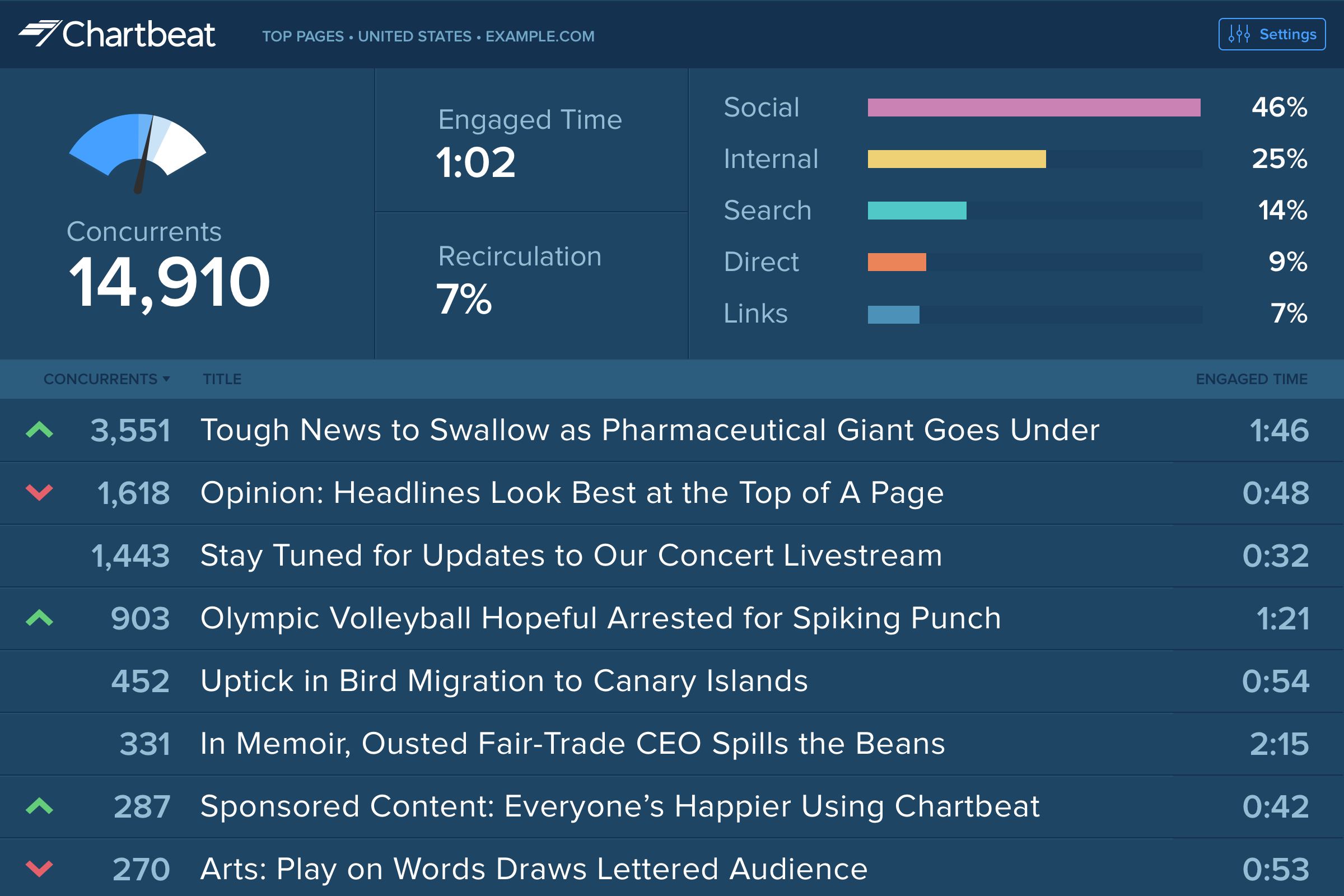
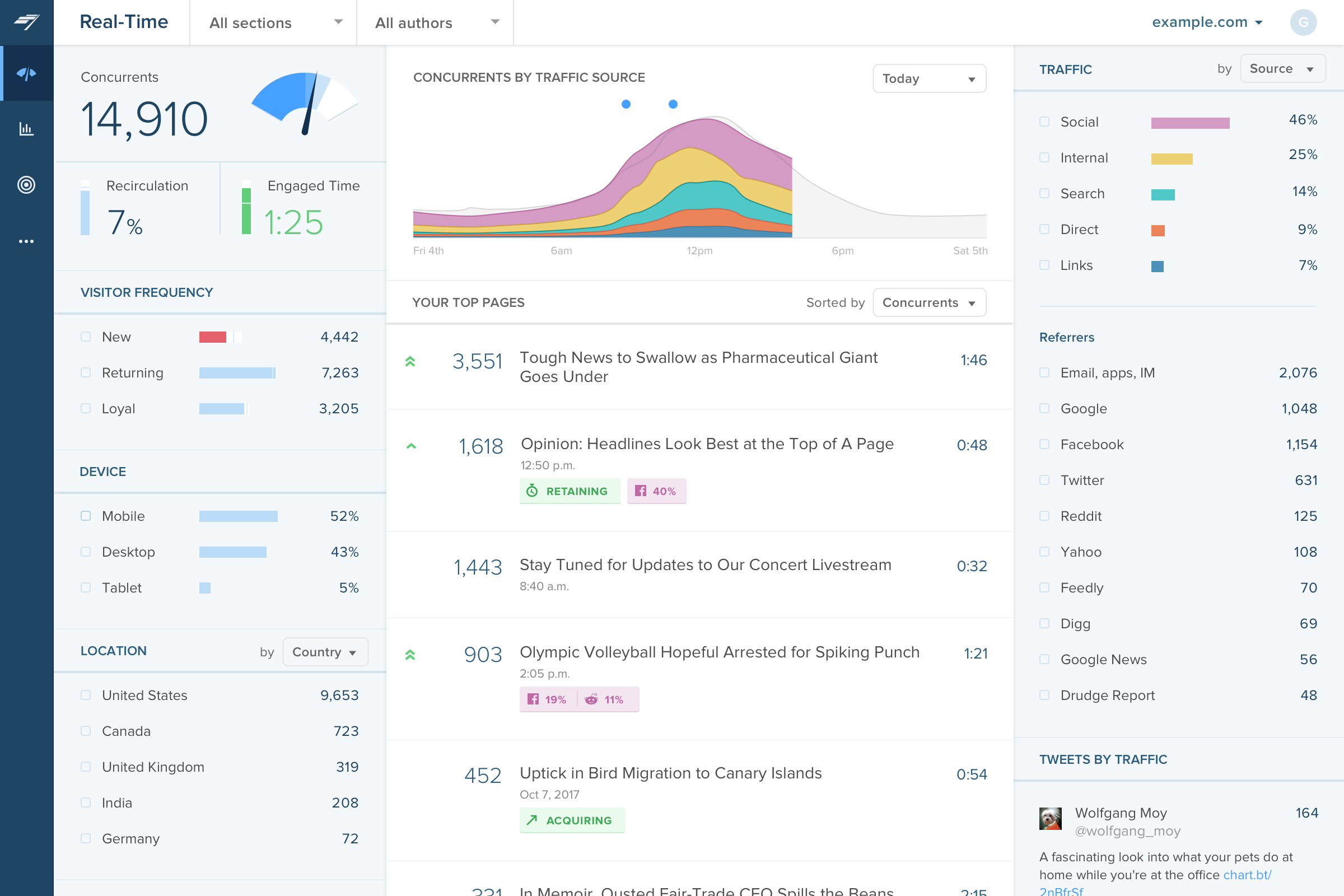
The main point of benefit is the realtime data. This is vital to our team as we are publishing a lot of content per day, so we have a busy homepage to manage and it's important to know which content is performing well. We also like to get an understanding as quickly as possible - which Chartbeat offers - of where traffic is coming from. Often we will see an example where a page is getting high traffic from Google, for example, and we know that might not need to be placed so prominently on the homepage because the traffic is arriving to us externally anyway. Without that depth of understanding what is performing best and why - updated immediately, unlike in Google Analytics now - our homepage would not be as well optimised for users coming to us direct
Customer journey analytics can be used to analyse data from a range of data sources and the data can be visualised, filtered etc. by users.
It also allows users to handle custom data to handle their specific needs and the data can be catered as per users need its like your own customised platform.
The best part is the integration users can connect this to various other platforms with one ID. This helps the user with easier usage and less hassle as everything is kind off a click away.
Journey Canvas UI, when using a mouse with scroll wheel, it defaults to zooming in or out of the map, and not up and down if the map is very extensive.
When trying to break down a dimension by a second dimension and third dimension. If you are replacing the 2nd dimension breakdown, it would be beneficial to keep the 3rd breakdown instead of wiping it out.
Source of traffic needs improvement. Search and social make sense, but "internal" and "links" is a grey area. It would be helpful to define those with an organization and provide an information icon so users can easily remember what each of those buckets is tracking.
More ways to customize the real-time board. For example, with video content, that's great that I can see a user has started a video, but what is the completion rate, was that only on O&O or can that track Facebook, too?
Would like to see demo (age) information included as a way to slice the data so I can see what's working with my older and younger demo.
It's the most customizable and flexible analytics tool I've used. While the tool can be slow and clunky at times, the value it provides far outweighs those issues. Being able to bring offline data and merge with web data to combine in one place is where clients need to be get the most success out of their data
I gave Chartbeat a 5 for a renewal rating, because, while it delivers clear and understandable content, Google Analytics also provides many of the same features for free. For a small to medium website, I believe it would be more cost effective to use Google Analytics. A website with a high amount of traffic, however, could merit spending the money on Chartbeat to maximize their potential.
It is a very simple to use interface and for those users who have been familiar with Adobe Analytics, it is the same user interface and there is no real learning curve for them. As for new users, it is pretty simple to use and there are plenty of videos on experience league to help someone new get started
I am able to "set it and forget it," keeping it up on my monitor for either constant checking or just keeping an eye on the numbers during the day. I'm also able to keep track of what times are perfect to post a story and which stories rack up the most traffic.
For the most part, CJA is available. There are instances where the product is experiencing an outage but I haven't found this to be super frequent to the point where it really impedes my work
It does a pretty great job, given that it isn’t a full LMS. Obviously an LMS is going to have a lot more data to pull in, but again, this is a great light tool that helps us gather early user experience data. This is great to refine our materials and make sure they are excellent and ready for rollouts.
Good enough tools and offline support. We had a model of "hypercare" that was mostly good, sometimes not good. But that was more personality/people based, rather than established processes. Overall the support was timely and effective
I have had limited experience of support for Chartbeat but whenever I have needed help it has been there. Recently there was an issue of seeing different forms of data in real time - app and otherwise effectively, and the issue was being clearly dealt with and communicated back to us.
Should be staged differently. It should be Do online stuff, get basic skills/qual. Then do "homework" type tasking, then come to class with an instructor. We got the traditional "start from 0, then step 1, then step 2..." training. This usually saps energy/focus. All training should be like a lab/practice session. If someone needs information or basic knowledge ... put it in a elearning, FAQ, job aid, or resource page.
Should have more of this for the 101-level stuff. No one needs a Zoom class covering the basics. I need a "guide on the side" when I'm learning new stuff. I want support while I practice.
Adobe Customer Journey Analytics is poised to become the future of Adobe Analytics - it is more powerful, allows for greater customization and immediate feedback. Its ability to stitch on row or fields is far greater than Analytics, and ability to interpret events in a serialized fashion unlocks more insights than what was previously capable in this tool. Adobe Customer Journey Analytics is easier to understand and requires less coding knowledge than Tableau, but users must adopt most Adobe offerings to realize any benefit whereas Tableau is more system-agnostic.
Omnilytics is more robust, detailed, and catered for an intermediate media user, while I think Chartbeat is a more user-friendly and beginner-oriented piece of technology. That being said, there is an impressive amount of lift for Chartbeat, and it's evident that simplicity is the key to using a software daily (which is absolutely the point in the content world).
You have the ability to create 'user groups' with different levels of access in CJA. We helped set this up for a large organiztion where they had marketers, executives, devs and analysts all having different levels of access to use CJA but with the appropriate guardrails in place for each user group. It worked out really well for their organization.
Currently, the ROI is a bit extended as our use cases are a bit more complex than the average use case (but we are in active discussions with Adobe Product to improve)
The Adobe Customer Journey Analytics implementation has directly contributed to our company's ability to speak to enterprise orientation, we have seen customer omni-channel presence go up 5% in just one year