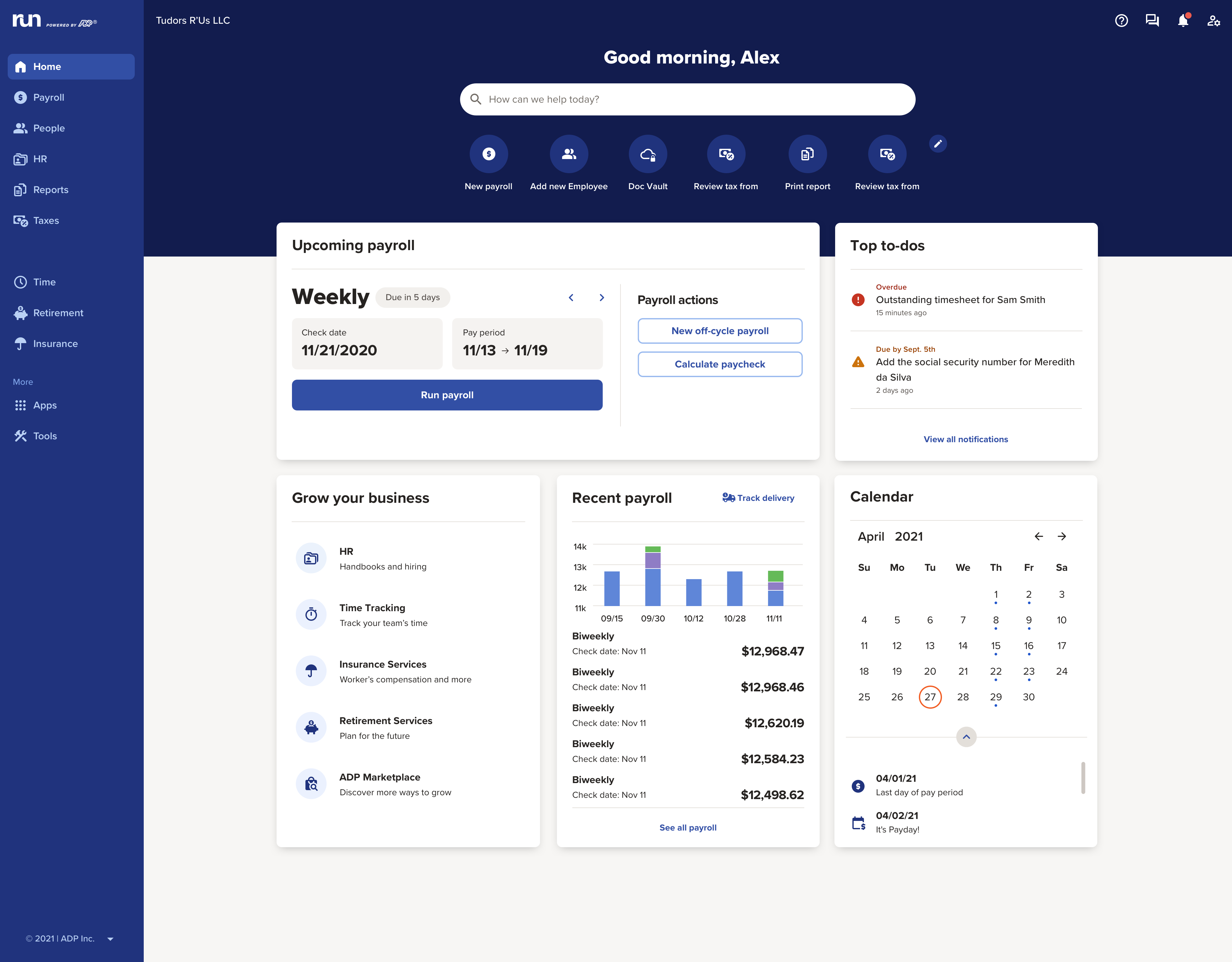
The RUN Powered by ADP® cloud-based solution is used to pay employees. It also includes HR and hiring tools, as well as benefits, helping small businesses grow and manage their teams.
N/A
Dayforce Powerpay
Score9.2 out of 10
N/A
Dayforce Powerpay allows small businesses to pay and manage employees. It is used to simplify and automate payroll processes with automatic payroll calculations and remittances to the CRA and RQ, and streamlines payroll with connected time and attendance tracking to help ensure people are paid accurately.
If I switched from a different product, not sure if the customer service, or reliability between the two products will be the same, so far I am happy with ADP payroll since the customer service are nice and good, we can save time since we don't need to wait that long when …
A de minimis incentive was given to thank the reviewer for their time. The incentive was not used to bias or drive a particular response, nor was the incentive contingent on a positive endorsement. TR verified that a representative sample of customers was invited. More Info
I would highly recommend given that RUN Powered by ADP® is our third payroll company and the first that I have been completely satisfied with. It saves me hours of frustration and is also less expensive than our previous payroll companies.
A de minimis incentive was given to thank the reviewer for their time. The incentive was not used to bias or drive a particular response, nor was the incentive contingent on a positive endorsement. More Info
We are a small business - and even though we are small and don't make near use of all of the options in the program, I love it because all my remitting is done for me, all the calculating, all the vacation pay, holiday pay, overtime, everything is kept track of really well and I don't have to worry about missing information if I was to do this myself. I also love the direct deposit options and my employees love it and the paystubs and the ability to put messages on their paystubs! I honestly can't think of a scenario where Dayforce Powerpay wouldn't be suitable!! I wouldn't change companies, even if it saved me money as I love all the functions, the information and the ease of ROE and T4's.
A de minimis incentive was given to thank the reviewer for their time. The incentive was not used to bias or drive a particular response, nor was the incentive contingent on a positive endorsement. More Info
A de minimis incentive was given to thank the reviewer for their time. The incentive was not used to bias or drive a particular response, nor was the incentive contingent on a positive endorsement. More Info
Ceridian Powerpay simplifies the payroll process, very little manual work involved during each payroll run.
Ceridian Powerpay is mostly an intuitive interface with easy to understand workflows to allow for multiple users to be able to use the system if required.
A de minimis incentive was given to thank the reviewer for their time. The incentive was not used to bias or drive a particular response, nor was the incentive contingent on a positive endorsement. More Info
I do wish there were additional custom deductions available rather than a limited amount.
Sometimes employees have trouble accessing their account after the initial invite has been sent.
Sometimes employee accounts get locked due to a reused email if their profile is deleted before they've signed up. Only a call to support can correct it.
A de minimis incentive was given to thank the reviewer for their time. The incentive was not used to bias or drive a particular response, nor was the incentive contingent on a positive endorsement. TR verified that a representative sample of customers was invited. More Info
A de minimis incentive was given to thank the reviewer for their time. The incentive was not used to bias or drive a particular response, nor was the incentive contingent on a positive endorsement. More Info
It is much better than the payroll system I used previously. The integrations that RUN has for on-boarding new hires are very convenient when they work properly. It saves a tremendous amount of time being able to email a link to new employees that allows them to enter much of their own demographic information. Payroll feature alerts me when someone's pay is significantly less or more than usual.
A de minimis incentive was given to thank the reviewer for their time. The incentive was not used to bias or drive a particular response, nor was the incentive contingent on a positive endorsement. TR verified that a representative sample of customers was invited. More Info
Powerpay exceeds my expectations: it's easy to use and does not 'eat' my time by wondering what the end result will be. I can see what each employee's pay statement will look like before I submit the payroll for processing. Monthly processing fees are not exorbitant and the service from support it top notch, quick and awesome when you need it! What's not to like? It's a terrific company to have on your side!
A de minimis incentive was given to thank the reviewer for their time. The incentive was not used to bias or drive a particular response, nor was the incentive contingent on a positive endorsement. More Info
I have been using this system for years and they have actually made it easier and easier. The system is always making great upgrades that don't necessarily require any additional information or training. I love when I log in and see a new feature or button that I get to use to make my life easier!
A de minimis incentive was given to thank the reviewer for their time. The incentive was not used to bias or drive a particular response, nor was the incentive contingent on a positive endorsement. More Info
Dayforce is easy to use and intuitive. When things are less familiar, the chat support is speedy and friendly, so I never have to worry or struggle to figure something out. Once support shows me how to do something, it is easy to remember and not need help next time.
A de minimis incentive was given to thank the reviewer for their time. The incentive was not used to bias or drive a particular response, nor was the incentive contingent on a positive endorsement. More Info
We've had very little issue with RUN availability, only a couple times there were outages when least expected which occurred on our actual payroll due date
A de minimis incentive was given to thank the reviewer for their time. The incentive was not used to bias or drive a particular response, nor was the incentive contingent on a positive endorsement. TR verified that a representative sample of customers was invited. More Info
I have never experienced application errors or unplanned outages. I do know that I could phone Dayforce Powerpay and give them hours and other deductions and they would do the payroll and I could either have them deliver the completed payroll by courier (there are small extra charges for this) or I could download the completed payroll on pay day. I have also been able to complete payroll our payroll at home instead of at the office. Dayforce is very accessible by phone or online.
A de minimis incentive was given to thank the reviewer for their time. The incentive was not used to bias or drive a particular response, nor was the incentive contingent on a positive endorsement. More Info
ADP Run loads a bit slowly at times, once I put in my credentials. However, that said, I think my perception of the time it takes is impacted by our "instant gratification" expectation of being able to get into everything quickly.
A de minimis incentive was given to thank the reviewer for their time. The incentive was not used to bias or drive a particular response, nor was the incentive contingent on a positive endorsement. More Info
Pages online load in seconds. Click and it's instantly there! I have never had pages not loading properly or taking time to load. Payroll reports also downloads quickly. We do not interface Dayforce Powerpay with anything else
A de minimis incentive was given to thank the reviewer for their time. The incentive was not used to bias or drive a particular response, nor was the incentive contingent on a positive endorsement. More Info
I appreciated having that issue finally take care of. it was extremely disheartening to see the issue had not been resolved. I also had my employees looking to me and thinking I was not trying to resolve the issue so it reflected poorly on my character. I do not know if i was because of a miscommunication, but nonetheless I was happy it was taken care of
A de minimis incentive was given to thank the reviewer for their time. The incentive was not used to bias or drive a particular response, nor was the incentive contingent on a positive endorsement. TR verified that a representative sample of customers was invited. More Info
Regardless the issue, the Customer Support team is offering outstanding services! When I am calling, the wait time is reasonable, and the team members will ensure you receive the right support in a timely manner, with politeness and kindness. If you reach out the team that it's a guarantee that your issue will be solved!
A de minimis incentive was given to thank the reviewer for their time. The incentive was not used to bias or drive a particular response, nor was the incentive contingent on a positive endorsement. More Info
A de minimis incentive was given to thank the reviewer for their time. The incentive was not used to bias or drive a particular response, nor was the incentive contingent on a positive endorsement. TR verified that a representative sample of customers was invited. More Info
A de minimis incentive was given to thank the reviewer for their time. The incentive was not used to bias or drive a particular response, nor was the incentive contingent on a positive endorsement. TR verified that a representative sample of customers was invited. More Info
I have used Powerpay before (at a previous employer) but a few years had elapsed. I had a quick online training session (less that 30 minutes) to recover basic knowledge and I was away. I still from time to time have to do something that i am not quite sure of and pick up the phone! Every one that works at Ceridian - now Dayforce - have been able to answer my question and tell me where to go in the program, click on what and do what I need to do. The support is out-of-this-world good!
A de minimis incentive was given to thank the reviewer for their time. The incentive was not used to bias or drive a particular response, nor was the incentive contingent on a positive endorsement. More Info
A de minimis incentive was given to thank the reviewer for their time. The incentive was not used to bias or drive a particular response, nor was the incentive contingent on a positive endorsement. TR verified that a representative sample of customers was invited. More Info
I initiated the implementation. I answered all the questions I was asked, prepared the documentation and sent it off and it was done! Quickly, efficiently and done well!
A de minimis incentive was given to thank the reviewer for their time. The incentive was not used to bias or drive a particular response, nor was the incentive contingent on a positive endorsement. More Info
We decided to go with RUN Powered by ADP® as they seemed to be the most price conscious with the most up-to-date compliance in the field. Often the competitors cost more for individual services or wanted us to buy a much larger bundle of products than we needed.
A de minimis incentive was given to thank the reviewer for their time. The incentive was not used to bias or drive a particular response, nor was the incentive contingent on a positive endorsement. TR verified that a representative sample of customers was invited. More Info
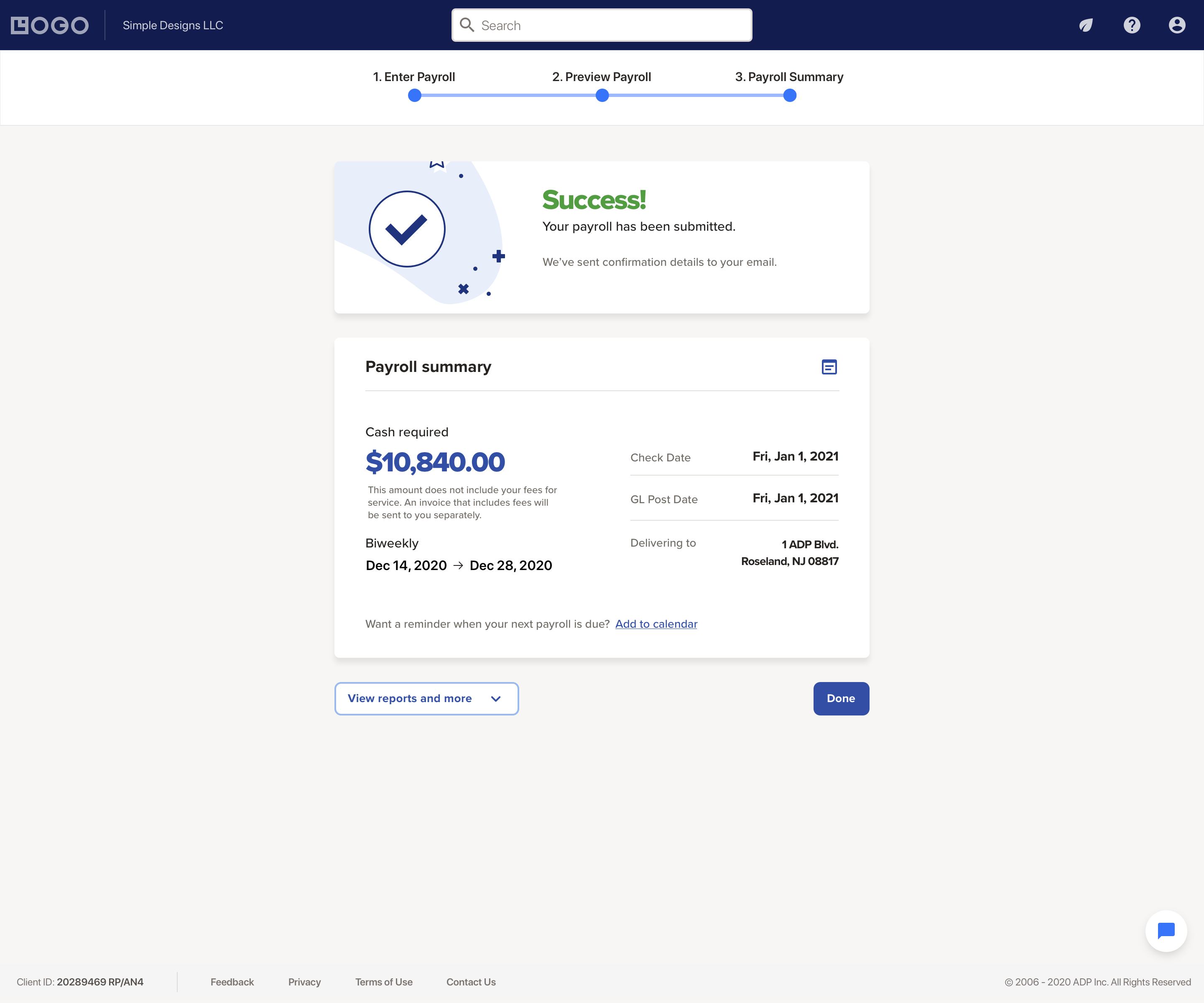
Being able to remit payroll directly to CRA reduces the number of steps in payroll processing. It also means that there is no way for us to forget a remittance. This is important to us because it's all-in-one software. I did like that QB would have the entry directly there so that I don't need to record it.
A de minimis incentive was given to thank the reviewer for their time. The incentive was not used to bias or drive a particular response, nor was the incentive contingent on a positive endorsement. More Info
Pretty standard contract terms. Unit pricing is about 30% less than the previous provider - service is about 150% better with Dayforce Powerpay that with the previous provider! We are billed twice per month as we do payroll twice per month.
A de minimis incentive was given to thank the reviewer for their time. The incentive was not used to bias or drive a particular response, nor was the incentive contingent on a positive endorsement. More Info
Every summer, we hire three new college interns who have to be entered into the system. They can enter their information themselves, which takes a load off me. The onboarding is quite straightforward, and today's college kids are techy enough to be able to understand it.
A de minimis incentive was given to thank the reviewer for their time. The incentive was not used to bias or drive a particular response, nor was the incentive contingent on a positive endorsement. More Info
We have a small staff of less than 20 employees. We moved our payroll from a previous provided because of terrible and expensive service. Dayforce is much, much easier to use and costs about 30% less than the previous provider. Dayforce Powerpay also seem to have people that speaks clearly and are efficient in everything they do so that less time is wasted by phone calls that has you on hold for 3 hours!
A de minimis incentive was given to thank the reviewer for their time. The incentive was not used to bias or drive a particular response, nor was the incentive contingent on a positive endorsement. More Info
They are all professional, knowledgeable, very pleasant to interact with and extremely helpful. They consistently take customer services to a higher level. Great people to deal with!
A de minimis incentive was given to thank the reviewer for their time. The incentive was not used to bias or drive a particular response, nor was the incentive contingent on a positive endorsement. More Info
RUN Powered by ADP® has had a meaningful impact on our business by reducing administrative time and lowering compliance risk. Automating payroll and tax filings has saved several hours per pay period that would otherwise be spent on manual calculations, tracking deadlines, and preparing filings. This time savings allows us to focus more on operations and client work.
The platform’s automated tax handling has also reduced the likelihood of penalties or missed filings, which provides financial and operational stability. While the cost of the service can increase as add‑ons are introduced, the reliability of payroll processing and compliance support offsets much of that expense.
Overall, RUN Powered by ADP® has contributed to smoother operations, fewer errors, and more predictable payroll cycles, which supports our broader goals of efficiency and compliance.
A de minimis incentive was given to thank the reviewer for their time. The incentive was not used to bias or drive a particular response, nor was the incentive contingent on a positive endorsement. TR verified that a representative sample of customers was invited. More Info
The return on investment has been substantial for our company. Having a payroll system that calculates everything for you, processes important documents, and only takes minimal time and effort allows us to focus more time on running the business and generating revenue.
Instead of having a user spend half a day (or potentially a full day) processing payroll, it only takes a couple hours (obviously depending on how many employees need to be processed).
A de minimis incentive was given to thank the reviewer for their time. The incentive was not used to bias or drive a particular response, nor was the incentive contingent on a positive endorsement. More Info