Agiloft's Flexible Service Desk Suite included an Internal Help Desk, External Customer Support, Change Management, Asset Management, RMA Management, and ITIL/ITSM capability. The product is no longer available.
$65
per month
TeamSupport
Score8.4 out of 10
Mid-Size Companies (51-1,000 employees)
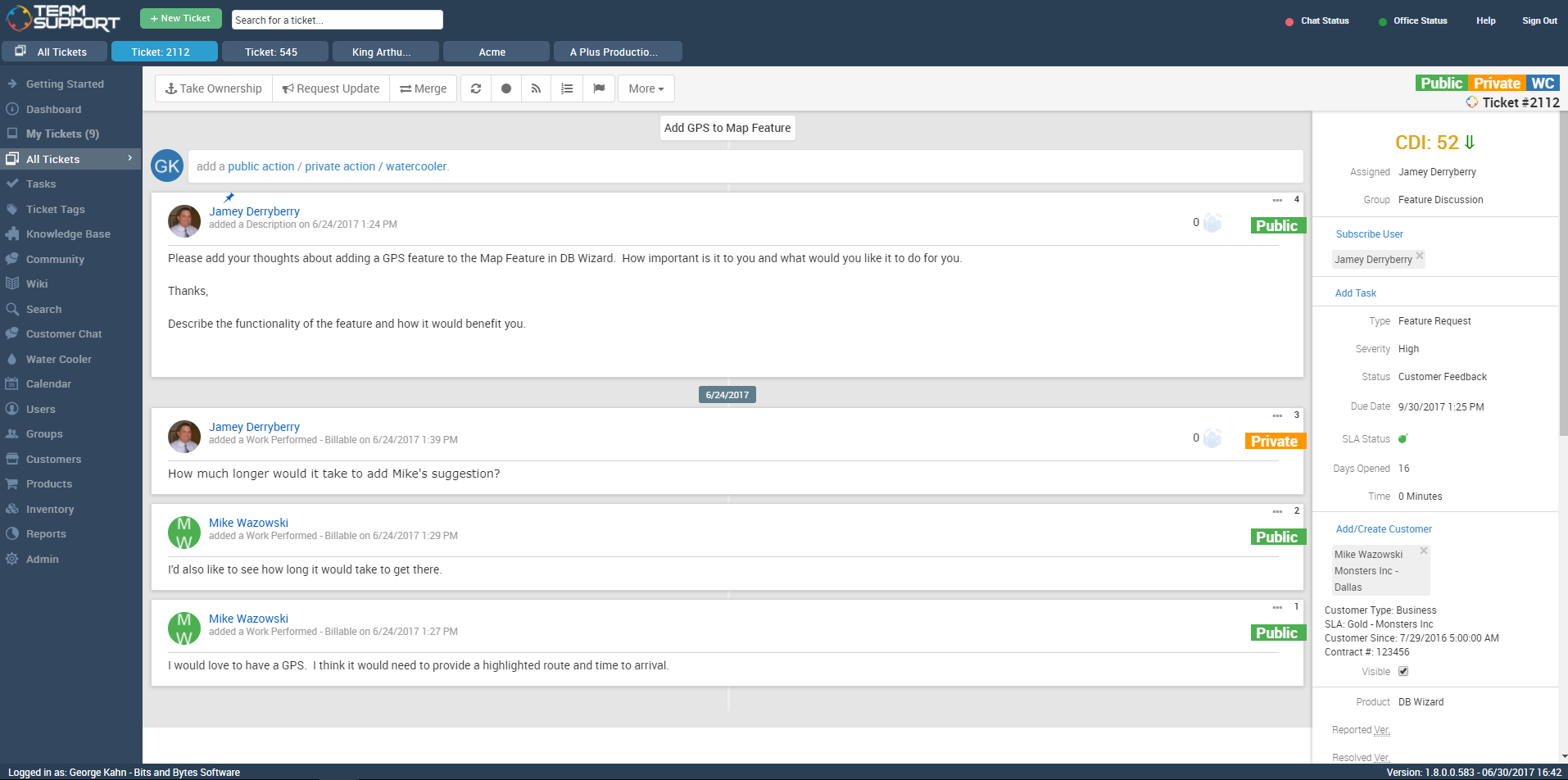
TeamSupport is customer support software built for B2B software and technology companies. The solution offers ticket management, a customer and contact database, reporting and analytics, multi-channel support, built-in collaboration tools, and many native integrations.
Agiloft is most suited to meeting the needs of an organization that requires rapid and frequent process changes for critical processes, and values empowering the people who do the job to determine how best to automate it - essentially rapidly growing, democratic organization.It's hard to imagine an inappropriate scenario to use Agiloft, but one that comes to mind is organzations requiring a complete, finished, highly structured solution that they do not want to change over time. Agiloft is designed with the expectation that clients will adapt it to their needs so many functions are left undone, rather than throwing a "kitchen sink" at the customer and letting them choose what they need.The best way to work with Agiloft is to take the training class, then have a small success with a small team, involving the employees and first level management in the deployment. They'll tell everyone else how much they like it. This reduces the possibility of slow development cycles and an undue dependence on outside expertise, while maximizing the return on Agiloft's investment in easy customizability.
TeamSupport is a great ticketing/help desk platform for small companies. It gets the job done and allows for multiple teams to manage workloads. It is not best for bigger organizations as there are lots of lacking features (mobile app, integrations, robust Jira/Confluence like system). The support for TeamSupport is great too. They usually get in touch with customers quickly when the system is down and they resolve issues quickly as well.
A de minimis incentive was given to thank the reviewer for their time. The incentive was not used to bias or drive a particular response, nor was the incentive contingent on a positive endorsement. More Info
Fully GUI based interface that has drastically reduced the time to add new features/workflows.
The product was very easy to deploy and add features like Single-Sign On and user provisioning from our internal DataWarehouse. Again, vendor support was a big help while implementing those features.
The workflows include a very comprehensive rule-based system that can trigger various actions like escalations, emails, changes of request state and more. All without any coding. Again, fully GUI based.
There were other customer support software companies that I looked into at first, however TeamSupport provided exceptional customer service themselves. I paid close attention to how they handled me as a customer to see if they were a company that would understand my desire to give exceptional customer service to my clients and if they had the tools to make the experience easy. Every interaction with them was very positive.
Since we needed TeamSupport's software embedded into our software application to give our users easy access to the support tools, the staff at TeamSupport needed to answer many questions and work with our developers to make this possible. They were always willing to take the extra step to ensure a smooth set up.
As we continue with TeamSupport, I am especially impressed with the sincerity of the CEO, Robert C. Johnson, and his commitment to us so that together we can deliver exceptional customer support.
A de minimis incentive was given to thank the reviewer for their time. The incentive was not used to bias or drive a particular response, nor was the incentive contingent on a positive endorsement. TR verified that a representative sample of customers was invited. More Info
With flexibility comes complexity, so we have needed to use consulting time to implement some of our needs. The learning curve can be steep, but the product can accommodate nearly any scenario.
At one point we seemed to have some performance issues, but those seem to be in the past.
We would like to see a structure to the ticket numbering system. In a previous system we had a numbering system like this mmddyy-xxxxxx This was very easy to see when a ticket was created based on just it's number. Currently with TeamSupport they assign a random number to tickets that is not very informative without a created date field.
Reports are nice but lack some rollup capabilities that are needed. Any given report can only work against two data tables at max. This is a limitation that we had to create custom contact fields to get around. They store phone, address and base contact info in separate tables. This makes it impossible with a standard system to create a report of all tickets along with the ticket and contact information in one report. The previous system we were on, allowed you to tie as many related data tables together that was needed to create one high level report.
Need Ability to notify external users of ticket activity in regions. So what I mean is we have FAE's in the field that want to know what their customers are asking for their region. They don't want or need a TeamSupport account but want simple e-mails of activity. This has been a lost feature for us going to a new system. I have to create a manual report each week and forward to the people that want this kind of information.
Ticket Automation rules will only run against a ticket one time. I understand why they did this to prevent uncontrolled loops but it would be nice to be able to set a limit that was greater than one. This limitation often causes us to have to write multiple rules to handle certain ticket cases.
A de minimis incentive was given to thank the reviewer for their time. The incentive was not used to bias or drive a particular response, nor was the incentive contingent on a positive endorsement. TR verified that a representative sample of customers was invited. More Info
We're comfortable and happy with our purchase of Agiloft. Our end users have been happy with the tool, and appreciate the time savings and efficiency it has gave them. Agiloft also appears to actually care about you being a customer, which makes a difference to me.
We are very likely to renew. We have been using TeamSupport for years and have tested a few other ticketing software solutions. We utilize several project management solutions to date and are always looking for better more efficient ways. Team Support is great at working with us and allows us to report issues well.
A de minimis incentive was given to thank the reviewer for their time. The incentive was not used to bias or drive a particular response, nor was the incentive contingent on a positive endorsement. TR verified that a representative sample of customers was invited. More Info
For the most part, it is an easy and intuitive system to use. There are many small things that could be improved to make the system work even easier. However, overall it is very easy to use if you have a good grasp on computer programs and using them to build things. I do not have any computer science or programming background, and I am able to use this system with few problems.
I think some things could be a little more user-friendly: specifically the dashboard. Although it's fantastic and makes life so much nicer, I'd like to have more control on it's customization. I'd like to be able to default what's collapsed and what's expanded...instead of everything expanding by default each time I load it. But the portal offers great tools and guides on workarounds.
We often hear back very quickly with answers to our questions. They also support their answers at times with screenshots and videos to help further explain their advice and suggestions. The only reason it isn't a 10 is because sometimes using only the online support system, sometimes things aren't communicated as well as they would be over the phone. However, we know if there is a major issue going on, we can call Agiloft for support.
TeamSupport's ease of use and the way it benefited our company overall. From cost improvements, ROI, and overall management of team members it gets high marks. We are better able to support our customer base by providing improved support in a more timely fashion. The End User view of IT Support overall has improved just through using this platform in our company.
A de minimis incentive was given to thank the reviewer for their time. The incentive was not used to bias or drive a particular response, nor was the incentive contingent on a positive endorsement. More Info
Data import was the most difficult hurdle for us to get over. The mass import was handled through an Excel spreadsheet. TeamSupport doesn't use Microsoft Office products for the most part so they were relying on Google Docs which has limitations over Excel. Special characters and html in import cells can be a issue with importing. When creating a data export from your current system, special care needs to be taken so that the data is able to be processed into TeamSupport without issues.
A de minimis incentive was given to thank the reviewer for their time. The incentive was not used to bias or drive a particular response, nor was the incentive contingent on a positive endorsement. TR verified that a representative sample of customers was invited. More Info
Most of the other CRM software packages we evaluated were either too complicated or time consuming to setup and customize, or they were too expensive, especially since many of the companies charge additional fees for each additional module or function you want to use.
TeamSupport is a much more modern, intuitive and user-friendly version of NetSuite with many additional bells and whistles. NetSuite has a business only facade with a rather clunky interface and system. TeamSupport compares favorably and meets business needs while being a much more advanced and modern solution.
A de minimis incentive was given to thank the reviewer for their time. The incentive was not used to bias or drive a particular response, nor was the incentive contingent on a positive endorsement. TR verified that a representative sample of customers was invited. More Info
TS keeps adding new features without making sure the program is reliable as-is. The program is frequently offline which makes for significant frustration on my part
A de minimis incentive was given to thank the reviewer for their time. The incentive was not used to bias or drive a particular response, nor was the incentive contingent on a positive endorsement. TR verified that a representative sample of customers was invited. More Info