Overview
ProductRatingMost Used ByProduct SummaryStarting Price
Alteryx Platform
Score 9.1 out of 10
N/A
The Alteryx AI Platform gives organization automated data preparation, AI-powered analytics, and machine learning with embedded governance and security. Its self-service functionality, with self-service data prep, machine learning, and AI-generated insights, gives enterprise teams with a simplified user experience allowing everyone to create analytic solutions that improve productivity, efficiency, and the bottom line. Alteryx Designer can be used to automate every analytics step…
$14,850
per year 3 users (minimum), cloud edition
Microsoft Power BI
Score 8.5 out of 10
N/A
Microsoft Power BI is a visualization and data discovery tool from Microsoft. It allows users to convert data into visuals and graphics, visually explore and analyze data, collaborate on interactive dashboards and reports, and scale across their organization with built-in governance and security.
$168
per year per user
Microsoft Visual Studio Code
Score 9.3 out of 10
N/A
Microsoft offers Visual Studio Code, an open source text editor that supports code editing, debugging, IntelliSense syntax highlighting, and other features.
$0
Pricing
Alteryx PlatformMicrosoft Power BIMicrosoft Visual Studio Code
Editions & Modules
Designer Desktop
starting at $5,195
per year per user
Designer Cloud Professional Edition
Starting at $4,950
per year per user (minimum of 3 users)
Power BI Pro
$14
per month (billed annually) per user
Power BI Premium
$24
per month (billed annually) per user
No answers on this topic
Offerings
Pricing Offerings
Alteryx PlatformMicrosoft Power BIMicrosoft Visual Studio Code
Free Trial
YesYesNo
Free/Freemium Version
NoYesYes
Premium Consulting/Integration Services
YesNoNo
Entry-level Setup FeeNo setup feeNo setup feeNo setup fee
Additional DetailsPower BI Desktop is the data exploration and report authoring experience for Power BI, and is available as a free download.
More Pricing Information
Community Pulse
Alteryx PlatformMicrosoft Power BIMicrosoft Visual Studio Code
Considered Multiple Products
Alteryx Platform
Chose Alteryx Platform
I prefer Alteryx Platform to all the above products. In my opinion, the Microsoft products (Excel, Power BI) are inferior, cheaper alternatives to Alteryx Platform.
Chose Alteryx Platform
I used ACL before so all my scripts were written in SQL and it was not low code at all. After me and my team started using Alteryx, we moved all the scripts to workflows in Alteryx, it took some time, but works way better than ACL, it is faster and easier to maintain it any …
Chose Alteryx Platform
Alteryx is by far the most powerful tool to carry out complex and customized calculations with ease and highly reproducible while the other tools often face memory issues and 10x more time to carry ou similar calculations
Chose Alteryx Platform
Alteryx stacks up against its competitors in the marketplace because from day one its goal was to simplify and democratize data processes. Its visual nature and transparent tool set, combined with its highly addictive joy to use make it stand out from the crowd.
Chose Alteryx Platform
Alteryx has interactive visualization capabilities which RapidMiner lacks. Alteryx is more intuitive and suited for enterprises vs. RapidMiner which is more suited for individuals and beginners (since it focuses on the building blocks). Also, Alteryx has a very strong learning …
Chose Alteryx Platform
We have not utilized any other tools like Alteryx or found any other tools like Alteryx to evaluate them against.
Chose Alteryx Platform
Alteryx is easier to use and has a lot more advanced analytics capabilities.
Chose Alteryx Platform
Alteryx bar far and away blows the competition out of the water. It is super easy to pick up and learn and it is so powerful. Other systems I have used are complicated and clunky often giving errors. Alteryx has made my life as a data analyst so much easier.
Chose Alteryx Platform
Alteryx serves as a complementary product, performing all the data wrangling for the likes of Tableau Desktop and Microsoft PowerBI for visualization. Microsoft Excel serves as an easier means of automation for tasks that previously would have involved a lot of manual …
Chose Alteryx Platform
Alteryx worked 'out-of-the-box' without needing our IT team to provide setup or engineering. The data connections are included and functional with ease. No other drivers are needed. The support team at Alteryx is second-to-none, including the fabulous Alteryx Community. The …
Chose Alteryx Platform
Alteryx is feature-rich and allows our team to blend multiple data sources and types together with ease. We are able to really speed through workflow development while strengthening the quality of the output. I would say that Alteryx is able to outdo the other products in the …
Chose Alteryx Platform
Ease of use, Ease of deployment, completeness of reach, scalability, Total Cost of Ownership, Speed and flexibility
Chose Alteryx Platform
Alteryx is much more repeatable, accurate, and reliable. It also is more efficient and loads faster than excel transformations.
Chose Alteryx Platform
Alteryx was faster in processing the data and had more user-friendly tools to automate the reporting function.
Chose Alteryx Platform
Alteryx has good integration capabilities and serves better for the purpose to connect with other tools in the enterprise and provide data security.
Chose Alteryx Platform
Alteryx has better data cleansing and structuring capabilities than PowerBI. And that’s what it is meant for. Whereas PowerBI focus more on dashboarding.

Also Alteryx has advanced functionalities which makes life easier as far as the information is structured.
Chose Alteryx Platform
There's no need to write any codes unless very specific requirements. tremendously flexible and visual masterpiece on what actions one wants to perform. easy to interpret and follow for an unfamiliar person as have simple naming and definitions. wide use of the tool in some …
Chose Alteryx Platform
Alteryx has high functionality compared to Power BI. It has the ability to produce high-end predictive analytics, which power BI fails to do. Data cleaning, data manipulation, and data visualization are way better in Alteryx compared to Power BI. Overall, Alteryx is a better …
Chose Alteryx Platform
KNIME and Trifacta are also very good advanced solutions but the easy to use user interface of Alteryx makes it more appealing. I still use KNIME or Trifacta for few of my projects.
Chose Alteryx Platform
  • Alteryx is your own pocket BI tool, that means it's easy to implement and easy to learn
  • You can avoid several trips to your IT department if you start using Alteryx
  • Alteryx is a time-tested application and has a big community of users to support your queries
Chose Alteryx Platform
  • Alteryx has been developed for a longer time. The capability to read big files in few seconds is very good and the way the tool is structure is very intuitive and easy to use.
  • At the same time Alteryx gives space for your own way and your own implementation.
  • Aletryx 's service is …
Chose Alteryx Platform
Alteryx has a better interface than KNIME, though it's a bit more expensive than KNIME (an open source tool). We cannot use open-source software due to data privacy issues, and this is why we selected Alteryx. Alteryx also had an agreement with Macquarie and provided a discount …
Microsoft Power BI
Chose Microsoft Power BI
In any [Microsoft] Power BI to Tableau comparison, especially in organizations that uses both platforms the most important aspect is which platform came first. As any platform that is widely adopted first will naturally have the 'first mover' advantage.

In this case where in my …
Chose Microsoft Power BI
Power BI from a price perspective is the lowest cost (probably even from a total cost of ownership perspective) of all the offerings I have ever evaluated. The piece that really stands out for Power BI is the data transformation layer called Power Query. This section allows you …
Chose Microsoft Power BI
It has more than 200 plus visuals in-store and is very easy to access. It has a great user community to help each other with an ample amount of responses. Almost all kinds of data sources are available to use and develop the reports Easy to use and learn with a lot of training …
Chose Microsoft Power BI
With Microsoft Power BI it is easy to load the data and transform it, with its competitor product Tableau, an enterprise would need a separate tool known as Tableau Prep.
Chose Microsoft Power BI
We selected Microsoft Power BI because it was the easiest to integrate with our primary systems, allowed us to embed reports for our partners, allowed us to host our data and some reports on premise. It also provided the shortest route to production deployment allowing us to …
Chose Microsoft Power BI
Power BI is easier to use than other BI tools. It can be connected to several sources and it can import your own local sources. The data manipulation is very simple and to build a dashboard is even easier. The language used is DAX, but you can import file from R or Python.
Chose Microsoft Power BI
Power BI, Tableau, and QlikView are the market leaders when analyzed on Gartner`s magic quadrant for business intelligence tool. One of the critical drawbacks of all these visionary tools is the absence or expensive back end that are needed to support the infrastructure. …
Chose Microsoft Power BI
Based on the latest reviews from Magic Quadrant, Tableau is rated high among all the applications in this category with its rich features in terms of connectivity, visualizations, and various other features. But the cost of using the application is bit high from my personal …
Microsoft Visual Studio Code
Chose Microsoft Visual Studio Code
prior to Visual Studio Code, I was using Sublime Text, which was not the most effective in terms of third-party libraries and complex debugging, so I switched to Visual Studio Code where I got a positive as a developer. it is having all the features and third-party libraries to …
Chose Microsoft Visual Studio Code
It has everything other editors are offering but you will find so many additions. Sometimes you don't think you need a feature until you start using it and that's the case with VS Code. So many things will pop up and make your life easier. Just because you're used to other …
Features
Alteryx PlatformMicrosoft Power BIMicrosoft Visual Studio Code
BI Standard Reporting
Comparison of BI Standard Reporting features of Product A and Product B
Alteryx Platform
-
Ratings
Microsoft Power BI
8.3
197 Ratings
1% above category average
Microsoft Visual Studio Code
-
Ratings
Pixel Perfect reports00 Ratings8.3168 Ratings00 Ratings
Customizable dashboards00 Ratings8.7196 Ratings00 Ratings
Report Formatting Templates00 Ratings8.0179 Ratings00 Ratings
Ad-hoc Reporting
Comparison of Ad-hoc Reporting features of Product A and Product B
Alteryx Platform
-
Ratings
Microsoft Power BI
8.0
195 Ratings
0% below category average
Microsoft Visual Studio Code
-
Ratings
Drill-down analysis00 Ratings8.3192 Ratings00 Ratings
Formatting capabilities00 Ratings7.8192 Ratings00 Ratings
Integration with R or other statistical packages00 Ratings7.4143 Ratings00 Ratings
Report sharing and collaboration00 Ratings8.4190 Ratings00 Ratings
Report Output and Scheduling
Comparison of Report Output and Scheduling features of Product A and Product B
Alteryx Platform
-
Ratings
Microsoft Power BI
8.0
188 Ratings
3% below category average
Microsoft Visual Studio Code
-
Ratings
Publish to Web00 Ratings8.3178 Ratings00 Ratings
Publish to PDF00 Ratings8.0173 Ratings00 Ratings
Report Versioning00 Ratings7.7145 Ratings00 Ratings
Report Delivery Scheduling00 Ratings8.3148 Ratings00 Ratings
Delivery to Remote Servers00 Ratings7.9111 Ratings00 Ratings
Data Discovery and Visualization
Comparison of Data Discovery and Visualization features of Product A and Product B
Alteryx Platform
-
Ratings
Microsoft Power BI
7.8
188 Ratings
2% below category average
Microsoft Visual Studio Code
-
Ratings
Pre-built visualization formats (heatmaps, scatter plots etc.)00 Ratings8.3182 Ratings00 Ratings
Location Analytics / Geographic Visualization00 Ratings8.1167 Ratings00 Ratings
Predictive Analytics00 Ratings7.4137 Ratings00 Ratings
Pattern Recognition and Data Mining00 Ratings7.438 Ratings00 Ratings
Access Control and Security
Comparison of Access Control and Security features of Product A and Product B
Alteryx Platform
-
Ratings
Microsoft Power BI
8.5
179 Ratings
0% above category average
Microsoft Visual Studio Code
-
Ratings
Multi-User Support (named login)00 Ratings8.7169 Ratings00 Ratings
Role-Based Security Model00 Ratings8.4147 Ratings00 Ratings
Multiple Access Permission Levels (Create, Read, Delete)00 Ratings8.4159 Ratings00 Ratings
Report-Level Access Control00 Ratings8.348 Ratings00 Ratings
Single Sign-On (SSO)00 Ratings8.6141 Ratings00 Ratings
Mobile Capabilities
Comparison of Mobile Capabilities features of Product A and Product B
Alteryx Platform
-
Ratings
Microsoft Power BI
8.0
161 Ratings
4% above category average
Microsoft Visual Studio Code
-
Ratings
Responsive Design for Web Access00 Ratings7.8151 Ratings00 Ratings
Mobile Application00 Ratings7.6132 Ratings00 Ratings
Dashboard / Report / Visualization Interactivity on Mobile00 Ratings7.9154 Ratings00 Ratings
Application Program Interfaces (APIs) / Embedding
Comparison of Application Program Interfaces (APIs) / Embedding features of Product A and Product B
Alteryx Platform
-
Ratings
Microsoft Power BI
7.8
115 Ratings
1% above category average
Microsoft Visual Studio Code
-
Ratings
REST API00 Ratings8.0103 Ratings00 Ratings
Javascript API00 Ratings7.684 Ratings00 Ratings
iFrames00 Ratings8.055 Ratings00 Ratings
Java API00 Ratings7.068 Ratings00 Ratings
Themeable User Interface (UI)00 Ratings7.690 Ratings00 Ratings
Customizable Platform (Open Source)00 Ratings8.444 Ratings00 Ratings
Best Alternatives
Alteryx PlatformMicrosoft Power BIMicrosoft Visual Studio Code
Small Businesses
IBM SPSS Statistics
IBM SPSS Statistics
Score 8.2 out of 10
Yellowfin
Yellowfin
Score 8.7 out of 10
BBEdit
BBEdit
Score 10.0 out of 10
Medium-sized Companies
JMP
JMP
Score 9.6 out of 10
Reveal
Reveal
Score 10.0 out of 10
Vim
Vim
Score 9.5 out of 10
Enterprises
JMP
JMP
Score 9.6 out of 10
Kyvos Semantic Layer
Score 9.5 out of 10
Vim
Vim
Score 9.5 out of 10
All AlternativesView all alternativesView all alternativesView all alternatives
User Ratings
Alteryx PlatformMicrosoft Power BIMicrosoft Visual Studio Code
Likelihood to Recommend
9.1
(138 ratings)
8.5
(197 ratings)
8.7
(91 ratings)
Likelihood to Renew
8.9
(19 ratings)
9.5
(3 ratings)
9.4
(2 ratings)
Usability
9.1
(53 ratings)
8.3
(113 ratings)
9.1
(8 ratings)
Availability
7.3
(4 ratings)
-
(0 ratings)
-
(0 ratings)
Performance
8.8
(45 ratings)
-
(0 ratings)
-
(0 ratings)
Support Rating
9.2
(52 ratings)
10.0
(52 ratings)
9.7
(23 ratings)
In-Person Training
7.0
(1 ratings)
-
(0 ratings)
-
(0 ratings)
Online Training
8.5
(2 ratings)
-
(0 ratings)
-
(0 ratings)
Implementation Rating
8.0
(5 ratings)
9.0
(1 ratings)
-
(0 ratings)
Configurability
7.3
(2 ratings)
-
(0 ratings)
-
(0 ratings)
Ease of integration
8.2
(3 ratings)
-
(0 ratings)
-
(0 ratings)
Product Scalability
7.3
(3 ratings)
-
(0 ratings)
-
(0 ratings)
Vendor post-sale
8.2
(2 ratings)
-
(0 ratings)
-
(0 ratings)
Vendor pre-sale
7.3
(1 ratings)
-
(0 ratings)
-
(0 ratings)
User Testimonials
Alteryx PlatformMicrosoft Power BIMicrosoft Visual Studio Code
Likelihood to Recommend
Alteryx
I would 100% recommend Alteryx to a friend, for me its friendly interface is the best, it has all the tools I need without the headache that programming is. It can be used for simple or complex analysis, so honestly, I don’t see a scenario where it wouldn’t suit. I’ve used Alteryx to make simple things I could do in Excel, for example, but it was less complex and faster to do in Alteryx, so why not? Its a very versatile tool.
Read full review
Microsoft
Has significantly improved collation of data and visualisation especially with business across Europe. Has given me the ability to see the Site availability at the click of a button to see which Site is in the "money" and seize opportunities based on Market data
Read full review
Microsoft
As a general workhorse IDE, Microsoft Visual Studio Codee is unmatched. Building on the early success of applications such as Atom, it has long been the standard for electron based IDEs. It can be outshone using IDEs that are dedicated to particular platforms, such as Microsoft Visual Studio Code for .net and the Jetbrains IDEs for Java, Python and others. For remote collaborative development, something like Zed is ahead of VSCode live share, which can be quite flakey.
Read full review
Pros
Alteryx
  • Pulling data from multiple disparate data sources.
  • Allows users to see the data at every step of the workflow to be able to cleanse, analyze, and optimize the data.
  • Provides an analytics platform that is easy for users of all levels to thrive in whether they are just starting out in their analytics journey or they have a master's degree in Data Science.
Read full review
Microsoft
  • Options for data source connections are immense. Not just which sources, but your options for *how* the data is brought in.
  • Constant updates (this is both good and bad at times).
  • User friendliness. I can get the data connections set up and draft some quick visuals, then release to the target audience and let them expand on it how they want to.
Read full review
Microsoft
  • Integrate with the git repository very well.
  • Integrated copilot chat is very helpful to write code snippets and helps beginners to start with coding and development.
  • Great library of available extensions is one of the best features in Microsoft Visual Studio Code.
  • Dedicated Testing option to configure pytest and others are quite handy to use.
Read full review
Cons
Alteryx
  • Steeper Learning Curve: Alteryx can have a steep learning curve for users who are new to the platform or have limited experience with data analytics. Enhancements to the user interface and user onboarding resources could help make the learning process more intuitive and accessible to a wider range of users.
  • Enhanced Data Visualization Capabilities: Alteryx offers basic data visualization capabilities, but there is room for improvement in terms of advanced visualizations and interactive dashboarding features. Adding more sophisticated chart types, interactive widgets, and customization options would enhance the data visualization capabilities within the platform.
  • Improved Error Handling and Debugging: Alteryx provides error handling mechanisms, but enhancing the error reporting and debugging capabilities would be beneficial. Improved error messages, better visibility into data flow, and debugging tools could help users troubleshoot and resolve issues more efficiently.
Read full review
Microsoft
  • It would be easier for users could Microsoft Power BI and Excel used the same programming languages.
  • Would like to see the online version of Microsoft Power BI be as powerful as the desktop version.
  • Publishing a Microsoft Power BI file online and then having to save the file is somewhat redundant.
  • Would like to export each page or chart as an image.
Read full review
Microsoft
  • The customization of key combinations should be more accessible and easier to change
  • The auxiliary panels could be minimized or as floating tabs which are displayed when you click on them
  • A monitoring panel of resources used by Microsoft Visual Studio Code or plugins and extensions would help a lot to be able to detect any malfunction of these
Read full review
Likelihood to Renew
Alteryx
We've developed a working partnership with Alteryx. As an enablement suite, we're continuing to innovate and deliver great products with use of Alteryx in our solutions. Alteryx use expands to our global product development teams and is in use in multiple parts of our organization. Alteryx also delivers Experian demographic content to other clients in their product offering. We're highly likely to renew, but that decision is way above my pay grade.
Read full review
Microsoft
Microsoft Power BI is an excellent and scalable tool. It has a learning curve, but once you get past that, the sky is the limit and you can build from the most simple to the most complex dashboards. I have built everything from simple reports with only a few data points to complex reports with many pages and advanced filtering.
Read full review
Microsoft
Solid tool that provides everything you need to develop most types of applications. The only reason not a 10 is that if you are doing large distributed teams on Enterprise level, Professional does provide more tools to support that and would be worth the cost.
Read full review
Usability
Alteryx
I've found that while some things might take a little longer to create, the flexibility of Alteryx allows you to perform any function needed. I haven't found a use that was not available in Alteryx yet. APIs and XMLs can be created to perform certain functions. In addition, CMD line commands can be sent using Alteryx to perform certain functions as well.
Read full review
Microsoft
Automating reporting has reduced manual data processing by 50-70%, freeing up analysts for higher-value tasks. A finance team that previously spent 20+ hours per week on Excel-based reports now does it in minutes with Microsoft Power BI's automated Real-time dashboards have shortened decision cycles by 30-40%, enabling leadership to react quickly to sales trends, operational bottlenecks, and customer behavior.
Read full review
Microsoft
Microsoft Visual Studio Code earns a 10 for its exceptional balance of power and simplicity. Its intuitive interface, robust extension ecosystem, and integrated terminal streamline development. With seamless Git integration and highly customizable settings, it adapts perfectly to any workflow, making complex coding tasks feel effortless for beginners and experts alike.
Read full review
Reliability and Availability
Alteryx
I use many programs and compared to others, Alteryx virtually never goes down, freezes up or gives an application error. Over a 4 year time period that I have used this program, any of these may have happened 3 times. It is an incredibly stable program that I feel completely confident in.
Read full review
Microsoft
No answers on this topic
Microsoft
Overall, Microsoft Visual Studio Code is pretty reliable. Every so often, though, the app will experience an unexplained crash. Since it is a stand-alone app, connectivity or service issues don't occur in my experience. Restarting the app seems to always get around the problem, but I do make sure to save and backup current work.
Read full review
Performance
Alteryx
I already gave the example of journal entries created in less than a second. What else can I tell you about.... I can tell you those 2 journal entries have historically had to be split into separate accounting systems so the outputs had to be very different (D365 vs Intacct) such that they are exactly ready for uploading. I can tell you I used to have some tire and battery queries hitting a line item detail table and they took hours to run UNTIL I asked IT for a view in SQL and now they're ready in about 5 minutes total. I guess I'd say if anything does take a long time - do some research with others and figure out what would speed them up
Read full review
Microsoft
No answers on this topic
Microsoft
Microsoft Visual Studio Code is pretty snappy in performance terms. It launches quickly, and tasks are performed quickly. I don't have a lot of integrations other than CoPilot, but I suspect that if the integration partner is provisioned appropriately that any performance impact would be pretty minimal. It doesn't have a lot of bells and whistles (unless you start adding plugins left and right).
Read full review
Support Rating
Alteryx
Stellar, bar-none. Some of the best support folks of any vendor. The Alteryx Community is the most responsive and supportive. On the rare occasion of a release issue or bug, we've been able to get quick help to solve the core problem. Alteryx does not play the blame game. They genuinely help the users solve their issues or respond to questions
Read full review
Microsoft
It is a fantastic tool, you can do almost everything related with data and reports, it is a perfect substitutive of Power Point and Excel with a high evolution and flexibility, and also it is very friendly and easy to share. I think all companies should have Power BI (or other BI tool) in their software package and if they are in the MS Suite, for sure Power BI should be the one due to all the benefits of the MS ecosystem.
Read full review
Microsoft
Active development means filing a bug on the GitHub repo typically gets you a response within 4 days. There are plugins for almost everything you need, whether it be linting, Vim emulation, even language servers (which I use to code in Scala). There is well-maintained official documentation. The only thing missing is forums. The closest thing is GitHub issues, which typically has the answers but is hard to sift through -- there are currently 78k issues.
Read full review
In-Person Training
Alteryx
1st level of trainings which I've attended in Paris was easy and I was already knowing %90, that learning could have been an e-learning instead of in-person
Read full review
Microsoft
No answers on this topic
Microsoft
No answers on this topic
Online Training
Alteryx
Very good, detailed online trainings which you can take at your own pace, and strong certifications exists, certifications are extremely detailed and hard...
Read full review
Microsoft
No answers on this topic
Microsoft
No answers on this topic
Implementation Rating
Alteryx
There is really not much to it (the installation, that is). Once you get it installed, along with any of the add-ons (demographics, R, etc.), you are up and running almost immediately. There is really no additional setup. You can immediately begin blending data, running demographics, performing spatial queries, running predictive analysis, etc. And for many of these functions, the learning curve is quite easy.
Read full review
Microsoft
It was integrated with our erp easily and was accessible on cloud.
Read full review
Microsoft
No answers on this topic
Alternatives Considered
Alteryx
Alteryx is MUCH more user friendly. both provide the ability to code within them, but Alteryx has much nicer interface. The formula tools have a more simple language that is easier to learn than formulae in SSIS. Alteryx is easy to read with multi colored tools identifying what each one does. It also allows for macros. You can build your own tool to process records of data or batch records together.
Read full review
Microsoft
Microsoft Power BI is free. If I didn't want to create a custom platform (i.e. my organization insisted on an existing platform that I *had* to use), I'd use Microsoft Power BI. For any start-up or SMB, I'd just use Claude & Grok to build it quickly, also for free. Would not pay for Tableau or Sigma anymore. Not worth it at all.
Read full review
Microsoft
Visual Studio Code stacks up nicely against Visual Studio because of the price and because it can be installed without admin rights. We don't exclusively use Visual Studio Code, but rather use Visual Studio and Visual Studio code depending on the project and which version of source control the given project is wired up to.
Read full review
Scalability
Alteryx
Individual analysts can quickly generate results using their own copy of Alteryx Designer. But using the Server and developing macros for more complex needs can be time consuming.
Read full review
Microsoft
No answers on this topic
Microsoft
It is easily deployed with our Jamf Pro instance. There is actually very little setup involved in getting the app deployed, and it is fairly well self-contained and does not deploy a large amount of associated files. However, it is not particularly conducive to large project, multi-developer/department projects that involve some form of central integration.
Read full review
Return on Investment
Alteryx
  • Error handling - allows controls to be built into workflows easily and allows them to be isolated and spat into control reports that can be easily reviewed and audited, thanks to the ability to create multiple outputs in one go.
  • Time-saving - saved huge amounts of time, especially when moving Excel processes into Alteryx.
  • Product development - allowed my firm to create products that we have been able to market and sell to clients.
Read full review
Microsoft
  • Power BI usage reduced the effort of analytical reports creation by about 80%
  • Empowered all the level of employee to be more vigilant of the data and business insights, gained the profit of 8% overall.
  • AI-powered predictive analytics improved forecasting accuracy by 17%, that topped the overall sales.
Read full review
Microsoft
  • Saves money by replacing suites of tools such as Visual Studio, IntelliJ, etc.
  • Speeds development time and developer environment setup time
  • Strengthens code quality with integrated autoformatting and linting
  • Strengths Git practices by keeping version control tightly connected with the code
Read full review
ScreenShots

Alteryx Platform Screenshots

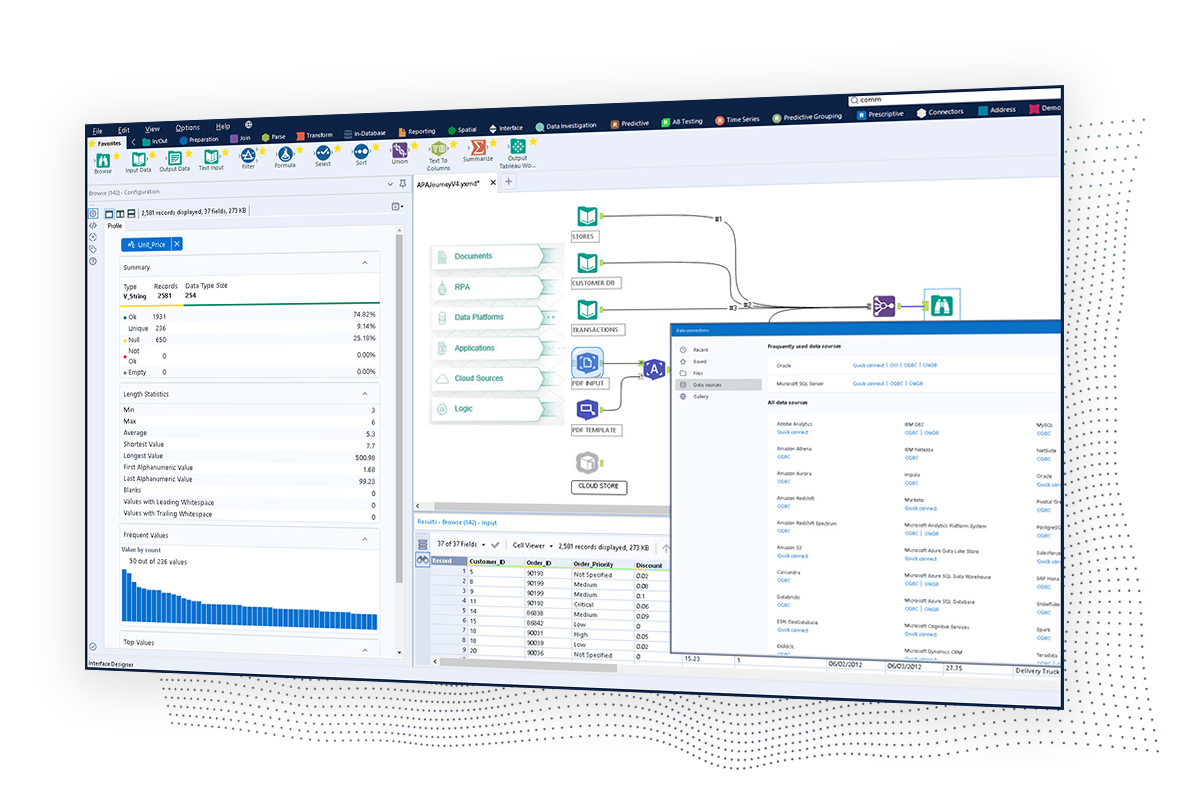
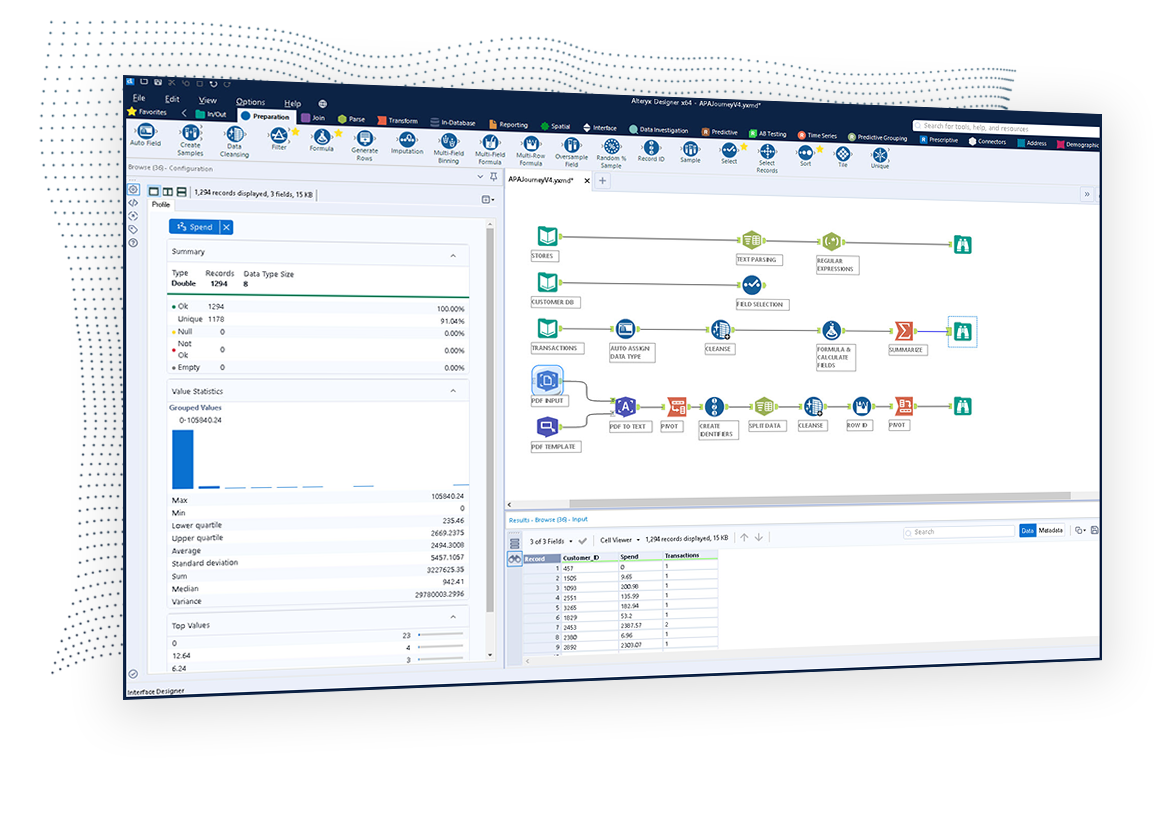
Screenshot of Alteryx APA - Automating asset inputsScreenshot of Alteryx APA - Automating outcomesScreenshot of Alteryx APA - Data enrichment and insightsScreenshot of Alteryx APA - Data quality and preparationScreenshot of Alteryx APA - Data science and decisions

Microsoft Power BI Screenshots

Screenshot of Microsoft Power BI - Turns insights into impact for business usersScreenshot of Power BI integrates easily with Microsoft 365Screenshot of Microsoft Power BI - AI-Powered CapabilitiesScreenshot of Microsoft Power BI - Copilot can be used to create reportsScreenshot of Microsoft Power BI - Data HubScreenshot of Microsoft Power BI - Scales as organizational needs grow