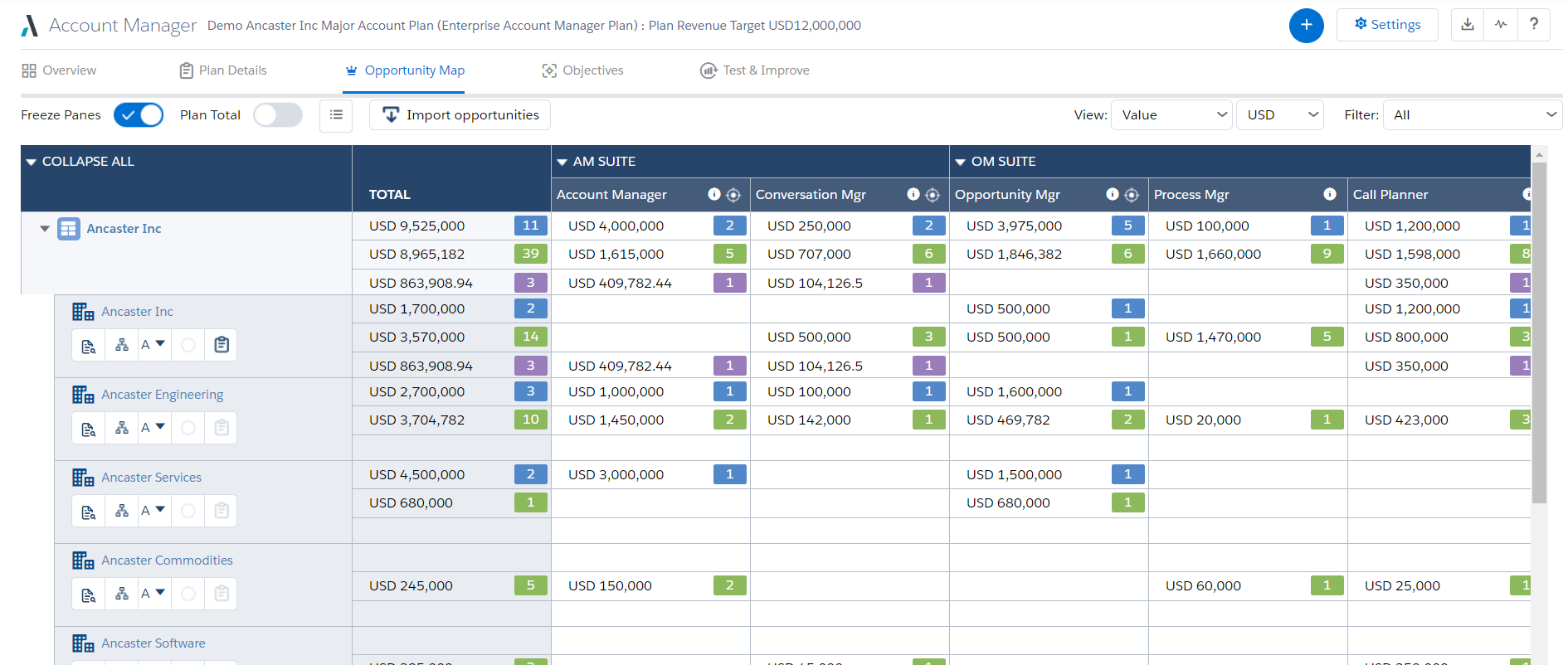
Altify’s suite of Salesforce native solutions guide and coach sellers to identify and map key relationships, uncover business insights, align sales processes to buying processes, qualify, manage and execute deals, and grow wallet share in accounts.
N/A
Asana
Score 8.5 out of 10
N/A
Asana is a web and mobile project management app. With tasks, projects, conversations, and dashboards, Asana lets an entire team know who's doing what by when, enabling workload balancing. Users can also add integrations for GANTT charts, time tracking and more.
$13.49
per month per user
Wrike
Score 8.6 out of 10
Mid-Size Companies (51-1,000 employees)
Wrike is a project management and collaboration software. This solution connects tasks, discussions, and emails to the user’s project plan. Wrike is optimized for agile workflows and aims to help resolve data silos, poor visibility into work status, and missed deadlines and project failures.
$0
per month per user
Pricing
Altify
Asana
Wrike
Editions & Modules
No answers on this topic
Starter
$13.49
per month per user
Advanced
$30.49
per month per user
Enterprise
Contact Sales
Personal
Free
Wrike Free
$0
per month per user
Wrike Team
$10
per month (billed annually) per user (2-15 users)
Wrike Business
$25
per month (billed annually) per user (5-200 users)
Apex
Request a quote
per month per user
Pinnacle
Request a quote
per month per user
Offerings
Pricing Offerings
Altify
Asana
Wrike
Free Trial
No
Yes
Yes
Free/Freemium Version
No
Yes
Yes
Premium Consulting/Integration Services
No
No
No
Entry-level Setup Fee
Optional
Optional
No setup fee
Additional Details
—
A discount is offered for annual billing.
Every premium plan begins with a 14-day trial period.
While Skuid is not a match to what Altify does in terms of capabilities, Skuid did allow us to natively create the functions that we needed within the business in a way that was more useful than the Altify tools out of the box functionality. Altify does not offer anything for a …
Asana is a highly effective instrument for managing teams and projects. The paid edition provides a multitude of features that can be tailored and used in accordance with the organisation's specific requirements.
Email integration facilitates notifications that remind team …
Overall for the money Asana brings a lot of value for organizations who want to do more with less and need a task and project management solution as a small company is growing and scaling to get to the next level. In the space when we evaluated didn't find a lot of other …
Against Jira it offers a more modern experience with less complex user interfaces. The admin and setup experience is also way faster with less (or no) legacy complexity.
Against other modern players like Linear and Basecamp it offers way more integrations so we can pull in data …
Asana is a top-tier project management software that helps us organize and track projects from start to finish. It allows us to apply tasks/to-dos to multiple projects without duplication, divide complex projects into smaller tasks, and track project progress. It also helps us …
Asana provides a mix of features between notion and Jira. Unlike Notion, it helps ease up the collaboration on vast projects and between multiple teams. Jira proved to be a little expensive with similar set of features if not more and which is why we thought of going with Asana.
I believe that Asana is more professional than Trello. I used Trello a long time ago, but it looked more suitable for a student project rather than for a professional team or business environment. I believe it has great features to help companies in different stages and of …
Since I have tried the two applications and saw their advantages and disadvantages, I see that Asana is much better in terms of dealing with files, ease of use, and the many features and characteristics that it has. Also, I noticed that it does not consume much space on my …
Side by side with the other two Asana by far beats Monday.com and is comparable and slightly better than ClickUp. Monday is completely browser-based and is hard to navigate and figure out how to set up. Asana and ClickUp are the exact opposite. Both are easy to set up and …
I like how extensive the capabilities are for Asana. With other softwares it seems there are many things lacking. I feel like Asana is also a very user friendly platform and aesthetically pleasing which is important in a modern office. We have many young people entering our …
Asana compared to Jira is certainly better in terms of user experience, since most of the people can start using it basically without having any kind of training or previous explanation, which makes it really useful not only for people already used to project management but …
Asana is amazing for a remote team, that we are currently as its accessible seamlessly to all our team member no matter where they are in the world. Its very easy to onboard new members to this platform as its very intuitive and easy for new people to get a hang of it. It has …
Basecamp was a great tool, but it was paid and things like recurring tasks and opening new projects was a pain. Asana, as a free tool, has been better for our organization as it serves the basic functions very well and is not complicated otherwise. I really like the …
Asana provides user friendly interface and suitable platform for software engineering teams. But Wrike stood out because it provides good balance of project planning, workflow automation and dashboard functionalities in a single place.
Wrike has a broader application than task management apps like Toggl or Todoist. I do use Toggl as a basic time tracking software, however Wrike covers more ground. It is robust and user-friendly, and much less expensive than MS Project.
We used RoboHead prior to Wrike for document control and project management. Wrike is by far more advanced and interactive. It gives us so many more opportunities for communication.
Wrike's UI, combined with its low-cost solutions, has been the standout factor compared to the other options sought. They have multiple license types suited to different usage, a standout compared to others that don't leave you stuck paying high license fees for licenses you …
I utilized basecamp at my last position and I just remember it was extremely limited in what you could do. If I remember correctly there was no workflow integration of the platform, it was essentially just an app that you could create folders in that housed all of the files. No …
Cost and functionality. We were able to gain consensus on Wrike across numerous stakeholders. It may not be the best at everything but it's capable at a wide range of things.
Wrike was more capable that ProWorkflow (at least when we compared them several years ago) and more team/smaller workflow real time oriented than MS Project - where Project is better for detailed PM work. ClickUp is far more flexible and better value for a similar price at the …
our past products have been so hard to customize, streamline, and make work for all types of roles in the company. i feel like wrike is a great fit for everyone to work together well.
Honestly for me, it depends what you’re utilizing these tools for. In my experience, some of the other project management tools I’ve used the past such as Jira are way too complex for the use case we run into with our business. I feel like the overall goal of Wrike is to …
I think Wrike is very similar to other project management platforms such as Monday, Asana and Teamwork that I have used before. As they all provide strong tools for task and project organization, one feature particularly liked by me in TW was its time-tracking functionality, …
Monday wasn't as customizable as Wrike. Basecamp is great for tracking simple tasks and communicating with outside agencies, but isn't complex enough to track projects. Smartsheet is basically a fancy spreadsheet.
We have been using Wrike for over seven years, so I don't recall the specific reason why we chose it over Asana. I recall that the functions were similar, but I think we found that Wrike offered flexibility and structure that we felt would function the best for our department.
Wrike is more robust and suited for enterprise teams. Learning curve is more difficult and involved. Other platforms you can learn in a day or two. Wrike takes a month or two to get the hang of
Monday is a easier for project management and task tracking. Where Wrike excels is with the ticketing system for our IT, legal, or other specific teams.
Well suited for accounts in pipe. I'm not sure how well the entire team experience will play out in reality. Resources are primarily available when the opportunity is piped.
The usability of Asana is broad since it's available in a variety of platforms that are widely used nowadays. I think that it would be great for people who are constantly on the move and switching devices, since it has allowed me to work from my phone, too. I also think that Asana has proven itself to handle a large quantity of work
I believe it's well suited if you have multiple jobs/projects that you need to keep organized. We work with multiple job types from print/creative to web, copy and digital ads so it helps us stay organized. I don't think it would be suitable for a company that doesn't have a lot of jobs to manage. We average over 1,200 requests a year.
Sales Process Manager: The Altify Sales Process manager's biggest drawback is the lack of usability for the end user. Altify has an out of the box sales process or a custom one can be created based on the company sales process. The drawback is that unless the sales process includes very few items, it can be more cumbersome than helpful. The Rep walks through the Sales Process by selection whether they have "Completed" are "In Progress" or have "Not Completed" the sales process activities at each stage of the opportunity. Altify saves after each selection so there is considerable downtime as the user waits for their selection to be recorded before they can answer the next question. Altify has an option to automatically advance the Salesforce opportunity Sales Stage once a certain % or mandatory steps in the sales process are completed, however this is not entirely useful as it does not advance until the set % or mandatory marked processes within a Sales Stage are completed AS WELL as at least one process from the next sales stage. This becomes very confusing and cumbersome for the users. In most cases, the sales process manager becomes more of a micromanagement tool with managers requiring all items to be marked completed and the Users merely marking items to satisfy that requirement without getting the intended benefit of the guided selling experience.
Account Plans: Account Plans can be grouped in both "does well" and "does poorly" for the Altify Suite. I will outline the bad in this portion of the review. Altify Account Plans do have some ability for customization, however the standard out of the box options are incredibly overbuilt. Filling out all of the information within the Account Plan can consume 40+ man hours for a single Account. While some of this information can be useful and important to note, other portions become more cumbersome than useful. The Completeness and Scorecard portions of the use a number of calculations. These calculations are explained at the bottom of the page but from a user perspective are very confusing and not straightforward. Most users that begin using account plans quickly abandon them because of the difficulty in setting them up correctly and the minimal insights that are gleaned out of the work put into them. One place for the greatest opportunity to improve account plans is in the objectives section, there the user can set objectives and activities (tasks) to meet them. The tasks must be manually selected to create an actual task in Salesforce and this cannot be assigned out to other SF Users. This portion of the Account plan would be improved if it could be used as a holistic account management platform to manage tasks across all the opportunities and potential opportunities, with an ability to assign them out to others in Salesforce within the account team.
Altify Max Insights: Altify max insights is intended to provide coaching advice at the opportunity level. This feature is tied into the opportunity manager. The drawback to this feature is that the insight mainly pertains to whether or not a user filled out all the steps in the opportunity manager: the sales process, the opportunity assessment, strategy, and the customer relationship map. The insights are far less action-oriented and more of a reminder to use the tool components. This tool just doesn't hold value, especially as it is an add on product.
Lack of Customization - While Altify does allow customization of some of their products and components, Altify has a ton of limitations. One of the most frustrating aspects is that all of the processes happen from their "black box" which is the dealmaker opportunity objects that Altify creates. This is essentially a shadow copy of the opportunities within Salesforce that then push changes to the actual opportunity. There is no way to tap into this shadow opportunity to either run custom processes or to even surface the Altify insights in a BI tool such as Einstein. This means that a lot of the use and functionality that Altify does do well cannot be leveraged for company insights or user end improvements.
I just can't see us getting it off of Asana any time soon, despite the many headaches it has caused us. We have too much data in there, too much time & training invested into it, too much at stake to move. If we were just starting out today, fresh, I don't know for certain that I would absolutely go the same direction, but I *think* I still would. I just haven't seen anything better yet. Maybe if Podio's support staff hadn't treated me like a worthless nuisance to them, I might feel differently, but the fact is that their task management is simply inferior to Asana's. That can't be denied, and in fact Podio said it themselves: "Tasks are a simple function. They cannot be customized. Tasks in Podio can be used for quick to-do's for you and your team members." In our operation, however, prompt task completion is a big deal; one task can't be completed until another one is done first, and closing the gaps between those tasks is critical in meeting deadlines and servicing our customers. Asana gets us there, the others don't.
I wish that Wrike had more drag and drop functionality that would be connected to assignee and also I wish that the finish date of a task would update to the date where you checked completed. It does not do that. Also finishing a task doesn't move the start date of the next task it "protects your time in that way", but our management team wants us to quickly see what we have down the pipeline rather than having to scroll down the list of upcoming tasks.
It is very user-friendly. Takes a new employee an hour to start figuring out how the system works. That's an important factor. You don't want to encounter the issue where employees need a week to understand how the system works. For example, JIRA, I tried using it for a week and I still don't understand the complicated layout. Asana has a simple interface. Once you see it, you get it type of program.
It does take some time and work to really understand and use it properly, but I think the accessibility to help and documentation make that completely feasible. Once you know how to use it, I find it to be very user-friendly, and have very few complaints.
Over two years of (almost) daily usage without outages. Don't remember any errors. I give it 9 only because some Wrike plugins (for online document edit) are based on NPAPI architecture. These types of plugins are being phased out in new browsers, and NPAPI plugins are disabled by default in recent versions of Chrome so you have to do some browser adjustments when you switch browsers or move to another computer.
Wrike tasks loads fine, but I hate clicking files and wait for a bit of time since it is powerpoint or word, Wrike assumes I want to open those on Wrike. My suggestion is to link it to office 365 so we do not need Wrike based decoder for PPTX and DOCX
I haven't had to use their support so I can't rate it. The fact that I haven't needed them reflects the ease of use of the product. I would recommend that any new users schedule a complete demo of the product to ensure that they are using it to it's fullest (there's a lot of useful features).
Time and time again, Wrike has proved that they listen to their customers and put us first. From sales to support - they are quick to respond, encourcage community engagement and I never feel like i am callling a help center
I love the Wrike training options. Wrike Discover has tons of courses, learning plans, certifications, etc. This is an area where Wrike definitely shines! I wish these resources were more in your face for new people, because it seems like a lot of coworkers didn't know all of this training was available to them.
There are a lot of bells and whistles in Wrike, and not all of it is easy or intuitive to understand once it's plopped in your lap. It's easier when there are a few choice people who understand Wrike as a platform and articulate it in such a way where it makes it easy to pass it along to others in the group
While Skuid is not a match to what Altify does in terms of capabilities, Skuid did allow us to natively create the functions that we needed within the business in a way that was more useful than the Altify tools out of the box functionality. Altify does not offer anything for a more "light touch" opportunity, which is its greatest drawback. With Skuid we were able to create our own solution for these lighter touch opportunities
Asana is a top-tier project management software that helps us organize and track projects from start to finish. It allows us to apply tasks/to-dos to multiple projects without duplication, divide complex projects into smaller tasks, and track project progress. It also helps us organize work on Kanban boards or linear lists. It stands out from the crowd in a big way compared to the competition.
Wrike's UI, combined with its low-cost solutions, has been the standout factor compared to the other options sought. They have multiple license types suited to different usage, a standout compared to others that don't leave you stuck paying high license fees for licenses you won't use to that extent.
I’d go with a 9/10. It scales really well across teams and use cases, especially once you set things up properly. The only reason it’s not a full 10 is that it can take some effort to structure everything cleanly at the start.
Micromanagement (negative): By implementing Altify as the sales process management tool for our company during a change in sales methodology we created a micromanagement storm that left reps not truly gaining the benefit of the buyer-centric methodology. Rather than using the tool as a guide to the new process, it became a series of checkboxes that reps were mandated to fill out by management. This has left us unpicking the process to reengage the reps in a positive manner on how to work through opportunities in a customer-focused way. Sales process manager and opportunity assessment were disabled to try to fix this negative impact.
Account Plans (positive): While difficult for smaller accounts, the account plan feature did create a standard way for sales users to create account plans and manage their accounts better