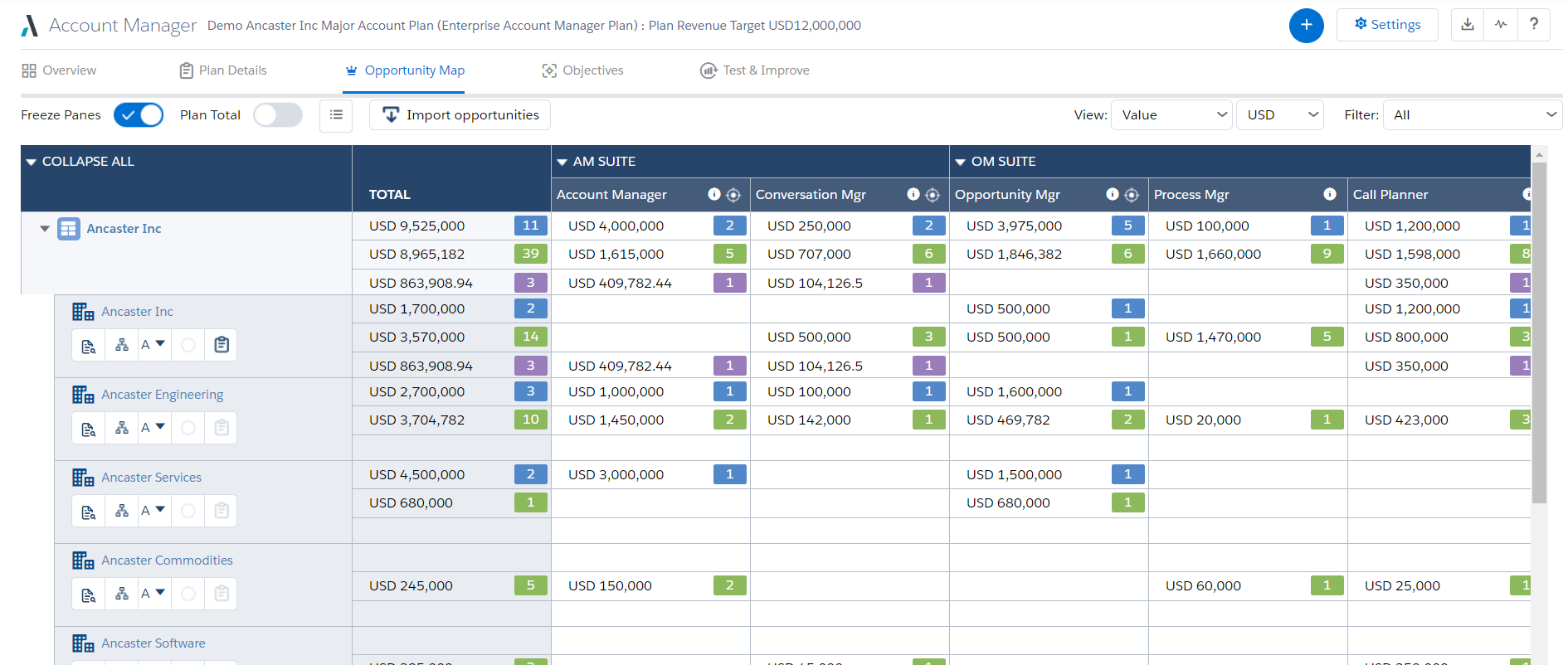
Altify’s suite of Salesforce native solutions guide and coach sellers to identify and map key relationships, uncover business insights, align sales processes to buying processes, qualify, manage and execute deals, and grow wallet share in accounts.
N/A
Confluence
Score 8.1 out of 10
N/A
Confluence is a collaboration and content sharing platform used primarily by customers who are already using Atlassian's Jira project tracking product. The product appeals particularly to IT users.
$6.40
per month per user
Pricing
Altify
Atlassian Confluence
Editions & Modules
No answers on this topic
Free
$0
Free for 10 Users
Standard
$6.40
per month per user
Premium
$12.30
per month per user
Data Center
220,000.00
40,001+ Users - Annually
Enterprise
Contact Sales
Offerings
Pricing Offerings
Altify
Confluence
Free Trial
No
Yes
Free/Freemium Version
No
No
Premium Consulting/Integration Services
Yes
No
Entry-level Setup Fee
Optional
No setup fee
Additional Details
—
Prices shown here reflect prices for deployments with 100 users or less. The prices decrease wien the user base surpasses 100.
More Pricing Information
Community Pulse
Altify
Atlassian Confluence
Features
Altify
Atlassian Confluence
Project Management
Comparison of Project Management features of Product A and Product B
Altify
-
Ratings
Atlassian Confluence
7.0
157 Ratings
11% below category average
Task Management
00 Ratings
7.1125 Ratings
Gantt Charts
00 Ratings
7.912 Ratings
Scheduling
00 Ratings
7.221 Ratings
Workflow Automation
00 Ratings
6.389 Ratings
Mobile Access
00 Ratings
6.7116 Ratings
Search
00 Ratings
6.8155 Ratings
Visual planning tools
00 Ratings
7.2126 Ratings
Communication
Comparison of Communication features of Product A and Product B
Altify
-
Ratings
Atlassian Confluence
7.9
157 Ratings
1% below category average
Chat
00 Ratings
6.415 Ratings
Notifications
00 Ratings
8.2154 Ratings
Discussions
00 Ratings
7.7147 Ratings
Surveys
00 Ratings
7.015 Ratings
Internal knowledgebase
00 Ratings
9.0148 Ratings
Integrates with GoToMeeting
00 Ratings
6.03 Ratings
Integrates with Gmail and Google Hangouts
00 Ratings
9.37 Ratings
Integrates with Outlook
00 Ratings
9.610 Ratings
File Sharing & Management
Comparison of File Sharing & Management features of Product A and Product B
Altify is very well suited for customer relationship mapping and for use on very large, long term and complex deals. Altify is created and represented as an enterprise-level tool, but even some of its functions are too overbuilt for enterprise level sales activities. Altify is a tool best utilized only for the top level of complex deals within an organization. Features such as customer relationship mapping do have use and benefit for mid to large level deals and is arguably the most valuable tool in the Altify suite. After nearly a year using Altify, my recommendation on its use would be to enable account plans, account management, opportunity management, and sales process manager only to the top strategic account reps in the organization, realizing that they are probably best used purely out of the box as any customizations create other complications. For the rest of the sales teams, the customer relationship mapping feature is the one tool reps would gain the most value out of.
I would recommend Atlassian Confluence for companies that want to have internal documentation and minimum governance processes to ensure documentation is useful and doesn't have a lot of duplicated and non-updated content. I wouldn't recommend Atlassian Confluence for companies with a low budget since this product might be a little costly (especially with add-ons).
Cross product linking - If you use other Atlassian products then Atlassian Confluence is a no-brainer for your source of documentation, knowledge management etc. You can show previews of the linked asset natively E.g. showing a preview of a JIRA ticket in a Atlassian Confluence page.
Simple editing - Though the features available may not be super complex right now, this does come with the benefit of making it easy to edit and create documents. Some documentation editors can be overwhelming, Atlassian Confluence is simple and intuitive.
Native marketplace - If you want to install add-ons to your Atlassian Confluence space it's really easy. Admins can explore the Atlassian marketplace natively and install them to your instance in a few clicks. You can customise your Atlassian Confluence instance in many different ways using add-ons.
Sales Process Manager: The Altify Sales Process manager's biggest drawback is the lack of usability for the end user. Altify has an out of the box sales process or a custom one can be created based on the company sales process. The drawback is that unless the sales process includes very few items, it can be more cumbersome than helpful. The Rep walks through the Sales Process by selection whether they have "Completed" are "In Progress" or have "Not Completed" the sales process activities at each stage of the opportunity. Altify saves after each selection so there is considerable downtime as the user waits for their selection to be recorded before they can answer the next question. Altify has an option to automatically advance the Salesforce opportunity Sales Stage once a certain % or mandatory steps in the sales process are completed, however this is not entirely useful as it does not advance until the set % or mandatory marked processes within a Sales Stage are completed AS WELL as at least one process from the next sales stage. This becomes very confusing and cumbersome for the users. In most cases, the sales process manager becomes more of a micromanagement tool with managers requiring all items to be marked completed and the Users merely marking items to satisfy that requirement without getting the intended benefit of the guided selling experience.
Account Plans: Account Plans can be grouped in both "does well" and "does poorly" for the Altify Suite. I will outline the bad in this portion of the review. Altify Account Plans do have some ability for customization, however the standard out of the box options are incredibly overbuilt. Filling out all of the information within the Account Plan can consume 40+ man hours for a single Account. While some of this information can be useful and important to note, other portions become more cumbersome than useful. The Completeness and Scorecard portions of the use a number of calculations. These calculations are explained at the bottom of the page but from a user perspective are very confusing and not straightforward. Most users that begin using account plans quickly abandon them because of the difficulty in setting them up correctly and the minimal insights that are gleaned out of the work put into them. One place for the greatest opportunity to improve account plans is in the objectives section, there the user can set objectives and activities (tasks) to meet them. The tasks must be manually selected to create an actual task in Salesforce and this cannot be assigned out to other SF Users. This portion of the Account plan would be improved if it could be used as a holistic account management platform to manage tasks across all the opportunities and potential opportunities, with an ability to assign them out to others in Salesforce within the account team.
Altify Max Insights: Altify max insights is intended to provide coaching advice at the opportunity level. This feature is tied into the opportunity manager. The drawback to this feature is that the insight mainly pertains to whether or not a user filled out all the steps in the opportunity manager: the sales process, the opportunity assessment, strategy, and the customer relationship map. The insights are far less action-oriented and more of a reminder to use the tool components. This tool just doesn't hold value, especially as it is an add on product.
Lack of Customization - While Altify does allow customization of some of their products and components, Altify has a ton of limitations. One of the most frustrating aspects is that all of the processes happen from their "black box" which is the dealmaker opportunity objects that Altify creates. This is essentially a shadow copy of the opportunities within Salesforce that then push changes to the actual opportunity. There is no way to tap into this shadow opportunity to either run custom processes or to even surface the Altify insights in a BI tool such as Einstein. This means that a lot of the use and functionality that Altify does do well cannot be leveraged for company insights or user end improvements.
UI Design is very simplistic and basic could make use of more visually interesting colour choices, layout choices, etc.
Under the 'Content' menu, it defaults to having a landing page for all L1 and L2 category pages. Meaning as long as the broader content category has a sub-category, it still creates a separate landing page. In my team's case, this often creates blank pages, as we only fill out the page at the lowest sub-category (L3).
Hyperlinks are traditionally shown as blue, however, this results into very monotonously blue pages in cases where a lot of information is being linked.
I am confident that Atlassian can come with additional and innovative macros and functions to add value to Confluence. In 6 months, Atlassian transformed a good collaborative tools into a more comprehensive system that can help manage projects and processes, as well as "talk" with other Atlassian products like Jira. We are in fact learning more about Jira to evaluate a possible fit to complement our tool box.
Great for organizing knowledge in a hierarchical format. Seamless for engineering and product teams managing software development. Helps in formatting pages effectively, reducing manual work. Tracks changes well and allows for easy rollbacks. Granular controls for who can view/edit pages. Search function is not great which needs improvement. Hire some google engineers
We never worked against the tide while using Confluence. Everything loads considerably fast, even media components like videos (hosted on the platform or embed external videos from Youtube, for example). We are not using heavy media components a lot, but in the rare occasion we happen to use one we have no problems whatsoever.
This rating is specifically for Atlassian's self-help documentation on their website. Often times, it is not robust enough to cover a complex usage of one of their features. Frequently, you can find an answer on the web, but not from Atlassian. Instead, it is usually at a power user group elsewhere on the net.
While Skuid is not a match to what Altify does in terms of capabilities, Skuid did allow us to natively create the functions that we needed within the business in a way that was more useful than the Altify tools out of the box functionality. Altify does not offer anything for a more "light touch" opportunity, which is its greatest drawback. With Skuid we were able to create our own solution for these lighter touch opportunities
We chose Atlassian Confluence over SharePoint because it's much more user-friendly and intuitive. Atlassian Confluence makes collaboration and knowledge sharing easier with its simpler interface and better search. While SharePoint can be powerful, it often feels clunky and complex, making it harder for our team to actually use it.