Keynote, from Apple is a presentation software with tools and effects, designed to make it easy to create memorable presentations, and comes included with most Apple devices. Use Apple Pencil on an iPad to create diagrams or illustrations that bring slides to life. With its real‑time collaboration features, teams can work together, whether they’re on Mac, iPad, iPhone, or using a PC.
N/A
Microsoft Powerpoint
Score7.9 out of 10
N/A
Microsoft PowerPoint is a presentation software designed to allow users to create slide-based presentations including video and images, as well as slide transitions and animations.
$139.99
Piwik PRO
Score8.6 out of 10
N/A
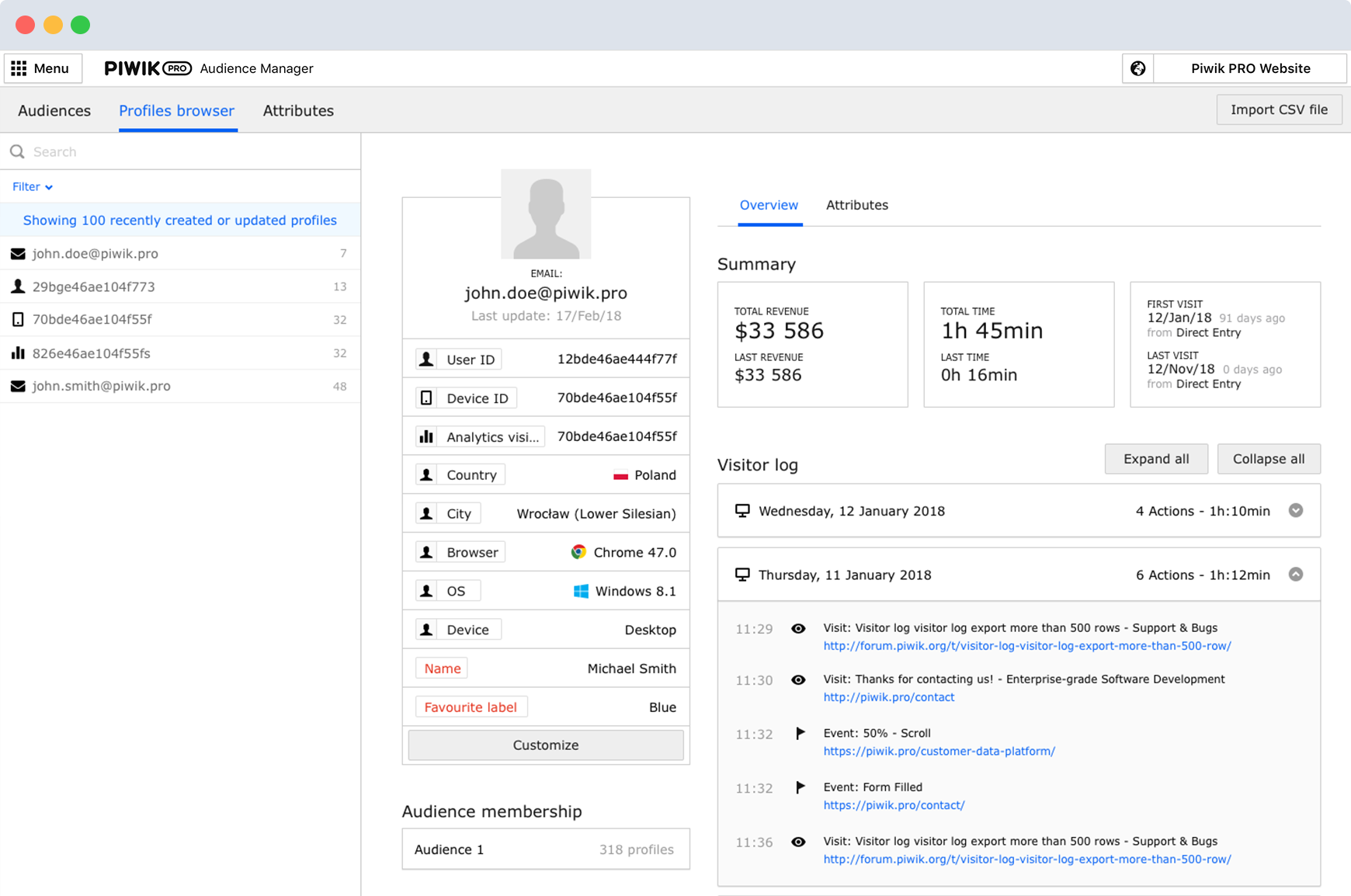
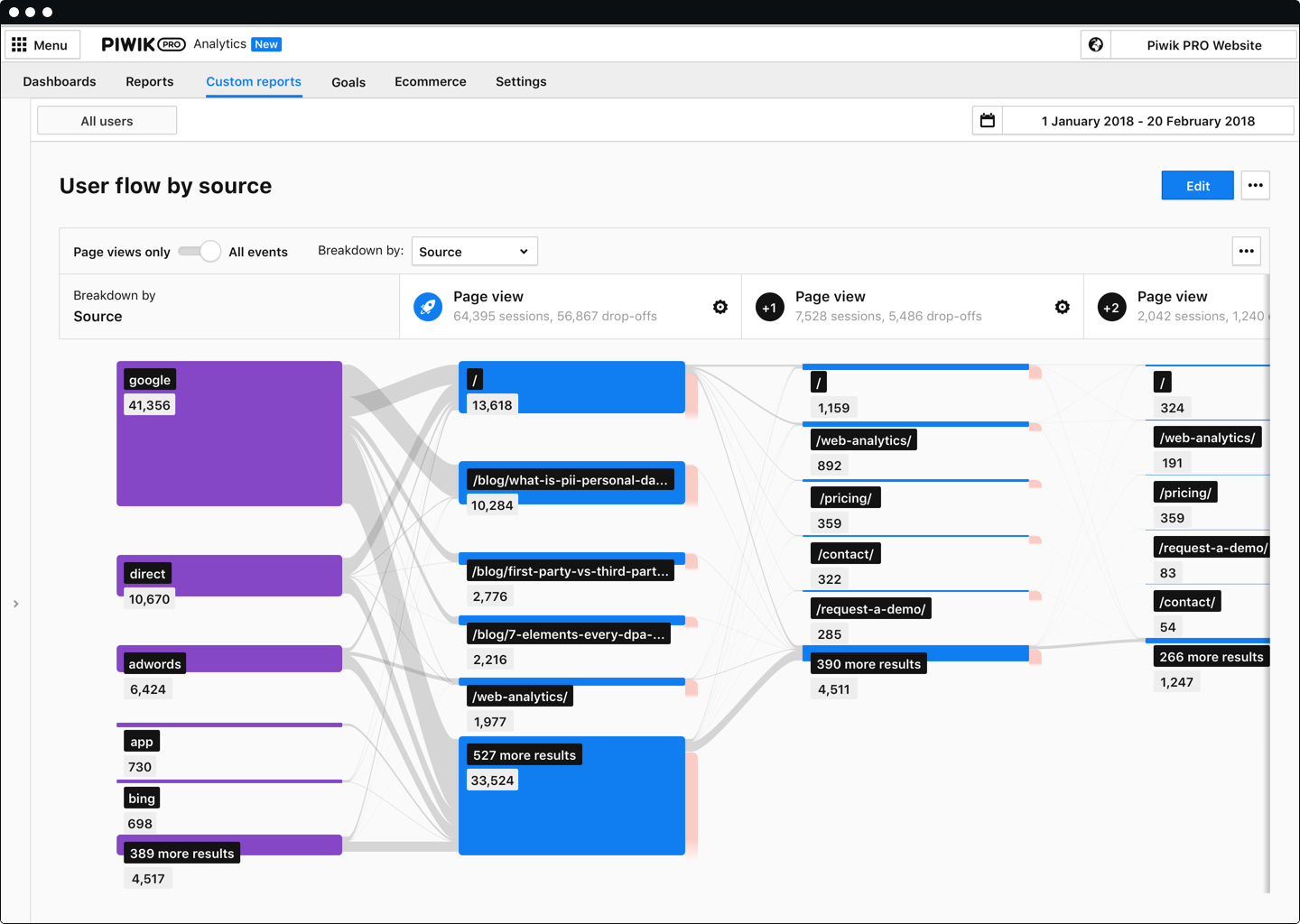
Piwik PRO Analytics Suite is an advanced platform providing a suite of modules centered around analytics that connects with other parts of the client’s tech stack. Piwik PRO Analytics Suite unifies marketing insights, provides a comprehensive view of performance, and facilitates data-driven actions to achieve better results. It offers multiple flexible hosting options and ensures compliance with strict data protection laws, including the GDPR, CCPA, PIPEDA, and…
Associate Pastor at Grace Bible Church of Hutchinson, KS (Religious Institutions, 1-10 employees)
Chose Apple Keynote
In my opinion, Apple Keynote is, by far, more aesthetically pleasing than Microsoft Powerpoint or Google Slides. Powerpoint is of course the classic slide-presentation program, and the benefit of Google Slides is that it is entirely cloud-based and therefore you can access your …
A de minimis incentive was given to thank the reviewer for their time. The incentive was not used to bias or drive a particular response, nor was the incentive contingent on a positive endorsement. More Info
Head of Digital Marketing in Marketing at Xiaomi (Electrical & Electronic Manufacturing, 5001-10,000 employees)
Chose Apple Keynote
If you want to create presentations more often, Prezi and Canva or not even options, both of tools take a lot of time. So the real competitor for Apple Keynote is Microsoft Powerpoint. For me, Powerpoint is so feature-filled that makes it a little complex. On the other hand, …
A de minimis incentive was given to thank the reviewer for their time. The incentive was not used to bias or drive a particular response, nor was the incentive contingent on a positive endorsement. More Info
Verified User
Chose Apple Keynote
I use Microsoft Powerpoint, Apple Keynote, and Google Slides. Of these three slideshow programs, I find PowerPoint to be the most robust in features and capabilities and in integrations with other programs. It also can be easily used across various devices, platforms, and …
A de minimis incentive was given to thank the reviewer for their time. The incentive was not used to bias or drive a particular response, nor was the incentive contingent on a positive endorsement. More Info
Verified User
Chose Apple Keynote
Keynote is much easier to learn and use than either PowerPoint or Canva. The only advantage Canva has over Keynote is its collaboration features. Canva is gradually improving as a usable presentation software. Its problem lies in its file management, which is counterintuitive, …
A de minimis incentive was given to thank the reviewer for their time. The incentive was not used to bias or drive a particular response, nor was the incentive contingent on a positive endorsement. More Info
A de minimis incentive was given to thank the reviewer for their time. The incentive was not used to bias or drive a particular response, nor was the incentive contingent on a positive endorsement. More Info
Associate Pastor at Living Word Outreach Ministries (Religious Institutions, 1-10 employees)
Chose Apple Keynote
To be honest, Apple Keynote was my choice for my youth group presentation needs at first because it was free. But as I have used it more and more, I've come to really appreciate the abilities it has and the ease at which I can create a quality presentation to share with my …
A de minimis incentive was given to thank the reviewer for their time. The incentive was not used to bias or drive a particular response, nor was the incentive contingent on a positive endorsement. More Info
Verified User
Chose Apple Keynote
Apple Keynote is superior to all except Figma in terms of design functionality. Figma has even more precise alignment with their auto layout features, layers and frame grouping. The only downside of Figma is that we do not purchase licenses for every person at our company, so …
A de minimis incentive was given to thank the reviewer for their time. The incentive was not used to bias or drive a particular response, nor was the incentive contingent on a positive endorsement. More Info
Verified User
Chose Apple Keynote
It's not cloud based, which is a good thing. There are many similarities. Prezi and other cloud based products are much more powerful.
A de minimis incentive was given to thank the reviewer for their time. The incentive was not used to bias or drive a particular response, nor was the incentive contingent on a positive endorsement. More Info
Graphic Design Manager in Marketing at Zora Digital (Marketing & Advertising, 1-10 employees)
Chose Apple Keynote
Keynote has a simpler interface, which is definitely a plus for us because presentations are edited by people from different departments. It's more elegant and intuitive. In my observations, it also runs faster than PowerPoint on Macs, but that may be subjective. Keynote is …
A de minimis incentive was given to thank the reviewer for their time. The incentive was not used to bias or drive a particular response, nor was the incentive contingent on a positive endorsement. More Info
Sole Proprietor in Marketing at JBA Creative (Graphic Design, 1-10 employees)
Chose Apple Keynote
While I don't use Keynote for every slide deck project need (software preference often is dictated by what the client has access to), I will promote KeyNote as the preferred format if the client is software-agnostic. The drag and drop feature is incomparable with other software …
A de minimis incentive was given to thank the reviewer for their time. The incentive was not used to bias or drive a particular response, nor was the incentive contingent on a positive endorsement. More Info
Verified User
Chose Apple Keynote
Apple Keynote is preinstalled and free to use on any Apple device which makes it very accessible. The ease of use of this tool is much better than the competitive one. The time needed to prepare the nice-looking and high-quality slides in this tool is much lower than in other …
A de minimis incentive was given to thank the reviewer for their time. The incentive was not used to bias or drive a particular response, nor was the incentive contingent on a positive endorsement. More Info
Consumer Strategy Analyst at frog (Design, 1001-5000 employees)
Chose Apple Keynote
Keynote is a better visual aid and generally runs better for us since we use MacBooks (less errors when presenting which really matters in a remote context). It takes more effort to get to a finished product though, since we have to neuter what we present (less slides and …
A de minimis incentive was given to thank the reviewer for their time. The incentive was not used to bias or drive a particular response, nor was the incentive contingent on a positive endorsement. More Info
Psychologist and Motivational Coach, Author in Corporate at Self-employed (E-Learning, 1-10 employees)
Chose Apple Keynote
To sum up, Keynote is easier to use, less complicated, and elegant. When you use Keynote, your presentation doesn't look like everyone else's. That alone sets it apart as something special. If you're already a Mac user, then it's a no-brainer because the software comes with the …
A de minimis incentive was given to thank the reviewer for their time. The incentive was not used to bias or drive a particular response, nor was the incentive contingent on a positive endorsement. More Info
Loans Manager in Finance and Accounting at NSIA BANK (Banking, 501-1000 employees)
Chose Microsoft Powerpoint
Microsoft PowerPoint is just unbeatable when it comes to presenting. The software is reliable in terms of experience and security (we have multiple threats on the internet). The other reason why I use mostly Microsoft PowerPoint instead of Apple Keynote is because of the rich …
A de minimis incentive was given to thank the reviewer for their time. The incentive was not used to bias or drive a particular response, nor was the incentive contingent on a positive endorsement. More Info
Verified User
Chose Microsoft Powerpoint
The lack of widespread use on Keynote makes it less appealing. Have to convert to PowerPoint most of the time.
A de minimis incentive was given to thank the reviewer for their time. The incentive was not used to bias or drive a particular response, nor was the incentive contingent on a positive endorsement. More Info
The best case scenario for Apple Keynote is that you get it built-in with any MacBook, so you don't have to download anything and you're good to go for any sort of presentation. One more thing which I really admire about Keynote is that it has really cool animation style, You can literally create some basic video content using Keynote. Animations are also very easy to use, so If you want to have more animations you can just use Keynote instead of Powerpoint. Keynote has never been less appropriate until you have Windows as your Operating System. Another time where Powerpoint takes an edge is when you have to use a lot of features.
A de minimis incentive was given to thank the reviewer for their time. The incentive was not used to bias or drive a particular response, nor was the incentive contingent on a positive endorsement. More Info
The learning curve with Microsoft Powerpoint is not too steep, and most everyone can create really nice-looking presentations. The thing I like most about the new advancements in Microsoft Powerpoint comes to formatting. If you are creating a newsletter, don't get bogged down by all of the annoying formatting rules and issues you would have if creating in Publisher or Word. Microsoft Powerpoint makes it very simple. You can add text boxes and move them anywhere on the page. The templates are a nice touch, but they could use more, as most of these are outdated. I believe there are many free websites for downloading more templates.
A de minimis incentive was given to thank the reviewer for their time. The incentive was not used to bias or drive a particular response, nor was the incentive contingent on a positive endorsement. More Info
Piwik Pro Core is especially perfect for smaller businesses that want to have an alternative to Google's ecosystem. You can do a lot of the great stuff you can do with GA UA and GA4. But it still needs some tweaking. Especially for some bigger companies who have a lot of events, it would be great to have some smaller payment steps, as of right now it can be quite steep for some companies to pay the bill if you go above 500.000 events per month. Nevertheless, I believe this is one of the better options available when data ownership and privacy come to mind.
A de minimis incentive was given to thank the reviewer for their time. The incentive was not used to bias or drive a particular response, nor was the incentive contingent on a positive endorsement. More Info
A de minimis incentive was given to thank the reviewer for their time. The incentive was not used to bias or drive a particular response, nor was the incentive contingent on a positive endorsement. More Info
A de minimis incentive was given to thank the reviewer for their time. The incentive was not used to bias or drive a particular response, nor was the incentive contingent on a positive endorsement. More Info
The way you adjust timings for builds and transitions was a bit counterintuitive for me. Once I got the hang of it, it was fine. The timings don't work the same as they do in PowerPoint. So if you are a PowerPoint user, that may be something you have to adjust to when you switch to Keynote.
I feel that adding images can be clunky when working with image placeholders. Apple Keynote forces you to use the Photo app to replace image placeholders.
A de minimis incentive was given to thank the reviewer for their time. The incentive was not used to bias or drive a particular response, nor was the incentive contingent on a positive endorsement. More Info
A de minimis incentive was given to thank the reviewer for their time. The incentive was not used to bias or drive a particular response, nor was the incentive contingent on a positive endorsement. More Info
It is already included with my Macbook and the design functionality is pretty advanced so I can upload my custom brand fonts and it is easy to create templates where you can drag and drop different images while keeping overall alignment and placement the same
A de minimis incentive was given to thank the reviewer for their time. The incentive was not used to bias or drive a particular response, nor was the incentive contingent on a positive endorsement. More Info
Apple Keynote is incredibly user-friendly and largely intuitive. In the rare areas that Apple Keynote is not intuitive, there is a robust online community of fellow Apple Keynote users that can answer most questions I have about the program. I would encourage any of my coworkers - and anyone else in my same line of work - to adopt Apple Keynote because of its user-friendliness.
A de minimis incentive was given to thank the reviewer for their time. The incentive was not used to bias or drive a particular response, nor was the incentive contingent on a positive endorsement. More Info
It’s great overall! I can think of a few improvements that would make it a 10, for example: better Smart Art graphs, automatic distribution of columns and rows in tables, and being able to more easily save templates for graphs. For example, if I could determine that a same brand name in all graphs would have a specific color, it would be great
A de minimis incentive was given to thank the reviewer for their time. The incentive was not used to bias or drive a particular response, nor was the incentive contingent on a positive endorsement. More Info
I've never had any issues with its availability. As it is installed on my machine, it's ready when I need it, online or offline. Creating large slide decks with complex elements like video and audio doesn't affect its stability. The only limitation would be the capability of your own computer, as far as I can tell.
A de minimis incentive was given to thank the reviewer for their time. The incentive was not used to bias or drive a particular response, nor was the incentive contingent on a positive endorsement. More Info
The performance is very strong. It loads reasonably quickly. Large presentations load relatively quickly too, given their complexity, and once loaded each slide is readily available. It's easy to scroll up and down through your slide deck and go to the slide you want. Videos, pictures and music all load on demand, controllable by clicks.
A de minimis incentive was given to thank the reviewer for their time. The incentive was not used to bias or drive a particular response, nor was the incentive contingent on a positive endorsement. More Info
I have never had to use the actual support. Most of my questions are "how to" questions and there is a rich internet full of users sharing their tips and tricks with this application. Sometimes I find the answers on Microsoft support site but often I don't
A de minimis incentive was given to thank the reviewer for their time. The incentive was not used to bias or drive a particular response, nor was the incentive contingent on a positive endorsement. More Info
We had to contact the support several times in the beginning and they really took their time to explain the different functions in detail. So in terms of support I can definitely recommend Piwik PRO.
A de minimis incentive was given to thank the reviewer for their time. The incentive was not used to bias or drive a particular response, nor was the incentive contingent on a positive endorsement. More Info
While I don't use Keynote for every slide deck project need (software preference often is dictated by what the client has access to), I will promote KeyNote as the preferred format if the client is software-agnostic. The drag and drop feature is incomparable with other software options — a feature I've come to love and miss when I am required to use another program. As previously mentioned, the smooth interface and master template user-friendliness also helps raise Keynote above their competition.
A de minimis incentive was given to thank the reviewer for their time. The incentive was not used to bias or drive a particular response, nor was the incentive contingent on a positive endorsement. More Info
Adobe Illustrator is an excellent software but it's not easy to use for [everyone without] having any training or previous experience in working with illustrator. Microsoft Powerpoint is very easy to use and it's fantastic as it saves time more than illustrator. Another thing is it takes small space while illustrator takes a significant amount of space in the business machine
A de minimis incentive was given to thank the reviewer for their time. The incentive was not used to bias or drive a particular response, nor was the incentive contingent on a positive endorsement. More Info
Piwik Pro's support for multiple sites saved me a lot of time. To view reports from numerous client sites, I'll have to access a single dashboard. Its digest reports save time and are simple enough for non-technical executives to understand. It gives us access to information about individual users that Google doesn't allow us to see as a whole. It will allow users to express their desires more clearly. As a result, this one is significantly more useful compared to other tools.
A de minimis incentive was given to thank the reviewer for their time. The incentive was not used to bias or drive a particular response, nor was the incentive contingent on a positive endorsement. More Info
Scaling up use of Microsoft Powerpoint would be a simple case of buying further licences. The software is intuitive and therefore training demands from scaling it to more departments or more individuals would be relatively straightforward. Google Slides may be easier to share among those organisations that use Google's suite of apps, however.
A de minimis incentive was given to thank the reviewer for their time. The incentive was not used to bias or drive a particular response, nor was the incentive contingent on a positive endorsement. More Info
Improved efficiency since my presentations are quick to update
Improved efficacy since the UI makes creating attractive presentations easy to create
There have been a few occasions when I need to convert my files to PowerPoint when using virtual conference platforms since Keynote is not as ubiquitous
A de minimis incentive was given to thank the reviewer for their time. The incentive was not used to bias or drive a particular response, nor was the incentive contingent on a positive endorsement. More Info
A de minimis incentive was given to thank the reviewer for their time. The incentive was not used to bias or drive a particular response, nor was the incentive contingent on a positive endorsement. More Info
We have obtained a good impact both economically and in data integration.
It has allowed us to collect and analyze all the data of our clients, and to create groups that allow us to divide potential clients and make personalized messages.
We use the Enterprise plan because it provides us with the necessary tools and unlimited features.
A de minimis incentive was given to thank the reviewer for their time. The incentive was not used to bias or drive a particular response, nor was the incentive contingent on a positive endorsement. More Info