
Atlassian Confluence vs. BMC AMI DevX vs. Ranorex
Atlassian Confluence vs. BMC AMI DevX vs. Ranorex
| Product | Rating | Most Used By | Product Summary | Starting Price |
|---|---|---|---|---|
 Confluence | N/A | Confluence is a collaboration and content sharing platform used primarily by customers who are already using Atlassian's Jira project tracking product. The product appeals particularly to IT users. | $6.40 per month per user | |
 BMC AMI DevX | N/A | BMC AMI DevX is an integrated software platform that provides mainframe development teams with modern Application Development and DevOps capabilities. The solution connects traditional mainframe environments with contemporary development practices through components for source code management, testing, debugging, and analytics. | N/A | |
 Ranorex | N/A | Over 14,000+ users worldwide automate tests with Ranorex Studio, which promises to enable rapid delivery of high-quality desktop, mobile, and web applications. The vendor says that with over 10 years in test automation, Ranorex Studio supports automating functional UI tests for even the most challenging technologies, from legacy applications to the latest web and mobile platforms. Ranorex Studio is an all-in-one tool that empowers everyone on the team. Key benefits and… | $890 per additional endpoint |
| Atlassian Confluence | BMC AMI DevX | Ranorex | ||||||||||||||||||||||
|---|---|---|---|---|---|---|---|---|---|---|---|---|---|---|---|---|---|---|---|---|---|---|---|---|
| Editions & Modules |
| No answers on this topic |
| |||||||||||||||||||||
| Offerings |
| |||||||||||||||||||||||
| Entry-level Setup Fee | No setup fee | No setup fee | Optional | |||||||||||||||||||||
| Additional Details | Prices shown here reflect prices for deployments with 100 users or less. The prices decrease wien the user base surpasses 100. | — | All licenses are perpetual and include 12 months of maintenance and email support. A runtime floating license requires at least one premium license for test creation. Please contact our sales team for information about possible volume discounts and options for enterprise support. Consulting, integration and training services are available from our partners worldwide. | |||||||||||||||||||||
| More Pricing Information | ||||||||||||||||||||||||
| Atlassian Confluence | BMC AMI DevX | Ranorex |
|---|
| Atlassian Confluence | BMC AMI DevX | Ranorex | |||||||||||||||||||||||||||||||||||
|---|---|---|---|---|---|---|---|---|---|---|---|---|---|---|---|---|---|---|---|---|---|---|---|---|---|---|---|---|---|---|---|---|---|---|---|---|---|
| Project Management |
| ||||||||||||||||||||||||||||||||||||
| Communication |
| ||||||||||||||||||||||||||||||||||||
| File Sharing & Management |
| ||||||||||||||||||||||||||||||||||||
| Test Management |
|
| Atlassian Confluence | BMC AMI DevX | Ranorex | |
|---|---|---|---|
| Small Businesses |  Stackby Score 8.9 out of 10 |  GitHub Score 9.1 out of 10 |  BrowserStack Score 8.5 out of 10 |
| Medium-sized Companies |  Troop Messenger Score 9.8 out of 10 | GitHub Score 9.1 out of 10 |  OpenText ALM/Quality Center Score 9.1 out of 10 |
| Enterprises |  HCL Connections Score 9.0 out of 10 |  Perforce P4 Score 7.3 out of 10 | OpenText ALM/Quality Center Score 9.1 out of 10 |
| All Alternatives | View all alternatives | View all alternatives | View all alternatives |
| Atlassian Confluence | BMC AMI DevX | Ranorex | |
|---|---|---|---|
| Likelihood to Recommend | 8.2 (173 ratings) | 9.1 (17 ratings) | 1.0 (2 ratings) |
| Likelihood to Renew | 9.0 (21 ratings) | - (0 ratings) | - (0 ratings) |
| Usability | 8.0 (61 ratings) | - (0 ratings) | - (0 ratings) |
| Availability | 9.0 (3 ratings) | - (0 ratings) | - (0 ratings) |
| Performance | 8.0 (5 ratings) | - (0 ratings) | - (0 ratings) |
| Support Rating | 5.4 (25 ratings) | 10.0 (1 ratings) | 6.0 (1 ratings) |
| Implementation Rating | 8.8 (4 ratings) | - (0 ratings) | - (0 ratings) |
| Configurability | 6.0 (1 ratings) | - (0 ratings) | - (0 ratings) |
| Ease of integration | 8.0 (4 ratings) | 7.4 (9 ratings) | - (0 ratings) |
| Product Scalability | 8.0 (2 ratings) | - (0 ratings) | - (0 ratings) |
| Vendor post-sale | 8.0 (1 ratings) | - (0 ratings) | - (0 ratings) |
| Vendor pre-sale | 8.0 (1 ratings) | - (0 ratings) | - (0 ratings) |
| Atlassian Confluence | BMC AMI DevX | Ranorex | |
|---|---|---|---|
| Likelihood to Recommend |  Atlassian
| BMC Software Inc.
| Idera, Inc.
|
| Pros | Atlassian
| BMC Software Inc.
| Idera, Inc.
|
| Cons | Atlassian
| BMC Software Inc.
| Idera, Inc.
|
| Likelihood to Renew | Atlassian
 Charles Thomasset, MBA Director, Project/Process Management | BMC Software Inc.
 Eric Guitton Ingénieur Support et Méthodes | Idera, Inc. No answers on this topic |
| Usability | Atlassian
| BMC Software Inc.
| Idera, Inc. No answers on this topic |
| Reliability and Availability | Atlassian
 Normand Whitehead Senior R&D Eng. Technologist | BMC Software Inc.
Eric Guitton Ingénieur Support et Méthodes | Idera, Inc. No answers on this topic |
| Performance | Atlassian
| BMC Software Inc.
Eric Guitton Ingénieur Support et Méthodes | Idera, Inc. No answers on this topic |
| Support Rating | Atlassian
| BMC Software Inc. | Idera, Inc.
|
| Online Training | Atlassian No answers on this topic | BMC Software Inc.
Eric Guitton Ingénieur Support et Méthodes | Idera, Inc. No answers on this topic |
| Implementation Rating | Atlassian
 Bill Kratzer Chief Innovation Officer | BMC Software Inc.
Eric Guitton Ingénieur Support et Méthodes | Idera, Inc. No answers on this topic |
| Alternatives Considered | Atlassian
| BMC Software Inc.
| Idera, Inc.
|
| Scalability | Atlassian
| BMC Software Inc. No answers on this topic | Idera, Inc. No answers on this topic |
| Return on Investment | Atlassian
| BMC Software Inc.
| Idera, Inc.
|
| ScreenShots | BMC AMI DevX Screenshots     | Ranorex Screenshots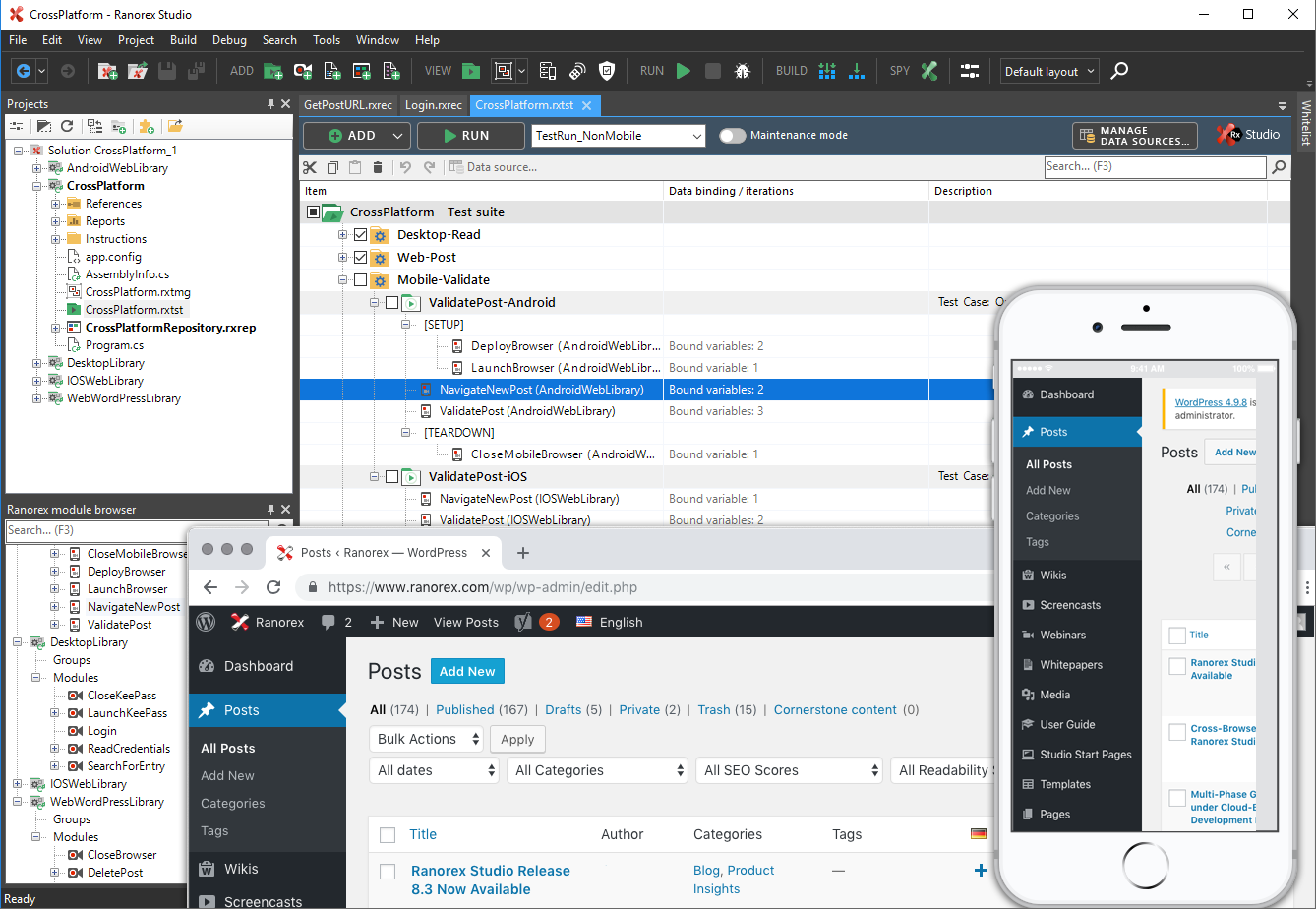  |
