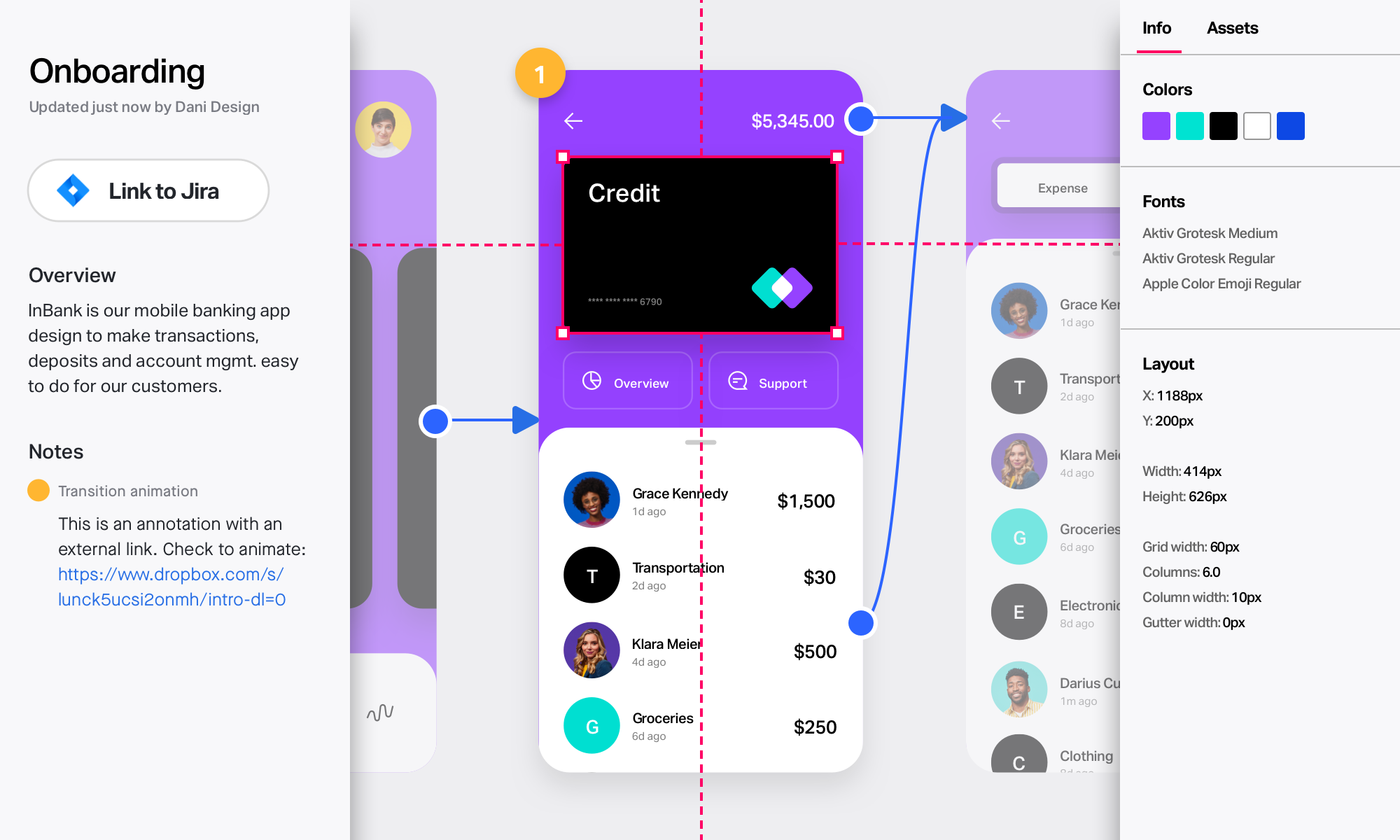
Axure RP is a software prototyping tool used by UX designers, from Axure Software Solutions in San Diego.
N/A
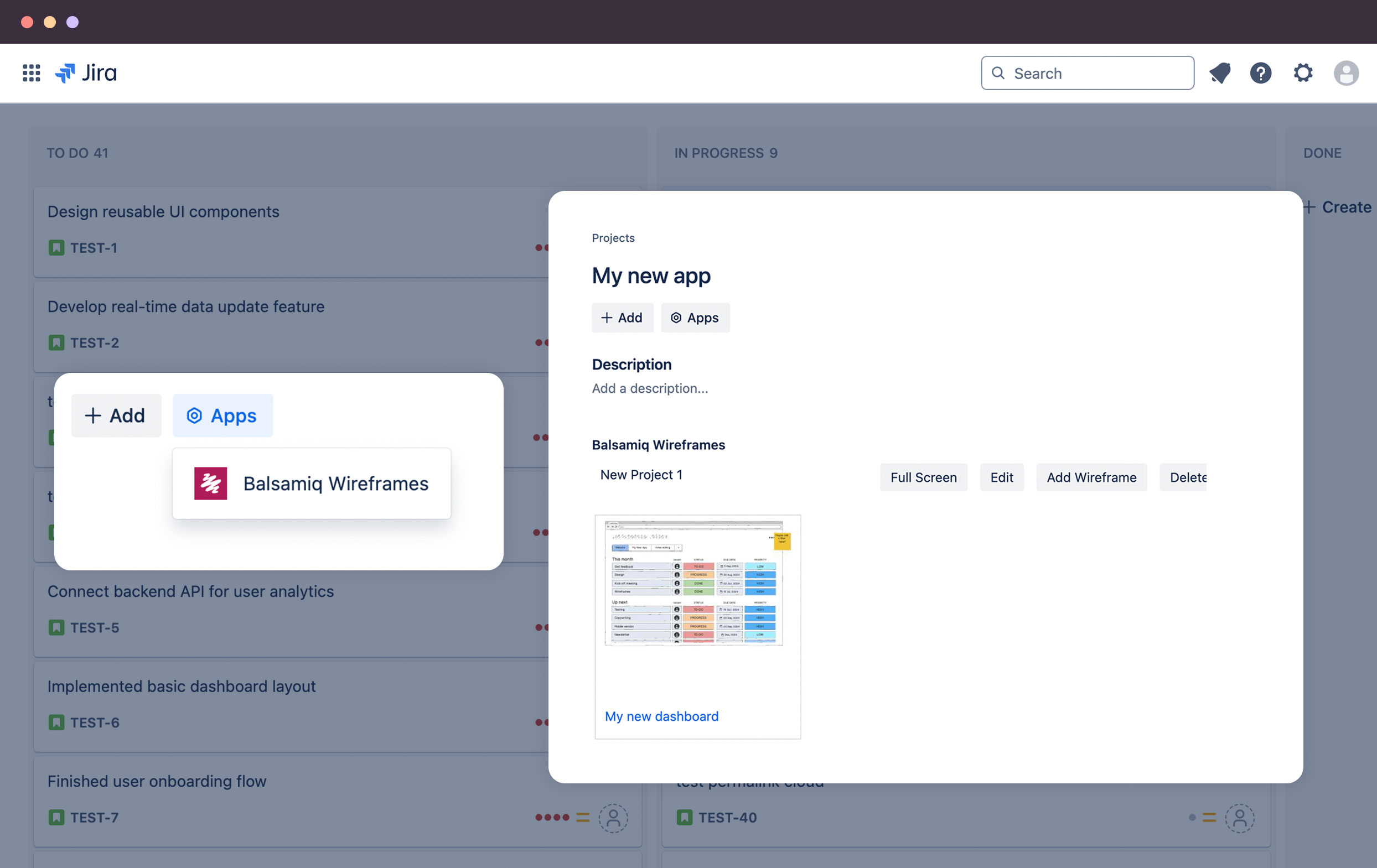
Balsamiq
Score 7.4 out of 10
N/A
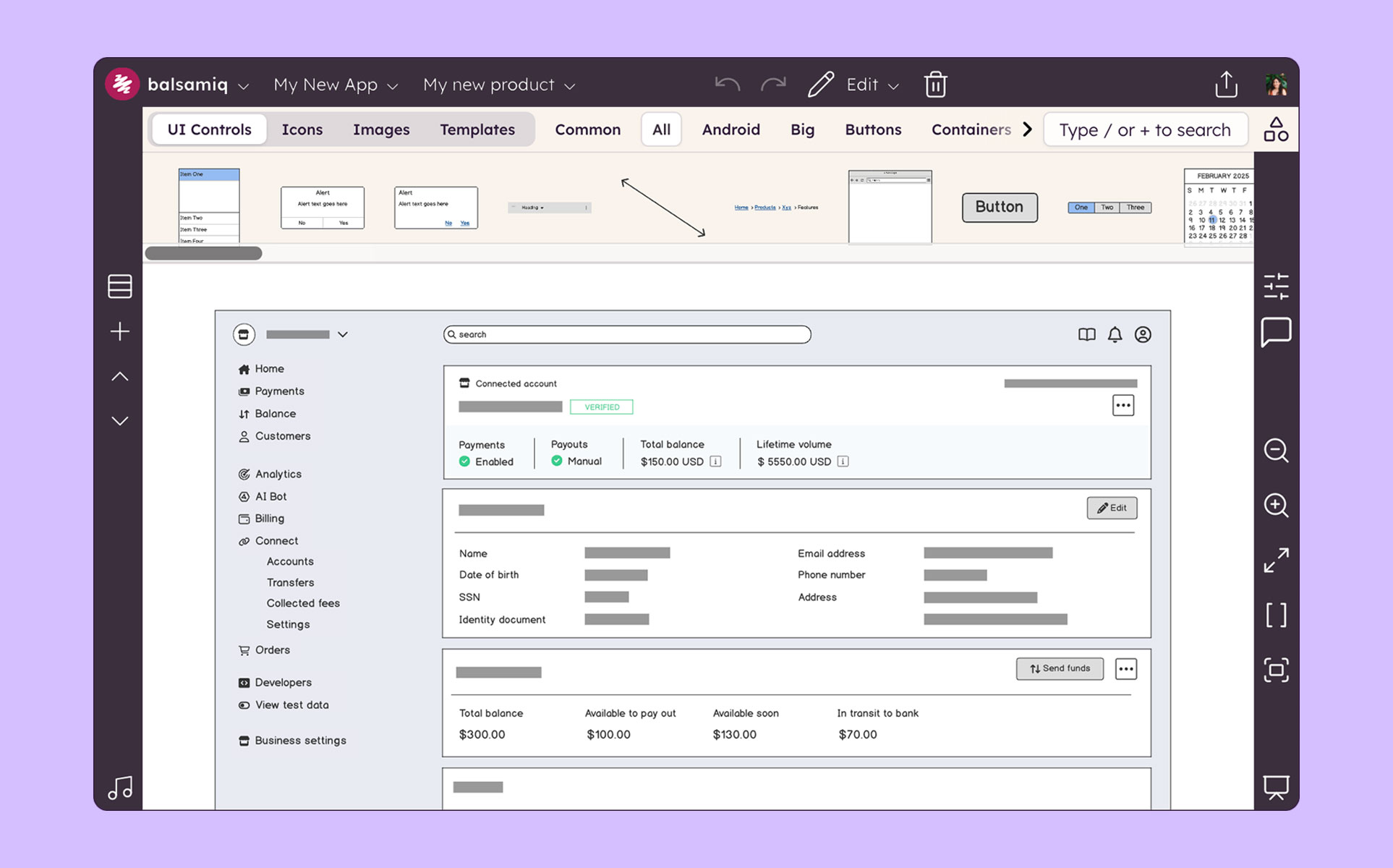
Balsamiq is a wireframing tool that helps lean product teams turn early ideas into clear, actionable direction. The tool helps product managers, founders, and engineers worldwide share concepts, reduce rework, and build better products.
$12
per month (up to 2 projects)
InVision
Score 7.8 out of 10
N/A
InVision is a collaborative design and prototyping platform with features such as freehand drafting mode and interactive mockups, collaboration, idea management, user testing, and integration with Slack and other collaboration tools. According to the vendor, 1 million designers are using the free version.
Axure's masters put in an entirely different space from any other tool I've tested. They allow a degree of systemic design that I have yet to see in another piece of software. Sketch (by Bohemian Coding) gets close with its inclusion of symbols. However, until the symbols have …
InVision and Marvel are hotspot-based applications, so you are limited to the types of interactions that you can create. You can create any interaction in Axure by building it yourself with a combination of adding cases to dynamic panels with clauses. Learning how to do a …
Since Axure RP is a desktop software that can work without a cloud connection, it is easy to have approved within a highly restricted corporate environment for a low cost with a small team. iRise is a solution that requires greater amounts of management, best service a group of …
Axure is my go-to choice because although it is more manual, I have more direct control and can create rich prototypes and interactions that other tools just can't do. With Axure I can mockup physical hardware as well as on-device screens and deep menus. You just can't do that …
We initially based our decision on Axure's reputation as the industry standard for prototyping. It is the best as what it does for now, but this is a highly competitive field. There seems to be a new UX/UI tool coming out monthly. I think Axure will continue to be the best for …
Axure RP has its place among the competitors. Every product has its pros and cons. Axure works well for larger and less visual design projects or deliverables. In some cases we might use Axure along with another tool, such as Sketch or Photoshop, to create different …
Axure stacks up pretty nicely against other tools, in terms of available functionality and support for users. It’s probably the best tool I have used to create the most realistic and complex prototypes for sales purposes. However, its interface is outdated compared to other …
Axure is more full features than most of its competitors. We needed the interactivity that Axure provides and that others were lacking in. We also had some individuals on the team that were familiar with Axure from their prior experience and we wanted to take advantage of that …
As I stated, I find myself reaching for Axure less. Though it is certainly more powerful than an other tools I've used, it is also the slowest and least simple to build out a prototype. For quick turnaround for a client, I'll always reach for one of the other programs. For a …
More tools; and a more professional interface. Balsamic is great for casual projects and simple designs. Axure better suited for mid-level projects. I would like to see features improve in regards to large-scale projects. Bottom line Axure is the best and only mid to high-level …
It's better than iRise, Mockplus, UXPin etc for high fidelity prototypes. But for more visual UI and vectors I would recommend Sketch if you are a Mac user.
Despite the three being less sophisticated than Axure, I lean towards them because they make rapid prototyping genuinely rapid. I haven't had to show a clickable prototype in my absence, so I prefer showing a prototype that's more user flow oriented than "feature" heavy.
We also use some other prototyping tools like InVision, but Axure works great on projects where you start from low-fidelity wireframes (so just boxes and dummy text), creating simple animations, testing out the concepts with users and stakeholders - then translating the same …
Axure is king when it comes to functional prototypes. Sketch looks better visually and is an easy interface to use but is limiting because there is no option to build in interactions.
I've used Balsamiq and Adobe Illustrator. Illustrator is not helpful for wireframes because it's basically the same as a sketch with straighter lines. Balsamic is helpful but it doesn't have as much functionality built in, so you can only communicate so much. Its also hard for …
Neither of tools around are a complete solution. Axure is the most complete tool in the market at this moment. In my perspective and daily use, the strongest feature of Axure is prototyping for mobile and tablet devices. Axshare is very helpful, but still I wish to have the …
We have used some other alternatives and Balsamiq is the best one for fastest results. InVision and Justinmind both work very well and have great tools for collaboration and making interactive mockups. With Justinmind, I have done some app mockups that felt almost functional …
InVision integrates well with Photoshop but Balsamiq has a much more intuitive pick-up-and-play quality that makes it a useful entry tool to marketing teams just getting their feet wet in the design process. The standardized layout and methodology also gives it an edge if you …
While I love these other tools for many different reasons, Balsamiq is the tool I use for low-fidelity wireframing every time. It’s the most simple and easy-to-use out of the bunch, and it gets the job done without a ton of effort and time required. In the early stages of …
Creating digital wireframes in Photoshop is a nightmare. Photoshop was not really designed for this purpose. It doesn't have good collaboration options and it doesn't allow pattern libraries, which are essential for consistency and efficiency. We use UXPin and Axure for some …
Balsamiq is a quite simple tool; but does exactly what was designed for, it helps with creating mockups, wireframes, and flows. Its simplicity works great for people who are not designers but need to visually represent their ideas. Low-fidelity wireframes work really well in …
The Pen tool in Paper is definitely a happy middle between Balsamiq and actual paper prototyping. It has the advantage of being able to copy/paste a section that has already been designed - but even there selecting a specific section is hard - balsamiq's sections are more …
Axure vs Balsamiq. I would pick Axure over Balsamiq. The only con is there could be a learning curve to Axure. Sketch gives more interactivity over Balsamiq but is limited to Mac users. UXPin has easier palettes to move around than Balsamiq but Balsamiq is easier to use than UXPi…
I think the learning curve for all of the other tools is much greater than that of Balsamiq. PhotoShop, I think, is a poor tool for UX, but is often used by members of my team for its overall prevalence in their past education (many graphics folks). I have found that …
Axure is basically a direct copy of Balsamiq for 4x the price. Moqups is painful to use and it's a monthly subscription. Although I have not used Adobe Comp, the learning curve is so high, it cannot even come close to the ease of Balsamiq. And Illustrator and Photoshop for …
I also leverage PowerPoint for more detailed, high fidelity. Balsamiq has its purpose for the initial planning phases of design. Where PowerPoint allows for much more detail, being able to add in own images seamlessly, ability to update library of stock template tools, etc. I …
Axure is too expensive and often an overkill in time and effort to create a clickthrough. Flinto is nice for interactions, but often times for workflow Invision is just easier to use. Pixate has a little bit of a learning curve similar to Axure, but not as powerful.
Axure is expensive, and there's a much bigger then you get with InVision. I also feel like the finished prototype just never looks as nice. I do still use Balsamiq on occasion, that's the best option when you want to create something quickly, to communicate a simple idea. …
InVision works seamlessly and easily when sharing and requesting comments from others. Other products I've used like Balsamiq and Dropbox (earlier versions) provided online displays of work, but no easy way to collect feedback or quickly update. InVision provides enterprise …
Balsamiq is a better tool for interactive prototyping and dynamic transition. InVision is definitely better for handling various designs, separated by projects and shared with different access levels across multiple organizations.
Main difference is InVision's easy to use prototyping capability. When it is compared to Marvel and Axure RP, while it has less capabilities on tools it is more robust than both. I believe Figma is just a new and upgraded version of InVision where you could do everything online …
InVision's design is much more polished and seamless due to its apps on mobile and web. They are very easy to learn and gather feedback compared to Sketch or Principle. Although these features are quickly coming to the other apps, InVision has an upper hand at the moment with …
Compared to other tools, InVision is a very solid tool with a great reputation and prototyping functionalities to back it up. InVision was the first prototyping tool we purchased, and it’s served us really well. However, more and more design tools are now also providing …
As the industry leader, XD and Figma have had some catching up to do. I think now InVision will have to innovate to hold these products off. Several are doing what made InVision famous, and in some instances do it even better. There is an insane amount of competition and …
InVision is super easy to learn and deploy compared to other tools. In fact other tools are following InVision and trying to match InVision. InVision support is tremendous even for a free license, you get a full support within a few hours. Special thanks to all those support …
We compared Invision to MarvelApp, Notism, and ViewFlux before purchasing. Admittedly, it has been quite a while since we made that purchase decision, so these platforms may have changed significantly. However, at the time of purchase, we went with Invision because of its …
For more complicated and accurate prototyping, our team relies on Proto.io and Axure. These tools give many more options for communicating ideas beyond simple mockup screen, click a button, next mockup screen. One caveat though, is that the learning curve for these tools is …
We started using Marvel for rapid prototyping and the two are fairly analogous. In the end team and enterprise functionality drove the switch from one tool to the other. Another tool we had used is Axure, and for truly advanced, data driven prototyping, it's still the tool to …
Still the best IMHO for dynamic prototyping. Sometimes you need to wireframe novel on-page widgets, such as draggable search areas (in the context of map-based search), or interactive annotations on diagrams. And sometimes real data values are necessary for test participants to give good feedback. However, this is something of a niche scenario. The majority of uxers prefer xd or Figma and find that static prototypes (screen1->click->screen2) is sufficient.
Balsamiq is a great tool for quickly getting ideas into visual form. At first it seems like there are not that many UI assets, but this constraint actually adds to the speed. There are less things for you to fuss over, you can focus on getting your ideas down. This is a tool for lofi rough drawings not a tool for building beautiful prototypes for developers to code to. It is fantastic for ideation because you mostly just drag and drop components onto the canvas and move things around. It's great in a live workshop setting for that reason.
InVision is well suited for design reviews and immersing yourself in the experience of an app-to-be. As a Product Manager, it's difficult to take abstract concepts, user pain points, and business needs, and produce a vision for an app without a visual aid to communicate a vision. InVIsion offers PMs, designers, and developers the opportunity to sketch a vision, communicate about it with inline commenting, and shareable with other stakeholders.
Adaptive views enable us to create truly responsive designs, even when they are very complex.
The platform’s many available templates and ability to create a library of reusable designs enables us to prototype faster and more efficiently than creating every single design from the ground up.
The company provides a lot of support options, from training videos to online forums. This is a pretty complex tool, so knowing that we can always look up or ask a question and get a quick answer has helped us immensely.
Axure’s comprehensive suite of tools to portray interactivity in prototypes has truly helped us show stakeholders and clients what an end product will look like, which has really helped us gain necessary internal and external buy-in.
Mock ups are obviously only just mock ups (this is important as if users see mock-ups in HTML, for example, they tend to think the system is ready to use or not far off)
Has a good selection of standard shapes that mock real world fields / controls
Allows not for profit organisations use it for free
The sketch-like style can be off-putting to some stakeholders, and it’s not initially very clear that there is the option to turn this “off.” While I do think there is benefit to the default style, knowing from the start that this flexibility existed would have helped us be able to use this tool more often in the past and in different situations.
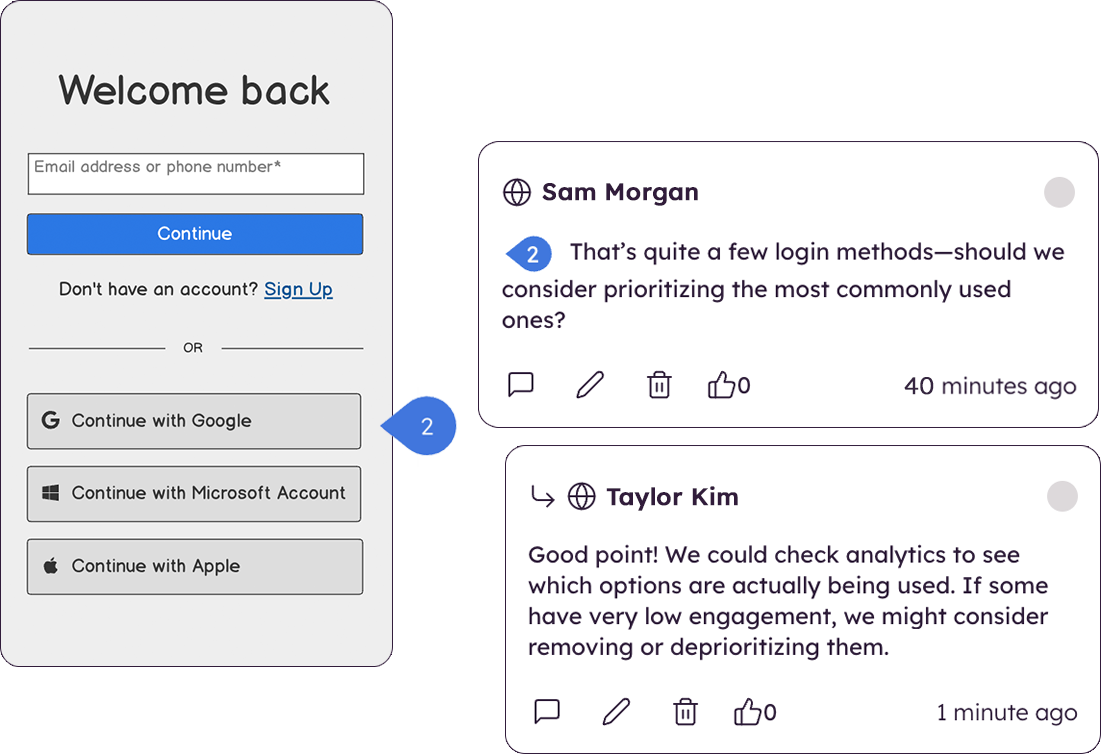
There are very limited collaborative functionalities. When it’s early in the design process, it’s often really helpful to have a number of people in the design to offer in-app feedback so the designer doesn’t have the burden of collecting feedback from many disparate sources in order to incorporate the feedback.
There are limited UI elements. As design evolves, there are more and more UI elements to consider, and many to stop using. Our Balsamiq wireframes would be a lot more effective in communicating design ideas to stakeholders if there was a wider range of UI elements to choose from.
I'm not sure how else we would be able to complete our work without Balsamiq or another similar tool. All of my experience with Balsamiq has been positive and they continue to develop new features so that my job gets easier. I would be very surprised if we didn't renew Balsamiq
Axure feels like a tool that started with a simple interface that wasn't redesigned over time. Simple tasks sometimes require clicking through multiple layers. Crucial pieces of functionality are hidden under text links, or just flatly aren't discoverable. Much of the quirks of the interface only come from having screwed up numerous times, and knowing that certain things are just difficult to accomplish.
Very intuitive and easy to understand. It only takes minutes to get the hang of it and get back to work. For new analysts (like, brand new, fresh out of school) it's not difficult and they need minimal to no hand-holding. The training content that is embedded is easy to find and use.
Easy for prototyping, sharing for comments and review changes with version. lags a bit when the design is heavy and large design models learning curve is shorter so saves time with new stakeholders responsiveness could be better and auto modeling can be introduced Not much advance features that can be used
I've never used the support for Axure but they do have an online community that can be helpful when you're unsure how to accomplish a specific bit of interactivity. Overall the community for Axure is a great benefit for the software. There are also a lot of shared library assets which can help reduce the time you spend on projects.
I didn't need to contact InVision support, as I've never needed it. They have an intuitive UI, and most of the questions are answered in their help portal or in tutorials online. Since many people use it, there a great resources available on for example YouTube. No problems so far with InVision.
I think that the online training videos cover all product features and are a great resource to point people to. The newsletter is also frequent and passes on a range of tips and techniques for users that are eager to learn more, or just want to keep themselves up to date
Since Axure RP is a desktop software that can work without a cloud connection, it is easy to have approved within a highly restricted corporate environment for a low cost with a small team. iRise is a solution that requires greater amounts of management, best service a group of designers in a corporate environment. InVision is cloud-based and, although not impossible, would require a long-term agreement to be made between the corporate and InVision. These could take years. Origami is free and desktop based and has great control of the transitions and data - but is so granular that additional time commitments may have to be made to make a prototype of this fidelity
Creating digital wireframes in Photoshop is a nightmare. Photoshop was not really designed for this purpose. It doesn't have good collaboration options and it doesn't allow pattern libraries, which are essential for consistency and efficiency. We use UXPin and Axure for some time, but found that these platforms were a bit bloated. Balsamiq is much simpler than any of these options. It's a perfect wireframing platform for non-designers or for designers that want to focus on content and element-placement prior to design
We only tested out using Adobe XD for similar uses and found it to be more challenging to fit within our processes. It didn't have as robust a set of capabilities as InVision and wasn't as easy to use enterprise wide. I recall also having issues with working with Sketch.
Axure allows for us to quickly get the entire sales team trained on a specific narrative and gives them a fool proof click path for them to use in the demo.
Axure is relatively inexpensive and allows for purchasing the software without having to pay a monthly subscription (although they do have that option).
The Sketch integration has allowed for a 10 fold increase in productivity by taking designs already created in another program and quickly adding them to Axure.
The product works very well for showing product owners and developers design ideas for purposes of discussion, debate and refinement.
The products also works very well for specifying new designs for developers. This is best done in a series of screens that show various screen states and user interactions.
I also use the products to document bugs in software products and websites we have developed. This includes outlining and documenting bugs and changes to user interactions and refinements to the usability of completed interfaces and user experiences.
InVision helps our team better and more professionally portray the value and the work we do as designers, leading to more company buy-in in supporting and funding our work. In the past, we would create PowerPoints with screenshots to portray a user workflow that we would share out to stakeholders. Once we began to use this app, where stakeholders could click through and comment as though they were “real” users, stakeholders began to better understand our work, designs, and workflows. This has led to more productive conversations that, in turn, lead to more effective end products that have more consistently served our business goals in tangible ways.
InVision helps us save production time, effort, and cost, as we are able to solve design issues early in the process by having clickable prototypes to show to internal stakeholders and external users. It’s, understandably, difficult for people to provide effective feedback on screenshots. Using the clickable prototypes we created in InVision, we are able to get more effective feedback to solve user workflow issues before we spend time and money developing problematic designs (and later having to redesign them).
It’s easier to market designs to potential buyers with clickable prototypes than with screenshots. With these prototypes, we’ve been able to sell more digital products before product release dates, which has helped to secure many contracts and new business relationships that continue to this day.