Calendly helps organizations globally automate the meeting lifecycle by removing the scheduling back and forth, with the goal of enabling companies to close deals, hire candidates faster, and build relationships.
$12
per month per seat
OutboundEngine
Score 9.9 out of 10
N/A
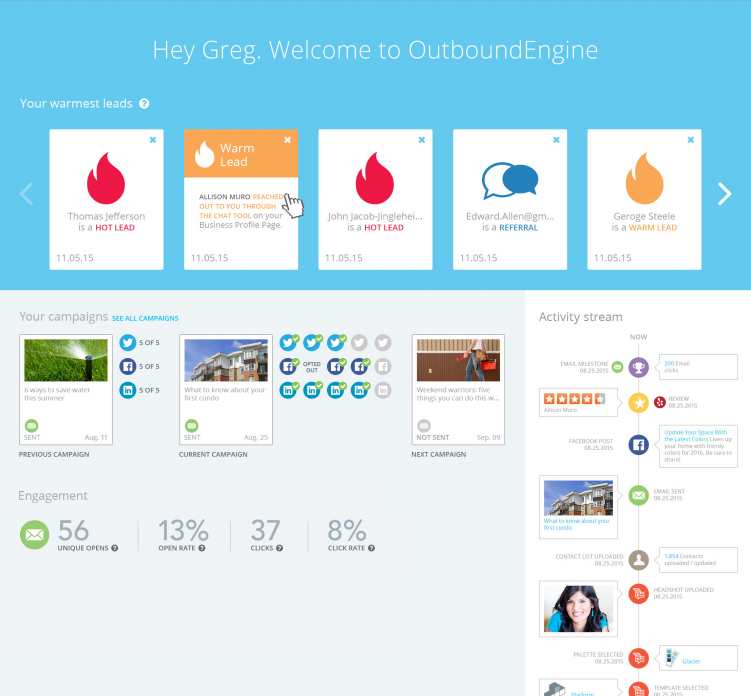
OutboundEngine provides a hands-off way for small business owners to market and grow their business. The product aims to provide small businesses with what big companies have achieved with marketing automation. The service aims to help users keep in touch with clients and prospects with professionally designed, branded campaigns. Benefits include: driving engagement, surfacing warm leads from current contacts, generating referrals and repeat business from their existing contacts, social…
$199
per user
YouCanBookMe
Score 9.6 out of 10
N/A
YouCanBook.me is appointment scheduling software from the UK company of the same name.
$0
(free with one calendar connection and one booking page)
Pricing
Calendly
OutboundEngine
YouCanBookMe
Editions & Modules
Standard
$10
per month (billed annually) per seat
Teams
$16
per month (billed annually) per seat
Enterprise
Starts at $15k
per year
Essential
$199
per user
Value
$299
per user
Premium
$499
per user
Individual
$9
per month
Professional
$13
per month
Teams
$18
per month per member
Offerings
Pricing Offerings
Calendly
OutboundEngine
YouCanBookMe
Free Trial
Yes
No
Yes
Free/Freemium Version
Yes
No
Yes
Premium Consulting/Integration Services
Yes
No
No
Entry-level Setup Fee
No setup fee
$99 per user
No setup fee
Additional Details
Monthly billing also available.
More information is available on the vendor's website.
10% discount available for annual pricing, and 20% discount for 2-year pricing. Special discounts available for educators.
I would say Calendly has the best interface and usability of these tools, however Interview Schedule is (predictably) better at scheduling full interview panels and more complex scheduling needs. YouCanBook.Me is good for coordinating a meeting between two individuals from …
I used You Can Book Me to set up meetings, but there were a number of things I didn't like about it. When using the free version of You Can Book Me, I could only make my meeting times available in one-hour increments. With Calendly, I can select the length of meetings that I …
When I started using it, there were not many competitors in this space. I've seen some like Mixmax that seem to work well for solopreneurs or where free version might be better than Calendly's free version. I use the paid version of Calendly and it's just kept serving us well …
YouCanBook.Me allows fuller messaging in addition to appointments. Calendly is more minimalist than YouCanBook.Me. I prefer having more control over the look and feel, and functionality than it offers.
They're all pretty straightforward. I didn't select YCBM personally. I just use it as it's the existing tool the company uses. Booking meetings isn't a complicated thing to do so I appreciate how straightforward YCBM is for doing it.
It's well suited for music students' lessons. It's well suited for online coaching, primarily through places like Zoom and more. It helps simplify things for your clients, lets you program your schedule, and allows it all to go automatically! If you are working with a senior population, it may be a little tricky for them to sign up and then really hard for them to cancel lessons. There isn't a way to go to the site and cancel. You have to pull up the confirmed email and cancel from there, but people can lose emails.
OutboundEngine does a referral campaign and I've been able to close a couple of deals based on getting in touch with people who engage with this campaign and state they could use my services in the next 6 months. This is a great follow up tool for those you may or may not know are going to be needing your services.
Youcanbook.me is great for small businesses or for self-employed professionals who need an easy-to-use and cost-effective solution for handling large numbers of clients. It's great for eliminating inconvenient miscommunication and tedious back-to-back emails in order to set a proper date and/or meeting details. However, if you need a more sophisticated system that fits into your company's IT procedures and carries sensitive data, an in house solution would fit best.
Sync with multiple calendar types so my schedule is always current.
Integration with Zoom to schedule meetings, send invites, and populate my Zoom app accordingly.
Automatic email communication to all parties with all relevant details in a clear format.
Allowing team members to do the same in a way that I'm also notified of what meetings are taking place saves a lot of time in terms of coordinating to find out what other people are doing.
Well-designed interface that simplifies everything down to its clearest expression. Language instruction and interaction are wonderfully simple and clear.
The content that they generate to send to our clients is relevant and the clients want to engage with us. It makes us appear more professional and consistent, even though we are a smaller company.
It helps us stay in touch with clients and helps us stay top of mind. We are able to generate more new business leads if we are in consistent contact with current, former, and potential clients.
Their customer service and support is outstanding. All my questions were answered and I went into the program feeling confident and knowledgeable.
One really helpful feature of YouCanBook.Me for our organization is that everyone can see appointment times in their own time zone. We frequently schedule interviews with applicants nationwide, as well as communicating with team members located in 32 different countries, so this has really simplified scheduling.
We rely heavily on Google Calendar for staff scheduling, so it is great that YouCanBook.Me can sync your availability straight from your calendar as well as automatically adding meetings to your calendar when they are booked.
We use YouCanBook.Me to schedule follow-up calls with people we meet at conferences and other recruiting events. It's really simple to have someone sign up for a call, and this has been a really effective tool for us to stay in communication with prospects.
After a meeting is booked, having the ability to change the location without canceling the entire booking.
Being able to offer 2 different locked in locations for certain time periods of the day within the same event. So you're not having to create 2 events for the same thing, only different locations.
Giving users permission to create their own routing forms. We run an independent business model where our users like to have control over their subscriptions.
I do not like the use of drawings to attract new customers, and they have ignored my requests to eliminate that for my personal emails.
I do not like it when a competitor in my immediate market has the same posts. It cheapens the service or makes it appear that I am simply sharing another's post.
I don't like the generic email invite to a Zoom meeting it sends out. Once I get the date sent to me in my email, I have to cancel the meeting and re-set the meeting with my own personalized Zoom Invite. Sometimes that is confusing for the prospect. However, now that I write this...I see an article on the web site about creating a unique Zoom meeting invite. I will have to check that out.
I set my work days as 9:30 a.m.-5:30 p.m. but on the calendar it shows a time available at 6 p.m. My last appointment should be listed as 5 p.m., as my appointments are in 30-minute increments and I leave at 5:30 p.m. So that is confusing and resulted in a few appointments booked when I am not actually working.
I book demos for a coworker, and if he is busy in another meeting, I have to block it off in my calendar as "Jack is Busy" so that prospects won't pick a time that is not available for Jack. I wish there was a way I could link his Outlook calendar to my YouCanBook.Me. Perhaps there is, but I am unaware of it.
For all reasons like workflows, UI, and the way Calendly keeps all of us engaged through the Collective forum. It's indeed undeniable that no other product covers all business needs like Calendly does. On the other side, this has also reduced the workload by enabling us to focus more on other tasks for the day
The biggest issue is poor ROI. The second biggest issue is rigid customer service process, lack of a sense of urgency, and inability to reach out to upper management with issues.
Calendly is extremely easy to use for selecting times and days for meetings. From my end, it's very easy to indicate the days and times that I am available for meetings. I have used other scheduling products, but Calendly has the smoothest way of operating. I highly recommend it for scheduling meetings
Overall, OutboundEngine is very user friendly. It is simple to set up and explore, and if there are any issues or questions, the customer service team and account managers are always available to help. They are very knowledgeable and were able to explain everything in detail to me. The program is easy to navigate and helps me stay organized, and an uncomplicated and straightforward solution was exactly what I was looking for
I haven't had to contact Outbound Engine because I haven't had any application errors or unplanned outages. I basically have had such a trouble free experience with them that I haven't had to call. Everything is automated and I get a notice to review every isse. I suppose if I personalized the newsletter a bit more and added some of my own articles, I would need to contact them, (which I should really start to do) but so far things have been so on point, I haven't felt the need.
There is a lot of support for Calendly. Whenever I have had issues navigating through it, especially as a new user, I found multiple support on the web addressing my questions or concerns. There is a lot of in app informative notes accessible to users to navigate through Calendly when needed.
The customer service was excellent! Everyone I spoke to was kind and knowledgeable. My account manager was easily reachable. Setup of the OutboundEngine program was explained really thoroughly, and we knew how we could best use the product to meet the needs of our clients and get our online and social media presence off the ground.
When I started using it, there were not many competitors in this space. I've seen some like Mixmax that seem to work well for solopreneurs or where free version might be better than Calendly's free version. I use the paid version of Calendly and it's just kept serving us well so why change?
I selected it for the ability to have an automated system do 3 things all at once, social media posts, emails and the instant communication with the chat box. I have never seen a chat come through that lead to a helpful client touchpoint. I have never used another product but have since begun to weigh some of the less expensive options.
YouCanBook.Me allows fuller messaging in addition to appointments. Calendly is more minimalist than YouCanBook.Me. I prefer having more control over the look and feel, and functionality than it offers.
It's helped our Professional Services Team immensely. Although we don't have numbers as far as an ROI, we use it daily across our whole team of 8 project managers.
We also use youcanbook.me to schedule in interviews with our 20+ researchers who are moderating sessions. Our admin team also uses youcanbook.me to allow our employees to schedule our weekly massages.