Overview
ProductRatingMost Used ByProduct SummaryStarting Price
Cirrus Insight
Score 8.4 out of 10
Mid-Size Companies (51-1,000 employees)
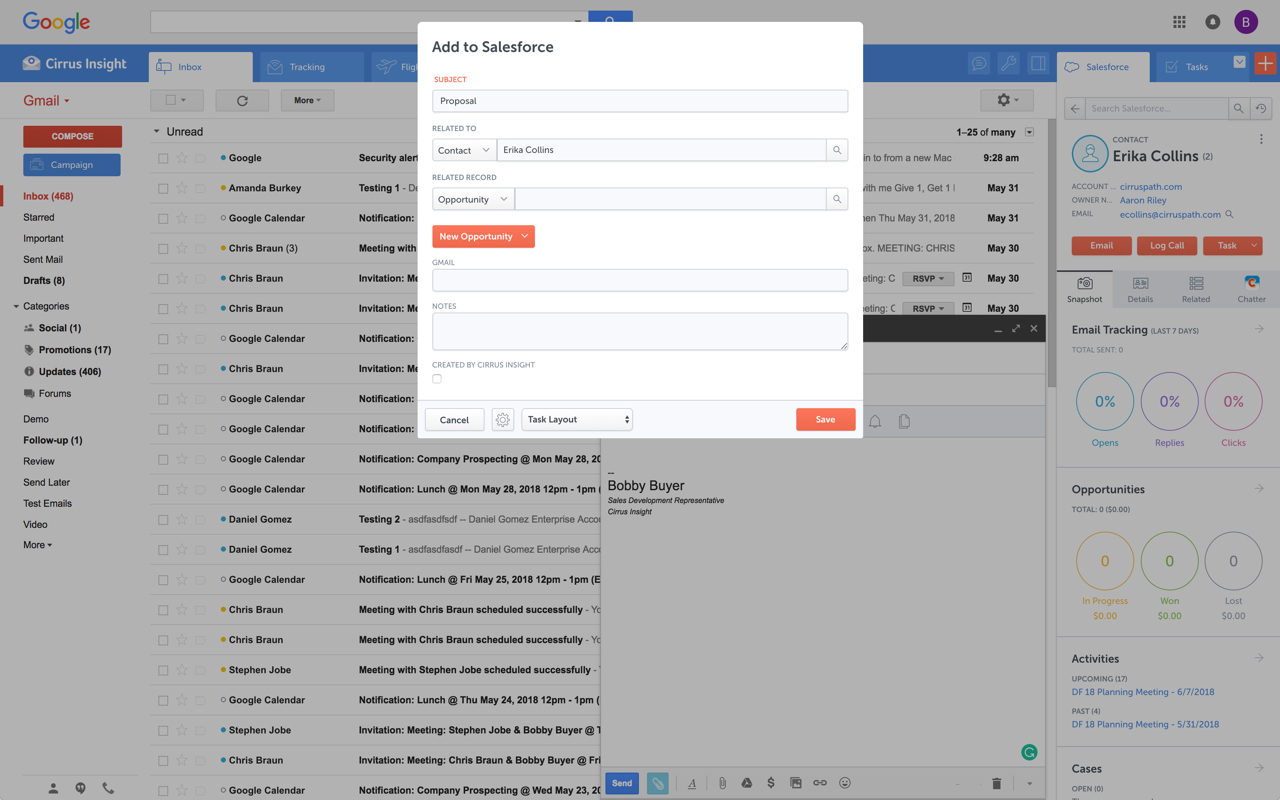
Cirrus Insight integrates Salesforce with Gmail, Google Calendar, and Google Contacts. Instantly View Contextual Salesforce Information in Your Inbox. Save Emails & Attachments to Salesforce with a Click. Sync Your Google & Salesforce Calendars. Create & Edit Salesforce Records on the Fly. Customize Your Salesforce Workflow in Gmail. Add Google Contacts to Salesforce. Salesforce Tasks Integration. Salesforce Templates Integrated with Gmail.
$27
per user/month
Microsoft Exchange
Score 8.7 out of 10
N/A
Microsoft Exchange is a secure email / messaging gateway with file archiving and encryption / data loss capability, available as a hosted service (Exchange Online) or installed (Exchange Server).N/A
Thunderbird
Score 8.4 out of 10
N/A
Thunderbird is an open-source email management application from MZLA Technologies Corporation, a subsidiary of Mozilla.N/A
Pricing
Cirrus InsightMicrosoft ExchangeThunderbird
Editions & Modules
Starter
$27
per user/month
Closer
$45
per user/month
Rainmaker
$72
per user/month
No answers on this topic
Offerings
Pricing Offerings
Cirrus InsightMicrosoft ExchangeThunderbird
Free Trial
YesNoNo
Free/Freemium Version
NoNoYes
Premium Consulting/Integration Services
NoNoNo
Entry-level Setup Fee$500 per installationNo setup feeNo setup fee
Additional DetailsPricing based on annual billing.
More Pricing Information
Community Pulse
Cirrus InsightMicrosoft ExchangeThunderbird
Considered Multiple Products
Cirrus Insight
Chose Cirrus Insight
Salesforce Einstein Activity Capture - See previous response regarding this native tool and why it doesn't work for us. Cirrus Insight is much better.
Chose Cirrus Insight
We used Cirrus Insights for a period of time and then switched to Salesforce Inbox because Salesforce Inbox was included in our Salesforce license which made the change easier to do since there was no financial impact of making the switch. We didn't spend very much time …
Chose Cirrus Insight
Cirrus actually works. Tout does not work, and slows down your computer.

Salesforce Inbox works for logging emails, but lacks other functionality.
Chose Cirrus Insight
We use Outreach to drive campaigns now. We've been successful with it for several reasons:
1- Our business operations team knows it and is able to coach us on how to use it
2- We use it across several departments (Marketing, SDE team, AE team, Customer Success - though we may be …
Chose Cirrus Insight
Cirrus is great with importing templates and leads from Salesforce when compared to yesware
Chose Cirrus Insight
We use gmail as our corporate email server and was by far the best option for our combined use of gmail and Salesforce.
Chose Cirrus Insight
Yesware regularly sent me alerts that my emails had been opened by someone who I hadn't sent them to, from locations they couldn't possibly have been. I also don't recall its Salesforce activity logging working as smoothly, though I last used Yesware more than 12 months ago so …
Chose Cirrus Insight
We were just using the free email to Salesforce option, which sends your email to an inbox within Salesforce. Then you are required to address it to the correct location. It's a two step process, so that was cumbersome. Or, some of my coworkers would drag the email onto their …
Chose Cirrus Insight
Cirrus Insight works for us because we use Outlook and MailTrack does not work with Outlook last time I checked.
Chose Cirrus Insight
Cirrus Insight is a light-weight affordable tool that offers reasonable bang for your buck. However it does not have the reliability of other more enterprise-like platforms nor does it have the advanced features that are becoming of an email support tool - such as more advanced …
Chose Cirrus Insight
The decision was made at my current role before I was hired, but I made the decision in a previous role to personally pay for Cirrus Insight, as I found it that valuable. This was after my entire sales team did a trial of Yesware, which I found to be a bit clunky and not as …
Chose Cirrus Insight
While I really liked Toutapp's social integration, it left a lot to be desired with the SFDC integration, which was a higher priority for me. It does what both Boomerang and Yesware do IMO for my purposes in one, easy to use app that doesn't dominate my screen.
Chose Cirrus Insight
Appirio was already being used by our organization. We'd also tried using various email connectors.
Microsoft Exchange
Chose Microsoft Exchange
Microsoft Exchange is the DeFacto groupware product. It handles mail and calendar so well that it is mostly unrivaled. While I used Zimbra at a previous employer, we ended up moving to Microsoft Exchange because of better Outlook use and the overall Microsoft Exchange product …
Chose Microsoft Exchange
Google Workspace has much more limited functionality compared to Exchange. I believe it is a bit cheaper on the most basic subscription tier but that's about the only reason to consider using it. It may also be worth considering if you have other workloads using Google Cloud …
Chose Microsoft Exchange
We have not tried other Email server products yet, but we are about to make this step in the near future. We are definitely going to try several Linux-based Email Server solutions so that we can choose the one that better suits our needs. Have some time to do this, as our …
Chose Microsoft Exchange
We had a Zimbra on-premise server earlier and were pretty satisfied with it. But when compared with the advanced features of the Microsoft Exchange server, we could easily justify our purchase team to go for this since we already have O365 apps.
Chose Microsoft Exchange
Microsoft Exchange Product The best cloud-based enterprise-grade archiving platform with a host of features that enable files to be securely archived and retrieved with advanced search options. This tool is very easy to use and has a User-friendly interface. It is a highly …
Chose Microsoft Exchange
Both items are used by me on a daily basis. Microsoft Exchange and Microsoft SharePoint don't seem to have a lot in common to me. When working with the Exchange platform, it's all about scheduling events in the calendar and sending emails. I was able to find the most crucial …
Chose Microsoft Exchange
Most of the 365 subscriptions include desktop and cloud versions of Microsoft programs. These "traditional" software may be installed on a desktop computer and used offline without any problems, as long as you have a working Internet connection. Because so many firms still …
Chose Microsoft Exchange
1) The cost per user is almost the same (around $3 USD more than Google Workspace) but the Office tools that Microsoft includes are the best in the market. The end-users are really adapted to them and the other tools like Google Sheets and Google Documents are really bad. 2) …
Chose Microsoft Exchange
Given all businesses I have worked for used Windows OS and Microsoft applications, it makes sense to stick with Microsoft Exchange. It's a given that if you use Microsoft applications you should use Microsoft Exchange.
Chose Microsoft Exchange
Microsoft Exchange is used by several companies worldwide due to its versatility and competitive rates which includes Office 365 (depending on the license purchased), it stacks up against other vendors e.g., Google. MS Exchange provides shared mailboxes which are not available …
Chose Microsoft Exchange
In comparison to Amazon SES, Microsoft Exchange was significantly more flexible and customizable. Amazon SES seems more complicated from an administrative standpoint. It became more difficult for us to consider migrating to a new platform since our workers were more comfortable …
Chose Microsoft Exchange
It has better ease of integration with the servers and company data. It has a relatively better cost compared to all the tools available. The privacy features and capabilities are something best in class.
Chose Microsoft Exchange
Office 365 is not recommended for shared use so we are using Microsoft Exchange. This helps to have access to multiple users and easy access to emails and calendars to provide support round the clock.
Chose Microsoft Exchange
MDaemon is too simplistic for complex uses, while Exchange covers any uses and scale for every customer size.
Chose Microsoft Exchange
Microsoft Exchange offered far more flexibility and customization than Google Workspace. From an administration perspective, it seemed easier to work with Exchange than with Gsuite/Google Workspace. Our employees were more familiar with Microsoft and their comfort level made …
Chose Microsoft Exchange
Easy to use, keeping calendar as an inbuilt feature and other AI tools which are missing on other companies features.
Chose Microsoft Exchange
I myself am a front-end user of both products. I don't really see too much of a comparison between Microsoft Exchange and Microsoft SharePoint. When using the Exchange platform it is more about calendar appointments and email communication. Using share Point I was able to …
Chose Microsoft Exchange
Microsoft is more sturdy and feature-packed than GSuite. Especially with the Office integrations, even though the UI doesn't stand up against them, it offers way better features and is just more convenient to use for what we require at our organization.
Chose Microsoft Exchange
Office 365 is pure ease. You get excellent compatibility with the entire Microsoft Office suite, as well as affordable access to Microsoft Office applications. All of this is supported by Microsoft's extremely dependable cloud. It's a great option for small businesses that …
Chose Microsoft Exchange
We use Zimbra for some specific tasks in our company. Microsoft has superiority over Zimbra in terms of the graphical user interface. I like the Microsoft exchange interface as it is more futuristic. Also, Microsoft exchange has a better user experience. Zimbra mail can be …
Chose Microsoft Exchange
It gives the impression of being a more professional and more robust tool. Despite the large amount of data, it always manages them at its best, without performance problems.
Chose Microsoft Exchange
Google workspace has excellent spam filtering, but poor customizability without resorting to third-party software or hacks/workarounds. Microsoft 365 has its own problems. We are currently using both Microsoft Exchange and Exchange Online (Microsoft 365) to handle mailbox …
Chose Microsoft Exchange
We found the Microsoft Exchange to be more robust and loaded with features which made our life easy and our ability to communicate and provide\get updates more efficient. Microsoft Exchange provided more advanced security features which were what our organization was looking …
Chose Microsoft Exchange
It provides me enhanced security over Gmail and is easy to navigate all around the console but its cost can be made less cheap as compared to Gmail.
Thunderbird
Chose Thunderbird
Thunderbird is quite similar to Gmail, in many aspects, especially graphically. Both do the same job in a good way. I can tell that we use Thunderbird for years already, and in general we are pretty satisfied, so there is no reason to change software to try or evaluate …
Chose Thunderbird
We choose Thunderbird since it proved to be sufficient for our needs and is freeware. The choice was also influenced by a contact who is a certified cybercrime investigator
Chose Thunderbird
QuickBooks Desktop Enterprise
Features
Cirrus InsightMicrosoft ExchangeThunderbird
Secure Email Gateway
Comparison of Secure Email Gateway features of Product A and Product B
Cirrus Insight
-
Ratings
Microsoft Exchange
7.3
Ratings
15% below category average
Thunderbird
-
Ratings
Anti-malware00 Ratings6.50 Ratings00 Ratings
Customizability00 Ratings8.00 Ratings00 Ratings
Data Loss Protection00 Ratings8.30 Ratings00 Ratings
Threat Detection00 Ratings6.50 Ratings00 Ratings
Sandboxing00 Ratings7.40 Ratings00 Ratings
End-to-End Encryption00 Ratings6.70 Ratings00 Ratings
Management Tools00 Ratings8.00 Ratings00 Ratings
Best Alternatives
Cirrus InsightMicrosoft ExchangeThunderbird
Small Businesses
Mailtrack
Mailtrack
Score 9.7 out of 10
Zoho Mail
Zoho Mail
Score 9.2 out of 10
Zoho Mail
Zoho Mail
Score 9.2 out of 10
Medium-sized Companies
Mailtrack
Mailtrack
Score 9.7 out of 10
Avanan
Avanan
Score 9.9 out of 10
Front
Front
Score 9.2 out of 10
Enterprises
Groove by Clari
Groove by Clari
Score 7.4 out of 10
Avanan
Avanan
Score 9.9 out of 10
Front
Front
Score 9.2 out of 10
All AlternativesView all alternativesView all alternativesView all alternatives
User Ratings
Cirrus InsightMicrosoft ExchangeThunderbird
Likelihood to Recommend
9.7
(0 ratings)
9.0
(0 ratings)
8.0
(0 ratings)
Likelihood to Renew
9.1
(0 ratings)
10.0
(0 ratings)
-
(0 ratings)
Usability
10.0
(0 ratings)
8.5
(0 ratings)
8.0
(0 ratings)
Availability
9.1
(0 ratings)
10.0
(0 ratings)
-
(0 ratings)
Performance
9.1
(0 ratings)
9.0
(0 ratings)
-
(0 ratings)
Support Rating
-
(0 ratings)
9.9
(0 ratings)
-
(0 ratings)
Implementation Rating
9.1
(0 ratings)
10.0
(0 ratings)
-
(0 ratings)
Configurability
-
(0 ratings)
7.0
(0 ratings)
-
(0 ratings)
Ease of integration
-
(0 ratings)
5.0
(0 ratings)
-
(0 ratings)
Product Scalability
-
(0 ratings)
10.0
(0 ratings)
-
(0 ratings)
Vendor post-sale
-
(0 ratings)
5.0
(0 ratings)
-
(0 ratings)
Vendor pre-sale
-
(0 ratings)
8.0
(0 ratings)
-
(0 ratings)
User Testimonials
Cirrus InsightMicrosoft ExchangeThunderbird
Likelihood to Recommend
For someone who uses both Gmail and Salesforce as part of their main role, this software is an invaluable connector for them both. Some of the features are also not Salesforce specific - such as the Meeting Scheduler, which has proved invaluable to me, and I would recommend to any Gmail user who frequently set up meetings (either internally or externally).
Read full review
For our clients, the switch to an entirely independent (parallel processing) Microsoft Exchange Server was a lifesaver because previous software versions frequently crashed. The clever viva add-on informs me of any things that are still uncompleted in my large email to-do lists. Migrating to Office 365 has never been easier because to the meticulous preparation that has gone into it. Web applications will load more quickly.
Read full review
For the use we need, I can tell that Thunderbird works pretty well, even if we don't have a specific scenario to use it. We must simply manage our email in both directions, and Thunderbird is an easy and fast solution. For our experience it's a good software, not particularly customizable, but simple to use.
Read full review
Pros
  • Log email to Salesforce. You click one button and it logs for you. This is easier than adding the BCC email address that Salesforce provides as a way to log email.
  • Track views and engagement on these emails. It's nice to know if the email was opened and if links were clicked.
  • Update quick fields in Salesforce directly from their inbox using Cirrus. This prevented reps from needing to click into Salesforce, wait for it to load, then update fields like the phone number or name.
  • If the rep did need to open Salesforce, Cirrus provides a quick button to navigate to the Lead/Contact/Opportunity page quickly.
Read full review
  • An in-built calendar to manage your daily work schedule. Let's you create events, invite a particular group of people, accept invitations, and remind you of your upcoming meetings and tasks.
  • I also like the daily emails we get from Exchange that ask you to set aside time for yourself or your other hobbies to take a short break from monotonous work.
  • The email categorization feature is pretty good, especially the sort/search filtering option to navigate through your emails, which can also go through your deleted emails.
  • It has an excellent spam-filtering feature which greatly reduces the chance of malware and spam. I have hardly seen spam emails get through their filter. On the other hand, it also recognizes emails from external organizations that may be spam, but are important work emails.
Read full review
  • Setup and organization of folders and sub-folders
  • Email Security
  • Ease of managing emails
Read full review
Cons
  • Email Tracking is not always accurate - this can be due to the nature of the device and the email client used by the recipient.
  • Gmail app is subject to being glitchy and auto-log out out behavior.
  • Meeting time function is limited in its functionality and is prone to glitches as reported by clients.
  • Send later function works about 85% of the time.
  • Follow up intervals are too short and should provide more customised options.
Read full review
  • The two main factors for the better reliability & Uptime of internally hosted Exchange Server depends on Exchange Server configuration and the level of investment the organization is willing to provide for hosting the Exchange Server On-Premise Environment. As the data is stored in the organization’s hardware, any disaster may lead to the loss of email and servers.
  • Losing data might affect business continuity and rebuilding it can be costly.
  • Security remains a major concern.
  • Security of data loss is main concern. To ensure that, organization needs to configure networks, systems and Exchange platform against possible threats.
  • Hardware and license costs are high.
Read full review
  • Not nearly as clean or nice-looking as Gmail
  • Easy to navigate threading and search capability seems limited
  • Very slow and clunky. I am still combing through about 10,000 emails that I'm slowly trying to delete (mostly junk/spam/transactional emails) and if I highlight even just like 20 emails at a time it takes about 5 seconds to delete them so no way to do this efficiently
Read full review
Likelihood to Renew
It is the best google to salesforce integration on the market. support is incredibly responsive and very helpful. They are constantly adding new features, and the current feature set is well beyond anything else that is currently offered in the market
Read full review
Email and calendars in a business setting are requirements. And Microsoft continues to be the standard of business applications. Microsoft 365 makes Microsoft Exchange easy to use. Everything is in the cloud. Let Microsoft take care of the hardware, the software, and the security. You just enable your business users with the functionality they need.
Read full review
No answers on this topic
Usability
Very easy to use. Everything opens in a familiar interface right inside the google apps sidebar. It brings in salesforce records, so as long as you know google apps / gmail and salesforce you'll be all set. It's point and click.
Read full review
Microsoft Exchange has come a long way over the years and has nowhere near the technical overhead required for support as it did back in 2003/2007 and prior. The integrations with Teams, Defender, Sharepoint, Copilot and many other products make it a solid and well-rounded tool used for many day-to-day tasks.
Read full review
Thunderbird is a software very simple to use, but efficient in every aspect. We don't have a specific need, apart to manage email in both directions, and Thunderbird does it's job in the best way. I would like to see a more friendly interface, with some colours more, to help the sight in the email searching. When we have many of them, sometimes it's difficult to find the one that we need.
Read full review
Reliability and Availability
Haven't had a down issue in the almost 2 years I've been using the product. Support is also super responsive.
Read full review
Exchange is setup with multiple servers behind load balancers to provide high availability.
Read full review
No answers on this topic
Performance
Pulls in salesforce data very quickly, and syncs very quickly.
Read full review
I would say it's the best email product I've experienced.
Read full review
No answers on this topic
Support Rating
No answers on this topic
We have a good enterprise agreement with Microsoft which affords us quick phone support. I have found the support staff knowledgeable and prompt with a solution when required. At times it may be difficult to schedule a call back, this is mainly due to our need for calls early in the morning which happens to be during a shift change at Microsoft support.
Read full review
No answers on this topic
Implementation Rating
The plugin is installed inside your internet browser as an extension/add-on. It can be found in most add on stores and is easy to install. Usually just a few clicks. It handles authorization for you once you sign in, and then takes care of all the rest. It couldn't be easier to get working right out of the box. You're up in running in less than 5 minutes.
Read full review
Implementation/conversion can be quite complex and, unless you have certified Exchange administrators in-house, you should strongly consider a 3rd party consultant for this implementation.
Read full review
No answers on this topic
Alternatives Considered
Yesware regularly sent me alerts that my emails had been opened by someone who I hadn't sent them to, from locations they couldn't possibly have been. I also don't recall its Salesforce activity logging working as smoothly, though I last used Yesware more than 12 months ago so my memory isn't as fresh as it could be
Read full review
Microsoft Exchange Product The best cloud-based enterprise-grade archiving platform with a host of features that enable files to be securely archived and retrieved with advanced search options. This tool is very easy to use and has a User-friendly interface. It is a highly reliable platform that allows all employees to automatically store their data without any limitations. It offers a cost-effective solution with customized policy management. We are happy that the customer support team is always fast and concerned, and the product's uninterrupted service experience. It is very good that it stores data in real-time without losing it, even in the event of a disaster. The cost-effective solution and integration with other tools are seamless.
Read full review
Read full review
Scalability
No answers on this topic
The only time Exchange has failed us is when we did something to cause the failure.
Read full review
No answers on this topic
Return on Investment
  • More efficient. It only takes a few seconds to upload an email to the right location.
  • More emails in Salesforce now, where as before, people didn't even try uploading it due to the difficulty.
  • Equality across the board. Everyone is on the same page in how we record things.
Read full review
  • After testing I found Exchange very good at removing/quarantining malware.
  • The Global Address List is great for finding the correct person within the organization to deal with.
  • The Clutter feature is terrible. Sometimes putting important emails into that folder for no discernible reason.
Read full review
  • Its FREE and donation based. Can't get better than that.
  • I love that we aren't giving away our privacy to Google.
  • And I especially love that it's a grass-rootsy endeavor.
Read full review
ScreenShots

Cirrus Insight Screenshots

Screenshot of Screenshot of Screenshot of Screenshot of