Chose ClickUp
ClickUp’s task management first approach, gives it a leg up on tools like notion and Coda. Microsoft struggles to offer one centralized tool that can do all of this in one tool.

| Product | Rating | Most Used By | Product Summary | Starting Price |
|---|---|---|---|---|
 ClickUp | Small Businesses (1-50 employees) | ClickUp is a productivity platform that brings together work apps, data, and workflows. Also presented as a Converged AI Workspace, ClickUp eliminates work sprawl to provide context and a single place for humans and agents to work together. The platform currently boasts over 20 million users worldwide. | $0 per month per seat | |
 Coda by Grammarly | N/A | Coda, acquired by Grammarly in early 2025, is a template-based document creation and collaboration solution, supporting a variety of use cases. | $0 per month | |
 TaskQue | N/A | TaskQue is a productivity management tool. It offers auto task assignment features, different workflow templates for various industries and functional departments, and a list of collaboration tools designed to facilitate remote workers. | $0 up to 10 users |
| ClickUp | Coda by Grammarly | TaskQue | ||||||||||||||||||||||
|---|---|---|---|---|---|---|---|---|---|---|---|---|---|---|---|---|---|---|---|---|---|---|---|---|
| Editions & Modules |
|
|
| |||||||||||||||||||||
| Offerings |
| |||||||||||||||||||||||
| Entry-level Setup Fee | No setup fee | No setup fee | $5 per user | |||||||||||||||||||||
| Additional Details | Discount available for annual billing. | With Coda, you only pay for Doc Makers. Often one person creates a doc, others edit it, and some simply observe from afar. Instead of charging for everyone, we only charge for the people who create docs. Interested in enterprise pricing? Visit coda.io/enterprise | For 10 users, its free. After that, we charge $5.00 per user. | |||||||||||||||||||||
| More Pricing Information | ||||||||||||||||||||||||
| ClickUp | Coda by Grammarly | TaskQue | |
|---|---|---|---|
| Considered Multiple Products | ClickUp  Paige Knickle Owner of Copper Cabbage Studios Chose ClickUp I walked away from so many other products that I tried primarily because I wanted to have a task and productivity tool that allowed me to re-envision my 'data' at the task level. I wanted to be able to have Gantt views and dashboard views and then dive in deeper with comments …  Mochamad Resa Qulyubi Lead Support Chose ClickUp ClickUp has very complex features, it is not only used as a place to list the recorded work but can process and become an evaluation in the team of less and more for the next work, and many tools and integration in ClickUp that exceed similar applications that I have encountered. | Coda by Grammarly | TaskQue No answer on this topic |
| ClickUp | Coda by Grammarly | TaskQue | |||||||||||||||||||||||||||||||||||||||||||||||||||||||
|---|---|---|---|---|---|---|---|---|---|---|---|---|---|---|---|---|---|---|---|---|---|---|---|---|---|---|---|---|---|---|---|---|---|---|---|---|---|---|---|---|---|---|---|---|---|---|---|---|---|---|---|---|---|---|---|---|---|
| Project Management |
| ||||||||||||||||||||||||||||||||||||||||||||||||||||||||
| Professional Services Automation |
|
| ClickUp | Coda by Grammarly | TaskQue | |
|---|---|---|---|
| Small Businesses |  Stackby Score 8.9 out of 10 | Stackby Score 8.9 out of 10 | Stackby Score 8.9 out of 10 |
| Medium-sized Companies |  InEight Score 8.4 out of 10 |  Troop Messenger Score 9.8 out of 10 | InEight Score 8.4 out of 10 |
| Enterprises | InEight Score 8.4 out of 10 |  HCL Connections Score 9.0 out of 10 | InEight Score 8.4 out of 10 |
| All Alternatives | View all alternatives | View all alternatives | View all alternatives |
| ClickUp | Coda by Grammarly | TaskQue | |
|---|---|---|---|
| Likelihood to Recommend | 8.8 (678 ratings) | 8.0 (26 ratings) | 9.0 (1 ratings) |
| Likelihood to Renew | 8.0 (33 ratings) | 9.1 (2 ratings) | - (0 ratings) |
| Usability | 8.1 (30 ratings) | 7.7 (3 ratings) | - (0 ratings) |
| Availability | 9.5 (6 ratings) | 9.1 (1 ratings) | - (0 ratings) |
| Performance | 8.0 (5 ratings) | 9.1 (1 ratings) | - (0 ratings) |
| Support Rating | 9.3 (46 ratings) | 7.8 (2 ratings) | 9.0 (1 ratings) |
| Online Training | 10.0 (2 ratings) | - (0 ratings) | - (0 ratings) |
| Implementation Rating | 7.9 (7 ratings) | 8.2 (1 ratings) | - (0 ratings) |
| Configurability | 8.0 (2 ratings) | 8.2 (1 ratings) | - (0 ratings) |
| Contract Terms and Pricing Model | 5.0 (1 ratings) | - (0 ratings) | - (0 ratings) |
| Ease of integration | 7.0 (2 ratings) | 4.5 (1 ratings) | - (0 ratings) |
| Product Scalability | 8.9 (6 ratings) | 9.1 (1 ratings) | - (0 ratings) |
| Professional Services | 5.0 (1 ratings) | - (0 ratings) | - (0 ratings) |
| Vendor post-sale | 5.0 (2 ratings) | 7.3 (1 ratings) | - (0 ratings) |
| Vendor pre-sale | 5.0 (2 ratings) | - (0 ratings) | - (0 ratings) |
| ClickUp | Coda by Grammarly | TaskQue | |
|---|---|---|---|
| Likelihood to Recommend | ClickUp
| Grammarly
| TaskQue
|
| Pros | ClickUp
| Grammarly
 Matt Woods Growth Product Manager | TaskQue
|
| Cons | ClickUp
 Erica Hernandez Group Director, Client Operations | Grammarly
 Pearl Cheah Physics & Application Manager | TaskQue
|
| Likelihood to Renew | ClickUp
 José Francisco Laguna Technical Writer | Grammarly
Pearl Cheah Physics & Application Manager | TaskQue No answers on this topic |
| Usability | ClickUp
| Grammarly
| TaskQue No answers on this topic |
| Reliability and Availability | ClickUp
| Grammarly
Pearl Cheah Physics & Application Manager | TaskQue No answers on this topic |
| Performance | ClickUp
| Grammarly
Pearl Cheah Physics & Application Manager | TaskQue No answers on this topic |
| Support Rating | ClickUp
 Cassandra Shenning Marketing Director | Grammarly
Pearl Cheah Physics & Application Manager | TaskQue
|
| Online Training | ClickUp
| Grammarly No answers on this topic | TaskQue No answers on this topic |
| Implementation Rating | ClickUp
 Leon Prather II, CTS Manager, Digital Product Operations | Grammarly
Pearl Cheah Physics & Application Manager | TaskQue No answers on this topic |
| Alternatives Considered | ClickUp
| Grammarly
 Camille Hidalgo Nussbaum, CSM® Project Manager, Creative Technologies | TaskQue
|
| Scalability | ClickUp
| Grammarly
Pearl Cheah Physics & Application Manager | TaskQue No answers on this topic |
| Return on Investment | ClickUp
 Holly Biondo Marketing & Communications Manager | Grammarly
| TaskQue
|
| ScreenShots | ClickUp Screenshots     | Coda by Grammarly Screenshots      | TaskQue Screenshots   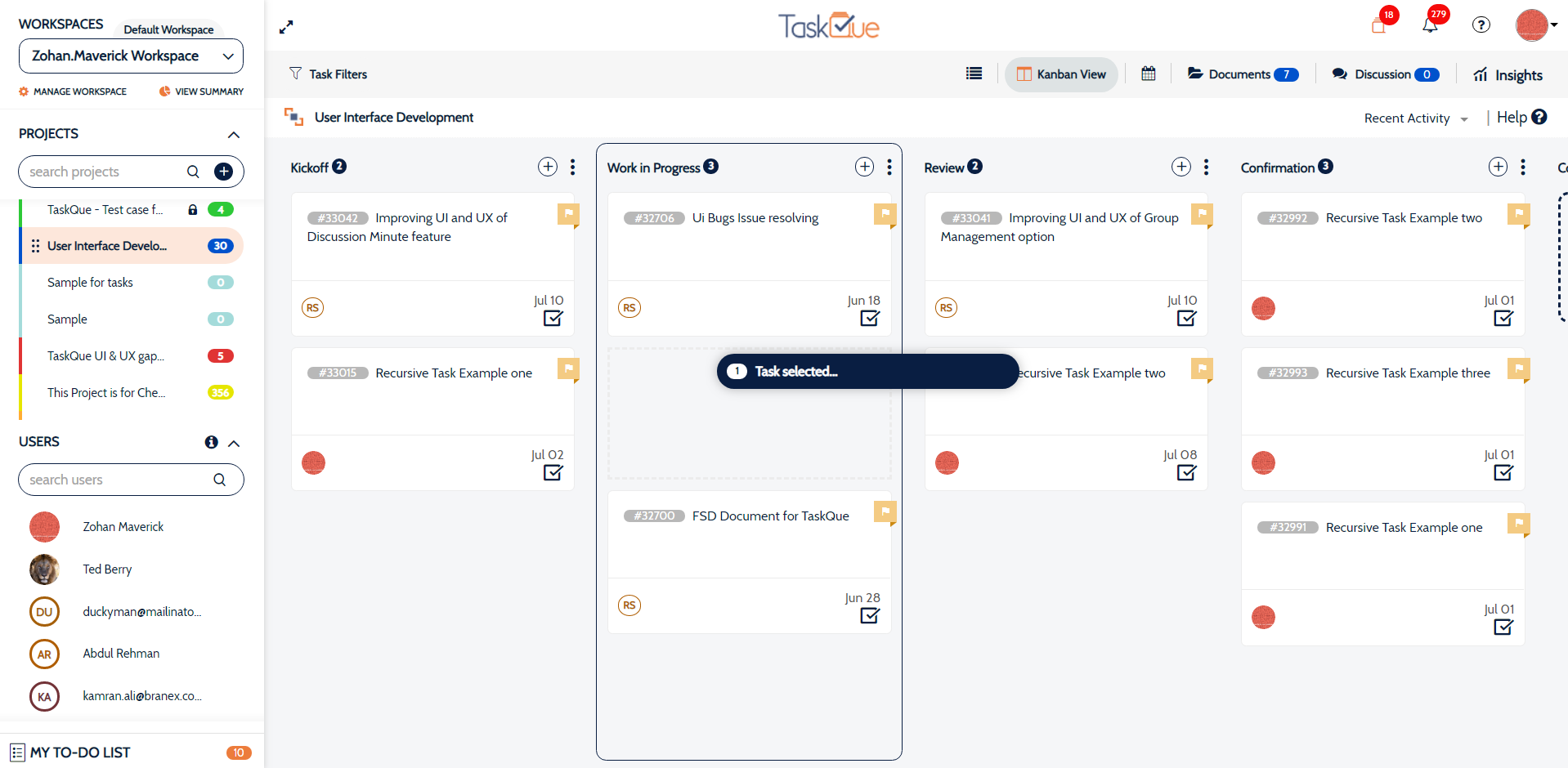 |