
Clockwise vs. Omnify vs. Zoom Workplace
Clockwise vs. Omnify vs. Zoom Workplace
| Product | Rating | Most Used By | Product Summary | Starting Price |
|---|---|---|---|---|
 Clockwise | N/A | Clockwise, from the company of the same name in San Francisco, is calendar optimization software, which uses AI to create uninterrupted blocks of time, enhance Slack, take the stress out of complex scheduling, resolve double bookings, and balance appointments while allowing users to meet their Focus Time goals. June 16, 2020 Bain Capital Ventures announced leading an $18M Series B funding round in Clockwise. | $0 per month per user | |
 Omnify | N/A | Omnify is a software for class-based and activity-focused businesses—from kids’ activity centers and gyms to studios, camps, and swim schools—to streamline and grow their operations. It offers a single dashboard to schedule classes, parties, events, and camps; manage memberships; sell add-ons, gift cards, and products; process payments; build a branded storefront with website embeds; and handle CRM, automated communication, waitlists, check-ins, and analytics. The vendor states that… | $149 per month | |
 Zoom Workplace | N/A | Zoom Workplace, Zoom’s open collaboration platform with an AI Companion, empowers teams to be more productive, and strengthen customer relationships throughout the customer lifecycle with Zoom’s Business Services for sales, marketing, and customer experience teams, including Zoom Contact Center. | $16.99 per month per user |
| Clockwise | Omnify | Zoom Workplace | ||||||||||||||||||||||
|---|---|---|---|---|---|---|---|---|---|---|---|---|---|---|---|---|---|---|---|---|---|---|---|---|
| Editions & Modules |
|
|
| |||||||||||||||||||||
| Offerings |
| |||||||||||||||||||||||
| Entry-level Setup Fee | No setup fee | No setup fee | No setup fee | |||||||||||||||||||||
| Additional Details | — | Discount available for annual pricing on commercial plans. | Discount available for annual billing. | |||||||||||||||||||||
| More Pricing Information | ||||||||||||||||||||||||
| Clockwise | Omnify | Zoom Workplace |
|---|
| Clockwise | Omnify | Zoom Workplace | |||||||||||||||||||||||||||||||
|---|---|---|---|---|---|---|---|---|---|---|---|---|---|---|---|---|---|---|---|---|---|---|---|---|---|---|---|---|---|---|---|---|---|
| Performance & Compatibility of Online Events Software |
| ||||||||||||||||||||||||||||||||
| Screen Sharing |
| ||||||||||||||||||||||||||||||||
| Online Meetings / Events |
| ||||||||||||||||||||||||||||||||
| Online Events Collaboration |
| ||||||||||||||||||||||||||||||||
| Online Events Security |
| ||||||||||||||||||||||||||||||||
| Cloud PBX |
| ||||||||||||||||||||||||||||||||
| Call Management |
| ||||||||||||||||||||||||||||||||
| Mobile apps |
| ||||||||||||||||||||||||||||||||
| Unified Communications Platform and Collaboration |
|
| Clockwise | Omnify | Zoom Workplace | |
|---|---|---|---|
| Small Businesses |  CoSchedule Marketing Suite Score 10.0 out of 10 |  Kajabi Score 8.3 out of 10 |  Broadvoice | GoContact Score 9.2 out of 10 |
| Medium-sized Companies | CoSchedule Marketing Suite Score 10.0 out of 10 | No answers on this topic |  Cisco Unified Communications Manager (Call Manager) Score 8.6 out of 10 |
| Enterprises |  Google Calendar Score 9.4 out of 10 | No answers on this topic | Cisco Unified Communications Manager (Call Manager) Score 8.6 out of 10 |
| All Alternatives | View all alternatives | View all alternatives | View all alternatives |
| Clockwise | Omnify | Zoom Workplace | |
|---|---|---|---|
| Likelihood to Recommend | 9.1 (2 ratings) | 9.3 (14 ratings) | 8.8 (1019 ratings) |
| Likelihood to Renew | - (0 ratings) | - (0 ratings) | 7.7 (25 ratings) |
| Usability | 6.4 (1 ratings) | 8.3 (6 ratings) | 8.8 (45 ratings) |
| Availability | - (0 ratings) | - (0 ratings) | 9.1 (2 ratings) |
| Performance | - (0 ratings) | - (0 ratings) | 9.0 (3 ratings) |
| Support Rating | - (0 ratings) | 8.3 (6 ratings) | 6.1 (46 ratings) |
| In-Person Training | - (0 ratings) | - (0 ratings) | 9.1 (1 ratings) |
| Implementation Rating | - (0 ratings) | - (0 ratings) | 6.3 (11 ratings) |
| Configurability | - (0 ratings) | - (0 ratings) | 9.1 (2 ratings) |
| Contract Terms and Pricing Model | - (0 ratings) | - (0 ratings) | 8.0 (13 ratings) |
| Ease of integration | - (0 ratings) | - (0 ratings) | 7.3 (2 ratings) |
| Product Scalability | - (0 ratings) | - (0 ratings) | 9.7 (3 ratings) |
| Professional Services | - (0 ratings) | - (0 ratings) | 9.2 (8 ratings) |
| Vendor post-sale | - (0 ratings) | - (0 ratings) | 9.1 (2 ratings) |
| Vendor pre-sale | - (0 ratings) | - (0 ratings) | 7.3 (2 ratings) |
| Clockwise | Omnify | Zoom Workplace | |
|---|---|---|---|
| Likelihood to Recommend | Clockwise
 Eliza Quaglino Business Development and Opertions Coordinator | Omnify Inc.
|  Zoom
|
| Pros | Clockwise
| Omnify Inc.
| Zoom
|
| Cons | Clockwise
| Omnify Inc.
| Zoom
 Roselin Beabyal Inside sales |
| Likelihood to Renew | Clockwise No answers on this topic | Omnify Inc. No answers on this topic | Zoom
 Stefan Scherbik Associate, Video and Collaboration |
| Usability | Clockwise
Eliza Quaglino Business Development and Opertions Coordinator | Omnify Inc.
| Zoom
|
| Reliability and Availability | Clockwise No answers on this topic | Omnify Inc. No answers on this topic | Zoom
Stefan Scherbik Associate, Video and Collaboration |
| Performance | Clockwise No answers on this topic | Omnify Inc. No answers on this topic | Zoom
Stefan Scherbik Associate, Video and Collaboration |
| Support Rating | Clockwise No answers on this topic | Omnify Inc.
 Isabel Artigues Clinic Director, Student Welfare | Zoom
|
| Implementation Rating | Clockwise No answers on this topic | Omnify Inc. No answers on this topic | Zoom
Stefan Scherbik Associate, Video and Collaboration |
| Alternatives Considered | Clockwise
| Omnify Inc.
 Willow LeTard Head Coach | Zoom
 François Lavallée president |
| Contract Terms and Pricing Model | Clockwise No answers on this topic | Omnify Inc. No answers on this topic | Zoom
 Bart Harris Software Engineer, Infrastructure |
| Scalability | Clockwise No answers on this topic | Omnify Inc. No answers on this topic | Zoom
Stefan Scherbik Associate, Video and Collaboration |
| Professional Services | Clockwise No answers on this topic | Omnify Inc. No answers on this topic | Zoom
 Brandon Losover SMB Sales Specialist |
| Return on Investment | Clockwise
| Omnify Inc.
| Zoom
 Cheryl Hillen, CSMC Director Business Admin |
| ScreenShots | Omnify Screenshots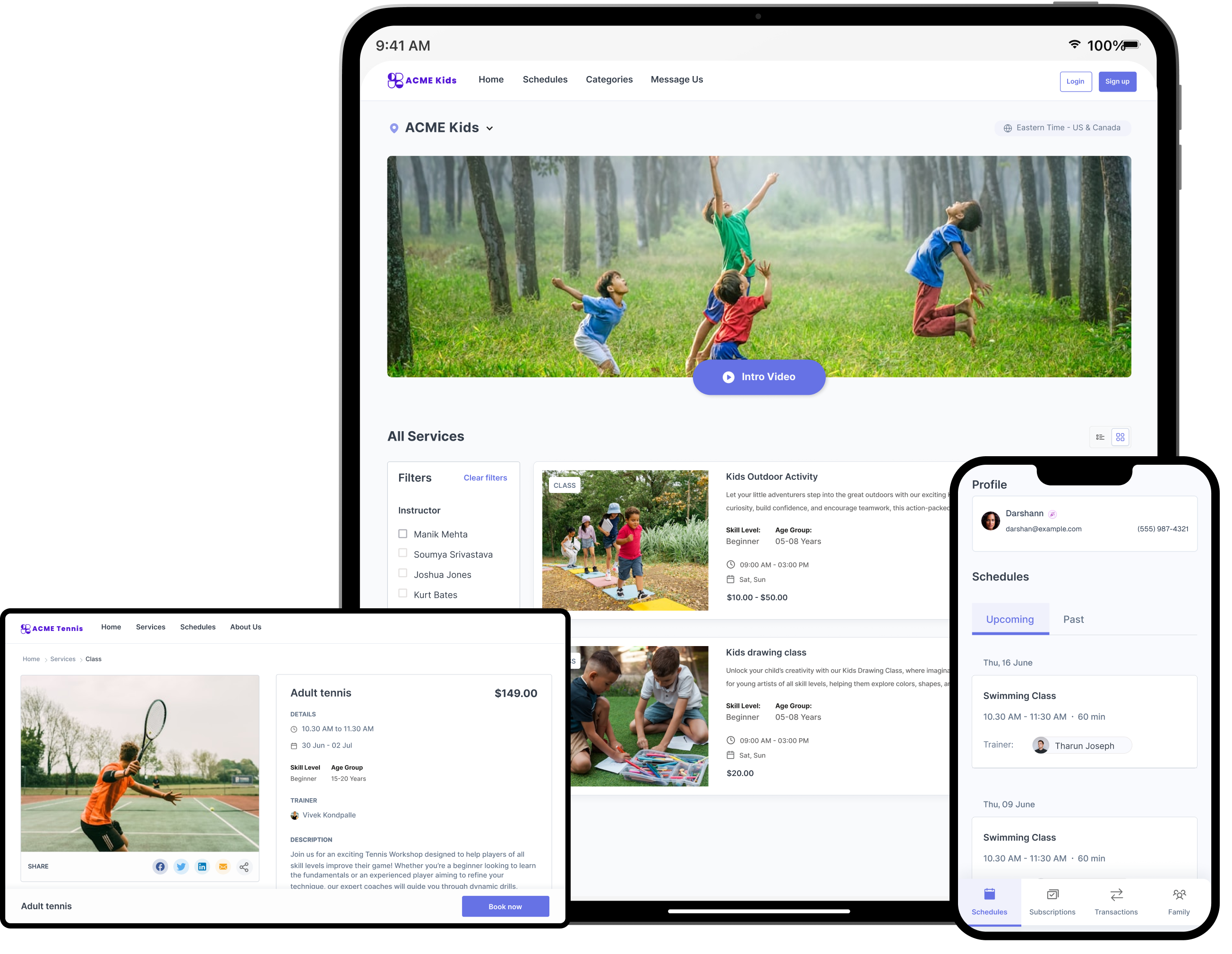  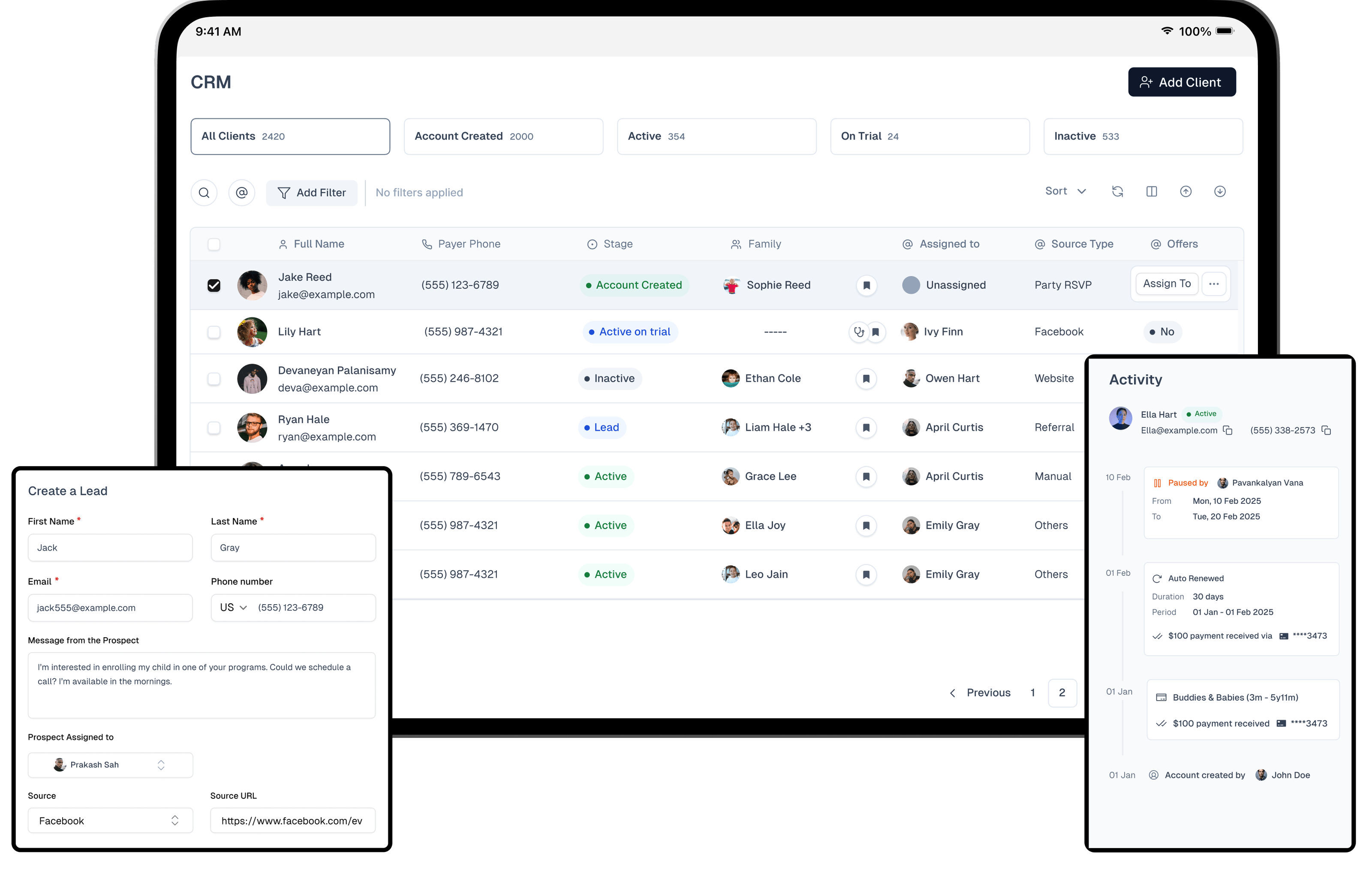   | Zoom Workplace Screenshots     |