Contentsquare is an enterprise experience intelligence and Digital Analytics platform designed to track, visualize, and optimize user journeys across websites and mobile applications. The platform captures digital interaction telemetry—such as clicks, scrolls, hovers, and page drop-offs—without manual event tagging to power Web Analytics, session replays, funnel visualization, and experience monitoring.
N/A
Woopra
Score 3.0 out of 10
Enterprise companies (1,001+ employees)
Woopra provides real-time customer analytics. It begins by tracking users across digital touch points (website, mobile app, help desk, marketing automation, etc.) and building a comprehensive behavioral profile for each user. These Customer Profiles are Woopra's building blocks, which are used to generate custom analytics reports, funnel analytics, retention analytics, and more.
$80
per month
Pricing
Contentsquare, now with Hotjar
Woopra
Editions & Modules
No answers on this topic
Pro
$999.00
per month
Offerings
Pricing Offerings
Contentsquare
Woopra
Free Trial
No
Yes
Free/Freemium Version
Yes
Yes
Premium Consulting/Integration Services
No
Yes
Entry-level Setup Fee
No setup fee
Optional
Additional Details
—
—
More Pricing Information
Community Pulse
Contentsquare, now with Hotjar
Woopra
Features
Contentsquare, now with Hotjar
Woopra
Mobile Capabilities
Comparison of Mobile Capabilities features of Product A and Product B
Contentsquare, now with Hotjar
8.0
1 Ratings
5% above category average
Woopra
-
Ratings
Responsive Design for Web Access
8.01 Ratings
00 Ratings
Mobile Application
8.01 Ratings
00 Ratings
Dashboard / Report / Visualization Interactivity on Mobile
8.01 Ratings
00 Ratings
Results and Analysis
Comparison of Results and Analysis features of Product A and Product B
Hotjar is good for a first pass at understanding user sentiment or locating potential usability issues. There are features such as "rage clicked" which shows recordings or instances when a user rage clicked or had an issue with your site. Hotjar has also been helpful to launch intercept surveys on mobile, desktop, and app, which not all competitor software allow. Hotjar recordings are fun to watch. "Watching Hotjar like Netflix" is a favorite pastime at work.
My rating of Woopra is the absolute best possible. I would recommend them to anyone looking for an analytics website that prefers a visual interface and a beautiful design. I have not encountered any problems using their app -- ZERO! Their integration with other marketing software, such as MailChimp, helps our company zero in on our marketing campaigns and gives us the information we need to make better choices. I LOVE Woopra and think they are the best out there! I have used other websites and there is no comparison!
Heat mapping is great on Hotjar. It is a good place to start when you are looking at the UX & CRO on your website. You can see the % of people clicking on elements on a page, how far they scroll, and mouse movements.
Hotjar is great for session recordings. These record the mouse movements, clicks, pages and scrolls of a user in video format. You can watch these to investigate what works well on a site and identify potential roadblocks and bugs.
Hotjar is great as it ensures that users details are anonymous; for instance, if you are watching a session recording, you cannot see what a user types in a form field, as Hotjar blanks this out.
Hotjar has a poll function, so you can have polls on your website.
Woopra tracks *individual users and customer accounts*. It cannot be understated how important this is. Google Analytics and other low cost solutions only sample users and provide aggregate data. For enterprise sales, this is critical. Likewise, for product managers trying to segment product usage by types of accounts, this is incredibly useful.
Woopra updates user analytics in real time. This is critical in a sales context as you want to be able to follow up quickly on opportunities. Likewise, it is useful for customer success as they can see usage in real time for an individual they are supporting.
Woopra has the most turnkey integrations of any web analytics solution on the market. By far the most useful are Marketo, SalesForce, and Slack, but there are several more we didn't tap into. While any solution worth its salt has an API, Woopra's integrations usually require a login and/or API key, and you are good to go. Here is the current list: https://www.woopra.com/appconnect/.
Woopra enables B2B product managers to track product and feature usage by revenue, not just clicks. Again, in a B2B context, this is critical, as there are high-value users and low-value users. Knowing the difference is critical.
Woopra's implementation is super simple. We were able to set it up with a couple of hours of one frontend developer and some help from our product intern.
For small companies with limited user testing budgets, ClickTale serves as a useful user testing tool. When I cannot get the funds for in depth user testing, I always know that I have a baseline of information I can rely on
We just really like the tool. There are lots of us using it internally... from Product, to marketing, to customer service, to optimization team, to traffic acquisition, to Executives. Really helps us answer questions about how well things are going, and what is not going well.
It is fairly easy to use, easy to explain, and easy to learn even for a non-techie like me. I admit I was a little intimidated when it was recommended by my developers, but I learned afterwards that there really was nothing to worry about. My experience has been awesome so far!
The UI and reports are great overall. Creating reports just requires a few too many screens and clicks. Also dashboard tiles can't be resized. Both of these are easy items that are being addressed
Hotjar is a SaaS-based company, and as such has a good support service. Users can quickly submit support tickets through Hotjar's online portal. Enterprise customers get access to additional support members and have SLAs to support their larger, more complex needs. Overall, Hotjar is extremely reliable and I've never had to reach out to customer support.
Compared to other products, the support was a small effort. We only had part time contributions from a product management intern and front end developer.
ContentSquare [(Clicktale)] is going deeper on UX understanding than traditional web analytics tools. You can truly understand how a page is used (where users click or even miss click, on which part of the page they are spending most of their time, if some links are clicked but bad positioned on the page...), and that's a thing you can't really measure trough a traditional web analytics tool.
Woopra is much easier to setup and use than Google Analytics. I've spent hours trying to create custom reports in Google Analytics. Woopra does not take this much time to get solid reporting for our site. If you need something that tracks marketing efforts then Google Analytics will likely be a better fit.
Our UX team can now use hard data to back up and validate design decisions that we make. Our role as usability experts is becoming more respected and integral to business objectives because we now have data that can back up our field of study and prove that our roles are demonstrably useful and necessary.
HotJar allows our small team of 3 UX designers to get research data as if we were a much larger team. Instead of painstakingly using our time to do guerrilla research, endless user observations, and other types of manual testing, we can now get a significant portion of our data from HotJar.
Using HotJar is actually giving our team a sense of excitement and enjoyment in our day-to-day usability work. Instead of seeing UX as a chore, HotJar is making data gathering and analyzing more fun, because we can see tangible results from a much larger pool of user/user-data than we could in the past.
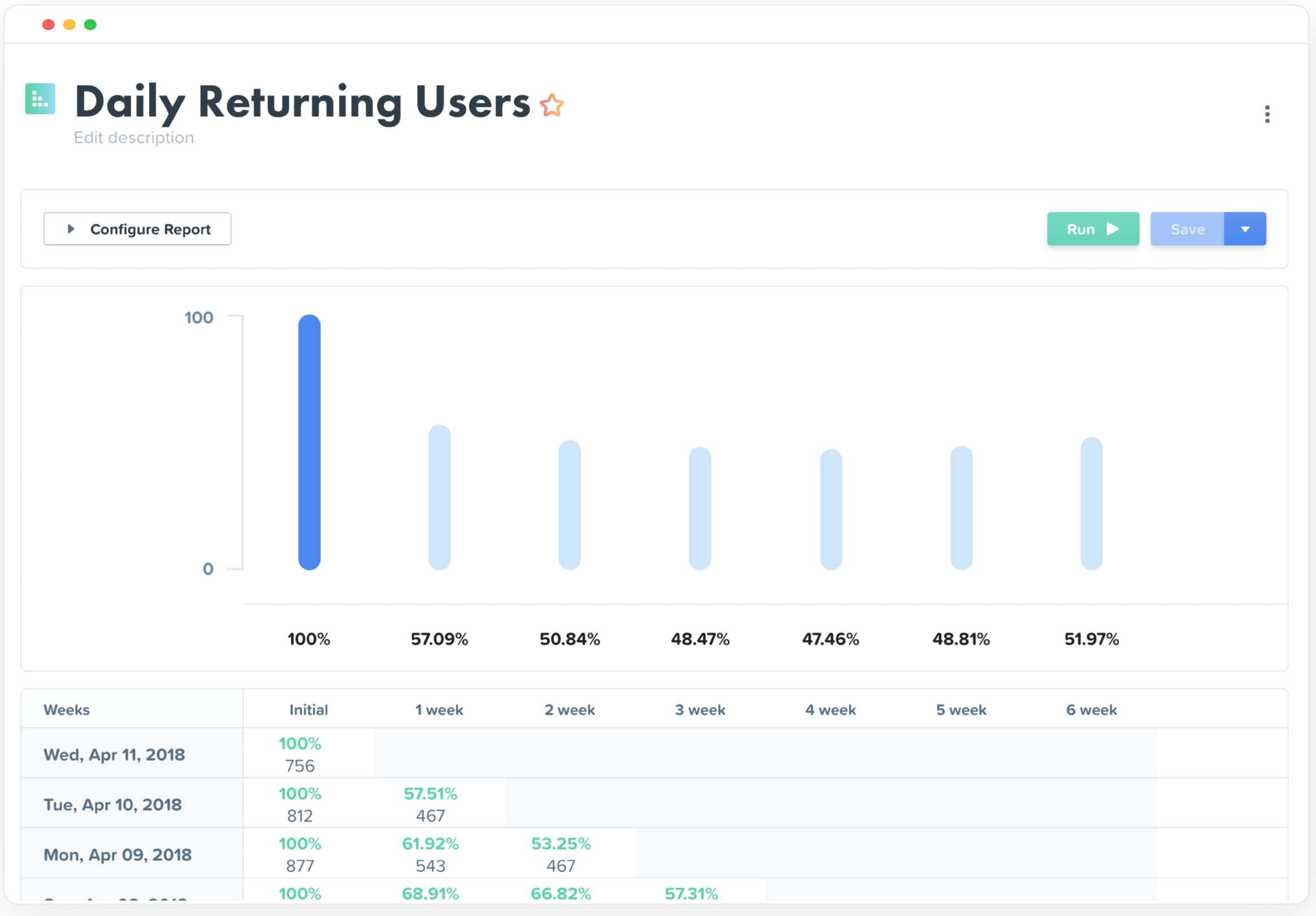
Really helped us begin to segment our users based on their engagement and retention.
Helped increase retention by about 1.5% after about 5 months of implementation (don't shoot the messenger if your team can't implement that quickly).
I felt like it had great potential to create a pipeline between sales and the CSM, but I had trouble getting the sales team to implement it properly as they had their noses deep in calls and emails (they struggle entering notes in SalesForces as well, so it's more a company specific problem).