
datapine vs. OpenText Magellan vs. Sigma Computing
datapine vs. OpenText Magellan vs. Sigma Computing
| Product | Rating | Most Used By | Product Summary | Starting Price |
|---|---|---|---|---|
 datapine | Mid-Size Companies (51-1,000 employees) | datapine is a business intelligence and and data visualization solution that is focused on self-service. Its interface for data analysis and discovery combines interactive dashboards to deliver insights across and beyond the user’s organization. No coding skills are required. datapine helps businesses monitor KPIs and their artificial algorithms learn from the user’s data and inform them as soon as something… | $249 per month | |
 OpenText Magellan | N/A | OpenText Magellan Analytics Suite leverages a comprehensive set of data analytics software to identify patterns, relationships and trends through data visualizations and interactive dashboards. | N/A | |
 Sigma | N/A | Sigma Computing headquartered in San Francisco provides a suite of data services such as code free data modeling, data search and explorating, and related BI and data visualization services. | N/A |
| datapine | OpenText Magellan | Sigma Computing | ||||||||||||||||||||||
|---|---|---|---|---|---|---|---|---|---|---|---|---|---|---|---|---|---|---|---|---|---|---|---|---|
| Editions & Modules |
| No answers on this topic | No answers on this topic | |||||||||||||||||||||
| Offerings |
| |||||||||||||||||||||||
| Entry-level Setup Fee | $2,000 per installation | No setup fee | Optional | |||||||||||||||||||||
| Additional Details | Prices are per month. | — | Contact us for pricing. | |||||||||||||||||||||
| More Pricing Information | ||||||||||||||||||||||||
| datapine | OpenText Magellan | Sigma Computing |
|---|
| datapine | OpenText Magellan | Sigma Computing | |||||||||||||||||||||||
|---|---|---|---|---|---|---|---|---|---|---|---|---|---|---|---|---|---|---|---|---|---|---|---|---|---|
| BI Standard Reporting |
| ||||||||||||||||||||||||
| Ad-hoc Reporting |
| ||||||||||||||||||||||||
| Report Output and Scheduling |
| ||||||||||||||||||||||||
| Data Discovery and Visualization |
| ||||||||||||||||||||||||
| Access Control and Security |
| ||||||||||||||||||||||||
| Mobile Capabilities |
| ||||||||||||||||||||||||
| Application Program Interfaces (APIs) / Embedding |
|
| datapine | OpenText Magellan | Sigma Computing | |
|---|---|---|---|
| Small Businesses |  Yellowfin Score 8.7 out of 10 | Yellowfin Score 8.7 out of 10 | Yellowfin Score 8.7 out of 10 |
| Medium-sized Companies |  Reveal Score 10.0 out of 10 | Reveal Score 10.0 out of 10 | Reveal Score 10.0 out of 10 |
| Enterprises |  Kyvos Semantic Layer Score 9.5 out of 10 | Kyvos Semantic Layer Score 9.5 out of 10 | Kyvos Semantic Layer Score 9.5 out of 10 |
| All Alternatives | View all alternatives | View all alternatives | View all alternatives |
| datapine | OpenText Magellan | Sigma Computing | |
|---|---|---|---|
| Likelihood to Recommend | 10.0 (3 ratings) | 9.0 (11 ratings) | 8.3 (170 ratings) |
| Likelihood to Renew | - (0 ratings) | 3.9 (9 ratings) | 10.0 (6 ratings) |
| Usability | 10.0 (1 ratings) | 9.0 (1 ratings) | 7.6 (48 ratings) |
| Availability | - (0 ratings) | - (0 ratings) | 8.2 (2 ratings) |
| Performance | - (0 ratings) | - (0 ratings) | 9.1 (2 ratings) |
| Support Rating | 8.0 (1 ratings) | 9.0 (2 ratings) | 10.0 (47 ratings) |
| Implementation Rating | - (0 ratings) | - (0 ratings) | 9.1 (2 ratings) |
| Configurability | - (0 ratings) | - (0 ratings) | 7.3 (1 ratings) |
| Ease of integration | - (0 ratings) | - (0 ratings) | 9.1 (1 ratings) |
| Product Scalability | - (0 ratings) | - (0 ratings) | 8.2 (2 ratings) |
| Vendor post-sale | - (0 ratings) | - (0 ratings) | 7.3 (1 ratings) |
| datapine | OpenText Magellan | Sigma Computing | |
|---|---|---|---|
| Likelihood to Recommend | datapine
 Nitish kumar System Engineer |  OpenText
 Christopher Noyes Director Advertising Technology | Sigma Computing
|
| Pros | datapine
| OpenText
 Bri Gipson Sr. Systems Engineer | Sigma Computing
|
| Cons | datapine
| OpenText
 Martin Rubens IT solutions Manager | Sigma Computing
|
| Likelihood to Renew | datapine No answers on this topic | OpenText
 Todd Bellamy Systems Analyst | Sigma Computing
|
| Usability | datapine
Nitish kumar System Engineer | OpenText
| Sigma Computing
|
| Reliability and Availability | datapine No answers on this topic | OpenText No answers on this topic | Sigma Computing
 Siddique Chaudhry, CCSK Program Manager, Information Security |
| Performance | datapine No answers on this topic | OpenText No answers on this topic | Sigma Computing
Siddique Chaudhry, CCSK Program Manager, Information Security |
| Support Rating | datapine
Nitish kumar System Engineer | OpenText
 Jeffrey Fischer Business and Channel Development Director | Sigma Computing
|
| Implementation Rating | datapine No answers on this topic | OpenText No answers on this topic | Sigma Computing
|
| Alternatives Considered | datapine No answers on this topic | OpenText
Christopher Noyes Director Advertising Technology | Sigma Computing
|
| Scalability | datapine No answers on this topic | OpenText No answers on this topic | Sigma Computing
Siddique Chaudhry, CCSK Program Manager, Information Security |
| Return on Investment | datapine No answers on this topic | OpenText
| Sigma Computing
|
| ScreenShots | datapine Screenshots  | OpenText Magellan Screenshots   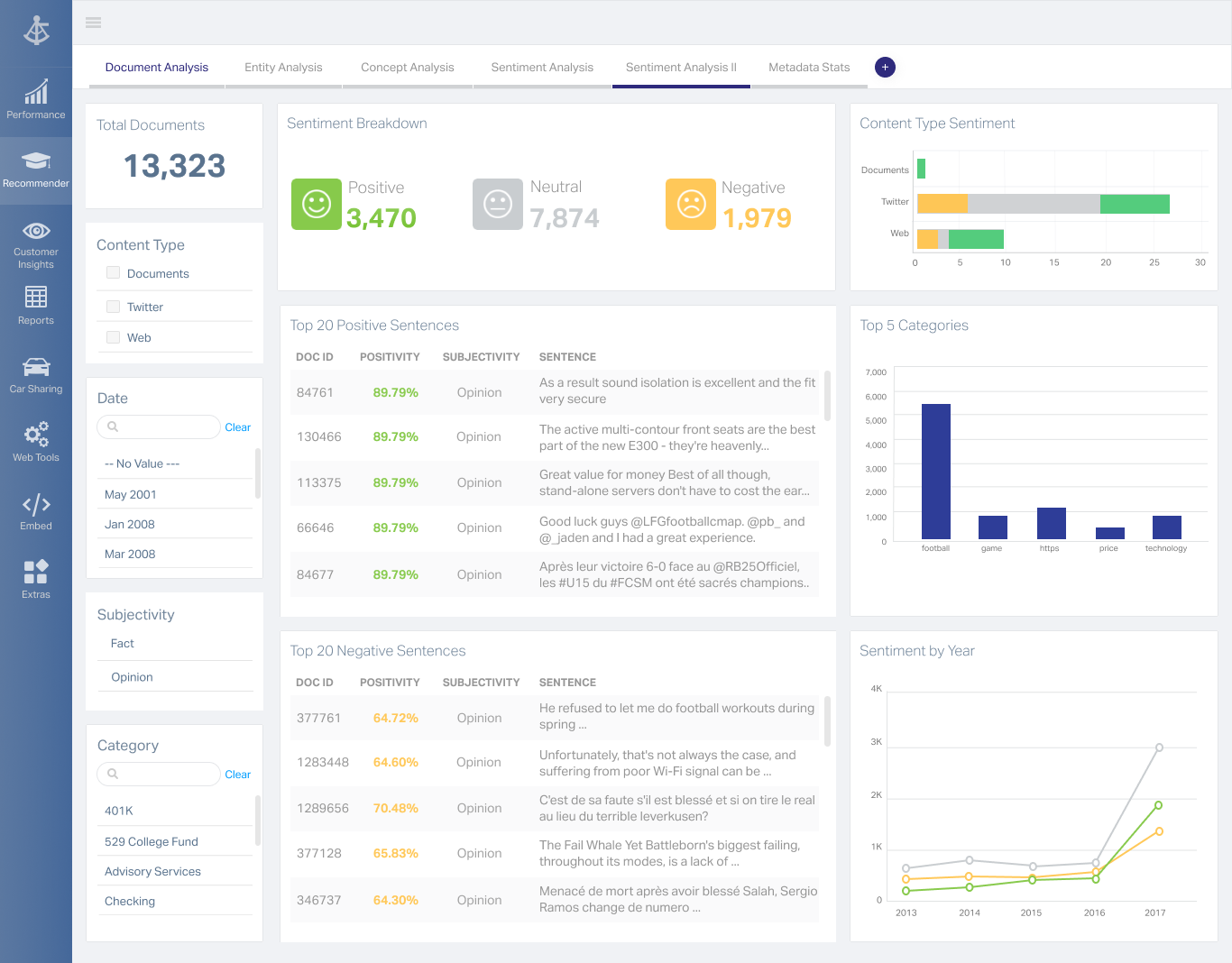 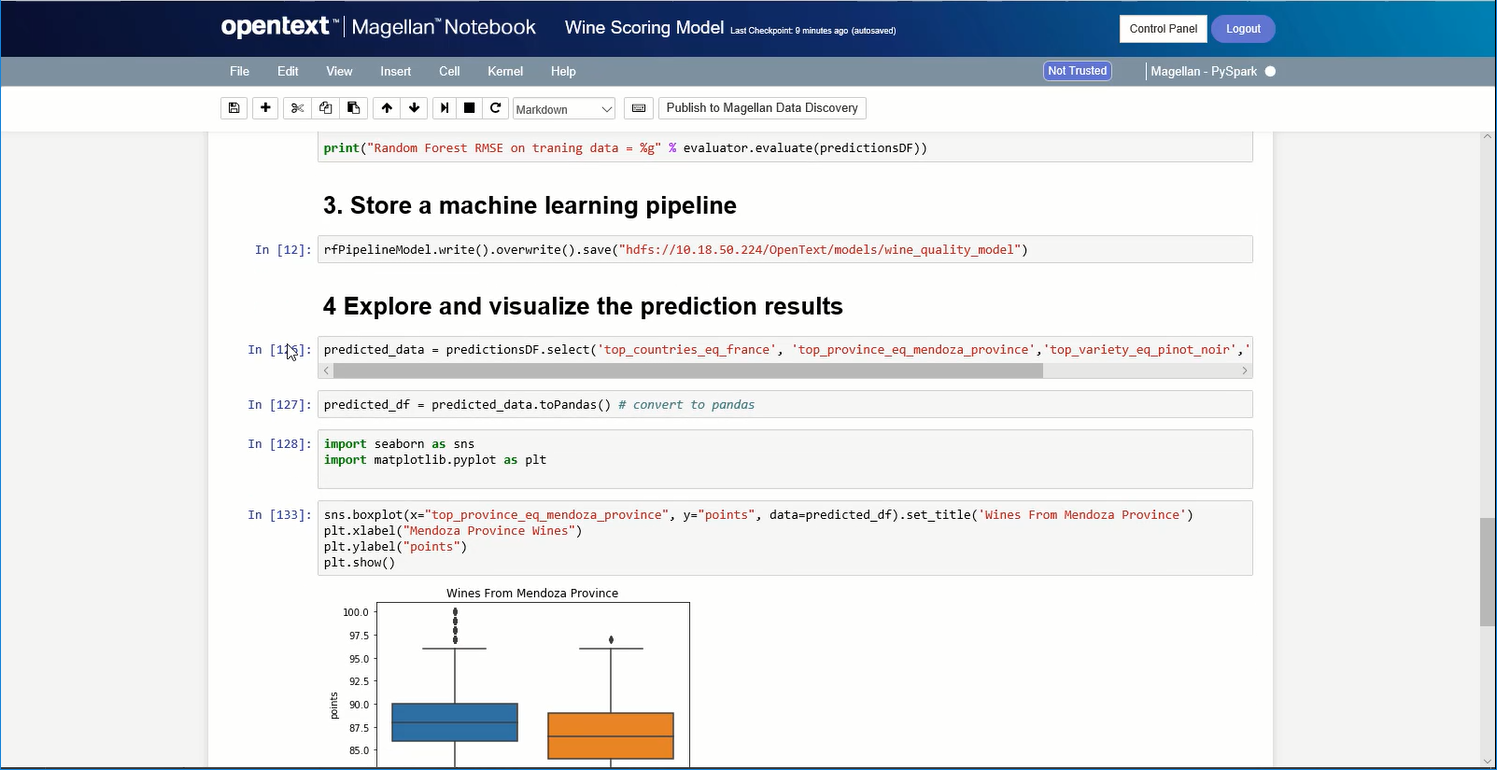 |