DemandTools vs. Salesforce Starter

Overview
ProductRatingMost Used ByProduct SummaryStarting Price
DemandTools
Score 9.8 out of 10
N/A
DemandTools for AppExchange is a data quality toolset for Salesforce.com CRM centric customers. The product comprises 11 individual modules to control, standardize, verify, deduplicate, import and manipulate Salesforce and/or Force.com data.N/A
Salesforce Starter
Score 9.0 out of 10
Small Businesses (1-50 employees)
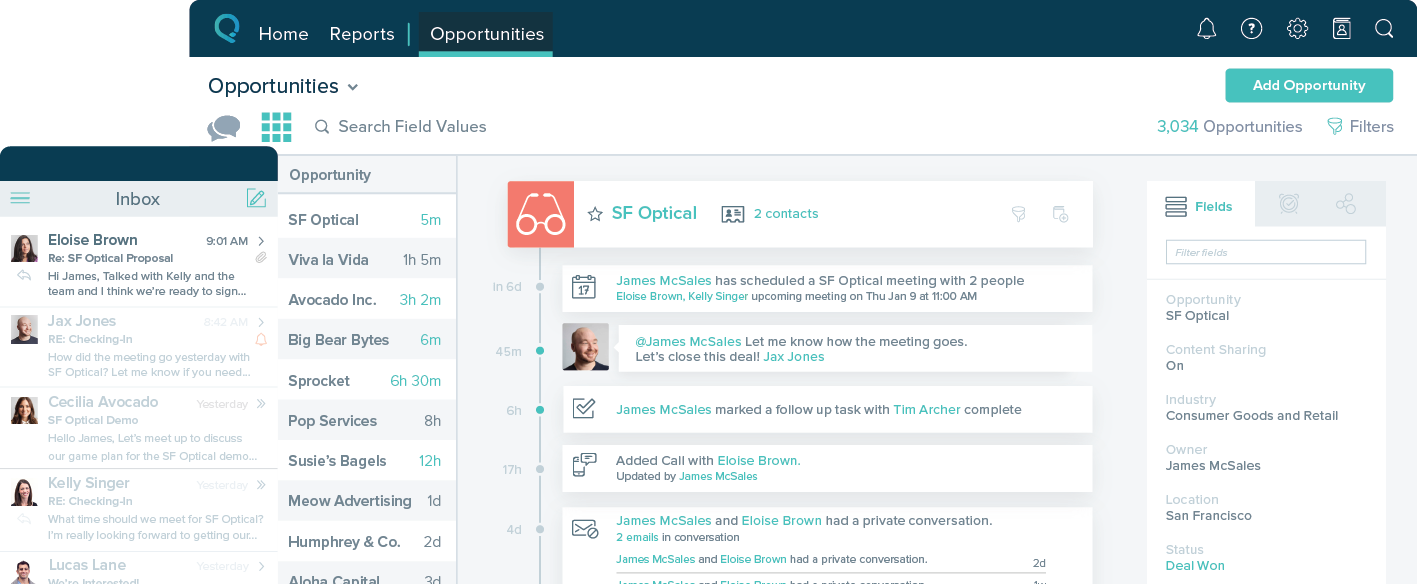
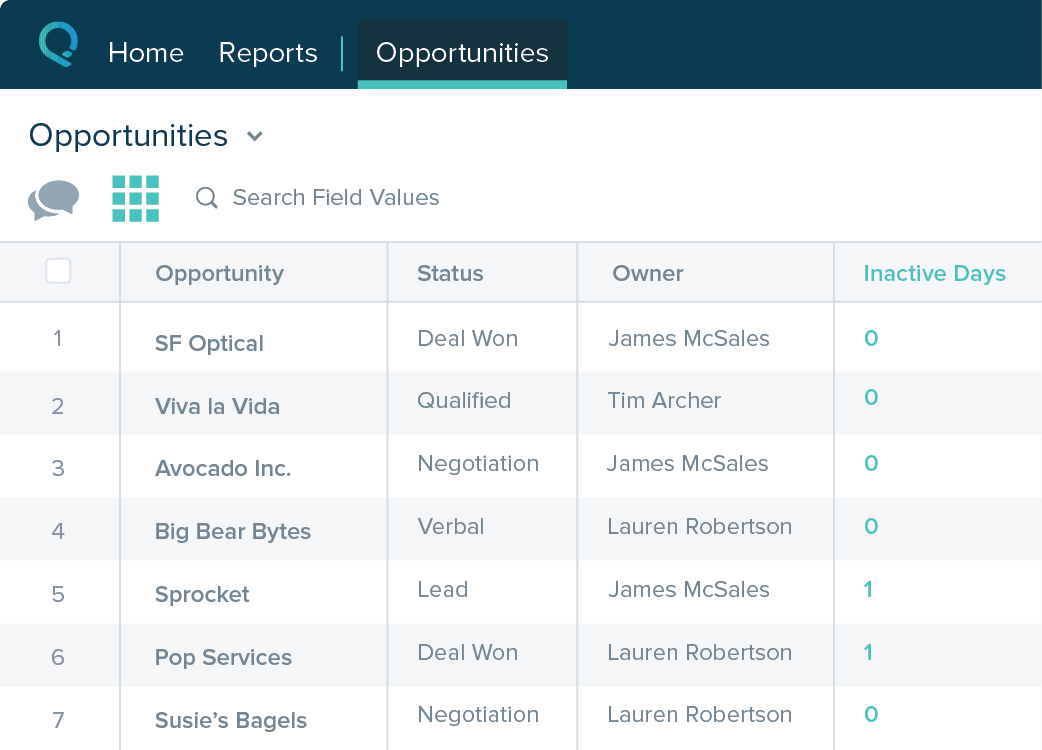
Salesforce Starter (formerly Salesforce Essentials) is a small business CRM that replaces the former SalesforceIQ product. It is priced at $35 per user, on a monthly basis, or at $25 per month for if billed annually ($300) and can be tried free for 14 days on a trial.N/A
Pricing
DemandToolsSalesforce Starter
Editions & Modules
No answers on this topic
Offerings
Pricing Offerings
DemandToolsSalesforce Starter
Free Trial
NoYes
Free/Freemium Version
NoNo
Premium Consulting/Integration Services
NoNo
Entry-level Setup FeeNo setup feeNo setup fee
Additional Details
More Pricing Information
Community Pulse
DemandToolsSalesforce Starter
Considered Both Products
DemandTools
Chose DemandTools
Dataloader.io is the tool SF recommends you use in addition to their native built in Data Import Wizard (which I did not see on this search list). Those tools are less comprehensive in comparison to DemandTools. DemandTools allows you to drill even to the parent level and make …
Chose DemandTools
Cloudingo was purchased previously to me joining the team. I have only worked with DemandTools.
Chose DemandTools
Though RingLead has much more to offer in terms of automation (and it is in Salesforce rather than a separate program), DemandTools still has our heart.

DemandTools is very cost-friendly and we were able to increase the value of DemandTools by programming in additional saved …
Chose DemandTools
The only other tool I use is the Workbench website, used to change one or two records at a time. I use that when we have only a few changes to make, as it's faster than using a MassEffect.
Chose DemandTools
I have looked at SOQLX and Workbench for some of our basic queries and updates. I am normally a Mac user and only use a PC for Demand Tools. I use the other tools as they work on the Mac.
Chose DemandTools
DemandTools definitely provides more features and is more customizable.
Chose DemandTools
DemandTools does not require any coding knowledge, as long as the user understands the relationships between objects, they can easily query the desired data and make updates directly, which is user friendly. DemandTools modules covered all the functional tools that a data …
Chose DemandTools
We considered Cloudingo - however we found DemandTools performed better in terms of handling our records in terms of volume.
Chose DemandTools
I have used DataLoader. It is a simple tool for inserts, upserts and deletions of records in a single object. It's great if you have a spreadsheet of ID's that need a field change. It is extremely limited, and has none of the additional features of functionality of …
Chose DemandTools
We only stayed with DemandTools because we had too many implementations this year
Chose DemandTools
I used DataLoader and DataLoader.io.
I replaced them by DemandTools because more accessible to non-technical staff.
DemandTools also provides some features not available in DataLoader and DataLoader.io (Find/Report IDs, JobBuilder, matching and deduplication).
Chose DemandTools
I like using DemandTools a little more. It helps saving scenarios for quick access and getting stuff ready to go.
Chose DemandTools
We tried these products, and also Duplicate Check for Salesforce from Plauti. All of these are great tools but for us specifically DemandTools worked the best and fastest.
Chose DemandTools
I just use DemandTools as it is the best.
Chose DemandTools
  • Easy to use and user friendly.
  • Provides multiple functionality.
  • Does not require an additional layer to be installed between CRM and product.
Chose DemandTools
DemandTools is much more user friendly for modifying data in Salesforce. You can modify the data in Salesforce without having to export it and reload it.
Chose DemandTools
I found DemandTools to be a more robust solution that others on the market and despite the aged interface, its still very powerful and easy to use. I needed an all in one solution and DemandTools provides me all the functionality i need and then some.
Chose DemandTools
DemandTools was the first and only product that I've used.

Salesforce has native de-duping logic, but it is not the same as DemandTools.
Chose DemandTools
I have also used the free Salesforce tools (Workbench and Apex Data Loader). The only thing those tools provide (that I use) over DemandTools is querying (Workbench) and exporting (Apex Data Loader) of deleted records. DemandTools is a superior tool in terms of features and …
Chose DemandTools
Data Loader from Salesforce. DemandTools is much easier to use, and provides a lot more functionality.
Chose DemandTools
I love the FindID tool for finding records in Salesforce. We have been using these tools for many years. I like that the power grid which allows you to manipulate the data like in a spreadsheet. I also find MassImpact and MassEffect very helpful too and superior alternatives to …
Chose DemandTools
I haven't used anything like DemandTools.
Salesforce Starter
Chose Salesforce Starter
The Zoho system is free and gives a long trial product. The salesforce brand is well known, and I wanted to try a good European crm product. The account manager was South African and very friendly. The system was trained on a demo, whereas Zoho did not offer an account …
Chose Salesforce Starter
more expensive but as an industry leader and go, the learning curve pays for itself in ROI in lost time in onboarding
Chose Salesforce Starter
Salesforce Starter is exactly what it says. It's specific to getting a small business up and running effectively, without unnecessary development or internal overhead required. It doesn't allow for a ton of customization, but it provides more than most other providers across …
Chose Salesforce Starter
We selected SalesforceIQ over insightly because of the email automation they offered. Their app also seemed to be a little more robust. I highly recommend a trial before you make a decision. The trial with SalesforceIQ is what sold us on the product.
Features
DemandToolsSalesforce Starter
Sales Force Automation
Comparison of Sales Force Automation features of Product A and Product B
DemandTools
-
Ratings
Salesforce Starter
8.7
Ratings
10% above category average
Customer data management / contact management00 Ratings7.40 Ratings
Territory management00 Ratings7.50 Ratings
Opportunity management00 Ratings9.00 Ratings
Integration with email client (e.g., Outlook or Gmail)00 Ratings9.50 Ratings
Quote & order management00 Ratings9.50 Ratings
Interaction tracking00 Ratings8.40 Ratings
Channel / partner relationship management00 Ratings9.70 Ratings
Marketing Automation
Comparison of Marketing Automation features of Product A and Product B
DemandTools
-
Ratings
Salesforce Starter
7.4
Ratings
5% below category average
Lead management00 Ratings7.40 Ratings
CRM Project Management
Comparison of CRM Project Management features of Product A and Product B
DemandTools
-
Ratings
Salesforce Starter
8.2
Ratings
6% above category average
Task management00 Ratings9.50 Ratings
Billing and invoicing management00 Ratings6.50 Ratings
Reporting00 Ratings8.70 Ratings
CRM Reporting & Analytics
Comparison of CRM Reporting & Analytics features of Product A and Product B
DemandTools
-
Ratings
Salesforce Starter
9.0
Ratings
15% above category average
Forecasting00 Ratings9.00 Ratings
Pipeline visualization00 Ratings8.80 Ratings
Customizable reports00 Ratings9.20 Ratings
Customization
Comparison of Customization features of Product A and Product B
DemandTools
-
Ratings
Salesforce Starter
7.0
Ratings
10% below category average
Custom fields00 Ratings7.20 Ratings
Custom objects00 Ratings7.20 Ratings
Scripting environment00 Ratings6.00 Ratings
API for custom integration00 Ratings7.40 Ratings
Security
Comparison of Security features of Product A and Product B
DemandTools
-
Ratings
Salesforce Starter
8.7
Ratings
3% above category average
Single sign-on capability00 Ratings8.70 Ratings
Role-based user permissions00 Ratings8.70 Ratings
Social CRM
Comparison of Social CRM features of Product A and Product B
DemandTools
-
Ratings
Salesforce Starter
8.5
Ratings
12% above category average
Social engagement00 Ratings8.50 Ratings
Integrations with 3rd-party Software
Comparison of Integrations with 3rd-party Software features of Product A and Product B
DemandTools
-
Ratings
Salesforce Starter
8.2
Ratings
8% above category average
Marketing automation00 Ratings8.30 Ratings
Compensation management00 Ratings8.00 Ratings
Platform
Comparison of Platform features of Product A and Product B
DemandTools
-
Ratings
Salesforce Starter
8.3
Ratings
8% above category average
Mobile access00 Ratings8.30 Ratings
Best Alternatives
DemandToolsSalesforce Starter
Small Businesses
Dataloader.io
Dataloader.io
Score 10.0 out of 10
Salesmate
Salesmate
Score 10.0 out of 10
Medium-sized Companies
IBM InfoSphere Information Server
Score 8.0 out of 10
Creatio
Creatio
Score 9.3 out of 10
Enterprises
IBM InfoSphere Information Server
Score 8.0 out of 10
Creatio
Creatio
Score 9.3 out of 10
All AlternativesView all alternativesView all alternatives
User Ratings
DemandToolsSalesforce Starter
Likelihood to Recommend
8.7
(0 ratings)
9.0
(0 ratings)
Likelihood to Renew
9.9
(0 ratings)
4.0
(0 ratings)
Usability
7.8
(0 ratings)
8.5
(0 ratings)
Availability
9.8
(0 ratings)
-
(0 ratings)
Performance
8.5
(0 ratings)
-
(0 ratings)
Support Rating
9.0
(0 ratings)
-
(0 ratings)
Online Training
8.5
(0 ratings)
-
(0 ratings)
Implementation Rating
6.9
(0 ratings)
-
(0 ratings)
Configurability
7.5
(0 ratings)
-
(0 ratings)
Ease of integration
9.0
(0 ratings)
-
(0 ratings)
Product Scalability
8.5
(0 ratings)
-
(0 ratings)
Vendor post-sale
9.0
(0 ratings)
-
(0 ratings)
Vendor pre-sale
9.0
(0 ratings)
-
(0 ratings)
User Testimonials
DemandToolsSalesforce Starter
Likelihood to Recommend
DemandTools is perfect for any system that constantly adds new records to its database. For example, in higher education, we are constantly purchasing search names from various vendors and DemandTools allows us to make sure we are not doubling up on the same records. It saves us money in the long run as we are not mailing out multiple copies of our brochures to the same person.
Read full review
SalesforceIQ is a perfect CRM to start with and get your organization used to tracking customer contact. It was an easy setup and well adopted. It allowed us to rollout completely in just 30 days. We have seen a large increase in our ability to communicate. It may be lacking in some items if you already have a tracking method but was the perfect starting point for us.
Read full review
Pros
  • Job Builder batches that allow you to run batches of updates for data integrity.
  • De-duplicating data for loading and to ensure we do not load redundant records.
  • Using PowerGrid like excel to drill and filter to particular record sets.
  • Support - The team is very helpful and will provide you with as many resources as you need to succeed.
Read full review
  • Sales CRM with built-in guidance and reminders to manage and track opportunities.
  • Self-service for customers and internal employee needs. Integrates forms and chatbots very easily into your existing website.
  • Guided setup with inherent flows to make transitioning from legacy systems to new age cloud-based technologies
  • Integrates with Outlook and Gmail extremely well. Includes the Salesforce Inbox mobile app to link records with calendar and email. Email reminders included automatically.
  • The Salesforce Mobile App comes with Starter, making it super easy to work on the go, even in remote areas.
Read full review
Cons
  • I wish I could make changes to my existing scenarios using save rather than having to create a whole new scenario. Maybe you can, I just haven't been able to.
  • Some features aren't user intuitive and it takes a while to learn.
Read full review
  • Table views can be sorted by column. Filters can be applied, but only to one column. Multi-column filtering like Excel allows would be extremely useful and a big improvement.
  • The ability to quick copy data in a table view would also be helpful, like (ctrl ') in excel.
Read full review
Likelihood to Renew
It's a great product. The only thing that holds us back is it was frustrating working with their sales team. We also don't like that when Validity purchased DemandTools they immediately started charging us quite a bit while it had been free for non-profit users when CRMFusion owned it. They also don't let you buy it for just 1 or 2 seats, you have to pay, I believe, in batches of 100 seats.
Read full review
No answers on this topic
Usability
Allows for control in uploading lists, saved processes for checking duplicate records.

Allows for backup files and quick reverts if something goes wrong.

Extends reporting when Salesforce.com cannot support specific pieces of info being put together in a report.

Automated processes for set and forget hygiene tasks
Read full review
easy to use, training is intuitive and can be peer taught if needed. Not overly complex so that users can get started within a very short period of time.
Read full review
Reliability and Availability
There has not been a time since I started 9 months ago that I've encountered any kind of downtime.
Read full review
No answers on this topic
Performance
DemandTools is a bit clunky and slow at times
Read full review
No answers on this topic
Support Rating
Support can be slow so do not expect quick turn for urgent issues.
Help for specific queries not not there. Product tech support is offered. It would be great if query support, even if paid, was offered
The training webinars help with the basics but not much if you need advanced functionality.
Read full review
No answers on this topic
Online Training
The trainings are free live webinars that give you a solid base for getting started with the program. The only weakness is they don't have any advanced classes.
Read full review
No answers on this topic
Implementation Rating
I had just started using Salesforce about 3 months before I did the implementation myself, and it was easy to do just following their step-by-step instructions.
Read full review
No answers on this topic
Alternatives Considered
Though RingLead has much more to offer in terms of automation (and it is in Salesforce rather than a separate program), DemandTools still has our heart. DemandTools is very cost-friendly and we were able to increase the value of DemandTools by programming in additional saved scenarios. I decreased admin time in the DemandTools suite by approximately 25% after implementing saved scenarios for every reoccurring update or list upload.
Read full review
Salesforce Starter is exactly what it says. It's specific to getting a small business up and running effectively, without unnecessary development or internal overhead required. It doesn't allow for a ton of customization, but it provides more than most other providers across sales, service, and integration/automating business processes. Some tools are more specific to organizations that want to focus on a specific area to grow or manage their business. That's where the other package types and integrations with specific tools come in
Read full review
Scalability
it has worked just fine for our purposes, but I can not speak to its scalability
Read full review
No answers on this topic
Return on Investment
  • Sales Rep can work on more accurate data and have better chance to win opportunities, boost ROI.
  • It is so efficient when working the scenarios for repeated work, so I can manage the whole org data without needing to hire another one.
  • Time saving- so simple to use and reliable, help maintain data integrity.
Read full review
  • It made the job more efficient for staff so they can spend time doing other tasks rather than configuring and maintaining Salesforce Starter.
Read full review
ScreenShots

DemandTools Screenshots

Screenshot of DemandTools Home ScreenScreenshot of Modify FormulaScreenshot of Data Quality Automation

Salesforce Starter Screenshots

Screenshot of Screenshot of Screenshot of Screenshot of