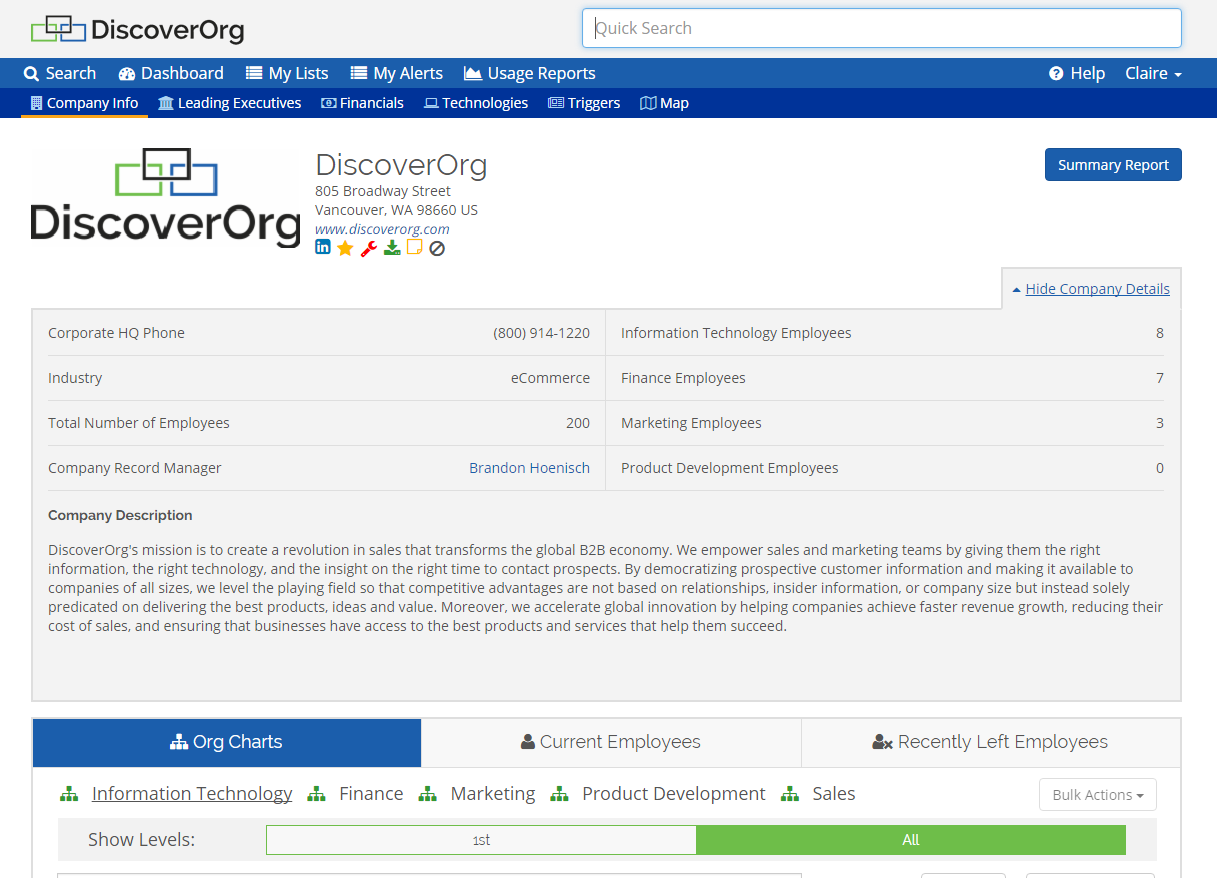
Capabilities of the former DiscoverOrg product are now supplied by ZoomInfo, since the merger of DiscoverOrg and ZoomInfo into a single brand in 2019.
N/A
LiveChat
Score6.8 out of 10
Small Businesses (1-50 employees)
LiveChat serves as a customer service platform with live chat support, help desk and web analytics functionalities, with the goal of allowing users to provide 24/7 support to customers. The core feature of the software is its chat tool, where both service and sales team can answer customers' questions in real time. Online businesses can interact with customers on their website, to be more accessible. With LiveChat, users can identify people on the website and engage…
Uses [of DiscoverOrg] include searching for prospects in accounts. Getting all of the relevant contact information in one place. Using the export button saves time by allowing you to select one or more leads to import into CRM. Sophisticated search allows for you to build lists, and export as above. Good support with various experts available to help you get started and get better at using it.
A de minimis incentive was given to thank the reviewer for their time. The incentive was not used to bias or drive a particular response, nor was the incentive contingent on a positive endorsement. More Info
We needed a mechanism in place to make contact with visitors to our website easier. What we discovered is that it's an excellent tool for creating reports and dashboards that show how soon issues are handled. Our website can now be updated in real-time, and all of our internal teams are really excited to use this fantastic technology. I really recommend [LiveChat] to many friends and past colleagues.
A de minimis incentive was given to thank the reviewer for their time. The incentive was not used to bias or drive a particular response, nor was the incentive contingent on a positive endorsement. More Info
Prospecting Lists/Lead Gen - Discover Org does this very well because of it's ability to provide current information (email/phone) on an individual at a company. It's easy to segment & drill down by categories - to find the right targets to reach out to.
Insights - DiscoverOrg is great at providing insights or "scopes" on prospects as well. Meaning it will show who is handling what project (Decision-Maker) and what projects they are particularly interested in at the moment/what initiatives. For example, the scopes may show that they are interested in AI initiatives or a Merger & Acquisition or Digital Transformation & will say who is in charge of the initiative.
Stellar filtering capabilities - you can filter lists in so many ways. You can go by function, or even look at companies with small marketing teams (let's say less than 10), or you can search for companies with an "x" amount of $ budget for IT spend. Or even companies that use a specific HR workplace management system.
A de minimis incentive was given to thank the reviewer for their time. The incentive was not used to bias or drive a particular response, nor was the incentive contingent on a positive endorsement. TR verified that a representative sample of customers was invited. More Info
The most important factor of Livechat is their own chat support, I had many requirement from the Sales Head, Support Head to implement features that I was unsure if the product could do. However, as I did the implementation one by one I constantly used the chat support which helped me step by step all the way.
The UX of the product is pretty simple and intuitive to use. There are quite a few features that we could easily plug and play. We tried going to the market to find a solution that could help us but they did not have as many out of the box features and simple to use
Their integration between LiveChat and Chatbot is pretty seamless and since both of them are from the same company, it's works pretty well.
A de minimis incentive was given to thank the reviewer for their time. The incentive was not used to bias or drive a particular response, nor was the incentive contingent on a positive endorsement. More Info
Improvement on the search capabilities - since there is so much to search (which is a plus) it makes it harder to do this in a timely manner. You have to dedicate a certain amount of time to be able to pull a proper, useful and clean list.
Make it more user friendly - there are so many different tabs, search buttons, pull down, etc. I think it can be quite confusing to a new user.
A de minimis incentive was given to thank the reviewer for their time. The incentive was not used to bias or drive a particular response, nor was the incentive contingent on a positive endorsement. More Info
It has a limited amount of agents, so when you have many customer care employees during one shift it is hard to manage the quantity of active agents.
When system is overloaded and many customers are waiting in a queue it starts to works slowly (sometimes the program even lags) and you need to refresh the system to write a message.
Occasionally when you open a new tab, you might lose your current conversation.
A de minimis incentive was given to thank the reviewer for their time. The incentive was not used to bias or drive a particular response, nor was the incentive contingent on a positive endorsement. More Info
The tool is simply better than most other lead/company data repositories, and they are dedicated to keeping their data clean, even if they are far from accomplishing this task at present. The tool works, and it is relatively easy to use. Overall, DiscoverOrg provides the level of lead/contact, customer, and even industry level data the sales orgs have come to expect from this sort of tool in a format that is fairly easy to use. They do also provide support for sales teams looking to use the tool effectively, which is great!
A de minimis incentive was given to thank the reviewer for their time. The incentive was not used to bias or drive a particular response, nor was the incentive contingent on a positive endorsement. More Info
A de minimis incentive was given to thank the reviewer for their time. The incentive was not used to bias or drive a particular response, nor was the incentive contingent on a positive endorsement. More Info
A de minimis incentive was given to thank the reviewer for their time. The incentive was not used to bias or drive a particular response, nor was the incentive contingent on a positive endorsement. More Info
The only issues I have had with LiveChat are the technical glitches within the program. These are not common as in everyday occurrences but when the glitches do happen they tend to have very negative repercussions. This is due to chats with customers being dropped, this may be an internal server issue though and may not happen for everyone.
A de minimis incentive was given to thank the reviewer for their time. The incentive was not used to bias or drive a particular response, nor was the incentive contingent on a positive endorsement. More Info
ZoomInfo acquired DiscoverOrg and I believe legacy DiscoverOrg will phase out in the near future. ZoomInfo is 100x better than DiscoverOrg and are very pleased with it's functionality and easy of use. We only selected DiscoverOrg because we were on an auto-renewal contract and did not unsubscribe in time. We did not plan to renew DiscoverOrg. But since then we have been upgraded to ZoomInfo and are finding much more value in that platform than we did in DiscoverOrg.
A de minimis incentive was given to thank the reviewer for their time. The incentive was not used to bias or drive a particular response, nor was the incentive contingent on a positive endorsement. More Info
Overall very similar in design, but LiveChat had a better interface, better reporting and analytic tools, better mobile support, and just an easier overall feel. The two products are very much alike in the vast majority of ways, but I ended up preferring this product overall. Price points were similar as well, as well as the allowed number of users.
A de minimis incentive was given to thank the reviewer for their time. The incentive was not used to bias or drive a particular response, nor was the incentive contingent on a positive endorsement. More Info
After using DiscoverOrg, our lead are now well qualified and suitable. We are able to generate good and qualified. This is the positive impact.
After using DiscoverOrg, our sales team is now able to cold call the target contacts, the number provided by DiscoverOrg, the interaction held is now increased and we are able to produce good leads.
After using DiscoverOrg, we are able to understand better because of their reports and dashboards which is very informative.
A de minimis incentive was given to thank the reviewer for their time. The incentive was not used to bias or drive a particular response, nor was the incentive contingent on a positive endorsement. TR verified that a representative sample of customers was invited. More Info
We have a small team so the overall impact is that it is easy for one or two employees to handle a large number of tickets without hiring more people. Plus, you can use this software remotely, save a ton on traveling to and from and office.
A de minimis incentive was given to thank the reviewer for their time. The incentive was not used to bias or drive a particular response, nor was the incentive contingent on a positive endorsement. More Info