Dixa vs. Playvox

Overview
ProductRatingMost Used ByProduct SummaryStarting Price
Dixa
Score 8.0 out of 10
N/A
Dixa, headquartered in Copenhagen, offers their VoIP and call center software, featuring browser based phone, email, and live chat, intelligent skill-based call routing and other agent management tools, queue management and prioritization, and other features designed to provide scalable customer support for ecommerce and small businesses.
$39
per month per user
Playvox
Score 6.8 out of 10
N/A
Playvox, headquartered in Sunnyvale, California, offers their call center agent monitoring, coaching and QA platform, designed to motivate and improve the performance of call center agents and reps.N/A
Pricing
DixaPlayvox
Editions & Modules
Growth
$109
per month per user
Ultimate
$169
per month per user
Prime
$215
per month per user
*Custom
Contact for quote
per month per user
No answers on this topic
Offerings
Pricing Offerings
DixaPlayvox
Free Trial
YesYes
Free/Freemium Version
NoNo
Premium Consulting/Integration Services
YesNo
Entry-level Setup FeeOptionalNo setup fee
Additional DetailsDiscount offered for annual billing. Many product add-ons available: - Dixa Chatbot - Dixa Quality and Insights - Collaboration Users - Seasonal Agents Service add-ons - Active Guidance: Dixa Platform - Active Guidance: Chatbot & Automation - Custom Card Integration
More Pricing Information
Community Pulse
DixaPlayvox
Best Alternatives
DixaPlayvox
Small Businesses
Agiloft Service Desk (discontinued)
Score 9.0 out of 10
8x8 Contact Center
8x8 Contact Center
Score 8.9 out of 10
Medium-sized Companies
Agiloft Service Desk (discontinued)
Score 9.0 out of 10
Zoom Contact Center
Zoom Contact Center
Score 8.7 out of 10
Enterprises
SysAid
SysAid
Score 8.9 out of 10
Calabrio WFM
Calabrio WFM
Score 8.2 out of 10
All AlternativesView all alternativesView all alternatives
User Ratings
DixaPlayvox
Likelihood to Recommend
9.3
(4 ratings)
1.0
(187 ratings)
Likelihood to Renew
-
(0 ratings)
8.5
(6 ratings)
Usability
-
(0 ratings)
2.0
(5 ratings)
Availability
-
(0 ratings)
9.1
(1 ratings)
Support Rating
-
(0 ratings)
3.8
(5 ratings)
Implementation Rating
-
(0 ratings)
8.5
(2 ratings)
Configurability
-
(0 ratings)
6.4
(1 ratings)
Product Scalability
-
(0 ratings)
6.4
(1 ratings)
Vendor post-sale
-
(0 ratings)
8.1
(2 ratings)
Vendor pre-sale
-
(0 ratings)
9.0
(2 ratings)
User Testimonials
DixaPlayvox
Likelihood to Recommend
Dixa
Dixa may be a more cost-effective cash flow program than other programs used in our organization. Dixa does not require us to change our phone number when using the application because it is adaptable to our current number; the Dixa team handles the interface by quickly adding our phone number to their system. Despite the significant additions and updates to Dixa, our company is very pleased with the results obtained so far.
Read full review
Playvox
Playvox is well suited to rate and track process adherence and work quality percentual. It is also great to document coaching and track advisors' development, as well as to do knowledge checks through quizzes. It is not so appropriate if you need to see the previous coachings made, since those cannot be opened when they finished.
Read full review
Pros
Dixa
  • The text recording of calls has made our life in the office easier since we often miss some requests, which with this feature we can attend to.
  • The pre-recorded greeting is a good way to keep the customer waiting to be answered.
  • The chatbot feature is perfect for customers with simpler problems to be solved.
Read full review
Playvox
  • It's easy to start evaluating since it pulls up all the data automatically.
  • It is easy to generate reports as all the data is stored in its servers and we just download it.
  • Filters make it easy to see our Associates' areas of opportunity and strengths.
Read full review
Cons
Dixa
  • I wish it had the option of call transcription so that you don't just have access to the recording.
  • We have had some problems when receiving calls, as they are forwarded instantly without allowing us to answer them.
  • We have also had problems integrating with social networks, we have not yet been able to integrate them.
Read full review
Playvox
  • The speed of loading the chat that I am evaluating for the customer service representative because sometimes it shows that there is an error in the load.
  • Keep a lot of information
  • It should have more languages for ease of control
Read full review
Likelihood to Renew
Dixa
No answers on this topic
Playvox
I do not think my organization has and 2nd thought of changing the Playvox because I am sure they cannot find another option that is as easy and smooth. There is no other option at all. Playvox is being used here in every department and the company cannot run without this. Now it is a basic need of this business
Read full review
Usability
Dixa
No answers on this topic
Playvox
Playvox is an easy-to-use platform, all features are intuitive, which makes navigation easy. I never found navigation problems, I was always able to find all the items I needed, all the information is well separated, what could improve is the possibility of moving some items, putting the ones that I use the most in evidence.
Read full review
Reliability and Availability
Dixa
No answers on this topic
Playvox
I don't think I've encountered software problems before
Read full review
Performance
Dixa
No answers on this topic
Playvox
do pages load quickly? yes / Do reports complete in a reasonable time frame, given their complexity? yes i think / If Playvox integrates with any other software or systems, does it tend to slow them down? i don't know
Read full review
Support Rating
Dixa
No answers on this topic
Playvox
We have had multiple live trainings (Zoom). The training at the beginning of the set up was top notch. We had some additional questions about coaching and they jumped on the opportunity to help us. We have a designated trainer and account manager.
Read full review
Implementation Rating
Dixa
No answers on this topic
Playvox
From the day first, we were active on Playvox and happy with the features. It does not take much time to understand its features and its performance. A few training sessions with 'How to use' and we are experts using Playvox.
Read full review
Alternatives Considered
Dixa
Value proposition was by far and away the best. Any other system that had the features was much more expensive. The ease of programming made start up cost almost non existent. You have the ability to modify programming easily and do any special projects that invariable need to be accomplished by customer care.
Read full review
Playvox
I selected Playvox as it is the platform my organization uses. I've never worked with another platform like this. In other companies I worked, procedures, communications, and training were not saved, they were only communicated verbally and sometimes a document with what should be done, but nothing compared to the ease of using a Playvox.
Read full review
Scalability
Dixa
No answers on this topic
Playvox
I think it is the best rating based on my experience
Read full review
Return on Investment
Dixa
  • We must pay close attention to the regular updates that are released so that their implementation does not become difficult.
  • You can be confident that you will achieve the desired results for your users thanks to the platform.
Read full review
Playvox
  • Playvox directly impacts our Happiness ratings. From an average of 85% great ratings to 90% great ratings in a matter of 3-6 months.
  • Playvox impacts the number of responses our team has to send in order to find a solution for the customer. Dropping average replies to solution from 3 to 2.
Read full review
ScreenShots

Dixa Screenshots

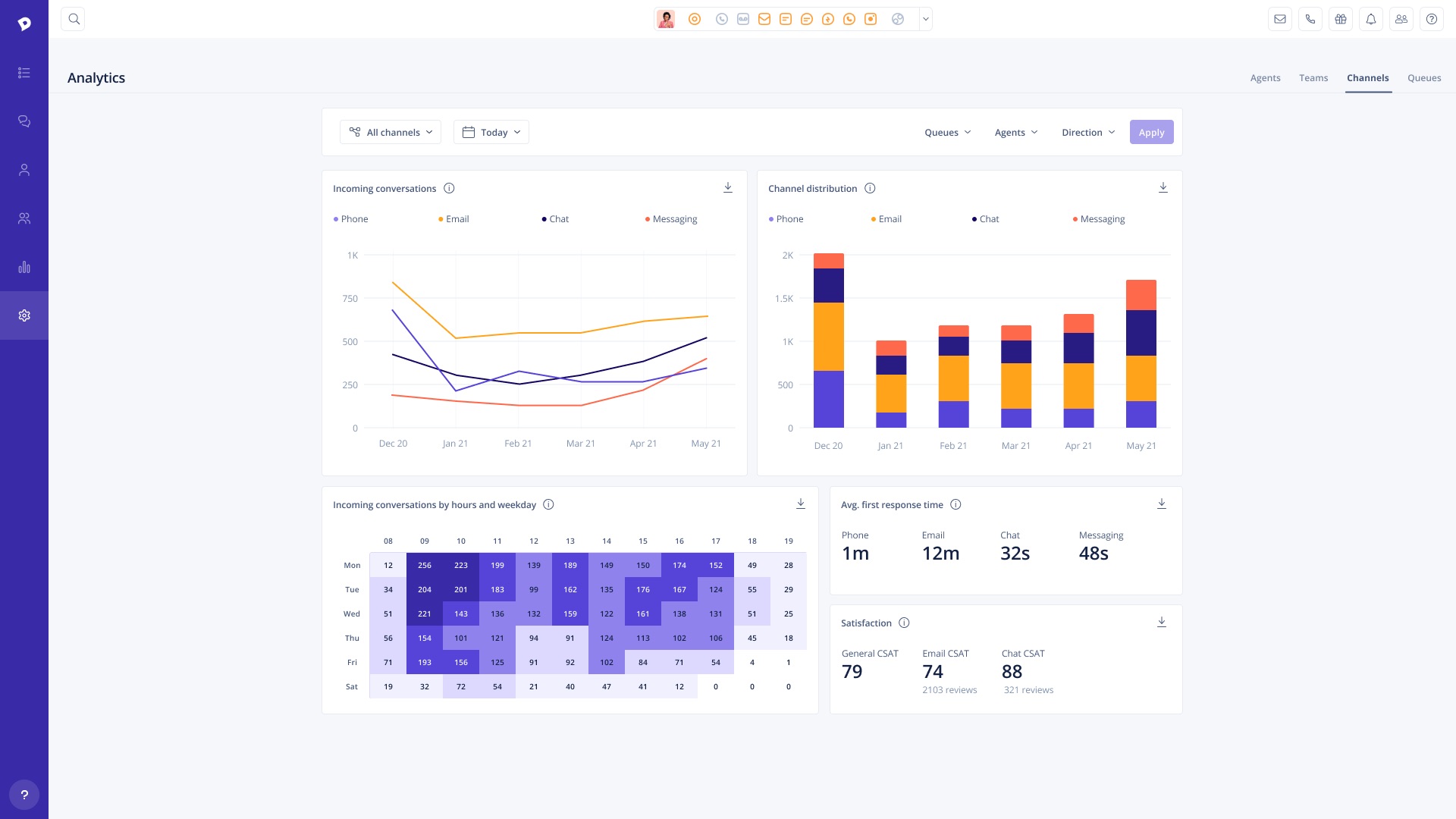
Screenshot of Conversations View: Add tags, write notes & transfer any conversation to another agent in seconds, regardless of channel (calls, emails, chats or Facebook messages).Screenshot of Conversations List: All conversations are updated dynamically in real-time so agents can see what a team is working on and which customers are waiting in queue without having to refresh. Utilize filters to sort by channel, assigned agent, and conversation status.Screenshot of Analytics: Analyze team performanceScreenshot of Organization: Add team members on the fly

Playvox Screenshots

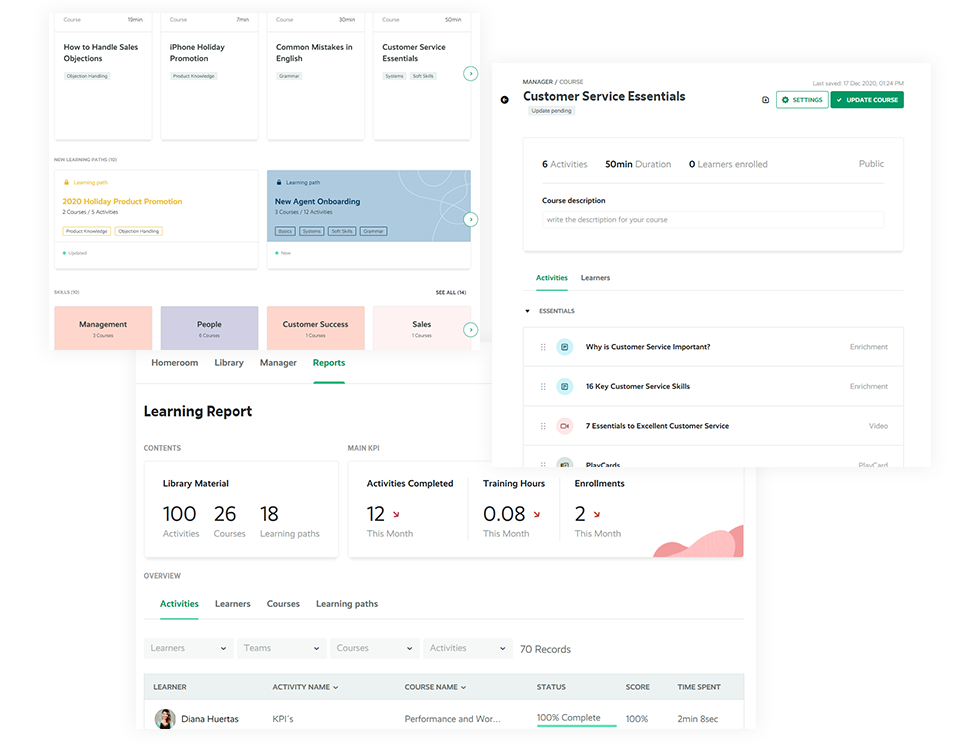
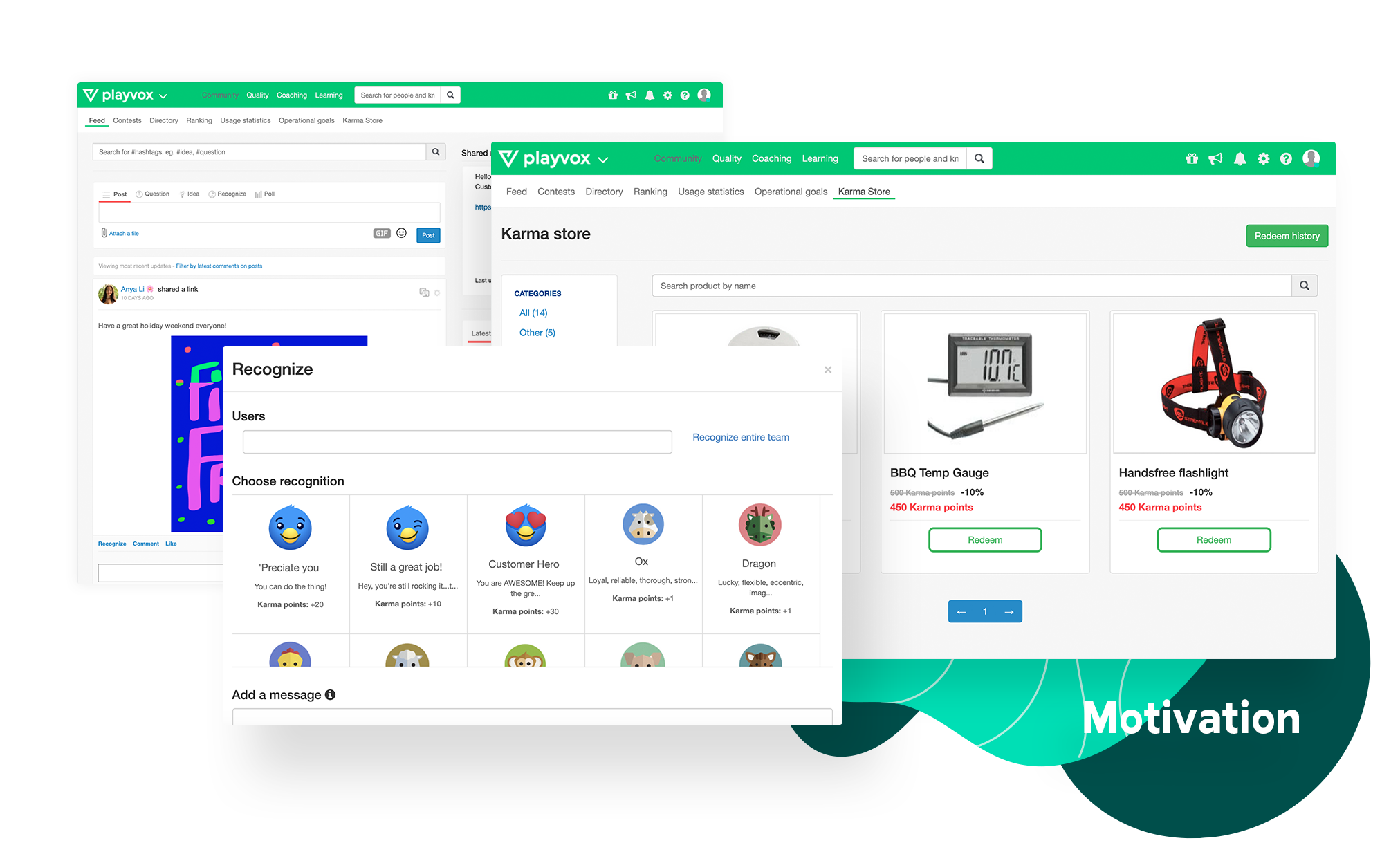
Screenshot of Give your team real-time feedback and allow them to discuss evaluation results with our built-in collaboration messaging. Generate advanced reports based on agent evaluations. Quickly identify areas of improvement and add personalized agent dashboards to give them visibility of their results. Conduct quality calibrations, to measure and identify areas for improvement. Help your team deliver consistency in their QA evaluation process.Screenshot of Provide your customer service team with all the educational information they need and allow them to take courses and paths in the learning topics they want to improve on. Identify areas in which your agents need to be trained on, send them targeted learning courses and easily track their results. Review your team’s progress and evaluate their knowledge by creating quizzes and comprehension checks.Screenshot of Connect data, measure and consolidate your agents’ KPIs such as NPS, CSAT, AHT, among many others. Detect problems when they occur. Track team progress. Give visibility. Easily measure where your team members stand and identify the KPIs they need to improve on. Create dashboards for your team to view, customize your objectives and keep track of your teams’ progress.Screenshot of Customize your online store with rewards and gift cards for team members to exchange based on their results. Reward your team with Karma Points and allow them to redeem their points in your customized online store. Publicly recognize peer with badges, based on their quality results and performance. Access our social community wall where your team can exchange ideas, ask questions and share relevant information.Screenshot of Coach agents based on the identified customer service problems, as quality is achieved by driving continuous improvement. Create coaching sessions based on your team’s quality and performance results. Based on recurring customer service problems. Tailor all sessions to your needs. Create interactive coaching cards with goals and dates of achievement to easily organize and keep track of all your sessions.