Dropbox is a cloud storage solution, equipped with features that help users to save time, improve productivity, and collaborate with others. Users can edit PDFs, share videos, sign documents, and collaborate with stakeholders without leaving Dropbox.
$9.99
per month
Druva Security Cloud
Score 9.4 out of 10
N/A
Workforce mobility and the rise of cloud
services is an essential part of any business, but it creates a number of
challenges for IT. Data spread across devices and cloud services, unpredictable
schedules, and varied network connections all complicate efforts to protect and
govern enterprise information.
The Druva Cloud Platform (formerly Druva inSync &
Druva Phoenix) provides unified data protection, management, and information
governance across endpoints and cloud…
N/A
Microsoft Defender for Cloud
Score 8.5 out of 10
N/A
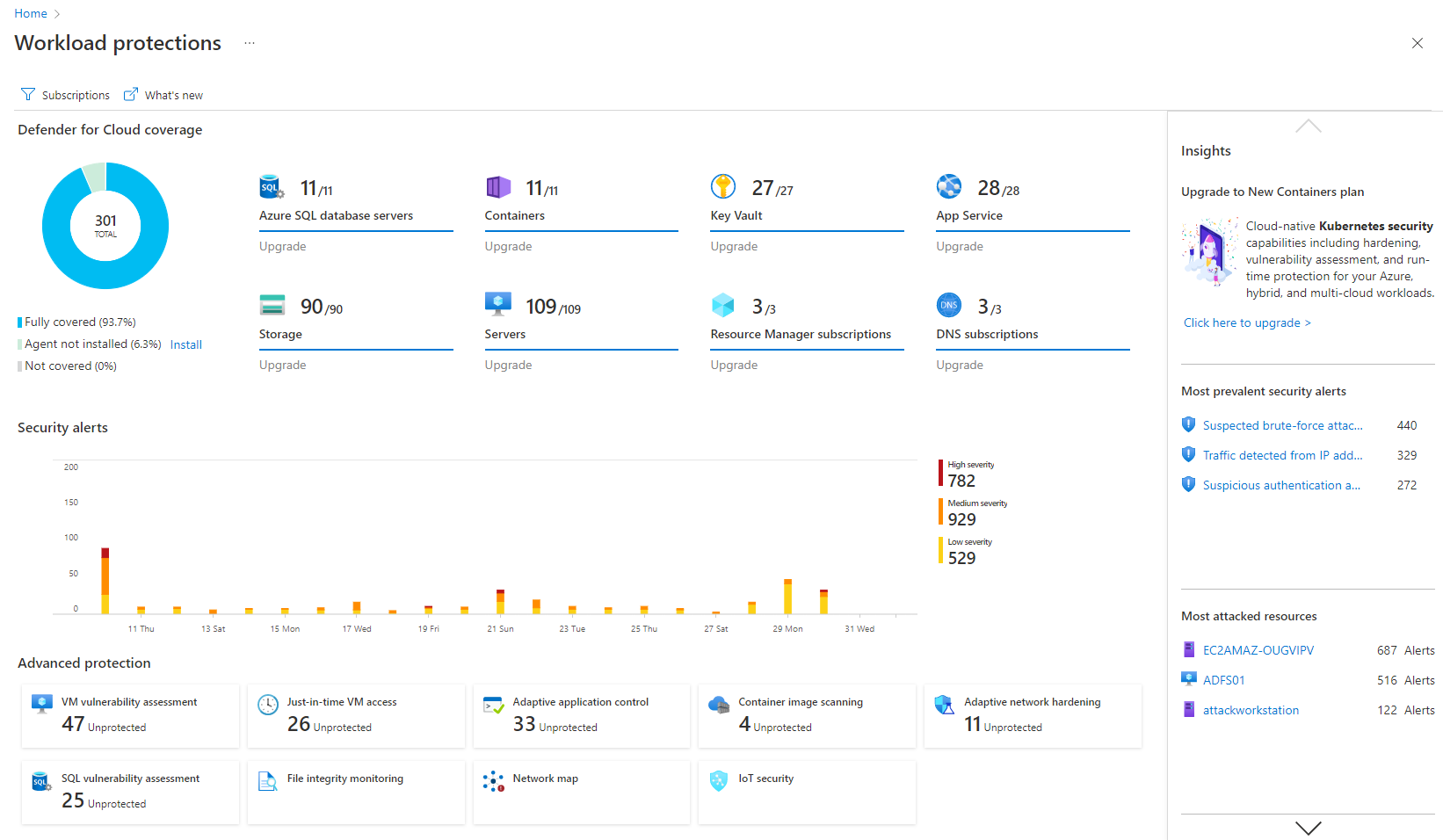
Microsoft Defender for Cloud is a Cloud Security Posture Management (CSPM) and Cloud Workload Protection Platform (CWPP) for Azure, on-premises, and multicloud (Amazon AWS and Google GCP) resources.
In terms of product support, Druva Cloud Platform is much better than Veeam backup. Our major point for selecting Druva Cloud Platform was that it helps large organizations backup data to a specific network and also helps restore data in less time. Compared to Veeam, it has …
Let me describe a scenario that happened recently in our organization's marketing team storing thousands of images videos and pdfs and Dropbox is done a great perfomer in this situation by the product features which is very helpful for the team, such as smart sync reduces disc usage, preview support for many media formats & Integrate with Adobe Creative Cloud.
100% cloud backup solution that was implemented well and easy to use. Great communication from our AE through the process and whenever needed. There is a robust admin web management portal that offers a fairly granular user privilege setup and the ability to add different regions in backup. Druva Security Cloud doesn't require a lot of bandwidth or additional resources for either backups or restores. Users can independently recover their data. We are able to back the files up both individually and at a group level. The support team is 24/7 and easily accessible. Biggest con, in this day and age, is that it would be great to have an admin smartphone application. More details when the backup is running would be nice as well as more customizable reports. Also some cosmetic bugs related to the UX, but nothing huge.
Microsoft is well-suited with its definitive cloud, and I also like its Microsoft Intune ID. The conditional policies are great with that, and they're really good and well situated, so you can't beat them at that conditional policy level. Less appropriate, as I said, some of these low-hanging fruit features, like being good in phishing campaigns, and then I feel like maybe doing better at their seam products. So we'll see how that goes.
I can make projects available to editors so that they can do their work.
Dropbox is a place where I can store files that I can access from anywhere, even if I don't have my laptop with me at the time.
I have an old friend who is an acting professor in Tokyo. He loves the dialogue that I write in my novels. He converts chapters into scenework for his acting students. They get very excited when there's new material!
I’d like to be able to hover over an image/document and have it expand/enlarge without actually opening it
I’d love to see a carousel that lets me thumb through more quickly
I’m almost always in thumbnail view. I’d like to see them re-organize automatically when something is moved or deleted instead of leaving an empty space.
They have more ways to improve in Analytics section and UX.
I recommend to have to integrate with the cloud storages cheaper option to store backups which would be tremendous for customers to save snapshots costs.
Love to see Druva Data Resiliency Cloud have a better rbac policy on who can trigger the DR engine.
Granular permissions and role-based access management could improve security. This would enable organizations to control who has access to and can set specific features.
While it offers integration with various Microsoft services, expanding support for third-party cloud platforms and applications would enhance its versatility. Many organizations use multiple cloud providers, and broader compatibility would be advantageous.
The cost structure could be more transparent, especially for larger organizations with extensive cloud resources. Clearer cost breakdowns and predictions would help organizations budget more effectively.
Dropbox is a user-friendly, easy tool which requires little to no skill and they offer a free version with a good amount of storage available. There are other file sharing tools available however at a cost. Dropbox free version I have used for years and it serves every purpose I need.
This is the second company I've brought to Druva. Just today, I was tasked with recovering a file from a user that last saw it 6 months ago. I was able to restore it in under 5 minutes of getting the request. It's really that easy.
It is a great product that integrates nicely when running an Azure platform and even multi-cloud environment. Not looking for point-solutions but a suite that answers most requirements. It is very comfortable being able to use KQL, workbooks and automation that is native to the azure platform
It works extremely well, and we have never had any issues with connecting or sharing files. It's very easy to use, and any team member can share, add, and delete files to a virtual drive. This is extremely helpful, and it's an amazing tool to use, ensuring everyone can connect and work together effectively.
The product is easy to navigate and manage. Setup and configuration is also easy. We did not need to pay for any additional professional services. Our account team worked with use on the integration. It was not complex or difficult to learn how to setup and use. End users also have the ability to log in and manage their own files and emails
My visibility is limited because I'm only doing very small pieces of what the overall org does. And also, we have limitations on what we're allowed to use. It's not like we get a new product as users or leadership level users, and everything is on, and we can just do whatever we want. We're very restricted in what we can use any tooling within the org because of the different levels of regulatory constraints we have, because of just the nature of who we are inherently. So that's why. I don't think it's necessarily the product. I think it's more or less of what we're able to do with the product.
I really recommend the product for the Dropbox availability is a great having very very less downtimes, they errors are less I have been faced yet, due to connectivity sometimes we are getting errors. Only sometimes the limitations of some features show some errors.
Like any service, there are scheduled maintenance periods and unscheduled outages, however outages have been very limited and fortunately have not had any impact on our environment.
Dropbox is really useful, you can access any file from anywhere and you can upload and even edit files online, but, sometimes it can be slow. Downloading, uploading, and syncing is a bit slow, it can take several minutes. Furthermore, the search engine for large amounts of data can be slow too and it is not powerful.
Page response in the admin center is acceptable- rarely are we waiting for data to load. Backup speeds seem fine, and restore speeds are OK considering it's likely pulling data from cold storage. It often takes 30-60 seconds for the restore to begin transferring files, but speeds are acceptable thereafter
They immediately responded like in an example that I gave where one of our staff members accidentally deleted the whole Special Hope Network Dropbox, we immediately contacted Dropbox they walked us through the steps of how to retrieve the information and luckily enough we were able to retrieve the entire Dropbox and we have had back and forth with Dropbox on what to do when an employee leaves how to remove them how to add another employee.
We had an issue in my first year that took a long time to fix. The support guy was awesome, took screen shots, filled me in, was professional, but it just took so long. I do think that was an anomaly, but it certainly sticks out nonetheless. Beyond that, we've had pretty good support "relationships" with the reps. They're usually pretty prompt at getting back and quite knowledgeable. Just make sure you have your proxies updated, because that's always step 1!
The person for corporate product dealing and knowledge of the product explore and better and secure use are properly handover to us. Also provide full software and tool training from the basic to the pro level with each and every possible explanation. Provide many sessions regarding every doubt. Also Guide better suitable options for our business to migrate and integrate for the expansion in all places employee smoothly.
I did not personally take any training for Dropbox so I am self taught but I know when our Vice President selected Dropbox, he personally did do some training modules on it and I'm assuming it was very easy and simple to understand since he now acts like he is a pro at it!
I needed to stay current in improving my daily operations. Dropbox was suggested to me by a former colleague two-years ago and I've been using it just fine ever since.
Implementation from cloud ranger to Druva Data Resiliency Cloud platform was a seamless integration experience to upgrade the policies and license for continual backup/recovery support. This may be one of the best "set it and forget it" apps for backup solutions, that also allow notifications for failures etc...
I prefer the layout and visual aspect of Dropbox as it mirrors my files on my computer. I feel that I am more organized, and it's easier to find my files in Dropbox than it was with Google Drive.
We evaluated VMWare as a provider and found their dependence on IaaS or on-premises setup was a deal breaker. Being all-cloud really required that we have a cloud-native SaaS backup solution. VMWare and other IaaS and on-prem providers really could not match Druva Data Resiliency Cloud's abilities, at least not that we were able to determine.
Microsoft Defender for Cloud is definitely the choice with the latest market trend and attacks that are currently happening. Microsoft has been able to safe guard a lot after the recent serious attacks happening globally in the digital world. There is a trust in this software and with the latest updates and machine learning capabilities, Microsoft Defender for Cloud should be the choice.
I would recommend to this product directly to the sales team of Dropbox for the best deal provide to my referred person and provide the best service to them.
It's easy to integrate with the systems of Windows and Linux, easy to have web versions accessible, which provide the web login credentials. Also, it can be installed for individuals for the best autosync features.
As the product is cloud based within AWS, scaleability is unlimited. The on-premise units of scale are predictable and allow administrators to scale up / down as needed. In my experience, the flexibility around these appliances, allow organisations to vertically or horizontally scale the environment with confidence and ease. Conversely, it is possible to set thresholds to ensure that organisations do not over commit and manage budgets effectively.
When it works (usually if a client already has Dropbox, so they don't get the solicitation to sign up), it works flawlessly.
I've had multiple clients not see the "continue with download only" at the bottom and email me to resend the media another way because they don't have a Dropbox account.
Using Druva has simplified greatly the backup process. Once fully configured to your business needs, Druva provides a fast amount of backups.
Druva has saved a lot of time for the IT team. Usually time is wasted by staff members searching for a missing email. Now, they reach out to us or use their own Druva account to locate a missing email quickly and easily.
It simplifies security management and saves time. I'm not sure, but I'm very confident it saved me a couple of paychecks by centralizing the data I need to secure the cloud environment.
I also utilize the inventory overview to monitor my team's activities and verify they are following internal regulations, as well as cost overruns.
The recommendations can be utilized as a valuable instructional tool. I have the team explain why they are receiving them, why they are not following them, and what they are doing differently.