
Fetch vs. Paymo
Fetch vs. Paymo
| Product | Rating | Most Used By | Product Summary | Starting Price |
|---|---|---|---|---|
 Fetch | Small Businesses (1-50 employees) | Fetch aims to provide small businesses with an easy and efficient way to reimburse employees for out of pocket expenses. Employees submit expenses using the Fetch mobile app and admins can view, approve and pay those expenses directly through the web app. The vendor says Fetch was built with one thing in mind -- getting employees paid back fast without any added burden on the admins approving the expenses. The vendor’s value proposition is that the sleek mobile app combined with… | $9.95 per active user | |
 Paymo | N/A | Paymo is a collaborative work management platform that helps track team progress, collaborate in context, and make smarter decisions. It acts as a single source of truth, where project planning, resource scheduling, file proofing, time tracking, and billing feed into each other to co-exist under the same roof. | $0 Up to 10 users |
| Fetch | Paymo | |||||||||||||||
|---|---|---|---|---|---|---|---|---|---|---|---|---|---|---|---|---|
| Editions & Modules |
|
| ||||||||||||||
| Offerings |
| |||||||||||||||
| Entry-level Setup Fee | No setup fee | No setup fee | ||||||||||||||
| Additional Details | — | Free version available for freelancers. | ||||||||||||||
| More Pricing Information | ||||||||||||||||
| Fetch | Paymo |
|---|
| Fetch | Paymo | ||||||||||||||||||||||||||||||||||||
|---|---|---|---|---|---|---|---|---|---|---|---|---|---|---|---|---|---|---|---|---|---|---|---|---|---|---|---|---|---|---|---|---|---|---|---|---|---|
| Project Management |
| ||||||||||||||||||||||||||||||||||||
| Professional Services Automation |
|
| Fetch | Paymo | |
|---|---|---|
| Small Businesses |  Dext Score 9.6 out of 10 |  Stackby Score 8.9 out of 10 |
| Medium-sized Companies |  Precoro Score 9.5 out of 10 |  InEight Score 8.4 out of 10 |
| Enterprises |  Emburse Chrome River Score 7.7 out of 10 | InEight Score 8.4 out of 10 |
| All Alternatives | View all alternatives | View all alternatives |
| Fetch | Paymo | |
|---|---|---|
| Likelihood to Recommend | 9.0 (4 ratings) | 8.0 (10 ratings) |
| Usability | - (0 ratings) | 9.0 (1 ratings) |
| Support Rating | - (0 ratings) | 8.9 (3 ratings) |
| Fetch | Paymo | |
|---|---|---|
| Likelihood to Recommend | Shoeboxed
| ProfitSolv
|
| Pros | Shoeboxed
| ProfitSolv
 Daniel Summers Jr Head Cat |
| Cons | Shoeboxed
| ProfitSolv
 Kaitlin Berg Marketing Communications Coordinator |
| Usability | Shoeboxed No answers on this topic | ProfitSolv
|
| Support Rating | Shoeboxed No answers on this topic | ProfitSolv
|
| Alternatives Considered | Shoeboxed
 Rachel Walter Partner | ProfitSolv
 Neal Bauer President - Bauer Graphics |
| Return on Investment | Shoeboxed
| ProfitSolv
 Heather Miller Senior Graphic Designer |
| ScreenShots | Fetch Screenshots     | Paymo Screenshots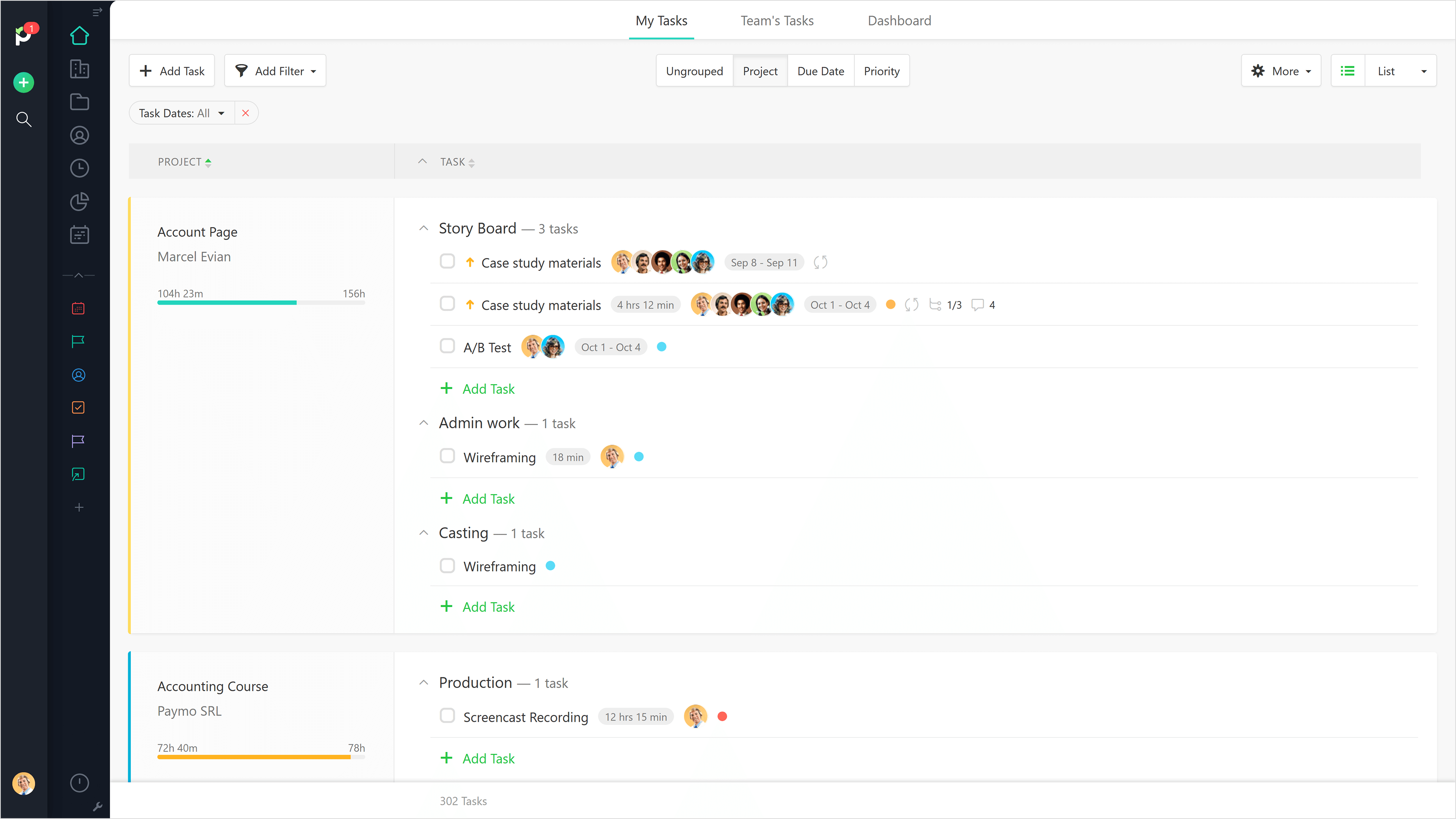 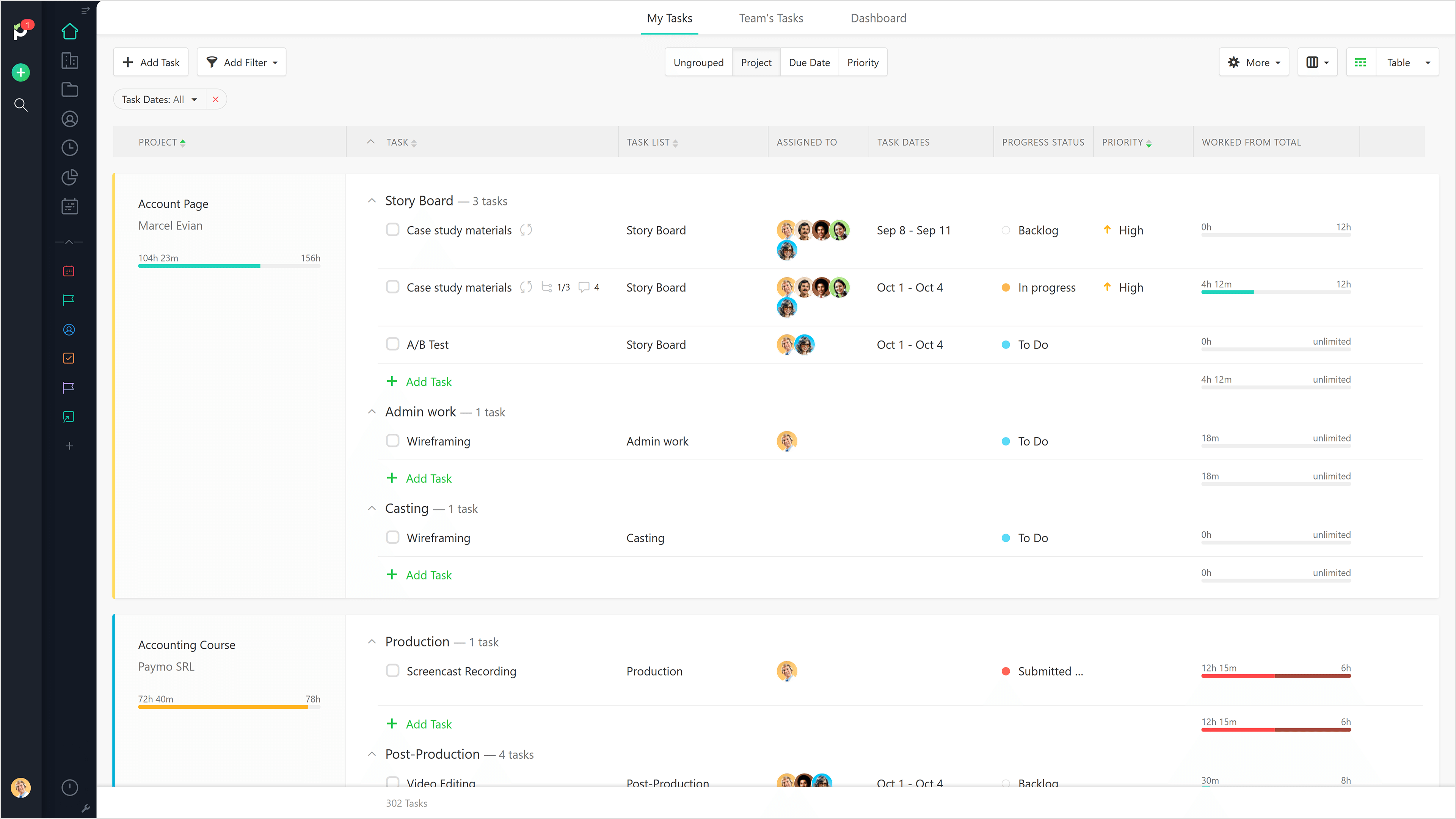     |