Forcepoint Data Loss Prevention (DLP) protects sensitive data everywhere it resides and moves, across endpoints, cloud apps, web, email, and on-premises environments. It delivers unified policy management and centralized control from a single console.
N/A
WatchGuard AuthPoint
Score9 out of 10
N/A
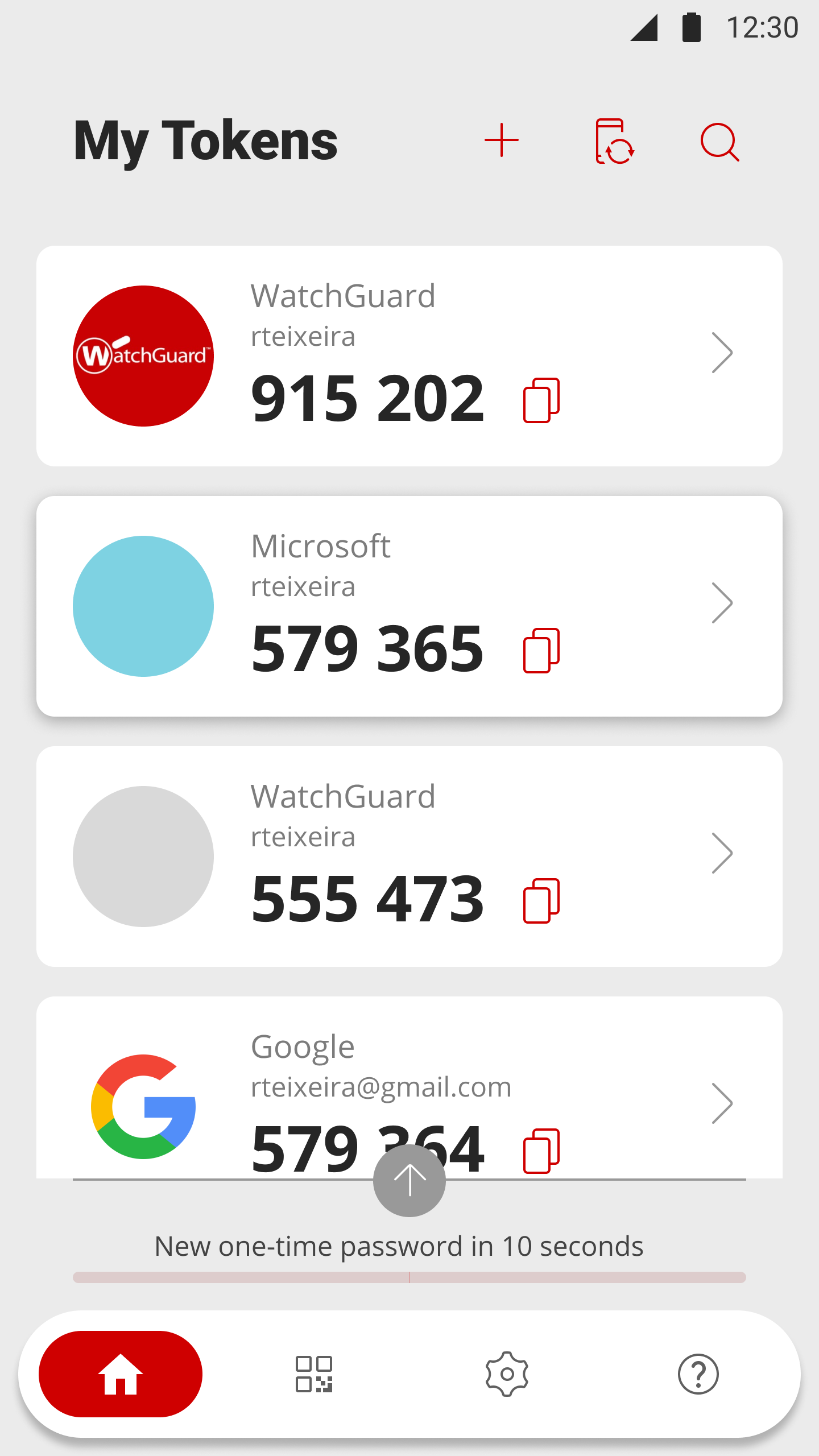
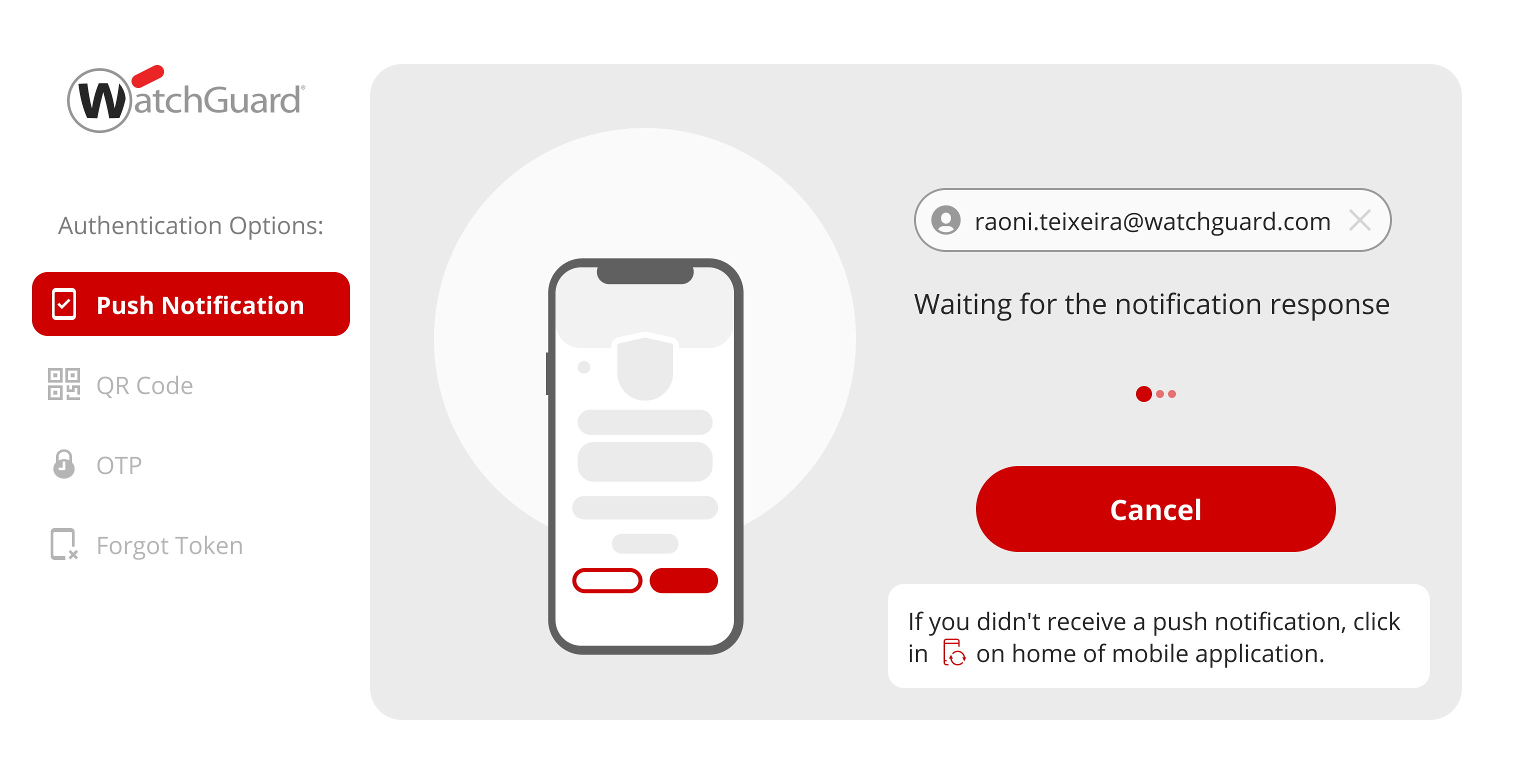
WatchGuard AuthPoint protects workforce logins to desktops, VPNs, and cloud applications, from Windows and macOS sign-in to Microsoft 365 and third-party SaaS. It runs on WatchGuard Cloud, the same console that manages WatchGuard network and endpoint security. An MSP or an IT team can cover identity without adding another vendor to the stack. When MFA alone is not enough Day-to-day authentication runs through the AuthPoint mobile app, with push, QR code,…
A de minimis incentive was given to thank the reviewer for their time. The incentive was not used to bias or drive a particular response, nor was the incentive contingent on a positive endorsement. More Info
-Where companies need to secure their attachment, which goes outside, means from their company to outside -Where companies need to ensure their client's personal information -Where companies need DLP. They need to look for Forcepoint only, as they have the upper hand over the rest of their competitors.
A de minimis incentive was given to thank the reviewer for their time. The incentive was not used to bias or drive a particular response, nor was the incentive contingent on a positive endorsement. More Info
Works great as a 2FA token, for endpoint control, for computer and server updates, for scheduling updates, and for patching security features when exploits become known. Remote connection is very reliable and doesn't drop in and out as many programs do. It may not be as appropriate if you are looking for a plug-and-play control, as it requires more learning and setup to get it set up correctly.
A de minimis incentive was given to thank the reviewer for their time. The incentive was not used to bias or drive a particular response, nor was the incentive contingent on a positive endorsement. More Info
It has predominantly protected us from unauthorized parties and has provided us with better visibility and control over our data.
This software has also successfully prevented us from both malicious and accidental tasks, which are quite flexible actions when it comes to the violation of data loss prevention policies.
This product has been successful in improving compliance and even mitigating compliance violations, which further facilitated IT security.
I think there is room for improvement, as the user interface is slightly rough and difficult to adopt in the beginning. The software also hangs up at a few instances, which leads to some wasting of time and annoyance, but other than that, this software is good. The technical staff should work on the complexities for a better user experience.
A de minimis incentive was given to thank the reviewer for their time. The incentive was not used to bias or drive a particular response, nor was the incentive contingent on a positive endorsement. More Info
A de minimis incentive was given to thank the reviewer for their time. The incentive was not used to bias or drive a particular response, nor was the incentive contingent on a positive endorsement. More Info
Forcepoint technical support--specially for users who go with essential support--is challenging to get support on time. You need the ticket to be raised long beforehand to get support from TAC. However, in the case of enterprise support, its is not like this technical person will come on a priority basis.
However it comes with higher prices, especially for SMB, it is allowed to pay that amount for support only.
A de minimis incentive was given to thank the reviewer for their time. The incentive was not used to bias or drive a particular response, nor was the incentive contingent on a positive endorsement. More Info
Email support is SLOW unless I want to allow a stranger to access my production firewall. That is never allowed here, so our hands are tied in terms of being able to get support in less than 48 hours.
Again, support takes far too long because you refuse to employ any staff that works in US time zones during normal business hours.
There has to be another option besides: 1) you take full control of my systems or 2) I wait on SLOW email support that isn't that great.
A de minimis incentive was given to thank the reviewer for their time. The incentive was not used to bias or drive a particular response, nor was the incentive contingent on a positive endorsement. More Info
We have been fairly happy with the product and how it has worked. We have looked at other vendors for url filter and such and have not found one that meets our needs or does what we have been doing with Websense. The product has been fairly stable and we have only had a few issues in the past. We have all seen that it was one of the highest leaders from the Gartner Group Magic Quadrant for Web Gateways.
A de minimis incentive was given to thank the reviewer for their time. The incentive was not used to bias or drive a particular response, nor was the incentive contingent on a positive endorsement. More Info
Today to ensure our ISO 27001 certification it is important that we maintain this solution. Today it is part of the way any employee within the organization works, we no longer have any other way of working and it is the simplest way to ensure that access to the workstation is done with MFA.
A de minimis incentive was given to thank the reviewer for their time. The incentive was not used to bias or drive a particular response, nor was the incentive contingent on a positive endorsement. More Info
For us, Forcepoint Data Loss Prevention was difficult to administer, did not work well when it did work, was incredibly expensive for the feature set you get, and was difficult to uninstall when we moved on from the software. Once it was fully set up, it worked occasionally for us.
A de minimis incentive was given to thank the reviewer for their time. The incentive was not used to bias or drive a particular response, nor was the incentive contingent on a positive endorsement. More Info
After initial setup, it practically runs itself. Onboarding new users is fast and easy as it should be. The AuthPoint mobile app is small and simple to use. The only reason I do not give it a 10 is that I frequently get complaints from end users that the AuthPoint app is "constantly downloading". In fact, it's not downloading anything and that what the users are seeing in the app is a timer for the 6-digit code that changes every minute.
A de minimis incentive was given to thank the reviewer for their time. The incentive was not used to bias or drive a particular response, nor was the incentive contingent on a positive endorsement. More Info
A de minimis incentive was given to thank the reviewer for their time. The incentive was not used to bias or drive a particular response, nor was the incentive contingent on a positive endorsement. More Info
A de minimis incentive was given to thank the reviewer for their time. The incentive was not used to bias or drive a particular response, nor was the incentive contingent on a positive endorsement. More Info
Support from Forcepoint has been lacking. When calling in with a high priority issue we rarely are able to work with a technician immediately. The queue waits are very long and when you get through there are no support engineers available and we need to wait for a call back for hours it seems.
A de minimis incentive was given to thank the reviewer for their time. The incentive was not used to bias or drive a particular response, nor was the incentive contingent on a positive endorsement. More Info
WatchGuard support is always quick and reliable. They have urgency levels that you are able to select when creating your support ticket, and they respond in accordance to the severity that you have set. I have never had an issue with getting someone on the phone in the same business day, even for very low priority issues.
A de minimis incentive was given to thank the reviewer for their time. The incentive was not used to bias or drive a particular response, nor was the incentive contingent on a positive endorsement. More Info
It was an Onsite demo at the ditributor with the benefits of Watchguard Authpoint. Was very nice to see the abilities of the product. This Demo was a few years back, since then Authpoint changed allot. It is very nice for partners that you can get this demo without any aditional cost.
A de minimis incentive was given to thank the reviewer for their time. The incentive was not used to bias or drive a particular response, nor was the incentive contingent on a positive endorsement. More Info
We use the online training for all our employees. There are both sales and technical trainings available and there even is a technical certification. You can use this for the Watchguard Partner Program which can give you aditional benefits. Every now and then you have a webinar that discusses multiple Watchguard products.
A de minimis incentive was given to thank the reviewer for their time. The incentive was not used to bias or drive a particular response, nor was the incentive contingent on a positive endorsement. More Info
the first time it takes more effort. It is helpful to already understand how each authentication type works. Then it's much easier to understand the MFA solution that you implement. It is useful to check the release notes from time to time and update the key parts of the Watchguard Authpoint. Authpoint Gateway, Logon App, RDWeb... Also, it's useful to set up notifications when something goes wrong or sometimes check the statistics of how many requests are being approved/denied, etc.
A de minimis incentive was given to thank the reviewer for their time. The incentive was not used to bias or drive a particular response, nor was the incentive contingent on a positive endorsement. More Info
User friendly solution that makes it easy to deploy and manage. Forcepoint Data Loss Prevention very effective to protecting our valuable data on endpoints and where data lives like in the Cloud, server and on-premises disk drives and its valuable to just set policies once and start utilizing Forcepoint Data Loss Prevention solution.
A de minimis incentive was given to thank the reviewer for their time. The incentive was not used to bias or drive a particular response, nor was the incentive contingent on a positive endorsement. More Info
I would slot Authpoint (as a product) as better than ESET but not Duo. ESET has the same limitations as Watchguard in the OTP support. It also is an on-prem installed console rather than a cloud, which increases cost and maintenance requirements. The duo now supports standard OTP for admin accounts, so it can be managed by a team. Duo support however leaves a lot to be desired and gives Watchguard the edge
A de minimis incentive was given to thank the reviewer for their time. The incentive was not used to bias or drive a particular response, nor was the incentive contingent on a positive endorsement. More Info
A de minimis incentive was given to thank the reviewer for their time. The incentive was not used to bias or drive a particular response, nor was the incentive contingent on a positive endorsement. TR verified that a representative sample of customers was invited. More Info
The exchange of financial documents with customers creates extreme risk as data loss could result in financial and reputation damage to the customer. The cost of deploying Forcepoint is fractions of pennies compared to the potential financial impact of data loss.
There is some administrative overhead associated as false positives are inevitable, requiring a manual review and a potential loss of productivity.
A de minimis incentive was given to thank the reviewer for their time. The incentive was not used to bias or drive a particular response, nor was the incentive contingent on a positive endorsement. More Info
We currently have 300 users on Authpoint, and most of them use insecure passwords. Authpoint gives us peace of mind that we don't have to police individual employee passwords.
In line with the comment above, with so many people in our organization using insecure passwords, I'm sure that Authpoint has already saved us from many potential security breaches.
Security breaches can cost a lot of money. Preventing them saves the company money and helps to achieve our bottom line.
A de minimis incentive was given to thank the reviewer for their time. The incentive was not used to bias or drive a particular response, nor was the incentive contingent on a positive endorsement. More Info